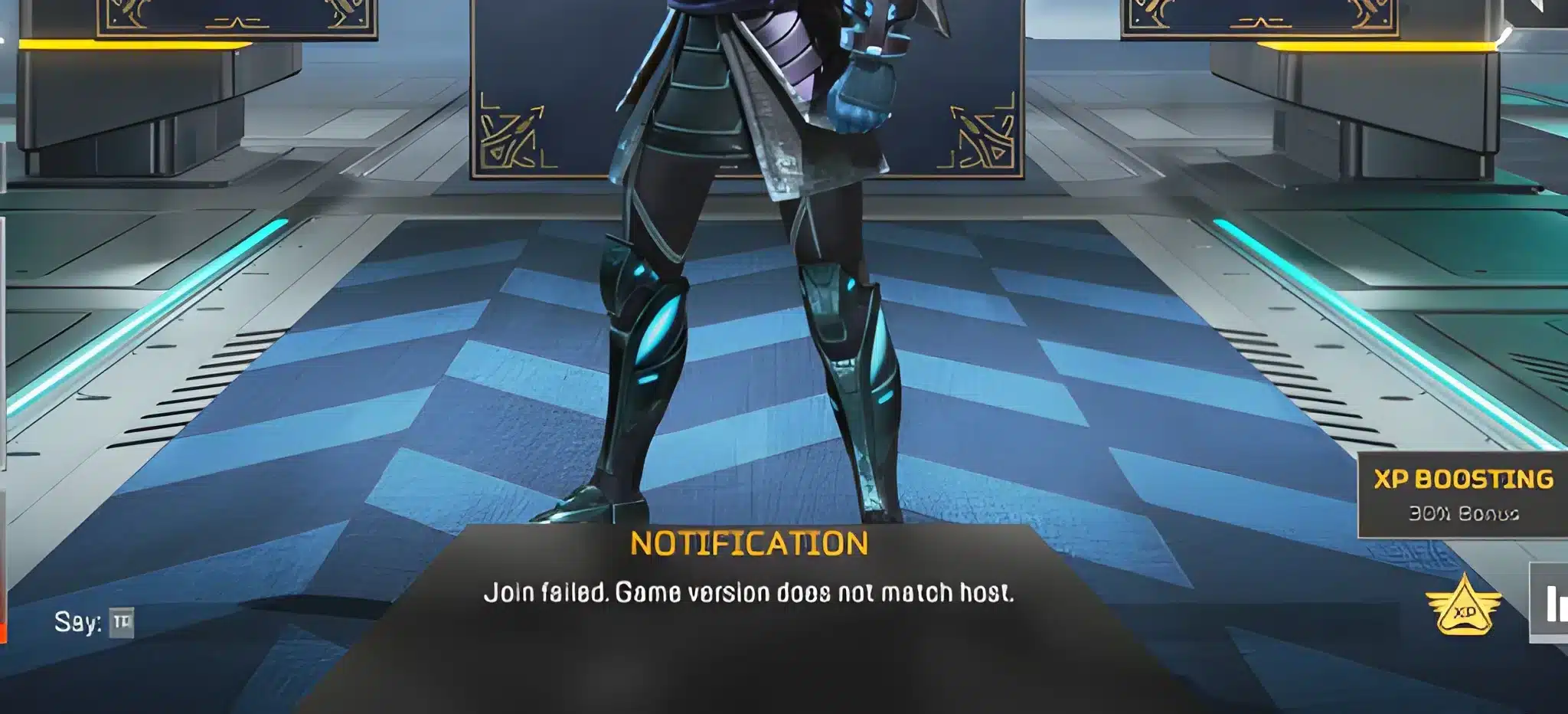
Apex Legends server status is the first thing to check when the game fails to connect, matchmaking takes forever, or the lobby freezes on a loading screen. Before troubleshooting your own connection, your router, or your game files, you need to confirm whether the problem is on your end or EA's end. A server issue cannot be fixed locally, and five minutes of reading error pages is better than an hour of futile troubleshooting.
Apex Legends uses a complex web of interconnected services to function. Login servers, account servers, game servers, matchmaking services, and Cloudflare authentication all have to work together simultaneously. When any single component fails, players can experience everything from login failures to mid-match disconnections without the game providing a helpful explanation of which specific system failed.
This guide covers every reliable method to check Apex Legends server status, how to read what the status pages actually mean, how to troubleshoot when the problem is on your side, and what 2.5 KD means in Apex.

How to Check If Apex Legends Servers Are Down Right Now
Method 1: EA's Official Server Status Page
EA maintains the authoritative source for Apex Legends server status at help.ea.com/en/server-status. This page lists the current operational state of all EA games and platform services, including:
- Apex Legends (PC, PlayStation, Xbox platform-specific status)
- EA App and Origin services
- Account authentication services
- Matchmaking systems
The page uses color-coded indicators: green for operational, yellow for degraded performance, and red for major outage. It also lists any ongoing maintenance windows with estimated resolution times.
Limitation: EA's official page has historically been slow to update during emergencies. On January 4, 2026, an SSL certificate expiration locked out millions of players globally while the official page still showed no issues for over an hour. Always cross-reference with a secondary source.
Method 2: Downdetector Community Reports
downdetector.com/status/apex-legends aggregates real-time player-submitted reports about issues. This source typically picks up outages significantly faster than EA's official page because it does not require EA to confirm the problem first.
Downdetector shows a spike chart of incoming reports. A sudden rise to hundreds or thousands of reports within a 15-minute window is a strong signal of a real outage, even if EA has not officially acknowledged it.
Method 3: ApexLegendsStatus.com
apexlegendsstatus.com pulls data directly from EA's servers and tracks the health of specific services including OAuth authentication, game servers by region, and matchmaking systems. It provides:
- Real-time server response times by region (US West, US Central, US East, South America, Europe, Asia)
- Historical outage graphs
- Player report aggregation separate from the official status page
Method 4: In-Game Performance Display
If you are already in a match and experiencing issues, Apex Legends has a built-in performance overlay:
- Go to Settings in the main menu
- Navigate to the Video tab
- Enable Performance Display
- The overlay shows your ping, packet loss percentage, and server tick status during active gameplay
High ping combined with packet loss indicates a network-level problem. High ping alone could be your connection. Zero ping with rubber-banding often indicates a server-side issue.
What Are the Current Apex Legends Server Regions?
Apex Legends distributes matchmaking across multiple geographic data centers. The primary regions are:
| Region | Data Centers | Coverage |
| US West | Oregon, Salt Lake City | Western North America |
| US Central | Iowa | Central North America |
| US East | South Carolina | Eastern North America and Atlantic |
| South America | São Paulo | All of Latin America |
| Europe | Frankfurt, London | EU and UK |
| Asia | Tokyo, Singapore, Hong Kong | East Asia and Southeast Asia |
A specific region being down or overloaded does not mean the game is unavailable globally. Switching your data center through the main title screen (wait 60 seconds on the title screen to see the Data Center selector) can resolve connection issues caused by regional problems.
Is EA Servers Down Right Now?
EA's server infrastructure supports multiple major games simultaneously, including Apex Legends, EA Sports FC, Battlefield, The Sims 4, and others. Server issues affecting one game sometimes indicate broader platform instability, and other times affect only a specific title.
When EA experiences platform-wide issues:
- The EA app may fail to launch or sign in
- Multiple games show matchmaking failures simultaneously
- The EA server status page shows multiple red indicators
When the issue is Apex-specific:
- Other EA games work normally
- Only Apex Legends shows error codes
- The EA server status page flags only Apex Legends services
The most common Apex Legends error codes and their meanings:
| Error Code | Meaning | Fix |
| Code 100 / AUTHENTICATION | Login server issue | Check EA server status; restart game |
| Code LEAF | Server not responding | Try a different data center |
| Code SHOE | Anti-cheat authentication timeout | Reinstall Easy Anti-Cheat |
| Code CAT | Cannot connect to EA servers | Router restart; verify firewall |
| LS-0014 | EA App connectivity issue | Repair EA App installation |
What Is a 2.5 KD in Apex? Is It Good?
While checking server status, many players also wonder about their performance statistics. KD stands for Kill/Death ratio: the number of kills you earn divided by the number of times you are eliminated.
A 2.5 KD in Apex Legends means you earn 2.5 kills on average for every death you take. In the context of Apex's battle royale format:
- Average KD across all players: Approximately 1.0
- Above average: 1.5 to 2.5
- Good: 2.5 to 4.0
- Excellent: 4.0 to 6.0
- Top-tier: Above 6.0
A 2.5 KD is considered good by most community standards. It places you comfortably above the majority of the player base, though it does not yet indicate the level associated with competitive ranked play or streamers. Most players who reach Platinum or Diamond rank have KDs in the 2.0 to 4.0 range, making 2.5 a solid marker of consistent competitive performance.
Note that Apex's three-player squad format and the ability to respawn teammates adds complexity to raw KD as a performance metric. A player who frequently revives teammates may have a slightly lower KD than a solo-carry player while contributing more to actual match wins.
Pro Tips: Checking Apex Server Status
- Bookmark at least two status pages before you need them: EA's official page and Downdetector both update during outages but at different speeds. Having both bookmarked means you always have a fallback when one is unclear.
- Use the Data Center selector for regional issues: If the overall status looks fine but you are getting high latency or failed matchmaking, switch your data center in the title screen. Different regional nodes have different health states even when the overall game is listed as operational.
- Follow @EAHelp on X for real-time updates: EA Help's official account posts real-time updates during major service disruptions faster than the status page updates. A few seconds of checking the account saves significant troubleshooting time.
- Check if the issue coincides with a Season or mid-season update: Apex Legends server instability is highest in the first few hours after a new Season launches or a major update deploys. If you experience issues immediately after an update, waiting one to two hours frequently resolves the problem as infrastructure stabilizes.
Common Mistakes When Dealing with Apex Server Issues
- Reinstalling the game during a server outage: Reinstalling a 60+ GB game solves corrupted local files but does nothing for server-side issues. Fix: Confirm the server status is normal before attempting any local repair or reinstall. A 10-second status check prevents hours of unnecessary download time.
- Assuming the problem is your ISP because your internet otherwise works: Your internet working for web browsing and video streaming does not mean it is routing efficiently to Apex's specific servers. Fix: Run the in-game performance overlay or use the Data Center selector to measure actual latency to game servers rather than inferring connection quality from other apps.
- Not changing data center during regional instability: Many players retry the same matchmaking queue repeatedly during a regional outage without realizing a different data center is fully functional. Fix: When matchmaking consistently fails, open the Data Center selector and switch to a region showing lower ping. Accept slight latency increase for the trade of actually being able to play.
Play Apex Legends with a Stable Connection Using ExitLag
Even when EA's servers are fully operational, the path between your device and the game server matters. Your ISP routes your traffic for cost efficiency, not for gaming performance. When that route passes through congested or indirect nodes, you experience elevated ping and packet loss even while server status reads as normal.
ExitLag is a connection optimizer used by over 30 million players across 4,000+ game titles including Apex Legends. It analyzes multiple network routes in real time and selects the fastest, most stable path between your device and EA's servers.
Features that directly benefit Apex Legends players:
- Real-Time Optimization: Continuously selects the lowest-latency route to Apex servers, reducing the per-packet delay that affects hit registration at the game's 20 Hz server tick rate.
- Multipath Technology: Routes game data through multiple simultaneous paths so a single connection failure never drops you from a ranked match.
- Traffic Shaper: Prioritizes Apex Legends traffic over background applications so downloads and other software cannot spike your ping during a firefight.
- Multi-Internet: Supports up to four simultaneous internet connections, eliminating disconnections from competitive sessions.
Download ExitLag and try it free.
All product names and trademarks mentioned in this article belong to their respective owners. Apex Legends and related marks are trademarks of Electronic Arts Inc. and Respawn Entertainment. They are used for informational and educational purposes only and do not imply endorsement or affiliation with the rights holders.