

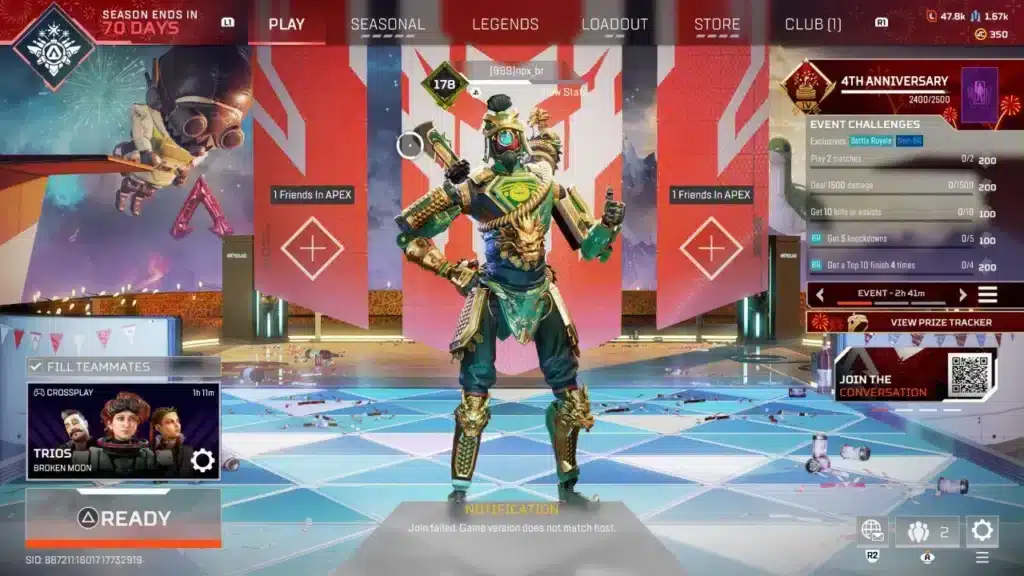
Few things kill a squad night faster than the Apex Legends Join Failed Game Version message. You queue up, your friends load in, and you get stuck staring at a menu screen instead.
This error is not random. In most cases, it points to a real mismatch between your game client and the servers or your teammates.
The good news is that the fix is usually quick: update the client, repair game files, restart your platform, and confirm every squad member is on the identical build before requeuing. Apex Legends Join Failed Game Version issues almost always trace back to one of a handful of causes, and once you know them, troubleshooting takes minutes instead of hours.
This guide breaks down exactly why it happens, walks through step by step fixes for PC and console, and explains how a more stable connection can prevent future matchmaking headaches. Furthermore, we will cover the difference between a version error and a plain connection error, since players often confuse the two.
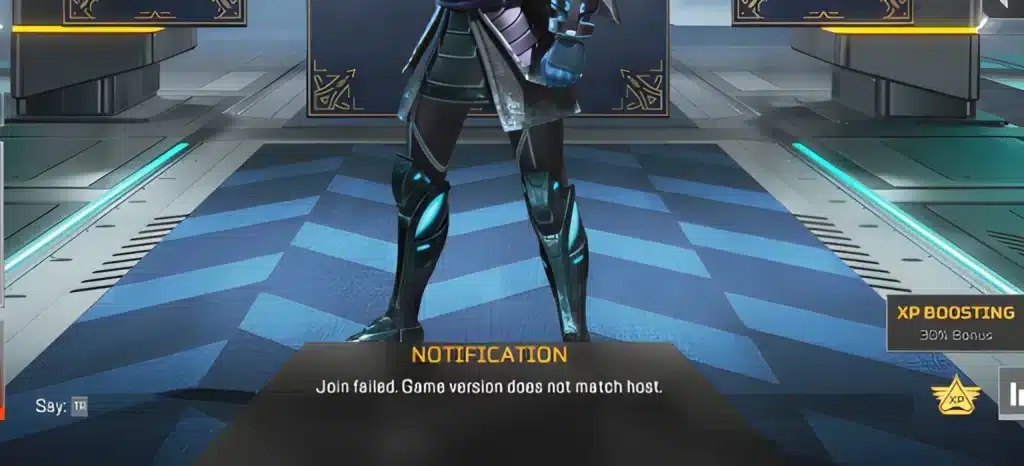
What Causes Apex Legends Join Failed Game Version
Understanding the root cause makes troubleshooting far faster. Consequently, this section breaks down the technical reasons behind the message before jumping into fixes.
Client And Server Version Mismatch
Respawn regularly pushes patches, hotfixes, and seasonal updates across PC, PlayStation, Xbox, and the EA App. When your local client has not fully applied the newest patch while the servers or your friends have, the game blocks the join attempt.
This is a safety measure. Therefore, mismatched versions cannot interact in the same match, since desync would break hit registration and server authority.
Cross-Play Desync Between Platforms
Apex Legends supports cross-play across PC, consoles, and the EA App storefront. However, each platform updates at a slightly different pace during a rollout window.
- Steam may finish downloading a patch minutes before the EA App
- Console certification can delay a patch by hours
- Party members on different launchers may briefly show different build numbers
As a result, a squad spread across platforms is the most common place this error appears.
Corrupted Or Incomplete Launcher Cache
The EA App and Steam both store cached data to speed up future patches. Occasionally this cache becomes corrupted mid-download, which leaves the client reporting an outdated or broken version number even after an update finishes.
Interrupted Or Partial Downloads
If your connection drops during a patch download, or you closed the launcher too early, the client may only be partially updated. Consequently, it presents itself to the server as running an invalid version.
Join Failed Game Version Apex Legends: Quick Diagnosis Steps
Before diving into full repairs, it helps to isolate whether this is truly a version issue or something else entirely. Below is a simple numbered path to confirm the cause.
- Check your platform’s store or launcher for a pending Apex Legends update.
- Ask your squad to confirm their client version number in the main menu.
- Restart the game fully, not just the match, to force a version recheck.
- Look at official server status pages for an ongoing rollout window.
- If the update is confirmed current on your end, move to the repair steps below.
Is It A Version Error Or A Connection Error?
Many players lump every failed join into one category, but they are not the same problem. A version error specifically references game version and blocks the join before any connection handshake happens.
A connection error, by contrast, usually shows timeout messages, EA server codes, or packet loss symptoms. Join Failed Game Version Apex Legends messages are version specific, while generic connection failures point toward network routing, ISP congestion, or firewall issues instead.
Why Does Cross-Play Make This Worse?
Cross-play widens the pool of possible mismatched clients in your lobby. Since Sony, Microsoft, Valve, and EA each control their own patch distribution timelines, a squad using multiple platforms faces more sync windows than a single platform group.

How To Fix Apex Legends Join Failed Game Version
This is the core troubleshooting section, organized by platform and severity. Start with the simplest fix and only move down the list if the problem persists.
Update And Restart Your Client
- Fully close Apex Legends and your launcher, not just minimize them
- Reopen the EA App, Steam, or your console dashboard and check for updates
- Install any pending patch completely before relaunching
- Restart your PC or console once the update finishes
Repair Or Verify Game Files
On PC, corrupted local files are a leading cause of this specific error. Open your library, select Apex Legends, and choose Manage, then Repair on EA App, or Verify Integrity of Game Files on Steam.
This process rebuilds any damaged files without deleting your settings. Afterward, restart the launcher before attempting to join again.
Clear The Launcher Cache
- Close the EA App or Steam completely
- Locate the local cache or download folder for the platform
- Delete temporary cache files only, never game installation folders
- Relaunch and allow the client to rebuild cache on next load
Sync Your Squad’s Versions
Ask every teammate to confirm they are on the same patch number shown in the bottom corner of the main menu. If one player shows an older build, have them force an update before you queue together again.
Common Questions About This Apex Legends Error
Players ask a handful of recurring questions when this message shows up. Below are direct answers based on how the error actually behaves.
Why Do I Get This Error Only With Certain Friends?
This typically happens because that friend is on a different platform or storefront that received the patch at a different time. Once both clients finish updating, the error should stop appearing for that specific party combination.
Can A Bad Internet Connection Cause A Version Error?
Indirectly, yes. A weak or interrupted connection can cause a patch download to fail partway through, leaving your client on a broken or incomplete version even though the download bar showed complete.
Version Error Comparison Table
The table below compares the most common causes so you can identify your situation faster.
| Cause | Typical Trigger | Fastest Fix |
|---|---|---|
| Client outdated | Missed a recent patch | Force update through launcher |
| Corrupted cache | Interrupted prior update | Repair game files or clear cache |
| Cross-play desync | Squad on mixed platforms | Wait for all platforms to finish rollout |
| Partial download | Connection dropped mid-patch | Restart download, verify files after |
| Server-side rollout | Respawn actively pushing update | Wait, no client fix will help |
Pro Tips: Apex Legends Join Failed Game Version
- Restart the entire launcher, not just the game: The EA App and Steam sometimes cache an old version flag in memory even after a patch installs, so a full restart forces a fresh check.
- Always update before your squad queues, not after: Updating mid-session risks leaving one player behind, which recreates the exact mismatch that triggers the error.
- Keep automatic updates enabled on your platform: This closes the gap between a patch release and your local install, reducing your exposure to the mismatch window.
- Check official server status before assuming it is your PC: Sometimes the rollout itself is the cause, and no local fix will resolve it until Respawn finishes deploying to every region.
Common Mistakes Apex Legends Players Make
- Reinstalling the entire game immediately: This wastes time and bandwidth when a simple repair or cache clear usually solves the same problem. Fix: try repair first, reinstall only as a last resort.
- Ignoring party members on other platforms: Queuing with a squad before confirming everyone updated guarantees a repeat of the error. Fix: verify version numbers as a group before hitting play.
- Assuming it is always a connection problem: Players often troubleshoot their router or ISP when the real issue is a stale client version. Fix: check the exact error wording, since version errors and connection errors need different fixes.
- Closing the launcher before a download finishes: This creates partial installs that report broken version data to the server. Fix: always confirm the progress bar reaches 100 percent before relaunching.
Keep Your Connection Stable After Fixing The Error
Once the Apex Legends Join Failed Game Version issue is resolved, the next challenge is avoiding fresh disconnects or desync during ranked matches. A stable, well routed connection matters just as much as a clean install.
This is where ExitLag becomes useful for competitive Apex Legends players. ExitLag is not a VPN. It is a real-time route optimizer that analyzes multiple paths between your PC and the game servers, then picks the fastest and most stable one available.
With Real-time Optimization, ExitLag actively reduces ping spikes and packet loss that can cause desync symptoms similar to version mismatches during live matches. The Multi-Internet feature also lets you combine up to four connections, so a single dropped line does not knock you out of a ranked match.
ExitLag currently supports 4,000+ games, runs across 1,500+ servers in 190+ countries, and is trusted by 30M+ users completing 18M+ route optimizations every week. It does not modify game files, does not interact with anti-cheat systems, and should never be combined with a VPN, since that reduces its effectiveness.
If join errors and mid-match desync have been costing you ranked points, grab the ExitLag Download and let it find a cleaner route before your next Apex Legends session.
All game images used in this blog post belong to Respawn Entertainment and Electronic Arts. They are used for informational and educational purposes only and do not imply endorsement or affiliation with the rights holders.
Got questions or want to connect with other players? Join the conversation at the ExitLag Forum!


