
Few things are more frustrating in online shooters than dealing with ARC Raiders high ping during missions. Immediately, even a small spike can ruin timing windows, delay abilities, and make enemies feel unpredictable. In ARC Raiders, where movement, dodging, and synchronized shooting define every encounter, high ping becomes a serious gameplay barrier in every single online game.
Players usually notice ARC Raiders high ping during high-intensity battles, world events, or coordinated team fights happening simultaneously across the map. If you’re constantly facing instability, rubberbanding, or slow responses, you’re not alone—many players report high latency even with excellent local connections. For anyone wanting smoother missions and better consistency, understanding how high ping works is the first step.

What is high ping in ARC Raiders and how does it work?
In other words, ARC Raiders high ping is the time it takes for your command to reach the server and return to your device. That measurement happens in milliseconds (ms) and defines how responsive your actions feel. When latency rises, the delay increases. Everything feels smoother when it drops.
ARC Raiders depends heavily on real-time packet exchange between your device and the servers, which means every projectile, dodge, or damage instance needs confirmation before appearing on screen.
Low ping (5–40 ms) is excellent when you are close to the server. However, many ARC Raiders players—especially in regions like South America—report never getting below 120–150 ms because servers may not exist nearby. Acceptable ping varies by distance and routing quality. That’s why even players with fast internet sometimes experience unstable packets of data reaching the server.
How high ping affects your gameplay in ARC Raiders
Below are the most common issues caused by ARC Raiders high ping, all related to the game’s fast-paced movement system:
- Delayed commands: dodges, jumps, and abilities activate late.
- Hit registration issues: shots feel like they pass through enemies.
- Rubberbanding: your character snaps backward after movement bursts.
- Sudden disconnections: missions cut off mid-encounter.
- Getting hit behind cover: you take damage after hiding.
- Competitive disadvantage: co-op DPS phases become inconsistent.
- Lost mission progress: server desync interrupts reward phases.
These issues make ARC Raiders harder and more chaotic than intended. From now on, this guide helps you identify, test, and fix them.
Main causes of high ping in ARC Raiders
1. Distance from servers
The farther you are from the ARC Raiders server, the more routing hops your packets must travel. More distance increases latency. Many community discussions mention that even European players sometimes get routed through distant hubs for unknown reasons.
2. Internet service provider issues
Your ISP may route data through inefficient or congested paths. Automated routing decisions rarely prioritize gaming performance. This is why you might see 150 ms even when your internet speed is excellent.
3. Inefficient routing
Routing loops or detours are frequently reported by ARC Raiders players. Some players report routing traffic across continents before it reaches the actual game server. These inefficiencies create delay even if your local connection is flawless.
4. Network congestion
If multiple devices are streaming, downloading, or gaming at the same time, your latency rises quickly. Bandwidth may still look fine, but the response time becomes unstable.
5. Outdated equipment
Weak Wi-Fi antennas, old routers, or outdated network adapters cause spikes unrelated to server distance. This includes interference from walls, other electronics, or using the 2.4 GHz band.
6. ARC Raiders-specific conditions
Large orbital drop events and high-enemy-density encounters intensify synchronization demands. During these moments, any small instability becomes more visible.
How to identify and test high ping in ARC Raiders
ARC Raiders shows your ping in the network statistics overlay. If your ping jumps from 30 ms to 120 ms to 80 ms repeatedly, the problem is instability, not just high latency.
You can also verify latency outside the game using command-line tools:
- ping server-address to check average latency
- tracert server-address (or traceroute on macOS/Linux) to see routing hops
- Reviewing high hop counts helps confirm routing problems
Testing at different times of day can also reveal if the issue happens during peak congestion.
General ping expectations:
- 0–40 ms: excellent (usually same-region servers)
- 40–100 ms: acceptable for ARC Raiders
- 100–150 ms: noticeable delay, common for cross-region matches
- 150+ ms: heavy lag, rubberbanding, and desyncs
These levels are guidelines—your experience may vary depending on server load, packet loss, and jitter.
Check also: What is Packet Loss? Understanding and Fixing It
Ping reference levels for ARC Raiders
| Ping Level | Experience | Severity |
| 0–40 ms | Smooth, highly responsive | Ideal |
| 40–100 ms | Acceptable but somewhat delayed | Moderate |
| 100–150 ms | Noticeable lag and delayed abilities | High |
| 150+ ms | Rubberbanding and desync | Critical |
Basic solutions to reduce high ping in ARC Raiders
Optimize your local connection
Here are essential steps:
- Use a wired Ethernet cable instead of Wi-Fi.
- If Wi-Fi is your only option, use the 5 GHz band, maintain line-of-sight to the router, and minimize interference.
- Close background applications consuming bandwidth.
- Update network drivers to reduce instability.
- Configure router QoS to prioritize ARC Raiders traffic.
- Select the nearest region when possible—though some players report the setting not always functioning correctly.
Even small adjustments can significantly reduce ARC Raiders high ping.

Contact your ISP
If routing remains unstable, contact your ISP and ask them to check:
- Line stability
- Packet loss
- Routing inefficiencies
- Regional congestion
Sometimes a simple routing adjustment improves your connection dramatically.
ExitLag: the best solution to reduce ARC Raiders high ping
When players continue to experience ARC Raiders high ping even after fixing their local setup, the real issue often lies in the internet routing path. ARC Raiders relies heavily on consistency, fast packet delivery, and real-time combat synchronization. That means unstable or distant routes create spikes, desync moments, and rubberbanding—especially during large-scale enemy encounters. ExitLag stands out as the definitive tool designed to fix this instability.
What is ExitLag?
ExitLag is a software focused on connection optimization. Instead of simply “improving” your routing, it restructures it, analyzing every possible path to the ARC Raiders servers. As a result, the software ensures smoother gameplay, lowers latency, and minimizes interruptions caused by inefficient routes or regional congestion. For players who constantly deal with ARC Raiders high ping, this type of system becomes essential.
How ExitLag works
ExitLag uses Multi-Internet routing and real-time optimization to stabilize ARC Raiders traffic. The tool constantly examines available routes, searching for paths with fewer hops, lower delay, and less congestion. When it detects instability, it switches to a faster alternative instantly.
The main processes include:
- Real-time route analysis that scans all available paths.
- Multiple routing streams that reduce dependency on one unstable path.
- Automatic selection of the fastest connection route.
- Reduced hop count between your device and the ARC Raiders servers.
- Stabilized data flow to prevent jitter, rubberbanding, and spikes.
Because the ARC Raiders engine depends on accurate server-client synchronization, these optimizations allow smoother combat, more responsive dodging, and consistent aiming even during heavy action. Many players facing ARC Raiders high ping report immediate improvements once optimized routing is active.
Advantages of ExitLag for ARC Raiders players
Players dealing with ARC Raiders high ping benefit from several key improvements:
- Lower latency across regions: shorter travel time improves responsiveness.
- Reduced packet loss: smoother data delivery improves timing during fights.
- Stable gameplay during boss events: large enemy waves no longer cause desync.
- Better routing for distant servers: beneficial for players outside server regions.
- Simple setup: no advanced configuration required.
- Support for multiple server paths: useful for ARC Raiders’ variable matchmaking routes.
Each improvement reinforces the consistency that ARC Raiders requires. With optimized traffic, dodges become more predictable, shooting accuracy improves, and cooperative missions run far more smoothly.
Is ExitLag worth using for ARC Raiders high ping?
ExitLag becomes highly valuable when players experience persistent ARC Raiders high ping, unstable routing, or unreliable regional servers. Because ARC Raiders is a teamwork-based shooter with rapid reactions, any jump in latency directly affects gameplay. Players who benefit the most are those who:
- Play in regions far from the nearest ARC Raiders server
- See their ping jump from 60 ms to 180 ms mid-mission
- Experience rubberbanding during dashes
- Face packet loss or strange routing loops
- Engage in high-tier PvE content requiring fast reactions
- Play during peak hours with regional congestion
ARC Raiders becomes significantly smoother with optimized routing, especially when default ISP paths are inefficient.
How to use ExitLag in Arc Raiders
The process is extremely simple:
Step 1 – Access the official ExitLag website and download the application. There’s a free trial period for new users.
Step 2 – Install and open the program. Log in with your account.
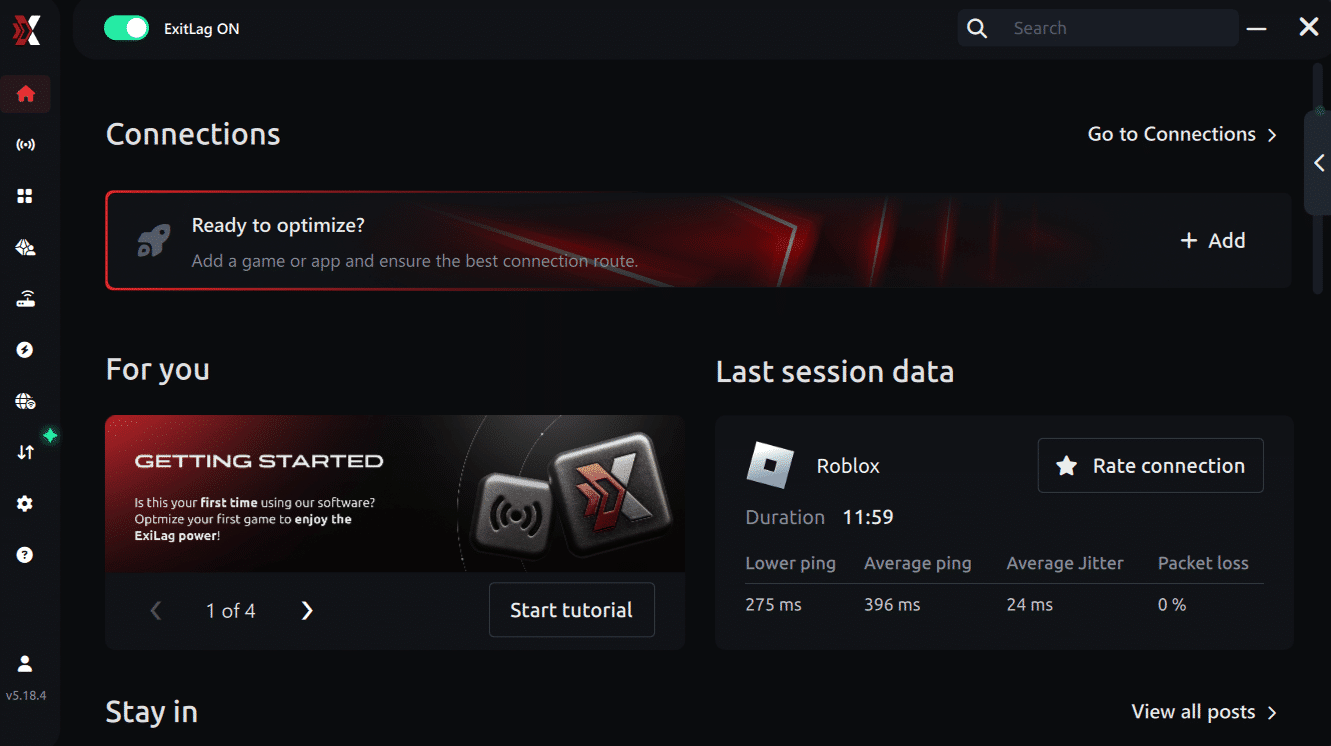
Step 3 – In the search bar, type “Arc Raiders” and select the game from the list.
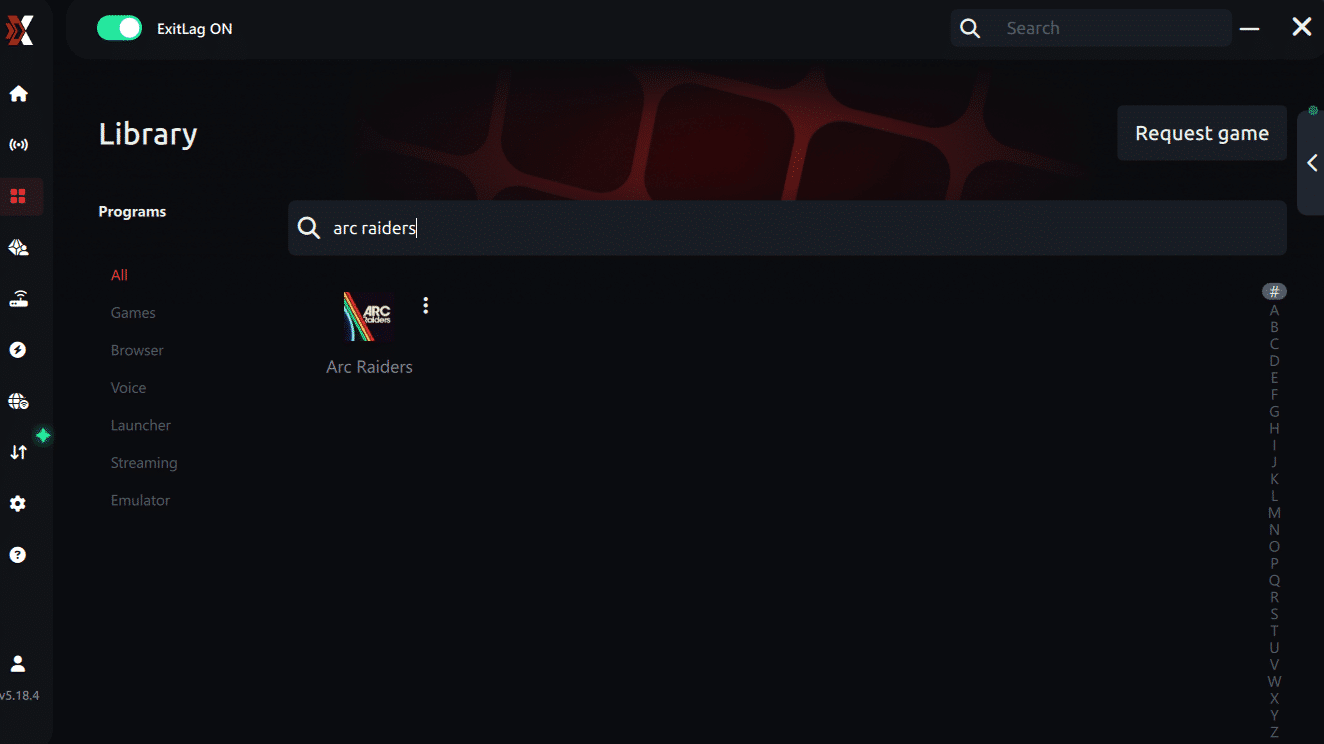
Step 4 – Choose between automated or manual route
Based on the results, you can let ExitLag automatically select the best route or manually choose the server that showed the lowest latency for your connection.
AI-optimized automated route
Based on the results, you can let ExitLag automatically select the best route through AI optimization. The system analyzes multiple connection paths in real time and automatically identifies the most efficient route for your connection, ensuring the lowest possible latency without requiring manual choices.
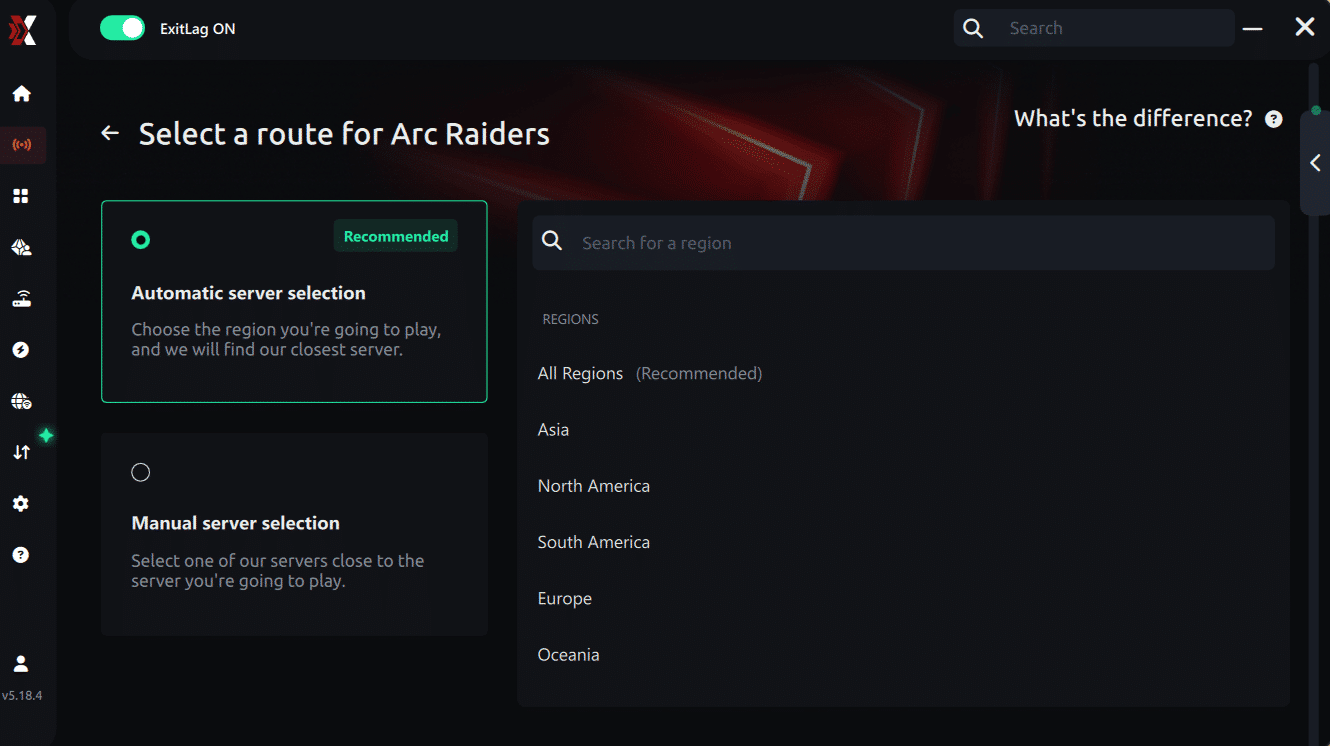
Manual route
If you prefer to have full control over your connection, you can manually choose the server based on the ping test results. Simply select the server that showed the lowest latency or the one that best meets your specific gaming needs, allowing complete customization of your experience.
Step 5 – Click “Apply routes” or the play button. ExitLag will begin optimizing your connection automatically.
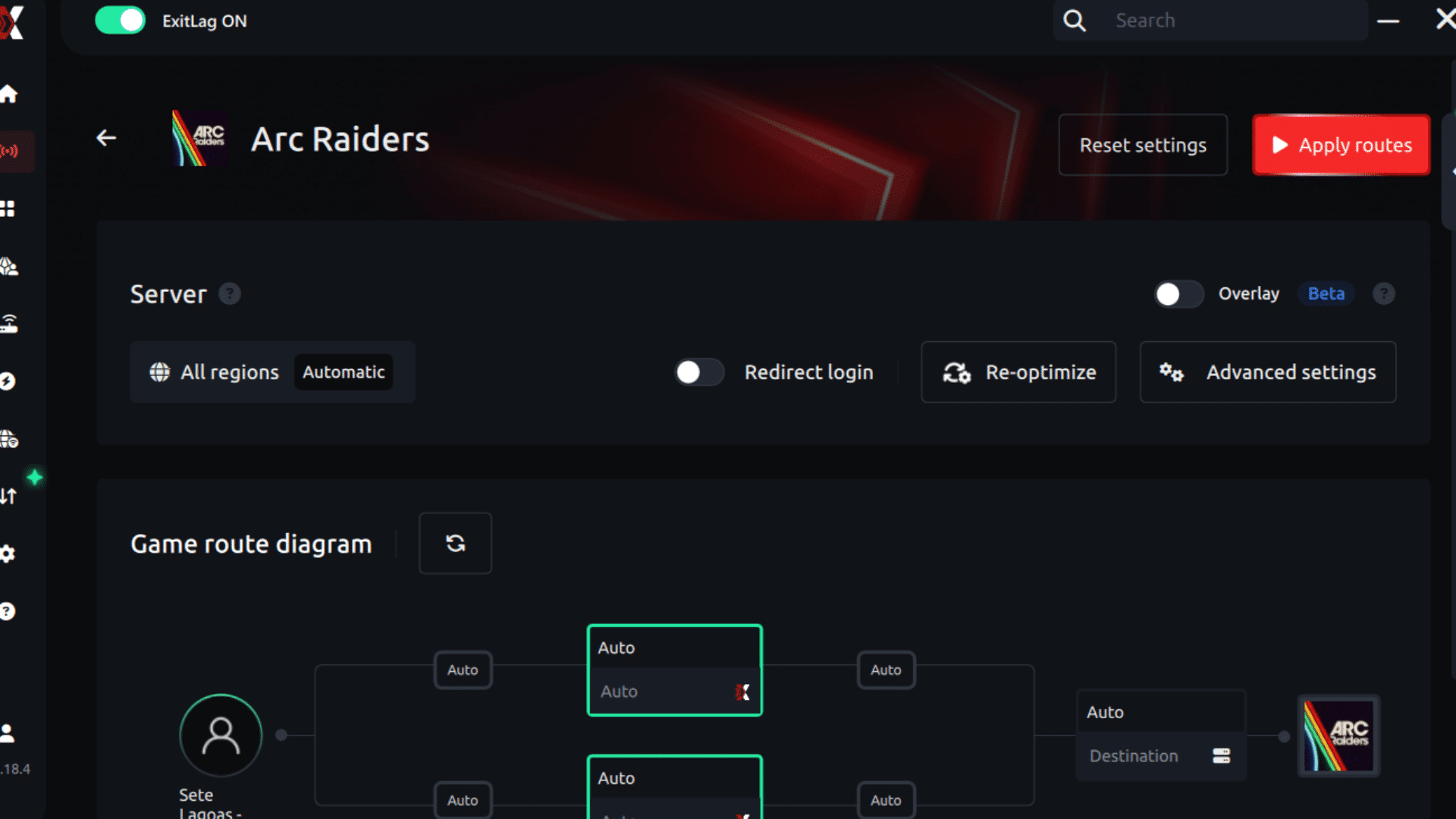
Step 6 – Wait a few seconds until optimization is complete. You’ll see ping indicators in the interface.
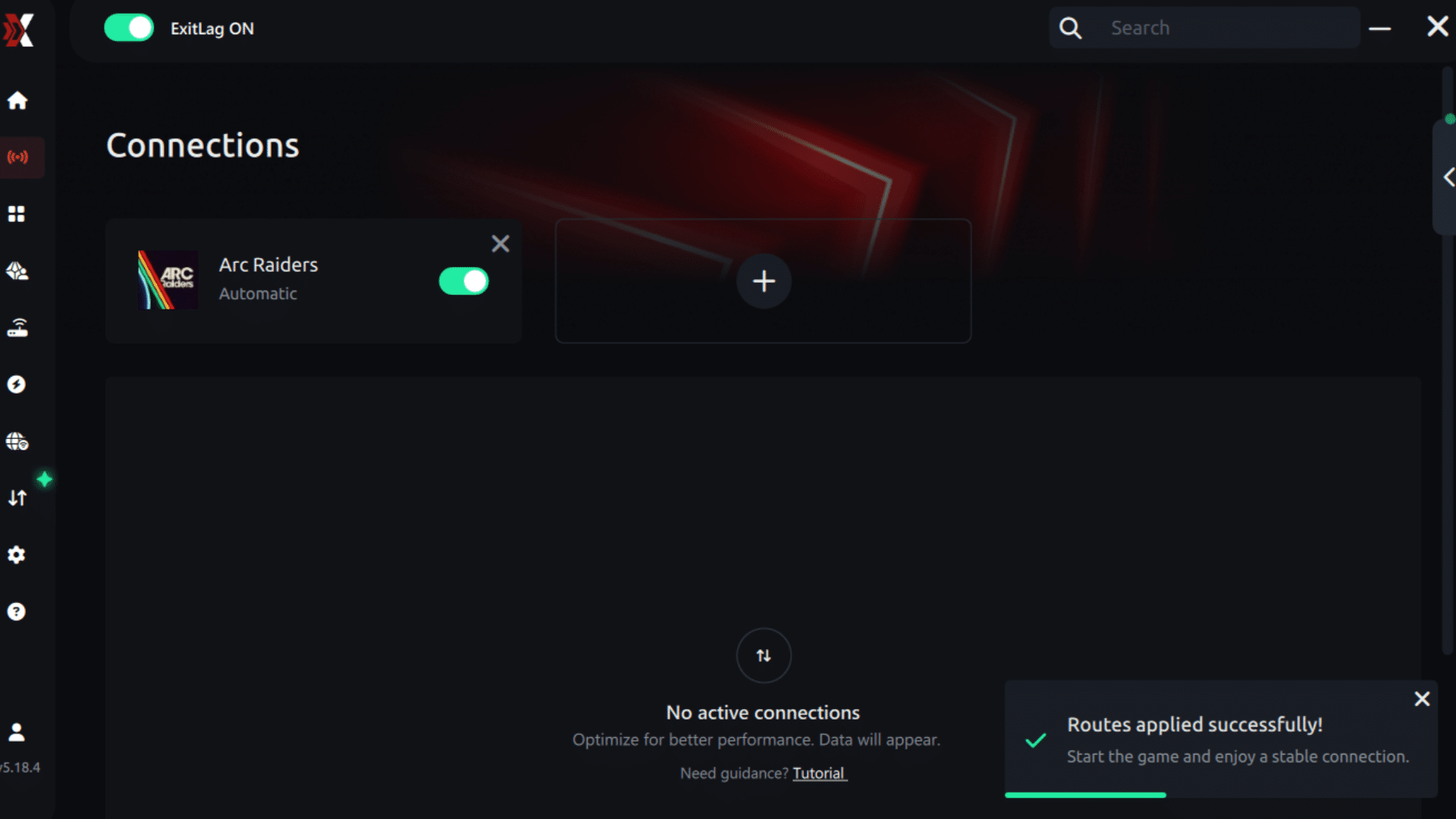
Step 7 – Launch Arc Raiders normally. The optimization will already be active.
ExitLag runs in the background while you play, constantly adjusting routes to maintain the best possible performance.
How to use Ping for Games: step-by-step guide (Arc Raiders)
Checking your connection quality before entering a match has never been easier. Here’s how to use Ping for Games in just a few steps:
1. Open the ExitLag software on your PC Ensure the application is installed and open. The feature is integrated into the platform and available for free to all users.
2. Access the Network Analyzer tool Locate the Network Analyzer in the software menu. This is where you’ll find Ping for Games along with other connection analysis features.
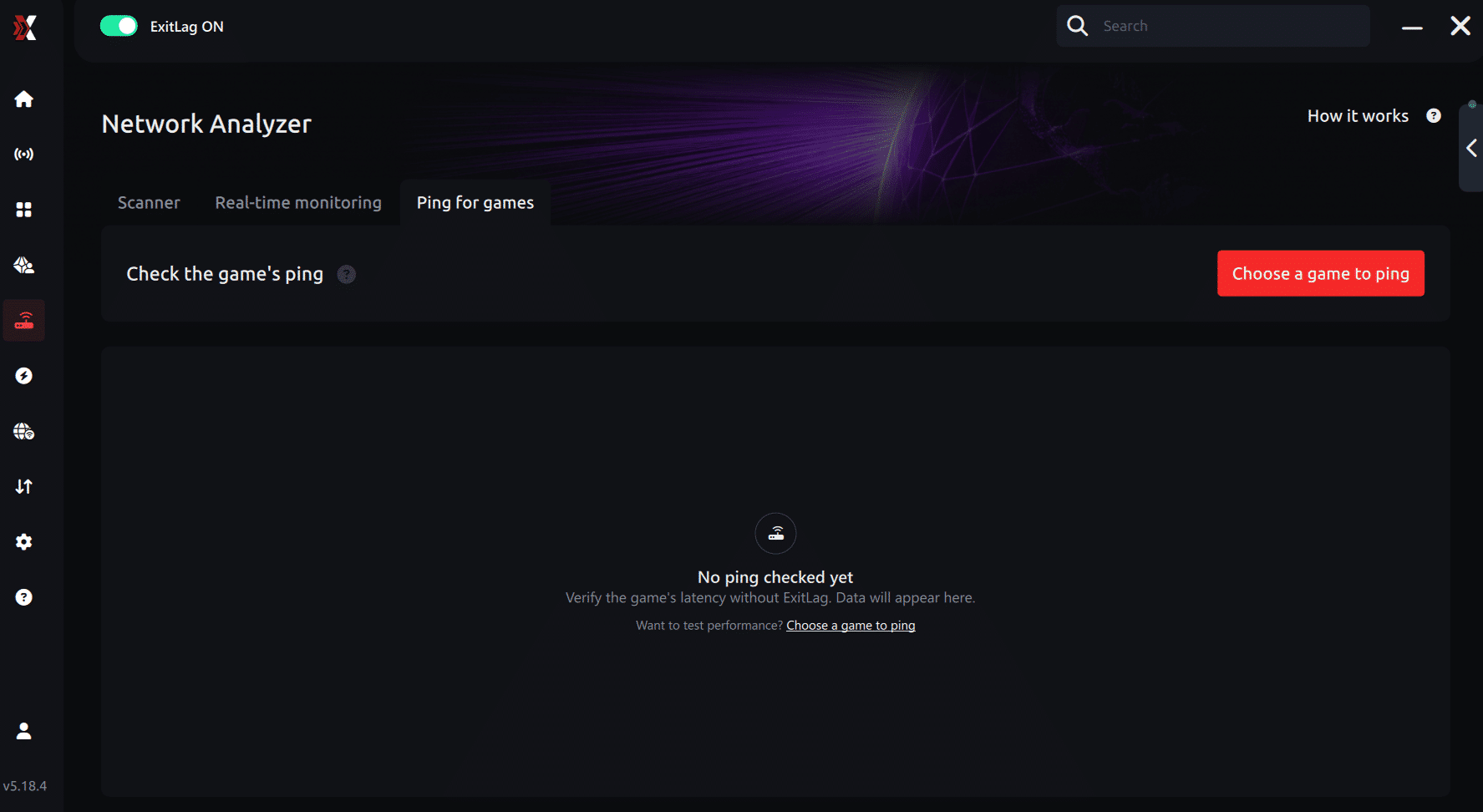
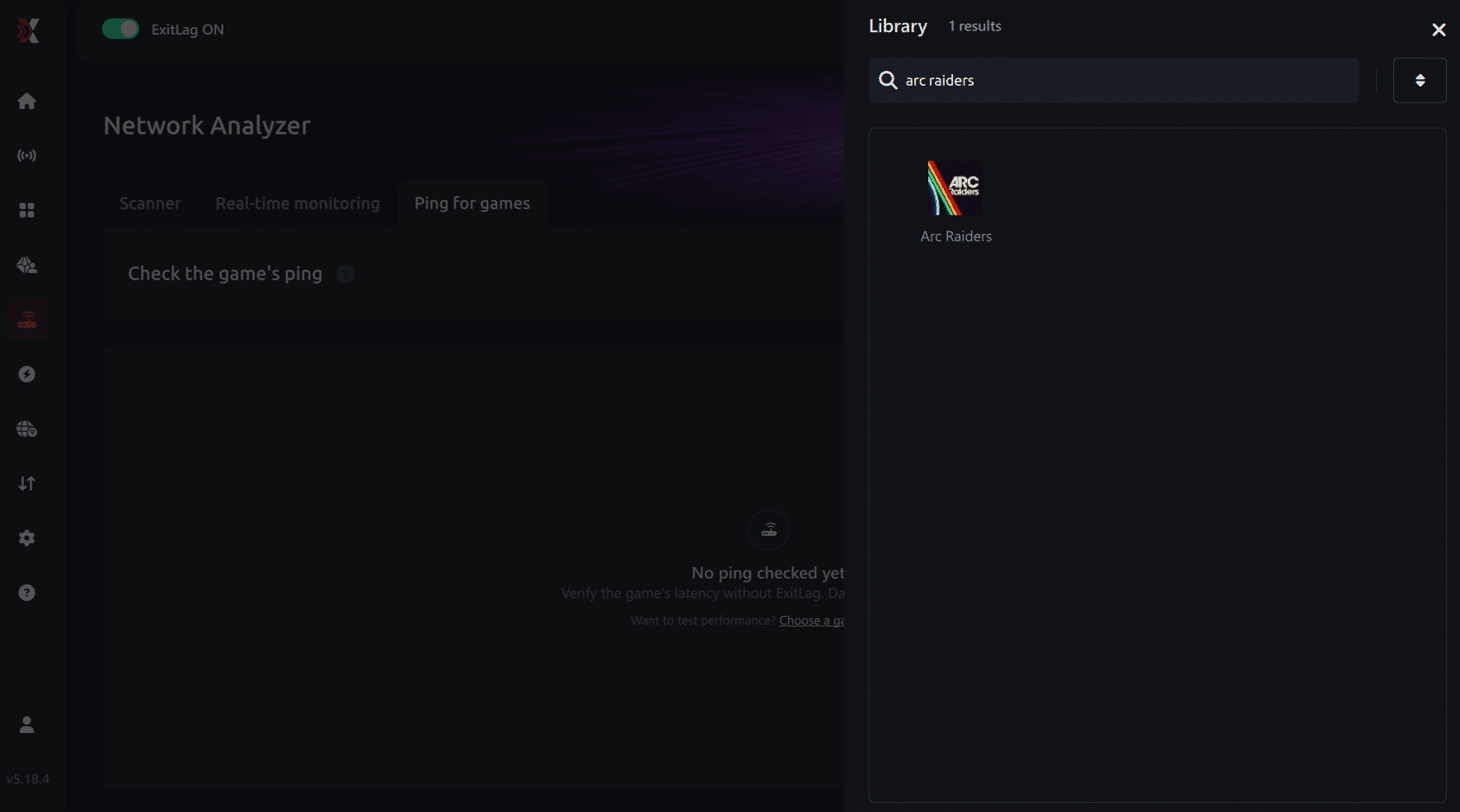
3. Select the game you want to test Choose Arc Raiders from the list. The tool supports major online multiplayer games, including FPS, Battle Royales, MOBAs, MMORPGs, and more.
4. Choose the specific server Select the exact Arc Raiders server you want to test instead of a generic region. This ensures more accurate results for your match.
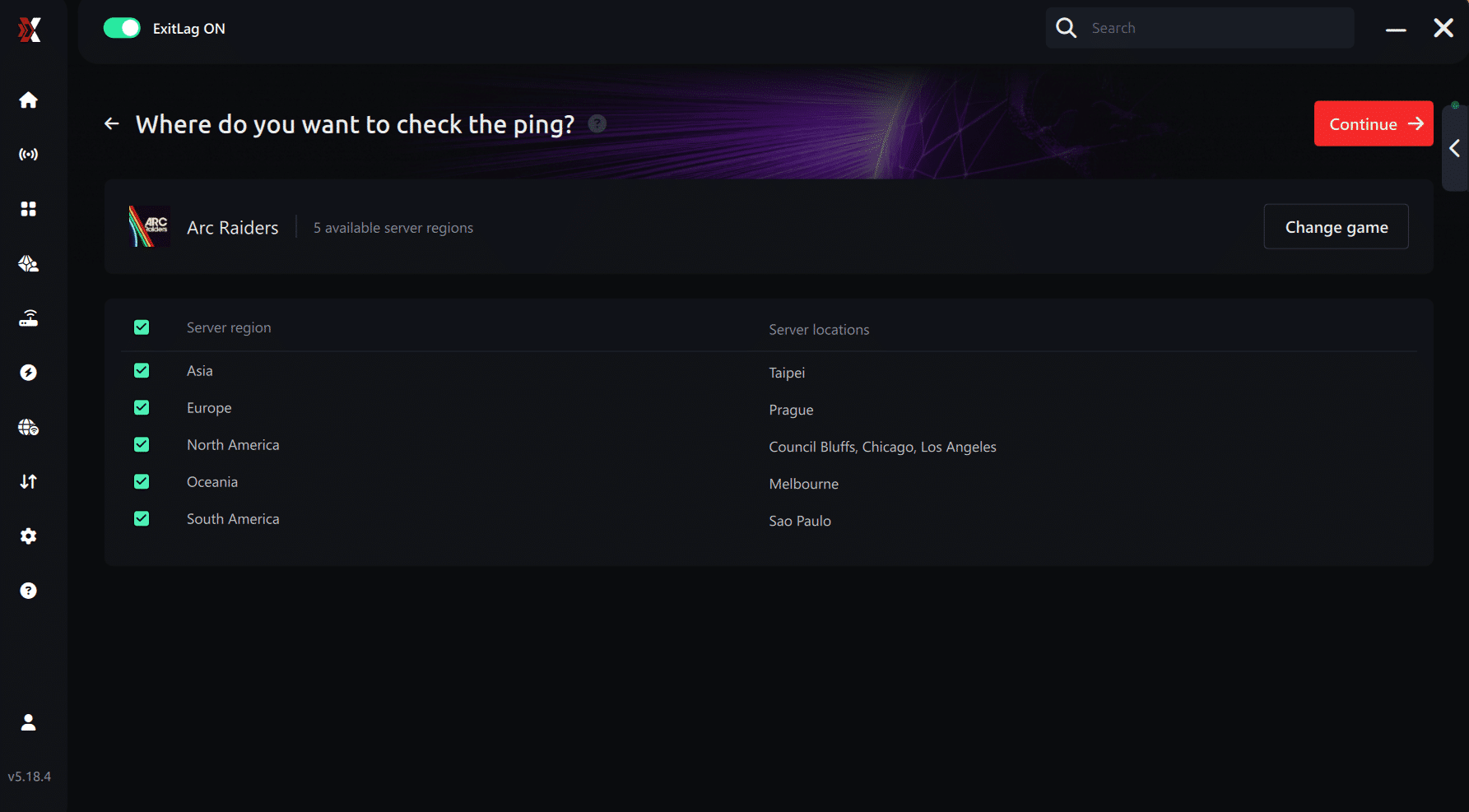
5. Start the ping test With one click, the measurement is performed in real time between your device and the selected Arc Raiders server, considering your current connection (cable or Wi-Fi).
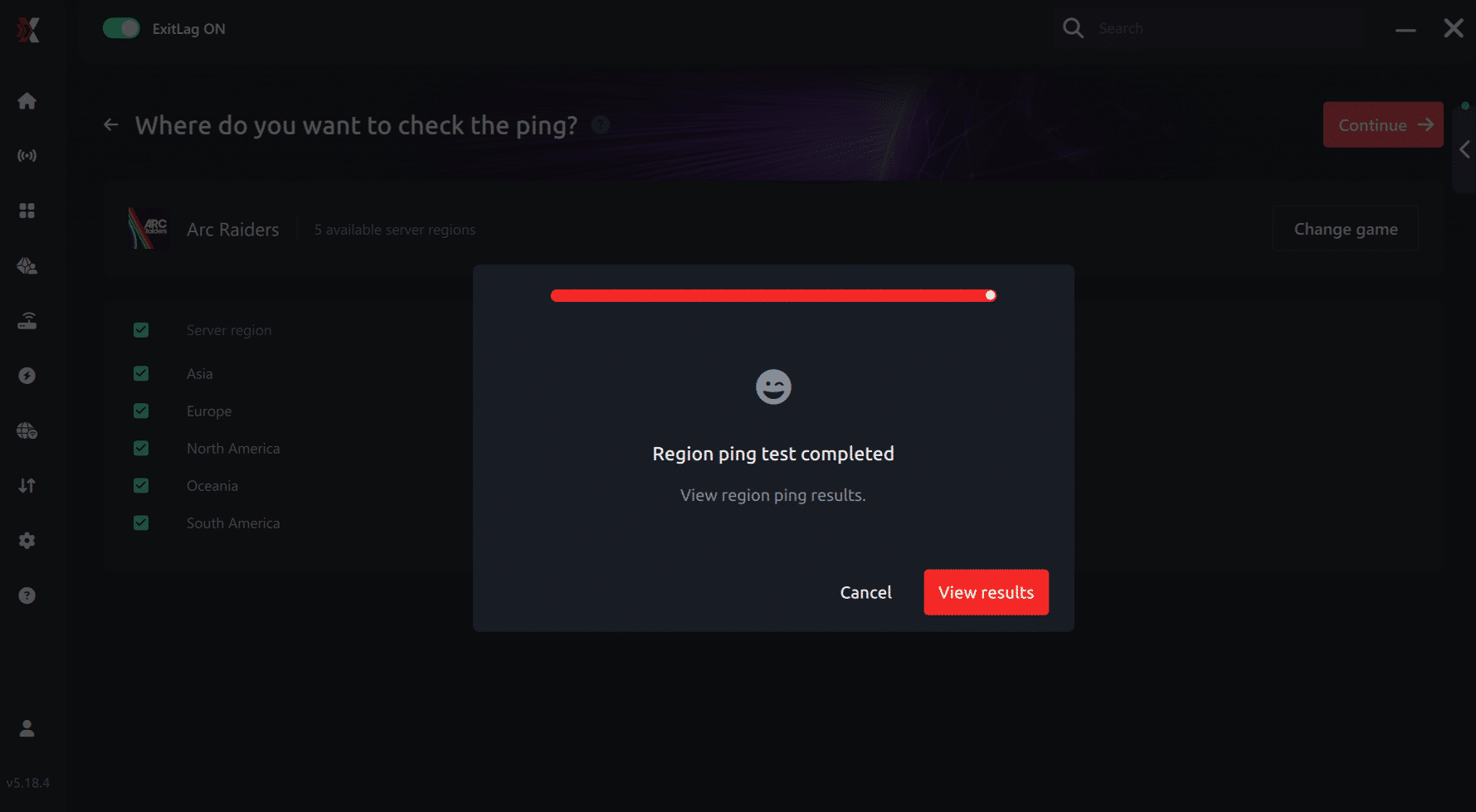
6. Analyze the results Results appear in milliseconds (ms), automatically sorted from best to worst ping. You can also reorganize the view alphabetically if you prefer.
7. Choose the best server and play worry-free With this information, simply select the server with the lowest latency and jump into Arc Raiders knowing your connection is optimized.
Final thoughts: Play Arc Raiders without lag forever
At the end of the day, Arc Raiders lag should never decide your matches. You spend time mastering your aim, movement, and strategy — your internet connection should never be the reason you lose.
With ExitLag, you finally take control of your network performance. The software finds the fastest routes, eliminates lag, and stabilizes your ping so that every shot and every action happens exactly when you want it to.
Try ExitLag for free right now and experience how smooth Arc Raiders can be when your connection is fully optimized. Play with confidence, reach your full potential, and make lag a thing of the past.
FAQ: common issues related to ARC Raiders high ping
Why does ARC Raiders high ping happen even with fast internet? ARC Raiders high ping is often caused by routing inefficiencies rather than slow internet speed. Your ISP may send your data through distant or overloaded nodes. Some players report routes traveling through other continents before reaching the server, which greatly increases latency.
How can I check my ping inside ARC Raiders? You can enable the network statistics overlay in the game settings. This shows your current ARC Raiders high ping level in real time. You can also run external tests like “ping” and “tracert” to identify high hop counts or unstable routes.
What is considered a good ping for ARC Raiders? Ideal ping ranges from 40–80 ms for regions with local servers. However, because ARC Raiders servers are not available everywhere, many players operate between 100–150 ms. This number is a common range for long-distance connections and still playable if the route is stable.
Can ARC Raiders high ping cause bans or penalties? No. ARC Raiders does not ban players for high ping. The only consequence is unstable gameplay, potential disconnections, or delayed combat interactions. The game does not penalize players for connection issues.
Does ExitLag help fix ARC Raiders high ping? Yes. ExitLag improves routing stability, reduces latency, avoids long ISP detours, and maintains consistent data flow. While it cannot fix overloaded servers, it significantly reduces the effects of routing inefficiencies.
Why do I still experience ARC Raiders high ping at night? This usually results from peak-hour congestion, meaning many players share the same regional infrastructure. Even stable paths may slow down under heavy traffic. Optimized routing helps mitigate this issue by avoiding congested routes.
Conclusion
ARC Raiders demands responsiveness, stable movement, and precise synchronization during battles. When players face ARC Raiders high ping, the experience becomes unstable, delayed, and unpredictable. Fortunately, you can dramatically reduce most latency issues by optimizing your local configuration and stabilizing network routes. For more insights, tutorials, and tips, visit the official ExitLag blog.
ExitLag stands out as the definitive optimization tool for improving ARC Raiders’ connectivity. With better routing, reduced packet loss, and more stable latency, players gain smoother gameplay and more consistent performance during missions, world events, and coordinated combat. Use your free trial, download ExitLag now and smooth your ARC Raiders high ping.



