Every gamer knows the feeling. You are aiming for a clean shot, and suddenly everything freezes for half a second. That delay is not always your fault. Often, it comes down to your connection route, not your skill. This is exactly why so many players are searching for the Best Free Anti Lag Software available today. The good news is that reliable options exist, and some of them genuinely work.
In this guide, you will learn what anti lag tools actually do, how they differ from a VPN, and which free options are worth trying. We will also break down how does anti lag work in practical terms, so you know exactly what you are testing before committing to anything.
What Is The Best Free Anti Lag Software Today?
The Best Free Anti Lag Software category is made up of tools that optimize the path your data takes between your PC or phone and the game server. Instead of encrypting traffic like a VPN, these tools measure multiple routes in real time and pick the fastest, most stable one available. The result is lower ping, fewer spikes, and steadier frame delivery during matches.
Why This Category Exists
Online games are extremely sensitive to timing. A few extra milliseconds can mean the difference between landing a headshot or missing it entirely.
Consequently, developers and third-party companies built specialized software to solve routing problems that a regular internet connection cannot fix on its own. These tools do not touch your game files.
Instead, they work at the network level, rerouting your traffic through servers that avoid congested or poorly optimized paths. This is fundamentally different from simply restarting your router.
What Counts As Anti Lag Software?
Not every performance tool belongs in this category. Here is a quick breakdown of what typically qualifies:
- Connection optimizers: Reroute traffic through better paths to game servers
- Frame pacing tools: Reduce input-to-display delay on the GPU side
- System boosters: Free up RAM and CPU resources for the game
- Router-level QoS settings: Prioritize gaming traffic over other devices
Each of these solves a different piece of the lag puzzle. Understanding which one you actually need saves a lot of trial and error.
What Is Anti Lag And Why Does It Matter?
What is anti lag exactly? In simple terms, it refers to any technology, software, or setting designed to reduce the delay between your input and the game's response. This delay comes from multiple sources, not just your internet speed.
Network latency, packet loss, jitter, and even GPU rendering queues all contribute to what players broadly call lag. Anti lag tools target one or more of these layers depending on their design.
The Three Main Types of Lag
Understanding the difference helps you pick the right fix. Most complaints fall into these categories:
- Network lag: Caused by slow or unstable routing between you and the server
- Input lag: Delay between pressing a button and seeing the action on screen
- Render lag: Frame drops caused by your GPU or CPU struggling to keep up
Each type needs a different solution. A connection optimizer will not fix a weak graphics card, and a GPU driver update will not fix bad routing.
How Does Anti Lag Work In Practice?
So, how does anti lag work on a technical level? Most modern tools scan several possible network paths to the game server simultaneously. They then measure latency, stability, and packet loss on each route.
The software selects the best-performing path and reroutes your traffic through it automatically. Some advanced tools go further, splitting traffic across multiple paths at once to guard against sudden drops.
This approach is very different from simply changing your DNS or restarting your modem, which only addresses surface-level issues.
Comparing Free Anti Lag Options
Not all free tools deliver the same results. Below is a practical comparison of the general categories available in the market today.
| Tool Type | What It Optimizes | Free Tier Availability | Best For |
|---|---|---|---|
| Connection Optimizer | Network routing, ping, packet loss | Free trial common | Competitive online games |
| System Booster | RAM, background processes, CPU load | Often fully free | Low-end PCs |
| GPU Driver Anti-Lag | Input-to-display latency | Free with GPU drivers | High refresh rate monitors |
| Gaming VPN | Encryption, IP masking | Free tiers limited | Bypassing throttling only |
As the table shows, no single category solves every problem. However, connection optimizers tend to deliver the most consistent improvement for online multiplayer games specifically.
Is A VPN The Same As Anti Lag Software?
This is one of the most common points of confusion among players. A VPN primarily focuses on encryption and hiding your IP address, not on gaming performance.
In most cases, a VPN actually adds a few extra milliseconds of latency because of the additional encryption layer. Anti lag connection optimizers, on the other hand, are built specifically to reduce latency and stabilize routing.
Therefore, while a VPN can occasionally help if your ISP throttles gaming traffic, it is not designed as a performance tool. A dedicated optimizer will almost always outperform a VPN for pure lag reduction.
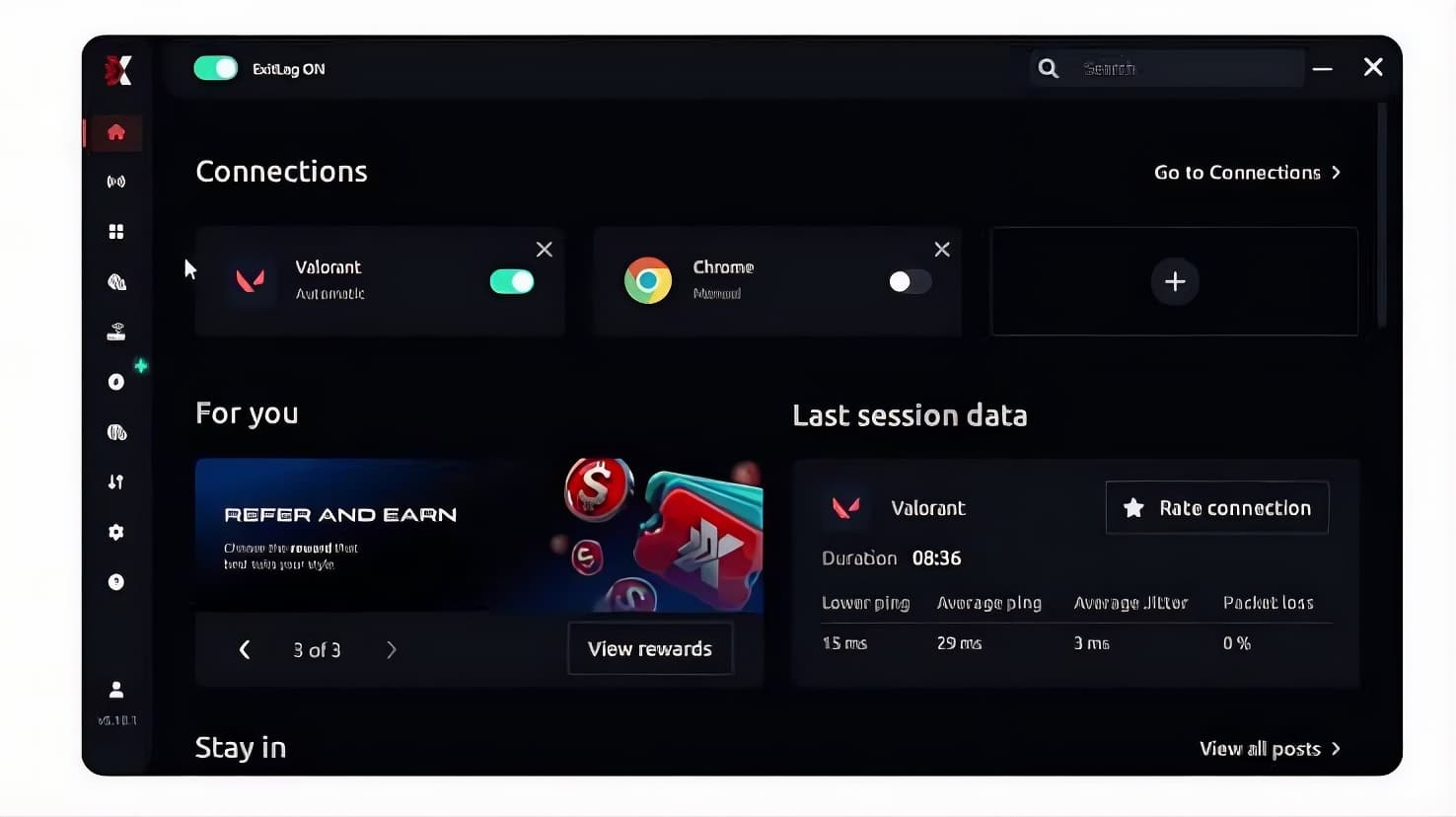
Common Causes Of Lag Even With Good Internet
Many players assume a fast internet plan guarantees a smooth game. Unfortunately, that is rarely the whole story.
- Poor ISP routing: Your provider may send traffic through congested or indirect paths
- Network congestion: Peak-hour traffic on shared nodes slows everyone down
- Outdated router firmware: Old firmware can mishandle QoS and packet prioritization
- Background bandwidth usage: Downloads or streaming apps eating into available bandwidth
- Server-side distance: Physical distance to the game server increases baseline latency
Notably, even a gigabit connection cannot fix bad routing on the ISP's end. This is exactly the gap that connection optimization software is designed to fill.
How Do You Know If You Need Anti Lag Software?
If you experience random spikes despite testing your internet speed as normal, routing is likely the culprit. Similarly, if your ping fluctuates wildly during peak hours, that points to congestion rather than raw bandwidth.
A simple way to check is running a traceroute to your game server and watching for hops with high latency jumps. If you see several suspicious hops, an optimizer can likely reroute around them.
Pro Tips: Choosing And Using Anti Lag Software
- Test before committing: Always use a free trial period to check real results with your own connection and games, since results vary by region and ISP.
- Combine with wired connections: Software optimization works best paired with an Ethernet cable, since Wi-Fi interference can undo network gains.
- Avoid stacking a VPN and an optimizer: Running both together often cancels out benefits and can even increase your ping.
- Check server coverage first: Confirm the tool supports your specific game and region before relying on it for ranked matches.
- Monitor before and after: Use in-game ping displays or third-party tools to compare your numbers before and after activating the software.
Common Mistakes Players Make With Anti Lag Tools
- Assuming more bandwidth fixes everything: Players upgrade their internet plan expecting lower ping, but bandwidth and latency are separate issues. Fix: focus on routing tools instead of just speed upgrades.
- Running multiple optimizers at once: Some players stack a VPN, a booster, and an optimizer simultaneously, which creates conflicts. Fix: use one dedicated connection tool at a time.
- Ignoring background apps: Downloads and streaming apps quietly consume bandwidth during matches. Fix: pause updates and close unnecessary background programs before playing.
- Skipping the free trial test: Many players buy a subscription without testing compatibility with their specific game first. Fix: always run the trial period during your normal play hours.
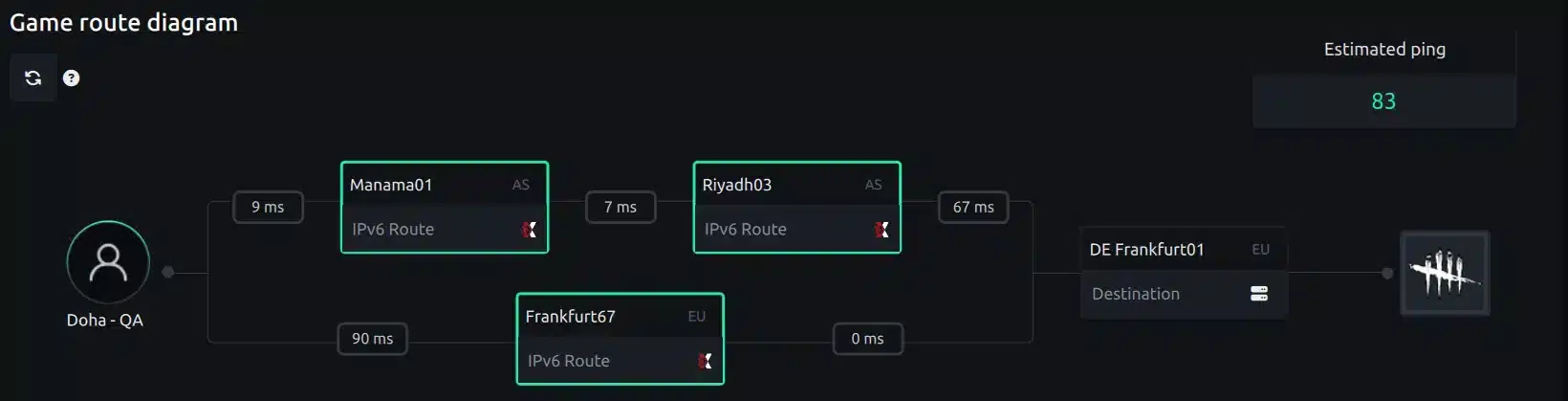
Why ExitLag Stands Out Among Free Anti Lag Options
After testing several routing tools, ExitLag consistently stands out as one of the strongest picks in the Best Free Anti Lag Software conversation. It is important to be clear about what it actually is.
ExitLag is not a VPN. It is a real connection optimizer that analyzes multiple network paths in real time and automatically selects the fastest, most stable route to your game's servers.
It does not encrypt your traffic or mask your IP, and it does not affect anything outside the games it supports. This focused approach is exactly why it performs so well for competitive play.
ExitLag supports over 4,000 titles across PC and mobile, with more than 1,500 servers spread across over 190 countries. It is trusted by more than 30 million users and processes over 18 million optimizations every week.
For anyone dealing with unstable ping, this is where the technology really shines. A few features make the biggest practical difference:
- Real-time Optimization: Reduces delay and packet loss so commands land faster and more precisely.
- Multipath Technology: Sends packets through multiple routes simultaneously, so if one path fails, the others keep your connection alive.
- Multi-Internet: Supports up to four simultaneous internet connections, switching instantly if one drops during a match.
- AI-powered Routing: The system picks the fastest, most stable route automatically, though manual customization is also available for advanced players.
Safety is another important factor for competitive players. ExitLag does not modify game files, does not inject code, and does not interact with anti-cheat systems in supported titles like Valorant, CS2, and League of Legends.
If you want to see the difference for yourself, you can grab the ExitLag Download and test it directly on your own connection during your next session. Mobile players can also get the app through ExitLag for Android or ExitLag for iOS, depending on their device.
Just remember not to run it alongside a separate VPN, since the two can conflict and reduce the overall benefit.
All game images used in this blog post belong to their respective developers and publishers. They are used for informational and educational purposes only and do not imply endorsement or affiliation with the rights holders.