

Every adventurer in Black Desert Online has hit that frustrating moment when the login screen freezes or the world simply refuses to load. Before you assume the worst, checking Black Desert Server Status should always be your first move. Knowing exactly where to look saves you time and stops you from blaming your own setup for something outside your control.
This guide walks through every reliable way to confirm whether the game is actually having issues. The Black Desert Server Status conversation matters because Pearl Abyss runs a global infrastructure spanning multiple continents, and outages can hit one region while others stay perfectly fine.
So, is Black Desert Online down right now, or is it just you? In most cases, if you can reach the login screen but get disconnected mid session, the issue is local to your network rather than the servers themselves. However, if the launcher itself refuses to connect and community channels light up with the same complaint, that points to a genuine outage worth confirming through an official status check.
Furthermore, this article covers the exact troubleshooting steps that fix lag, high ping, and random disconnects. Whether you are grinding nodes, running a boss scroll, or pushing through a Guild vs Guild fight, connection stability changes everything. By the end, you will know how to check Black Desert Server Status in under a minute and how to fix most connection problems yourself.

Black Desert Server Status: How To Check It Properly
Checking server health does not require guesswork. Pearl Abyss and community tools both offer ways to confirm whether the game is live, degraded, or fully down for maintenance.
Knowing the right sources means you never waste time restarting your router when the real problem sits with the game’s infrastructure. Consequently, learning this workflow once saves frustration on every future outage.
Official Channels Worth Bookmarking
The most reliable confirmation always comes from the publisher directly. Official notices explain scheduled maintenance windows well in advance, which helps you plan play sessions around them.
- The official Black Desert website posts scheduled maintenance notices for each region.
- In game launcher messages often display an alert before you even reach the login screen.
- Official social media accounts post real time updates during unexpected outages.
- Regional forums separate NA, EU, and console notices so you check only what applies to you.
Third Party Status Trackers
Independent tracking sites aggregate player reports and server pings to flag issues even before an official notice appears. These tools are especially useful during unannounced spikes in disconnects.
- Status aggregator sites show uptime history over the past 24 hours.
- Ping test tools let you measure your personal latency to NA and EU data centers.
- Community outage maps highlight geographic clusters of complaints.
- Server alert trackers notify you the moment maintenance notices go live.
Is Black Desert Online Down Right Now?
This is the question every player types into a search bar the moment they hit a login wall. Thankfully, there is a clear process to answer it quickly instead of guessing.
Notably, distinguishing between a full outage and a personal connection issue takes less than two minutes if you follow the right order of checks.
What To Check First
Before assuming the servers are dead, confirm the basics on your end. Most so called outages turn out to be local network hiccups rather than a genuine Bdo Down event.
- Restart your router and modem, then wait a full sixty seconds before reconnecting.
- Check whether other online games or websites load normally on the same connection.
- Confirm your firewall or antivirus is not blocking the Black Desert launcher.
- Look up Bdo Status through an official or third party tracker for your specific region.
- Ask in a regional Discord or forum whether others report the same symptom.
Recognizing A Real Regional Outage
A genuine outage usually shows a consistent pattern across many players in the same region. Therefore, if the entire NA world goes dark while EU stays fine, that points squarely at server side infrastructure.
- Sudden mass disconnects hitting an entire region at once.
- The launcher displaying an explicit server unavailable message.
- Official social accounts posting an unscheduled maintenance notice.
- Community channels flooding with identical complaints within minutes.
Black Desert Online Server Status Across Regions
Black Desert runs what is often called a one world system, meaning each region functions as a single connected world rather than dozens of separate servers. North America is one world, Europe is another, and additional regions exist for South America, Russia, Japan, Southeast Asia, and more.
This structure matters for Black Desert Online Server Status because maintenance and outages are usually regional, not global. A problem in one world rarely spreads to another, which is good news if you can switch regions temporarily.
Comparing Regions And Common Issues
| Region / Platform | Typical Peak Hours | Common Issue Reported | Best Fix Approach |
|---|---|---|---|
| North America (PC) | Evening hours local time | Packet loss during events | Wired connection, closer routing |
| Europe (PC) | Evening hours local time | Login queue during patches | Wait or retry after ten minutes |
| Console (PS5/Xbox) | Weekend peaks | Party matching delays | Restart app, check platform network status |
| Mobile | Commute hours | Battery throttling disconnects | Close background apps, stable WiFi |
| Southeast Asia | Late evening local time | Higher baseline latency | Route optimization tools |
Why Console And Mobile Behave Differently
Console versions rely partly on the platform’s own network layer, so a PlayStation Network or Xbox Live hiccup can look like a Black Desert problem when it is not. Mobile players face a separate set of variables tied to cellular towers and device performance.
- Console players should check PSN or Xbox Live status pages alongside the game’s own status.
- Mobile players benefit from switching to WiFi during demanding content like world bosses.
- PC players have the most control over routing and hardware adjustments.
Black Desert Online Down: Common Causes Explained
Understanding why disconnects happen makes it much easier to fix them instead of just waiting them out. Most connection trouble falls into a handful of predictable categories.
Indeed, once you know the usual suspects, you can often resolve the issue yourself within minutes rather than assuming a full Black Desert Online Down event.
Server Side Causes
Sometimes the problem genuinely sits with Pearl Abyss infrastructure rather than your setup. These situations are temporary but can still disrupt long grind sessions or scheduled guild activities.
- Scheduled weekly maintenance windows taking servers offline for updates.
- Unexpected surges in concurrent players during major content releases.
- Regional data center issues affecting one world but not others.
- Database synchronization delays after a large patch deployment.
Client Side Causes
Far more often, the culprit is something local. Fixing these issues rarely requires more than a few adjustments to your setup.
- An outdated network driver causing intermittent packet loss.
- Background applications consuming bandwidth during peak play hours.
- A congested WiFi signal instead of a stable wired connection.
- Inefficient ISP routing sending your data on a longer path to the server.
- A misconfigured firewall interrupting the game’s connection handshake.
How Do You Fix Lag And High Ping In Black Desert?
Lag during a boss fight or a large scale siege can cost you gear, time, and progress. Thankfully, most latency problems have a clear fix once you identify the source.
Moreover, small changes to your network setup often produce noticeably smoother combat and smoother world loading.
Quick Fixes You Can Try Today
- Switch from WiFi to a wired Ethernet connection for a more stable, lower latency path.
- Close background downloads, streaming apps, or cloud sync tools before playing.
- Restart your router periodically to clear congestion buildup.
- Disable IPv6 on your network adapter, a fix many players report as effective.
- Choose the character or world closest to your physical region when possible.
Pro Tips: Black Desert Server Status
- Bookmark two status sources: Relying on only one tracker means you miss context. Cross checking official notices against a third party tool confirms whether an issue is widespread or isolated to you.
- Check before big events: Boss scrolls, node wars, and guild activities are time sensitive. Confirming Black Desert Server Status five minutes early avoids wasted preparation if maintenance is running late.
- Track your own baseline ping: Knowing your normal latency to your region’s servers makes it instantly obvious when something is actually wrong versus a small routine spike.
- Test with a wired connection first: WiFi introduces variables like interference and signal drop that make diagnosing lag much harder. A wired test isolates whether the problem is your network or the game itself.
- Watch for patch day patterns: Large updates often cause temporary login queues. Understanding this pattern means you will not mistake a normal patch day queue for a full outage.
Common Mistakes Black Desert Players Make
- Assuming every disconnect is a server outage: Many players immediately blame Pearl Abyss when the true cause is a local router issue or unstable WiFi. Fix: run the basic checklist (restart router, check other devices) before concluding it is a wide scale problem.
- Ignoring scheduled maintenance notices: Some players queue into content right as a maintenance window begins, losing progress mid activity. Fix: check the official maintenance schedule before starting anything time sensitive like a siege or boss fight.
- Never testing a wired connection: Sticking with WiFi even during persistent lag makes troubleshooting much harder. Fix: test with Ethernet at least once to rule out wireless interference as the root cause.
- Overlooking regional routing differences: Players sometimes stay on inefficient routes for months without realizing a routing tool could shave significant latency off their connection. Fix: use a route optimization tool to compare paths.
Is ExitLag Worth Using For Black Desert Online?
Once you have ruled out an actual outage, the next logical step is optimizing your own connection quality. This is where a tool like ExitLag becomes genuinely useful for Black Desert players.
ExitLag is not a VPN. Instead, it works as a game connection optimizer that continuously analyzes multiple network routes in real time and automatically selects the fastest, most stable path between your device and the Black Desert servers. It does not encrypt your traffic or mask your IP address, it simply improves how your data travels.
For an MMO like Black Desert, stability matters far more than raw speed alone. During a long boss fight, a chaotic node war, or a packed world event, a single spike in latency can mean a missed cast or a lost loot roll. ExitLag’s routing technology helps reduce those sudden disconnects and smooths out the packet loss that often ruins big moments.
The service supports more than 4,000 titles across PC and mobile, backed by over 1,500 servers spread across more than 190 countries. With more than 30 million users and 18 million optimizations processed weekly, it has become a trusted layer for players who want fewer surprises during critical gameplay.
- Real time optimization reduces delay and packet loss so combat inputs register more precisely.
- Multipath technology sends data through multiple routes at once, keeping you connected even if one path degrades.
- Traffic shaper prioritizes game traffic over background downloads competing for the same bandwidth.
If constant rubber banding during Guild vs Guild fights or random drops during a grind session have been eating into your progress, grabbing the ExitLag Download is a practical next step before your next long session. It will not fix an actual server outage, but it eliminates the routing problems that masquerade as one.
Black Desert Server Status: Final Checklist Before You Panic
Before assuming the worst, run through a short mental checklist. Most connection scares resolve themselves once you separate a real outage from a local hiccup.
Ultimately, understanding Black Desert Server Status turns a frustrating guessing game into a two minute confirmation process every single time.
- Confirm other players in your region report the same symptom.
- Check both an official notice and a third party tracker before concluding anything.
- Test your own connection with a router restart and a wired cable.
- Consider a routing optimizer if the problem keeps recurring across sessions.
In summary, checking Black Desert Server Status should always come before blaming your hardware or your internet plan. Between official notices, community trackers, and a quick personal network check, you can identify the real cause of any disconnect in minutes rather than hours.
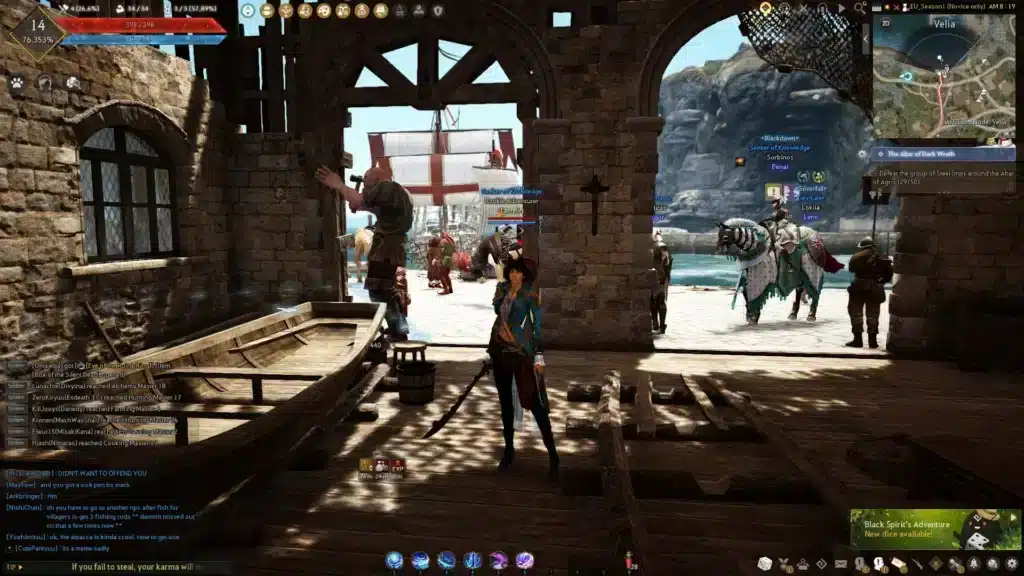
All game images used in this blog post belong to Pearl Abyss. They are used for informational and educational purposes only and do not imply endorsement or affiliation with the rights holders.
Got questions or want to connect with other players? Join the conversation at the ExitLag Forum!




