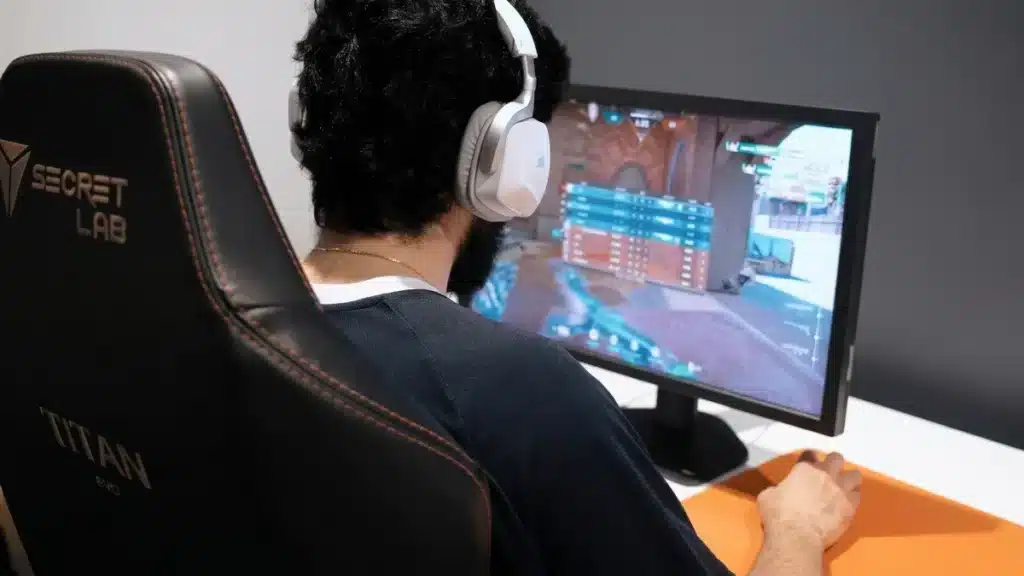
Blood Strike has quickly become a favorite among competitive shooter fans who enjoy fast-paced matches and intense gunfights. However, many players searching for Blood strike pc are not only looking for how to download the game, but also for ways to fix lag, stuttering, and connection instability that ruin ranked matches. Therefore, understanding both installation and optimization is essential to enjoy the game at its full potential.
When players search for Blood strike pc, they usually face common problems like sudden FPS drops, delayed shots, or unexpected freezes during combat. These issues are rarely caused by the game alone. Instead, they are often linked to unstable routing between your internet provider and the game servers, outdated system settings, or poorly optimized network paths.
Finally, mastering Blood strike pc performance means combining proper setup, in-game optimization, and a reliable network solution. In this complete guide, you will learn how to download Blood Strike safely, optimize it for smooth gameplay, and eliminate lag with a professional tool designed specifically for online games. This way, you can focus on winning matches instead of fighting technical issues.

How to download Blood strike safely
Downloading Blood Strike is a simple process, but doing it the right way avoids future problems. Therefore, always use official sources to prevent corrupted files or security risks. On PC, the game is usually available through trusted platforms or the official website, which ensures compatibility and updates.
However, before installing, it is important to check your system requirements. Many performance issues start when players try to run the game on unsupported hardware or outdated operating systems. Therefore, confirming your PC meets minimum and recommended specs will save time later.
After downloading, keep the game updated. Patches often fix performance bugs and network issues. Like this, staying on the latest version reduces crashes and improves stability during online matches.
PC and mobile differences in Blood strike
Blood Strike offers different experiences depending on the platform. While PC players focus on precision and higher frame rates, Blood strike mobile players prioritize touch controls and optimized visuals. Therefore, understanding these differences helps you adjust expectations and settings.
On PC, higher resolution and refresh rates demand more from your system and connection. However, this also allows smoother gameplay when optimized correctly. On mobile, the game is designed to run on a wide range of devices, but network instability can still cause lag spikes.
Finally, regardless of platform, connection quality remains a critical factor. Even a powerful device cannot compensate for poor routing to the game servers.
Common lag and performance problems
Lag in Blood Strike usually appears in different forms. Players may notice delayed actions, rubberbanding, or sudden freezes in critical moments. Therefore, identifying the root cause is essential before applying fixes.
Some issues are hardware-related, while others are network-based. Blood strike lag often comes from inefficient data routes that increase ping and packet loss. However, many players mistakenly focus only on graphics settings and ignore network optimization.
To give a clearer overview, see the table below comparing common problems and their typical causes:
| problem experienced | most common cause | impact on gameplay |
| high ping spikes | poor server routing | delayed shots |
| stuttering | unstable connection | broken movement |
| freezes | packet loss | match interruptions |
| low performance | background apps | reduced reaction time |
Like this, solving lag requires addressing both system and connection factors together.
Basic steps to optimize gameplay
Before using advanced tools, start with basic optimization. Therefore, close unnecessary background applications that consume CPU or bandwidth. Also, update your graphics drivers to ensure compatibility and performance improvements.
Adjust in-game settings carefully. Lowering shadows and effects can help stabilize Blood strike fps, especially on mid-range PCs. However, avoid lowering resolution too much, as it can affect visibility and accuracy.
Here are two quick actions that already make a difference:
- Disable background downloads or streaming while playing
- Use a wired connection instead of Wi-Fi whenever possible
Like this, you create a stable base before applying more advanced solutions.
Network optimization and why it matters
Network performance is often the hidden enemy of competitive games. Even with good internet speed, routing problems can cause delays. Therefore, optimizing the path between your PC and the game server is crucial.
Many ISPs use default routes that are not optimized for gaming. However, these routes may pass through congested nodes, increasing latency. Like this, players experience lag even with high-speed plans.
Finally, this is where specialized gaming network solutions become essential. They focus on stability, not just raw speed, ensuring consistent performance throughout matches.
Why ExitLag improves blood strike connection
ExitLag is designed specifically to fix online gaming connection issues. Instead of relying on standard ISP routes, it automatically selects optimized paths with lower latency and less packet loss. Therefore, your connection to Blood Strike servers becomes faster and more stable.
Unlike generic VPNs, ExitLag does not hide your traffic or slow it down. However, it prioritizes gaming packets and continuously monitors route quality in real time. Like this, sudden lag spikes are significantly reduced.
As a result, players experience smoother matches, quicker responses, and fewer disconnects, which is essential for competitive shooters.
How ExitLag can eliminate errors and instability
Many Blood Strike errors are caused by unstable routing rather than the game itself. ExitLag works by constantly switching to the best available route if instability is detected. Therefore, packet loss and jitter are minimized automatically.
This process happens in the background, without requiring technical knowledge. However, the impact is noticeable almost instantly, especially during peak hours when servers are congested.
To get started, follow this simple setup:
- Download and install ExitLag
- Select Blood Strike from the game list
- Connect and launch the game normally
Finally, with this setup, you can optimize Blood strike at the network level, where most lag problems actually begin.
Combining ExitLag with in-game optimization
Using ExitLag alone already improves stability, but combining it with proper settings delivers the best results. Therefore, keep graphics balanced and ensure your system runs smoothly.
ExitLag handles routing, while your PC handles rendering and processing. Like this, both sides of performance work together to eliminate bottlenecks.
Finally, this combination allows consistent performance in casual and ranked matches, even during high-traffic hours.

Why players trust ExitLag for competitive games
Trust is built through results. ExitLag supports hundreds of online games and is widely used by competitive players worldwide. Therefore, its reliability is proven across different regions and servers.
The platform continuously updates routes and adds new servers. However, the focus remains the same: stable connection, lower ping, and better responsiveness.
Like this, players stop worrying about technical issues and focus entirely on gameplay and strategy.
Final thoughts and next steps
Blood Strike is an intense shooter that rewards fast reactions and precision. However, without proper optimization, lag, and instability can ruin the experience. Therefore, combining correct installation, system tweaks, and network optimization is essential.
ExitLag stands out as a definitive solution because it targets the real cause of most online issues: poor routing. Like this, you gain consistent performance without complex configuration.
Finally, if you want smoother matches, lower ping, and competitive stability, try ExitLag today and experience how Blood strike pc can truly perform at its best. Start now, optimize your connection, and turn every match into a fair fight.
Got questions or want to connect with other players? Join the conversation at the ExitLag Forum!