

Experiencing jitter in Blue Protocol Star Resonance is one of the most frustrating issues a player can face, especially in PvP, competitive, or endgame scenarios where timing and precision dictate the outcome. When your ping is fluctuating, skills become unreliable, dodges fail at random, and your gameplay turns into chaos due to connection instability. Jitter creates unpredictable spikes that cause your character to react too early, too late, or not at all—making it even worse than a consistently high ping. To see all supported games, check the official list here: official list of supported games.

What is jitter in Blue Protocol Star Resonance?
In online games, jitter refers to irregular variation in network latency. While ping measures how long it takes for data to travel between your system and the server, jitter measures how inconsistent this timing is. Even players with low ping can experience terrible gameplay if their connection suffers from jitter-related instability.
For example, if your ping jumps from 50ms to 120ms, then back to 80ms and up again to 150ms, the response time becomes impossible to predict. Ideally, your ping should vary no more than 5–10ms. Once it starts fluctuating beyond that, performance issues become noticeable across all interactions with the game’s servers.
This inconsistent behavior leads to broken timing, delayed actions, and combat that feels disconnected from your inputs.
How jitter affects your gameplay in Blue Protocol Star Resonance
When jitter affects Blue Protocol Star Resonance, the consequences are immediate and disruptive. Some of the most common gameplay problems include:
- Inconsistent input response: Sometimes skills activate instantly; other times, they lag by a full second.
- Unreliable dodges: Timing evasive movements becomes impossible when latency varies rapidly.
- Broken combos: Skill chains fail due to unpredictable delays.
- Sudden deaths: Enemies teleport or damage registers too late for you to react.
- PvP disadvantage: Competing becomes impossible when your actions are out of sync with the server.
- Waste of resources: Buffs and consumables are misused due to delayed activations.
- Unreliable hit registration: Some hits connect perfectly, others fail to register at all.
- Erratic aiming: Your timing becomes inconsistent, affecting precision under pressure.
Main causes of jitter in Blue Protocol Star Resonance
Network congestion
When multiple devices—smartphones, TVs, consoles—use your connection simultaneously, your router must redistribute bandwidth constantly. This reprioritization leads to packet timing irregularities that result in jitter.
Unstable routing
If your packets take different routes to the server each moment, the travel time varies. ISPs often choose congested or suboptimal paths, creating instability and unpredictable latency shifts.
Unstable Wi-Fi
Wi-Fi connections are vulnerable to signal interference, physical obstructions, and channel noise. Each disruption causes unpredictable latency changes—one of the biggest contributors to jitter.
ISP-related issues
Poor infrastructure, overloaded nodes, or maintenance operations can make your line unstable and cause fluctuations. These ISP-level inconsistencies often worsen during peak hours.
Server distance
The farther you are from the server, the more intermediate routers your packets must travel through. Each additional hop increases the likelihood of variation and timing inconsistency.
Game-specific factors
Blue Protocol Star Resonance may experience server congestion during major updates, events, or peak hours, increasing latency variation for players in busy regions.
How to identify and measure jitter in Blue Protocol Star Resonance
Extended ping test
To verify jitter, run a prolonged ping test using the Command Prompt or Terminal. If your results jump dramatically between values, jitter—not just high ping—is the problem.
In-game signs
You can identify jitter quickly through gameplay symptoms such as:
- Constantly changing in-game ping indicator
- A sensation that the game feels inconsistent despite low ping
- Periods of smooth gameplay followed by sudden lag spikes
- Intermittent rubberbanding
- Skills activating with unpredictable delay
- An overall unstable experience even on seemingly good connections
These symptoms clearly differentiate jitter from packet loss or FPS-related issues.
Jitter levels table
| Jitter Level | Variation Range | Gameplay Experience |
| 0–5ms | Excellent | Fully stable and predictable |
| 6–15ms | Good | Mostly stable with rare spikes |
| 16–30ms | Moderate | Noticeable issues in combat |
| 31–60ms | High | Frequent inconsistencies and rubberbanding |
| 60ms+ | Critical | Unplayable in fast-paced or PvP content |
Basic solutions to reduce jitter in Blue Protocol Star Resonance
Prioritize your connection
- Use a wired connection: Eliminates Wi-Fi signal issues entirely.
- Close background applications: Downloads, updates, and streaming eat bandwidth unpredictably.
- Limit connected devices: Fewer devices reduce network competition.
- Disable automatic updates: Prevent unexpected bandwidth spikes mid-game.
- Update network drivers: Outdated drivers create processing inconsistencies.
- Adjust game-related network settings: Disable extras that can interfere with stable latency.
Configure QoS on your router
Quality of Service (QoS) lets your router prioritize Blue Protocol Star Resonance traffic. This ensures the game receives bandwidth priority—even during heavy household network usage—reducing jitter and improving overall stability.
Check with your ISP
If jitter persists after home fixes, contact your ISP. Request a line stability test, routing check, and inspection of infrastructure problems that may cause unpredictable latency.
ExitLag: the definitive solution to eliminate jitter in Blue Protocol Star Resonance
What is ExitLag?
ExitLag is a specialized software built specifically for connection optimization in online games. Created by gamers, it functions like an intelligent network stabilizer that ensures smooth, predictable packet delivery at all times. Learn more about its cutting-edge technology here: ExitLag technology page.
ExitLag focuses on eliminating the root problems that cause jitter—not just masking the symptoms.
How ExitLag eliminates jitter in Blue Protocol Star Resonance
ExitLag uses a unique Multi-Internet technology that you can explore in detail here: how ExitLag works. It stabilizes your route through:
- Multiple simultaneous routes Data is sent through several optimized paths, ensuring stability even if one path becomes unstable.
- Intelligent packet selection Only the fastest packet is used, while others arriving late are discarded—stopping jitter entirely.
- Real-time route optimization The software continuously analyzes and adjusts routes to maintain consistent latency.
- Reduced hops Fewer intermediaries mean fewer points where variation can occur.
- Smart buffer management This ensures a smooth flow of data, preventing irregular delivery even when your internet is unstable.
Advantages of ExitLag for Blue Protocol Star Resonance players
Complete ping stabilization ExitLag keeps latency predictable and prevents random spikes.
Jitter elimination The multi-route system drastically reduces ping variation.
Improved timing consistency Better control over skill activation, dodging, and combo execution.
Competitive advantage Stable latency provides a huge advantage in PvP and high-pressure content.
Supports any server Whether you connect to your home region or a distant one, routing remains optimized.
Easy to use Just select the game and activate—no technical knowledge needed.
Is ExitLag worth using for Blue Protocol Star Resonance?
Absolutely—especially if you:
- Experience jitter or instability frequently
- Play on distant or international servers
- Engage in PvP, ranked, or competitive modes
- Want consistent, predictable performance
- Play during peak hours
- Use Wi-Fi or have unstable routing from your ISP
- Have lost fights due to sudden lag spikes
- Need exact combo timing
For pricing information, visit: ExitLag pricing.
How to use ExitLag in Blue Protocol
The process is extremely simple:
Step 1 – Access the official ExitLag website and download the application. There’s a free trial period for new users.
Step 2 – Install and open the program. Log in with your account.
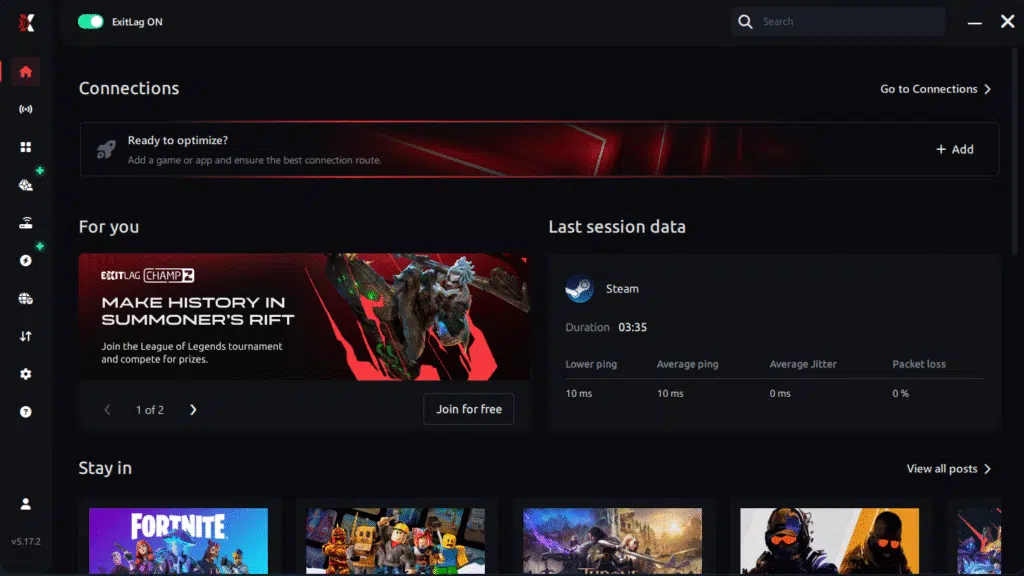
Step 3 – In the search bar, type “Blue Protocol” and select the game from the list.
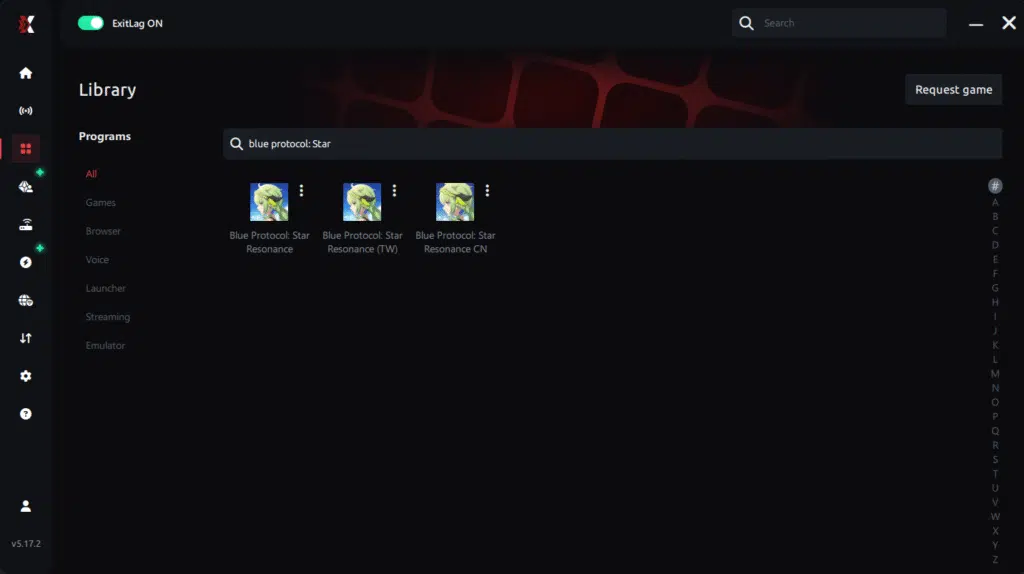
Step 4 – Choose between automated or manual route
Based on the results, you can let ExitLag automatically select the best route or manually choose the server that showed the lowest latency for your connection.
AI-optimized automated route
Based on the results, you can let ExitLag automatically select the best route through AI optimization. The system analyzes multiple connection paths in real time and automatically identifies the most efficient route for your connection, ensuring the lowest possible latency without requiring manual choices.
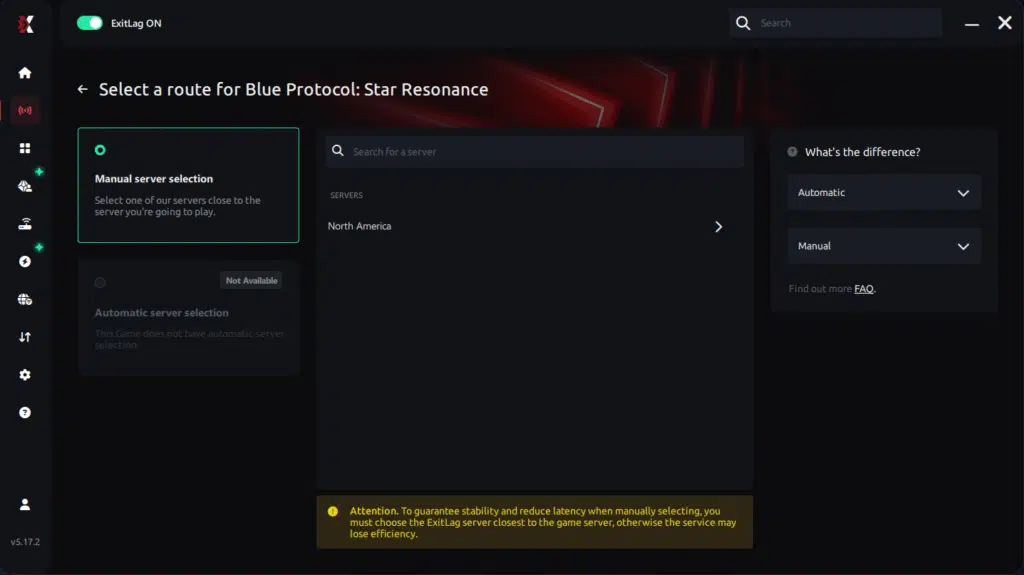
Manual route
If you prefer to have full control over your connection, you can manually choose the server based on the ping test results. Simply select the server that showed the lowest latency or the one that best meets your specific gaming needs, allowing complete customization of your experience.
Step 5 – Click “Blue Protocol” or the play button. ExitLag will begin optimizing your connection automatically.
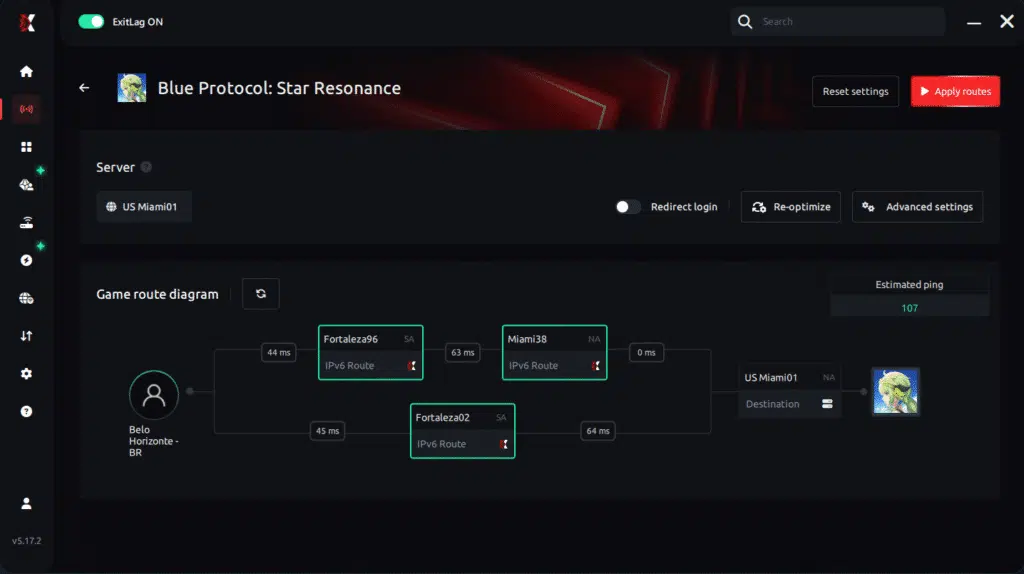
Step 6 – Wait a few seconds until optimization is complete. You’ll see ping indicators in the interface.
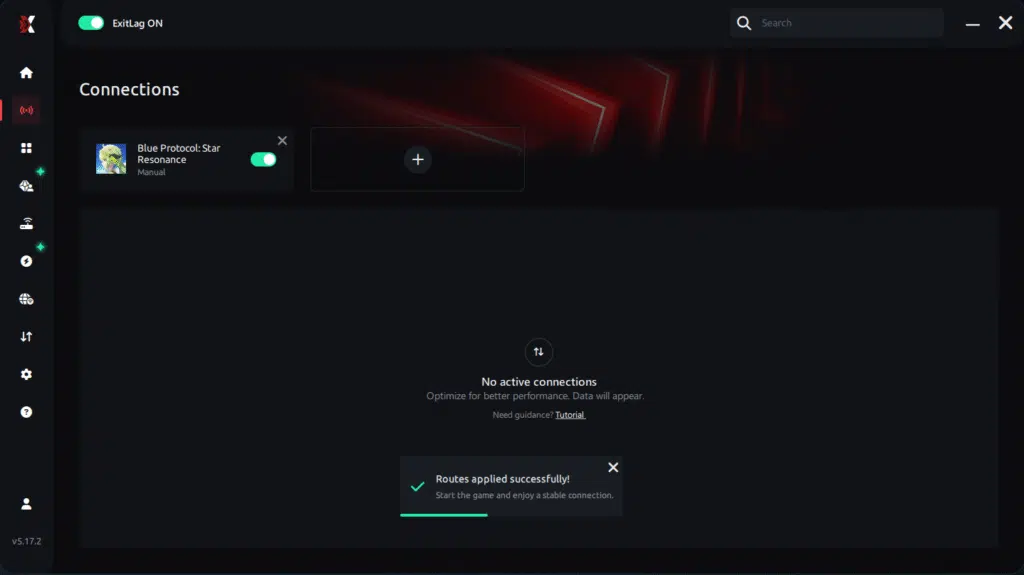
Step 7 – Launch Blue Protocol normally. The optimization will already be active.
ExitLag runs in the background while you play, constantly adjusting routes to maintain the best possible performance.
FAQ: Frequently asked questions about jitter in Blue Protocol Star Resonance
What is the difference between jitter, lag, and packet loss?
Jitter is the variation in ping (instability). Lag is the overall delay caused by high latency. Packet loss happens when data fails to reach the server. You can have low ping but high jitter—resulting in terrible gameplay.
Why does my ping fluctuate in Blue Protocol Star Resonance?
Common causes include congestion, unstable routing, Wi-Fi interference, distance from servers, and ISP-related issues.
Is jitter worse than high ping?
In many cases, yes. A stable 100ms ping is easier to adapt to than a wildly inconsistent 30–150ms ping.
How can I tell if I have jitter?
Run a long ping test and check for variation. In-game, look for inconsistent response times and unpredictable skill activation.
Does Wi-Fi cause jitter?
Yes. Wi-Fi is prone to interference and instability. A wired Ethernet connection is significantly more stable.
Does ExitLag fix issues other than jitter?
Yes. ExitLag also reduces ping, eliminates packet loss, fixes routing issues, and stabilizes gameplay across hundreds of online titles.
Do I need to keep ExitLag open while playing?
Yes. ExitLag must remain active to maintain optimization, although it can be minimized safely.
Are there game-specific jitter issues in Blue Protocol Star Resonance?
Server congestion during peak hours or new content updates may increase jitter temporarily, making stabilization tools even more valuable.
Conclusion
Jitter can turn a fun gaming session of Blue Protocol Star Resonance into a frustrating struggle filled with delays, missed timings, and unpredictable spikes. You don’t need to accept this as part of the game. With the right optimization steps—and especially with ExitLag—you can eliminate ping variation and restore the smooth, stable gameplay the developers intended.
For more guides and optimization tips, visit: ExitLag blog.
Fix your jitter today and enjoy smooth, stable gameplay. Try ExitLag for free now: Start your free trial



