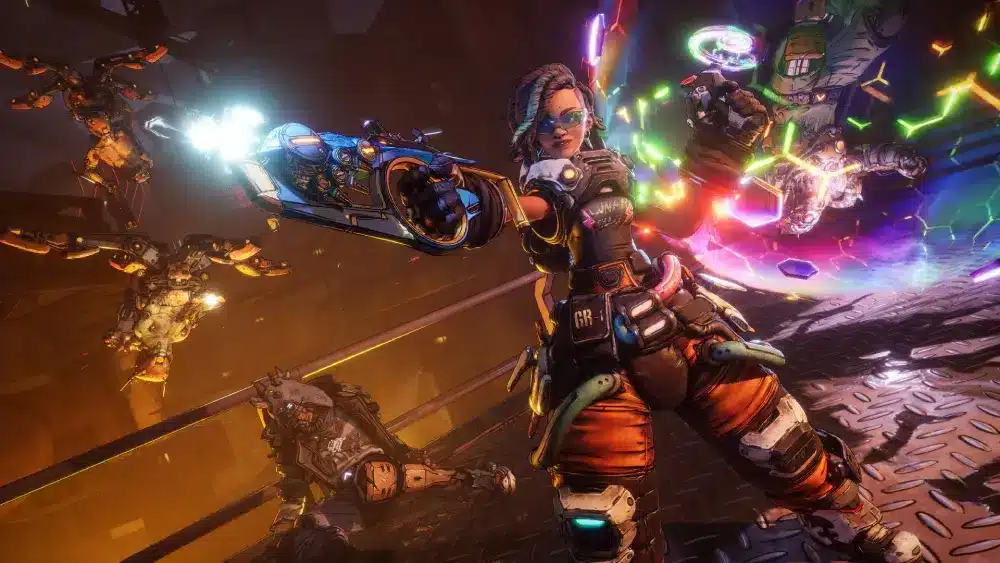
Borderlands 4 co-op changes are among the biggest gameplay improvements introduced in the franchise. Gearbox rebuilt several multiplayer systems to make teaming up easier, faster, and more rewarding for every Vault Hunter. Whether you prefer online sessions or split-screen adventures, the experience feels more connected than ever.
The most important Borderlands 4 Co-Op Changes focus on accessibility, progression, loot distribution, and player convenience. Many frustrations from previous entries have been addressed, creating a smoother cooperative experience from the first mission to the endgame.
What are Borderlands 4 co-op changes? They are a collection of new multiplayer features that improve how players join games, share progress, travel together, and enjoy balanced combat regardless of level differences. These updates help both newcomers and veterans play together without barriers.
The Borderlands franchise has always been known for chaotic multiplayer action. However, Borderlands 4 takes that philosophy further by building cooperative gameplay into nearly every major system from the ground up.

Borderlands 4 Co-Op Changes Make Team Play Better
Dynamic Level Scaling Helps Everyone Play Together
One of the biggest improvements is dynamic scaling. Friends no longer need matching levels to enjoy the same session. Enemies scale appropriately for each player. Loot remains meaningful regardless of progression differences.
Veteran players can help new friends without ruining the challenge. This system creates a more welcoming multiplayer environment than previous entries.
Instanced Loot Eliminates Competition
Loot has always been central to Borderlands. Now players receive their own loot drops. Nobody needs to race for legendary weapons. Arguments over rewards become far less common.
Every player can focus on combat instead of grabbing items first. This creates a more cooperative atmosphere during long farming sessions.
Key Benefits of the New System
- Individual loot rewards
- Better level balancing
- Faster matchmaking
- Improved progression sharing
- Easier friend integration
Borderlands 4 Coop Features Compared to Previous Games
How Borderlands 4 Coop Improves Matchmaking
The new lobby system has been redesigned. Players can join faster. Party management feels simpler. Connecting with friends requires fewer steps.
Drop-in and drop-out functionality works more smoothly than before. This means players can jump into ongoing campaigns without unnecessary waiting.
Fast Travel Directly to Friends
One frequently requested feature finally arrived. Players can teleport directly to teammates. Large maps no longer separate groups for long periods. Exploration remains fun without causing frustration. The result is significantly less downtime between fights.
Major Multiplayer Upgrades
| Feature | Borderlands 3 | Borderlands 4 |
| Dynamic Scaling | Limited | Improved |
| Fast Travel to Friends | No | Yes |
| Instanced Loot | Yes | Enhanced |
| Shared Progression | Limited | Expanded |
| Drop-In Co-Op | Yes | Improved |
These upgrades demonstrate Gearbox’s focus on multiplayer quality-of-life improvements.
Borderlands 4 Couch Coop and Local Multiplayer
Is Borderlands 4 Couch Coop Available?
Yes.
Borderlands 4 Couch Coop is available on PlayStation 5 and Xbox Series X|S. The game supports split-screen multiplayer for two players. This continues a beloved tradition within the franchise.
Many players still enjoy sharing a screen with friends or family, making this feature an important inclusion.
How Borderlands 4 Coop Local Works
Borderlands 4 Coop Local supports two-player split-screen on supported consoles. Players can complete the full campaign together. Character progression carries over. Loot remains individualized.
Online functionality can also be combined with local play in certain multiplayer scenarios. However, local co-op is not officially available on PC. Community discussions consistently confirm that split-screen remains a console-exclusive feature.
Advantages of Local Co-Op
- Play without separate consoles
- Share campaign progress
- Enjoy instant team communication
- Experience classic couch gaming
- Great for families and friends
Does Borderlands 3 4 Player Coop Still Exist?
Understanding Borderlands 3 4 Player Coop Versus Borderlands 4
Many players ask about Borderlands 3 4 Player Coop support. Borderlands 4 still supports up to four players online. However, couch co-op differs from earlier entries. Local split-screen is limited to two players.
Online sessions continue supporting four-player teams. This change allows Gearbox to maintain performance while delivering larger environments and more advanced gameplay systems.
Online Co-Op Remains the Main Focus
Online multiplayer offers:
- Four-player campaigns
- Cross-platform play
- Shared progression systems
- Dynamic difficulty balancing
- Flexible matchmaking
Cross-play support makes it easier than ever to play with friends regardless of platform choice.
How to Start a Co-Op Session
- Launch Borderlands 4.
- Open the multiplayer menu.
- Invite friends or join an existing session.
- Select your Vault Hunter.
- Begin exploring Kairos together.
The process is designed to minimize setup time and maximize gameplay.
What Other Borderlands 4 Co-Op Changes Matter Most?
Shared Progression Reduces Repetition
Recent updates introduced expanded progression-sharing options. This helps groups stay synchronized. Players spend less time replaying completed content. Co-op sessions feel more rewarding over long campaigns.
Continuous Improvements After Launch
Gearbox has continued refining multiplayer systems through updates. Several patches addressed split-screen issues. UI improvements were added.
Performance optimizations continue arriving regularly. The ongoing support demonstrates a commitment to improving cooperative gameplay over time.
Pro Tips for Borderlands 4 Co-Op Changes
Get More From Your Multiplayer Sessions
- Use fast travel to regroup instantly.
- Coordinate builds for maximum synergy.
- Take advantage of level scaling when introducing new players.
- Share farming routes for faster legendary hunting.
Build a Better Team
- Mix damage and support roles.
- Communicate loot priorities.
- Focus on complementary skills.
- Experiment with different Vault Hunter combinations.
These strategies help groups progress efficiently through the campaign.
Common Mistakes Players Make
Ignoring Team Composition
Many groups choose overlapping builds. Instead, create roles that complement each other.
Forgetting Fast Travel Features
Players sometimes waste time crossing maps manually. Use the friend teleport system whenever possible.
Underestimating Level Scaling
Some players assume low-level friends cannot contribute. Dynamic scaling allows everyone to remain effective.
Why ExitLag Helps Borderlands 4 Co-Op Changes Shine
Online co-op depends heavily on connection quality. Even with Gearbox’s multiplayer improvements, network instability can still create lag, packet loss, and delayed actions. ExitLag helps optimize routing between your device and game servers, creating a more stable connection for cooperative sessions.
Importantly, ExitLag does not modify game files and does not interact with anti-cheat systems. It focuses exclusively on connection optimization and network routing.
Borderlands 4 Co-Op Changes successfully modernize one of gaming’s most beloved cooperative franchises. Better matchmaking, fast travel to teammates, dynamic scaling, shared progression options, and improved loot systems create a more enjoyable multiplayer experience than ever before.
Whether you prefer Borderlands 4 Coop, Borderlands 4 Couch Coop, or Borderlands 4 Coop Local, the game offers more flexibility and convenience than previous entries. While local play is limited to two players, four-player online co-op remains a major strength and continues the tradition established by Borderlands 3 4 Player Coop. )
How Cross-Play Expands Borderlands 4 Coop
Playing Across Different Platforms
One of the most important additions supporting Borderlands 4 Coop is full cross-platform functionality. Friends no longer need identical hardware to play together. PC players can join console users.
Xbox and PlayStation communities can connect more easily. This creates a much larger multiplayer ecosystem. Cross-play also improves matchmaking speeds because the player pool is significantly larger. For cooperative games that rely on active communities, this is a major advantage.
Why Cross-Play Matters
Cross-play delivers several benefits:
- Faster matchmaking
- Easier friend invites
- Larger community population
- Better support for long-term content
- More opportunities to build co-op groups
Players who previously struggled to organize sessions because of platform limitations can now enjoy smoother cooperative experiences.
Cross-Play Versus Previous Borderlands Titles
| Feature | Borderlands 2 | Borderlands 3 | Borderlands 4 |
| Cross-Platform Support | No | Partial | Expanded |
| Four-Player Online | Yes | Yes | Yes |
| Dynamic Scaling | Limited | Good | Improved |
| Shared Progression | Basic | Moderate | Enhanced |
| Friend Teleport | No | No | Yes |
These upgrades make multiplayer significantly more accessible today.
Borderlands 4 Couch Coop Delivers Classic Multiplayer Fun
Why Split-Screen Still Matters
Many modern games have abandoned local multiplayer. Fortunately, Borderlands 4 Couch Coop continues supporting players who enjoy gaming together in the same room.
Split-screen sessions remain one of the easiest ways to introduce friends and family to the series. There is no need for multiple consoles or multiple copies of the game. Players can simply grab a second controller and start playing.
Best Uses for Couch Co-Op
Local multiplayer works particularly well for:
- Family gaming sessions
- Weekend gaming nights
- Casual campaign playthroughs
- Introducing new players
- Cooperative boss farming
The Borderlands formula has always been strongest when experienced with friends. That tradition remains intact.
Tips for Better Split-Screen Performance
- Use performance mode when available.
- Reduce unnecessary background downloads.
- Keep the game updated.
- Maintain sufficient console storage space.
These simple steps can improve overall stability during local sessions.
Best Character Synergies for Borderlands 4 Coop
Creating Effective Team Compositions
Successful multiplayer groups often combine different roles. A balanced squad can tackle difficult encounters more efficiently. Rather than stacking similar builds, diversify abilities.
Popular team strategies include:
- Damage dealer plus support specialist
- Crowd control paired with sniper builds
- Tank-focused setups with healing support
- Elemental damage combinations
These approaches help maximize efficiency during high-level content.
Coordinating Skill Trees
Communication becomes increasingly important in endgame activities.
Players should discuss:
- Skill tree choices
- Equipment priorities
- Boss farming objectives
- Team responsibilities
Groups that coordinate builds generally progress faster than those acting independently.
Endgame Team Benefits
Strong team synergy provides:
- Faster boss kills
- Better survivability
- More efficient loot farming
- Easier challenge completion
- Improved resource management
These advantages become especially noticeable in difficult encounters.
Borderlands 4 Coop Local Performance and Accessibility
Improved User Interface Design
One area receiving significant attention is accessibility. The multiplayer interface has been redesigned to reduce confusion. Menus are easier to navigate. Party information is clearer.
Mission tracking remains visible even during chaotic combat. These adjustments improve the overall experience for both new and returning players.
Better Mission Synchronization
Mission synchronization helps keep groups together. Objectives update consistently. Quest progress feels more reliable. Players spend less time troubleshooting progression issues. This improvement supports smoother campaign playthroughs.
Accessibility Features That Help Everyone
Some notable improvements include:
- Enhanced UI readability
- Better inventory management
- Clearer objective markers
- Improved party tracking
- Simplified multiplayer menus
These quality-of-life upgrades contribute to a more polished cooperative experience.
Borderlands 3 4 Player Coop Legacy Continues
How Borderlands 4 Builds on Earlier Success
Fans of Borderlands 3 4 Player Coop will find many familiar elements. The franchise still emphasizes teamwork. Loot hunting remains central. Boss encounters continue rewarding group coordination.
However, the new systems reduce friction throughout the experience. This allows players to focus more on action and less on administrative tasks.
Features Veterans Will Appreciate
Longtime players can expect:
- Massive weapon variety
- Cooperative boss farming
- Challenging endgame activities
- Character build experimentation
- Extensive replayability
These core pillars remain essential to the Borderlands identity.
What New Players Should Know
Newcomers often worry about joining established groups. The improved scaling system addresses that concern. Lower-level players can contribute meaningfully.
Progression remains rewarding. Friends can play together regardless of experience level. This helps grow the community and makes cooperative sessions more welcoming.

Pro Tips for Mastering Borderlands 4 Coop
Maximize Efficiency During Missions
- Share information about enemy weaknesses.
- Coordinate elemental damage types.
- Divide exploration responsibilities.
- Mark valuable loot for teammates.
Small adjustments can dramatically improve team performance.
Speed Up Farming Sessions
- Focus on complementary builds.
- Learn boss attack patterns together.
- Establish dedicated farming routes.
- Rotate responsibilities during long sessions.
Groups that prepare effectively often earn better rewards.
Common Mistakes That Hurt Co-Op Progress
Ignoring Team Roles
Many players attempt to perform every task themselves. Specialization generally produces better results.
Failing to Communicate
Even basic communication improves success rates. Discuss objectives before starting missions.
Chasing Loot Without Coordination
Instanced loot helps reduce competition. However, teammates still benefit from discussing equipment priorities and build goals. Better communication often leads to stronger overall groups.
Why ExitLag Enhances Borderlands 4 Multiplayer
Large-scale co-op encounters demand stable connections. Even minor network interruptions can affect combat responsiveness. ExitLag helps create a more stable routing path between players and game servers. This can reduce latency spikes and packet loss during important encounters.
Borderlands 4 Co-Op Changes Set a New Standard
The latest Borderlands 4 Co-Op Changes demonstrate Gearbox’s commitment to cooperative gameplay. Enhanced scaling, streamlined progression, improved matchmaking, expanded cross-play, and refined multiplayer systems all contribute to a stronger experience.
Whether you prefer Borderlands 4 Coop, enjoy Borderlands 4 Couch Coop, or regularly play Borderlands 4 Coop Local, the new features make joining friends easier than ever.
For longtime fans of Borderlands 3 4 Player Coop, the latest entry preserves everything that made the series special while introducing meaningful quality-of-life improvements that benefit every type of player.
Borderlands 4 Co-Op Changes successfully modernize the franchise while preserving the chaotic multiplayer fun that has defined Borderlands for years.
Frequently Asked Questions
Does Borderlands 4 support four-player online co-op?
Yes. Borderlands 4 supports up to four players online during campaign and endgame content.
Is Borderlands 4 couch co-op available?
Yes. Split-screen couch co-op is available on supported consoles for two local players.
Does Borderlands 4 have cross-play?
Yes. Players can join friends across supported platforms through cross-platform multiplayer.
Can low-level players join high-level friends?
Yes. Dynamic scaling allows players of different levels to participate together effectively.
Is Borderlands 4 local co-op available on PC?
Currently, local split-screen support is limited to console platforms.
Got questions or want to connect with other players? Join the conversation at the ExitLag Forum!