

For anyone who spends hours inside Cabal’s intense world, nothing is more frustrating than seeing the gameplay freeze at the worst possible moment. Whether you’re mid combo or dodging an enemy attack, sudden delay can ruin an entire run. This is why Cabal Lag becomes such a painful experience: it breaks immersion, affects performance, and disrupts progression.
Therefore, to understand how to eliminate the problem once and for all, it’s essential to first uncover what truly causes lag in Cabal. Many players don’t realize that the delay is often tied to the connection route between you and the game server, not just your home network. Issues like packet loss, route congestion, and long distances between servers directly impact gameplay quality.
However, the good news is that there is a reliable and definitive way to reduce Cabal Lag and restore the smooth, responsive gameplay the community expects. By understanding what’s happening behind the scenes and applying a professional solution, players can eliminate interruptions and finally enjoy Cabal with maximum stability.
What is lag in Cabal?
Lag in Cabal occurs when there is a delay between the player’s action and the server’s response. In this MMORPG, every attack, movement, and skill must be confirmed by the server to execute correctly. When the connection is unstable, slow, or taking an inefficient path, the delay increases, creating an unresponsive and inconsistent experience.
Like this, lag becomes visible through:
- delayed skill casting
- character “rubberbanding”
- enemies teleporting
- mismatched hit registration
Causes of lag in Cabal
Connection route issues
The internet provider automatically chooses routes for data packets, but they are not always the fastest. Congested or long-distance routes directly increase delay.
Packet loss
When part of the information sent to the server is lost, the game tries to resend it, creating freezes or sudden spikes.
Geographic distance
Players far from the server region naturally experience more latency due to the longer transmission distance.
Unstable ISP performance
Even with fast speed, some providers fail to maintain stable routes for online gaming.
Lag, ping and fps in Cabal: understanding the difference
Many players assume the problem lies in the computer, but Cabal performance issues are often network–related.
Here’s the difference:
| Term | Meaning | Impact on Cabal |
| Lag | Delay between action and response | Skills take longer to activate |
| Ping | Round-trip time of data sent to server | High ping causes slow reactions |
| FPS | Graphic frames per second | Low FPS makes visuals choppy |
Therefore, identifying whether it’s a connection or hardware problem helps point to the right solution.
Why Cabal lags even with good internet
Even players with fiber-optic connections may face lag. That’s because the internal route chosen by the provider isn’t optimized for game servers.
Imagine this: your data tries to reach the server through a “digital traffic jam,” taking longer, unstable paths. This “traffic” is the main source of Cabal Lag, and it is completely independent of your speed test results.
Finally, this is the moment when players realize they don’t need a faster plan, they need a better route.

Exitlag: the definitive solution
After understanding the root of the problem, a natural question appears: What if you could choose the best route manually and avoid all this congestion?
This is exactly what ExitLag does.
What Exitlag is
ExitLag is a connection optimizer for games that improves routing between your PC and the Cabal server.
How it works
It uses:
- multi–route technology
- intelligent tunneling
- advanced algorithmic path selection
This ensures your packets always take the most efficient path.
Direct benefits
- lower and stable ping
- no packet loss
- smoother gameplay in crowded maps
- no random freezes
- consistent responsiveness during combat
Why Exitlag improves Cabal performance
Lower ping
ExitLag automatically finds the shortest and cleanest connection routes.
Reduced packet loss
A stable tunnel ensures all data reaches the server reliably.
Minimal input delay
Skills activate faster because server communication is optimized.
Better hit registration
Especially important for PvP and dungeon timing windows.
No rubberbanding
Movement becomes fluid and predictable.
How to use ExitLag in Cabal
The process is extremely simple:
Step 1 – Access the official ExitLag website and download the application. There’s a free trial period for new users.
Step 2 – Install and open the program. Log in with your account.
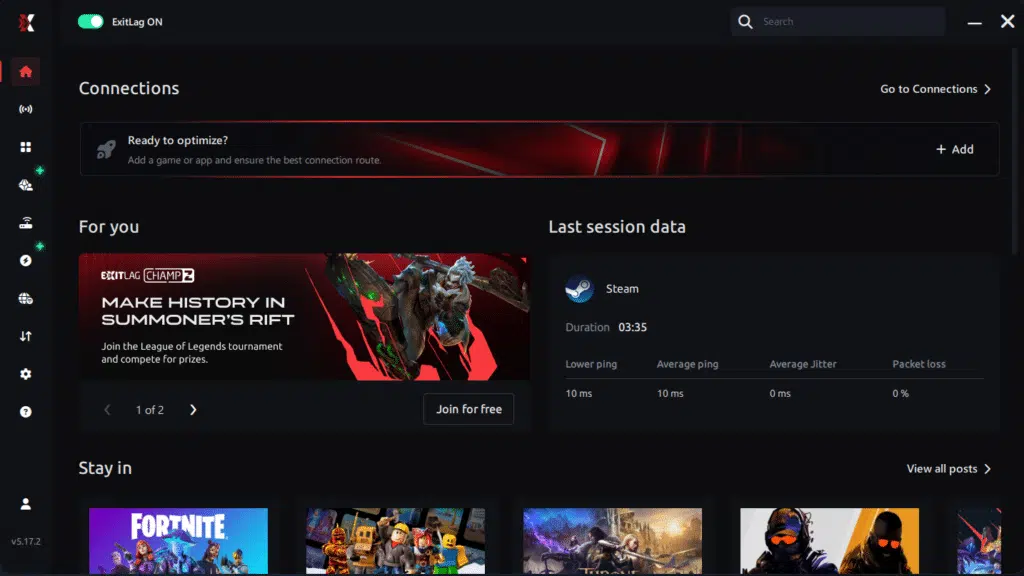
Step 3 – In the search bar, type “Cabal” and select the game from the list.
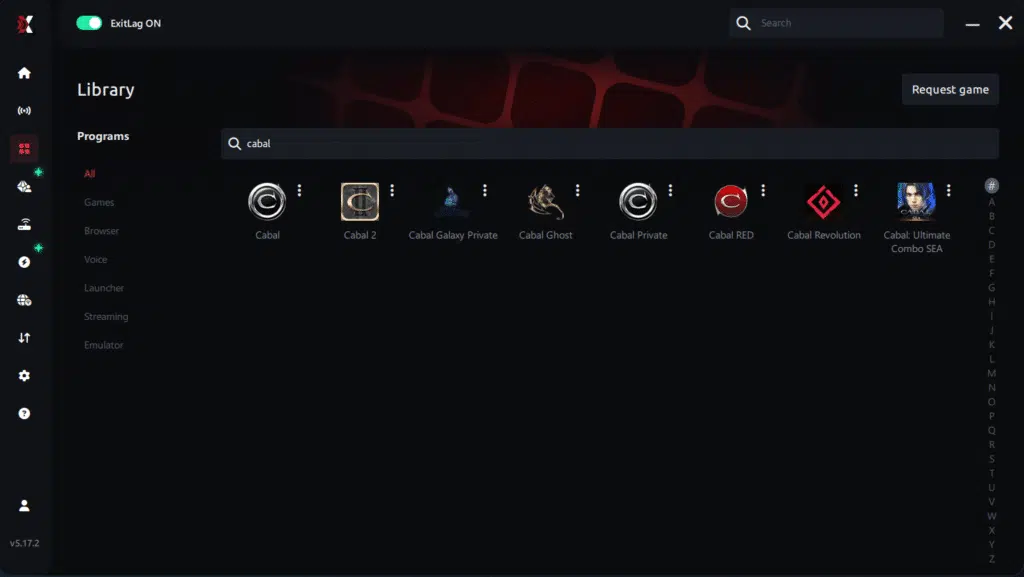
Step 4 – Choose between automated or manual route
Based on the results, you can let ExitLag automatically select the best route or manually choose the server that showed the lowest latency for your connection.
AI-optimized automated route
Based on the results, you can let ExitLag automatically select the best route through AI optimization. The system analyzes multiple connection paths in real time and automatically identifies the most efficient route for your connection, ensuring the lowest possible latency without requiring manual choices.
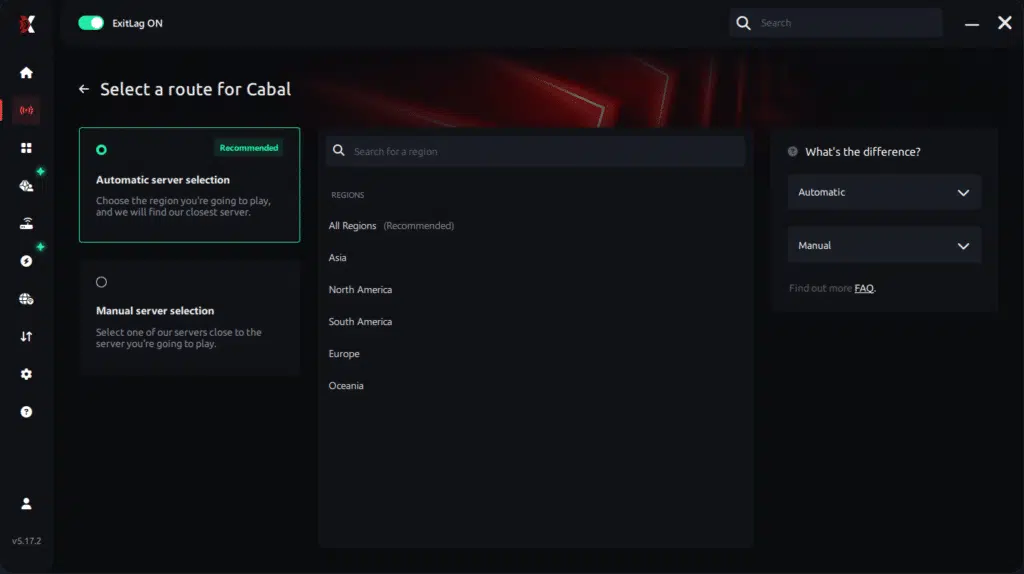
Manual route
If you prefer to have full control over your connection, you can manually choose the server based on the ping test results. Simply select the server that showed the lowest latency or the one that best meets your specific gaming needs, allowing complete customization of your experience.
Step 5 – Click “Cabal” or the play button. ExitLag will begin optimizing your connection automatically.

Step 6 – Wait a few seconds until optimization is complete. You’ll see ping indicators in the interface.
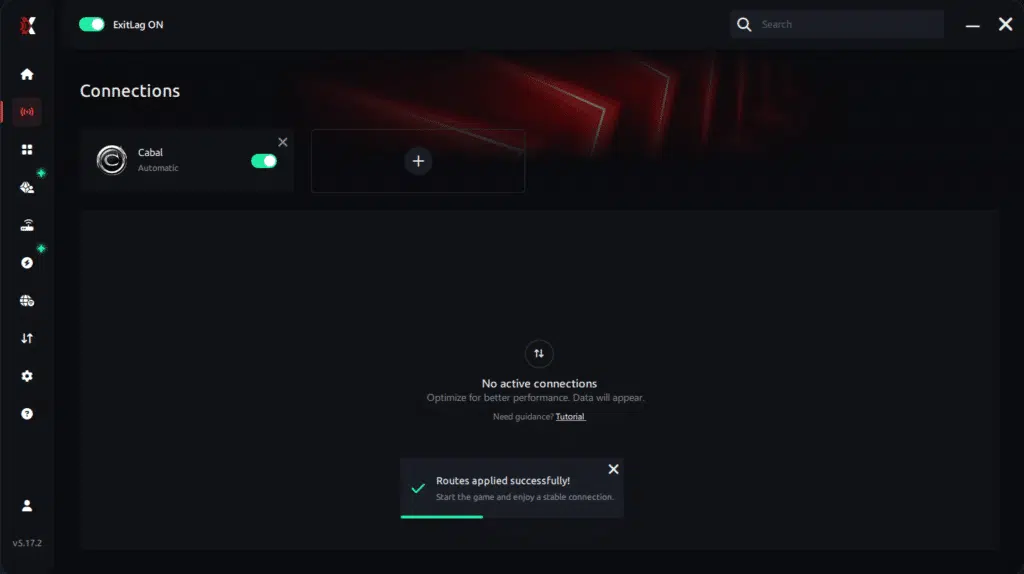
Step 7 – Launch Cabal normally. The optimization will already be active.
ExitLag runs in the background while you play, constantly adjusting routes to maintain the best possible performance.
Remove Cabal lag for good
Cabal’s challenges are meant to test your skill, not your internet patience. With the right optimization, you can eliminate freezes, delays, and the entire burden of inconsistent gameplay. Therefore, if you’re tired of seeing your performance impacted by connection issues, ExitLag is the tool that restores control and competitiveness.
Finally, you don’t need to let Cabal Lag dictate your progress anymore. Start your free trial of ExitLag now and experience Cabal with maximum stability, precision, and zero interruptions.
Got questions or want to connect with other players? Join the conversation at the ExitLag Forum!

