

Call of Duty: Modern Warfare 4 Reveals System Requirements for Its PC Beta, giving players a clear picture of the hardware needed before jumping into the upcoming multiplayer test. Activision has now published the official PC specifications, including CPU, GPU, RAM, storage, and security requirements.
For PC players, Call of Duty: Modern Warfare 4 Reveals System Requirements for Its PC Beta at an important moment. Early Access begins on August 21 and runs through August 25, making it essential to check your setup before downloading and launching the beta.
So, what does your PC need? Call of Duty: Modern Warfare 4 Reveals System Requirements for Its PC Beta with 12 GB of RAM, an SSD, DirectX 12 compatibility, and GPUs such as the GTX 970, GTX 1060, RX 470, or Intel Arc A580 forming part of the minimum configuration.
However, hardware performance is only one part of the equation. Modern Warfare 4 also requires TPM 2.0 and Secure Boot on PC, while multiplayer naturally depends on a broadband internet connection.
That means preparing for the beta involves checking performance, security settings, storage space, drivers, and network stability. Here is everything PC players need to know.
Call of Duty: Modern Warfare 4 Reveals System Requirements for Its PC Beta
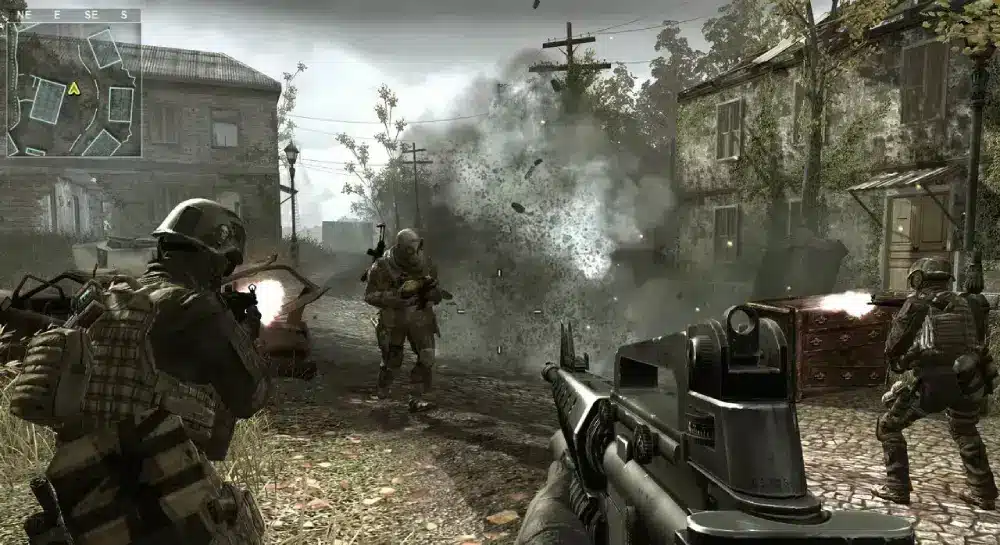
What Activision confirmed for PC players
Activision published the official PC system requirements for Modern Warfare 4 on August 20, one day before Early Access begins. The specifications are specifically presented as the requirements for the Call of Duty: Modern Warfare 4 Beta.
The good news is that the Minimum Specifications are not limited to recent enthusiast hardware. Activision lists several older components, including the AMD Ryzen 5 1600 and Intel Core i5-8400.
On the GPU side, players can meet the minimum tier with an AMD Radeon RX 470, NVIDIA GeForce GTX 970 or GTX 1060, or Intel Arc A580. At least 3 GB of video memory is required.
Nevertheless, meeting the minimum hardware target should not be confused with reaching Activision’s recommended performance level.
The Recommended Specifications are designed to deliver 60 FPS in most situations. They increase the memory requirement to 16 GB and move the GPU target to an RX 6700 XT, RTX 3060, or Intel Arc B580.
Global PC requirements you should know
Some Modern Warfare 4 requirements apply regardless of whether your computer falls into the minimum or recommended category.
Activision states that all configurations require a broadband internet connection and DirectX 12 compatibility. Intel Arc graphics cards also require Resizable BAR.
There is another important CPU limitation. At this time, Activision says only supported Intel and AMD processors with the AVX instruction set can be used.
Before downloading the beta, check these essential points:
- Broadband internet connection
- DirectX 12 compatibility
- Supported Intel or AMD CPU with AVX
- Resizable BAR when using an Intel Arc GPU
- TPM 2.0 enabled
- Secure Boot enabled
- Enough SSD storage space
These conditions make the PC check more complex than simply comparing your graphics card against the official list.
Minimum Specifications for Modern Warfare 4
Minimum CPU, GPU, RAM, and storage
The official Minimum Specifications establish a relatively accessible baseline for players with older gaming PCs.
According to Activision, Windows 10 64-bit with the latest update is supported at the minimum level. Trial, beta, and Insider versions of compatible Windows operating systems may not be supported.
Here are the official minimum requirements:
| Component | Minimum requirement |
| Operating System | Windows 10 64-bit, latest update |
| CPU | AMD Ryzen 5 1600 or Intel Core i5-8400 |
| RAM | 12 GB |
| AMD GPU | Radeon RX 470 |
| NVIDIA GPU | GeForce GTX 970 / GTX 1060 |
| Intel GPU | Arc A580 |
| VRAM | 3 GB |
| Storage | SSD with 70 GB available at launch |
| DirectX | DirectX 12 compatible |
| Internet | Broadband connection |
Source: Activision Support.
One detail immediately stands out from these Specs: an SSD is required. Activision specifies 70 GB of available SSD space at launch rather than simply providing a generic storage capacity.
Therefore, players still installing large games primarily on mechanical hard drives should verify that enough SSD capacity is available before preloading.
What the minimum Specs mean for older gaming PCs
The inclusion of the GTX 970 and GTX 1060 makes the minimum GPU list particularly interesting. These are significantly older NVIDIA cards, meaning Modern Warfare 4’s baseline does not automatically exclude every aging gaming system.
Still, the rest of the PC must satisfy the requirements.
For example, having a GTX 1060 does not help if the machine lacks enough RAM, SSD capacity, DirectX 12 compatibility, or the necessary security configuration.
The 12 GB RAM requirement is also worth checking carefully. PCs still configured with 8 GB of system memory fall below the official minimum despite potentially having a supported CPU and graphics card.
Laptop users should be especially careful when comparing hardware names. Activision explains that the published specifications refer to desktop PCs and notes that laptop GPUs carrying similar names may actually be different models.
Therefore, do not assume that a mobile GPU with a familiar product name automatically delivers the same level of compatibility or performance as its desktop counterpart.
Recommended Specifications for Better Modern Warfare 4 Performance
Hardware recommended for 60 FPS
Players interested in stronger performance should focus on the Recommended Specifications instead of treating minimum hardware as their target.
Activision describes its recommended configuration as the hardware intended to run Modern Warfare 4 at 60 FPS in most situations.
The recommended Modern Warfare 4 setup is:
| Component | Recommended requirement |
| Operating System | Windows 11 64-bit, latest update |
| CPU | AMD Ryzen 5 3600 or Intel Core i7-8700K |
| RAM | 16 GB |
| AMD GPU | Radeon RX 6700 XT |
| NVIDIA GPU | GeForce RTX 3060 |
| Intel GPU | Arc B580 |
| VRAM | 8 GB |
| Storage | SSD with 70 GB available |
| DirectX | DirectX 12 compatible |
| Internet | Broadband connection |
Source: Activision Support.
Compared with the minimum tier, the recommended configuration raises the RAM requirement from 12 GB to 16 GB. The VRAM target also jumps considerably, from 3 GB to 8 GB.
The GPU upgrade is equally significant. NVIDIA players move from GTX 970/1060-level hardware to an RTX 3060, while AMD users move from the RX 470 to the RX 6700 XT.
Minimum vs. Recommended Specifications
Looking at the two configurations side by side makes the performance difference easier to understand.
The minimum tier is primarily about getting into the beta with supported hardware. The recommended configuration is tied to Activision’s stated 60 FPS target in most situations.
For players deciding whether an upgrade is necessary, focus on these four differences:
- RAM: 12 GB minimum versus 16 GB recommended.
- VRAM: 3 GB minimum versus 8 GB recommended.
- GPU: GTX 970/1060 or RX 470 minimum versus RTX 3060 or RX 6700 XT recommended.
- CPU: Ryzen 5 1600/i5-8400 minimum versus Ryzen 5 3600/i7-8700K recommended.
Storage remains at 70 GB of available SSD space in both tiers.
Importantly, Activision does not claim that the recommended configuration guarantees 60 FPS at every moment. Its wording specifies 60 FPS “in most situations,” so actual performance can still vary with settings, resolution, background processes, drivers, and gameplay conditions.
TPM 2.0 and Secure Boot Requirements Revealed
Why compatible hardware may still not be enough
One of the most important Requirements Revealed for Modern Warfare 4 has nothing to do with raw rendering performance.
TPM 2.0 and Secure Boot are mandatory for the Modern Warfare 4 PC Beta. Activision’s dedicated security documentation states that players without both requirements will be restricted from playing any online game mode in the beta.
As a result, a PC could technically exceed the recommended CPU, RAM, and GPU requirements but still fail to access online gameplay because of its security configuration.
Windows 11 users will often already have these technologies active because of the operating system’s own requirements. However, Windows 10 users may need to check their configuration more carefully.
Activision also notes that Call of Duty requires Windows 10 version 22H2 or later for this security configuration.
How to check your security setup safely
Players should verify their system before the beta rather than discovering a problem while trying to enter a match.
A practical preparation sequence is:
- Check whether your Windows installation is fully updated.
- Confirm that your processor and motherboard support TPM 2.0.
- Verify whether TPM 2.0 is currently enabled.
- Check the status of Secure Boot.
- Review your motherboard manufacturer’s instructions before making BIOS or UEFI changes.
- Confirm your PC meets the remaining Specs.
- Update your GPU driver if necessary.
- Leave enough SSD space for the beta.
Activision provides a Call of Duty Secure Attestation Wizard that can check whether a system complies with its security requirements and indicate when adjustments may be necessary.
Players unfamiliar with BIOS or UEFI configuration should avoid changing settings blindly. Activision specifically recommends consulting the PC or motherboard manufacturer’s documentation or obtaining professional assistance, because incorrect firmware changes can cause boot problems.
Modern Warfare 4 Recommended GPU Drivers
NVIDIA, AMD, and Intel driver versions
A supported graphics card does not automatically mean the software side of the PC is ready.
Activision recommends keeping Windows 10 or Windows 11 updated and provides specific graphics driver versions for players experiencing graphical problems.
| Graphics hardware | Recommended driver |
| AMD | 26.7.1 |
| NVIDIA GeForce/RTX | 610.47 |
| NVIDIA Workstation RTX Pro/ADA/Quadro | 596.59 |
| NVIDIA GTX 900/1000 series | 581.80 |
| Intel | 32.0.101.8861 |
Activision notes that official NVIDIA Game Ready Driver support for the GTX 900 and GTX 1000 families has ended. For those cards, the listed recommended version remains 581.80.
That point matters because the minimum requirements include the GTX 970 and GTX 1060.
Why drivers matter before entering the beta
Beta software can expose compatibility issues that may not appear in older games. Keeping drivers and Windows updated removes two obvious variables when troubleshooting crashes or graphical problems.
However, newer does not always mean that players should ignore official guidance.
If you experience graphical issues, compare your installed driver against Activision’s currently recommended version. That is especially relevant for legacy GTX hardware, where Game Ready support has ended.
It is also wise to restart your PC after major driver or Windows updates before launching the beta.
What to Know Before Playing the Modern Warfare 4 Beta
Early Access dates and availability
The first Modern Warfare 4 Beta weekend begins with Early Access on August 21 and continues through August 25. Activision says this period is available to players who have preordered on Xbox Series X|S, PlayStation 5, and PC.
The beta gives players an opportunity to preview the multiplayer experience and provide feedback ahead of the worldwide launch, which Activision currently lists for October 23.
Modern Warfare 4 itself includes Campaign, Multiplayer, and DMZ.
For Early Access players, preload began at 9:00 AM PT on August 20. Activision says the beta is downloaded separately through the relevant platform store.
How to prepare your PC before downloading
The best approach is to complete your checks before launching the beta.
Start with the Minimum Specifications, then verify security, software, and network requirements individually. A machine that passes only the GPU check is not necessarily ready.
Your preparation checklist should include:
- Confirm your CPU meets the minimum requirement and supports AVX.
- Make sure your PC has at least 12 GB of RAM.
- Verify your graphics card and available VRAM.
- Free at least 70 GB on an SSD.
- Update Windows.
- Confirm DirectX 12 compatibility.
- Check TPM 2.0 and Secure Boot.
- Update your graphics driver when appropriate.
- Verify your broadband connection is stable.
- Close unnecessary background downloads before playing.
Taking care of these steps early leaves more time for what matters: actually testing Modern Warfare 4.
Network Performance, Lag, and ExitLag
Why connection stability matters in Modern Warfare 4
PC hardware determines how efficiently your system can process and render Modern Warfare 4, but multiplayer performance also depends on communication between your computer and the game servers.
Activision requires a broadband internet connection across all listed PC configurations.
In a fast multiplayer shooter, unstable routing, latency variations, or packet-related connection problems can interfere with the responsiveness players expect. These network conditions are separate from FPS performance, which means installing a stronger GPU will not necessarily solve an unstable route to a game server.
That distinction becomes especially important during a beta, when large numbers of players may be testing the game simultaneously.
How ExitLag complements a prepared gaming PC
ExitLag is designed to optimize the network route between your PC and supported online games. Its technologies include Real-Time Optimization and Multipath Connection, which focus on selecting and maintaining more efficient data routes.
For Modern Warfare 4 players, ExitLag can complement a properly configured PC by helping reduce lag, improve connection stability, and minimize disruptive routing fluctuations during online matches.
It does not replace the official Modern Warfare 4 hardware requirements. Instead, the goal is to optimize the connection side of the gaming experience once your PC is ready to run the game.
Setup is also straightforward: sign up, download ExitLag on PC, select the game, apply the available routes, and play. This makes it useful for players who want network optimization without spending their beta time manually troubleshooting routes.
Modern Warfare 4 Specs and Requirements Revealed: Is Your PC Ready?
Who can play with the minimum setup?
Players using systems around a Ryzen 5 1600 or Core i5-8400 with 12 GB RAM and a supported minimum-level graphics card officially meet the baseline CPU, memory, and GPU targets.
However, remember that those components are only part of the Requirements Revealed by Activision.
Your system must also satisfy the SSD, DirectX 12, broadband internet, AVX, and security requirements. Intel Arc users additionally need Resizable BAR.
Therefore, use the complete specification list rather than relying on a single component.
A GTX 1060 PC with only 8 GB RAM, for example, does not meet the published minimum memory requirement. Likewise, a powerful modern computer without the necessary security settings may not be ready for online beta modes.
Should you target the recommended hardware instead?
If your priority is performance rather than basic compatibility, the recommended tier is the more useful benchmark.
Activision connects those Recommended Specifications with a target of 60 FPS in most situations. That configuration includes a Ryzen 5 3600 or Core i7-8700K, 16 GB RAM, 8 GB VRAM, and an RX 6700 XT, RTX 3060, or Intel Arc B580.
PC players near the minimum level may still be able to participate, but they should be prepared to adjust graphical settings based on actual beta performance.
Those comfortably above the recommended tier have more hardware headroom, although beta optimization, drivers, resolution, settings, and other factors can still influence performance.
Ultimately, Call of Duty: Modern Warfare 4 Reveals System Requirements for Its PC Beta early enough for players to verify their machines before jumping into multiplayer. With hardware, security settings, drivers, SSD space, and network preparation handled beforehand, you can spend less time troubleshooting and more time experiencing the new Call of Duty.
Call of Duty: Modern Warfare 4 Reveals System Requirements for Its PC Beta with clear minimum and recommended targets, and the difference between simply meeting those requirements and building a smooth online experience is worth remembering. Prepare your PC, verify TPM 2.0 and Secure Boot, and consider ExitLag when you want to optimize routing and connection stability while playing online.
FAQ
The Minimum Specifications include Windows 10 64-bit, an AMD Ryzen 5 1600 or Intel Core i5-8400, 12 GB of RAM, and at least 3 GB of VRAM. For graphics, Activision lists the Radeon RX 470, GeForce GTX 970 or GTX 1060, and Intel Arc A580. Players also need an SSD with 70 GB of available storage.
The Recommended Specifications include Windows 11 64-bit, an AMD Ryzen 5 3600 or Intel Core i7-8700K, 16 GB of RAM, and 8 GB of VRAM. Recommended GPUs include the Radeon RX 6700 XT, GeForce RTX 3060, and Intel Arc B580. Activision targets 60 FPS in most situations with this configuration.
Yes. TPM 2.0 and Secure Boot are mandatory security requirements for the Modern Warfare 4 PC Beta. Players should verify that both features are enabled before attempting to access online modes, even if their PC already meets the official Specs.
The official Modern Warfare 4 PC requirements list an SSD with 70 GB of available space at launch. This storage requirement applies to both the minimum and recommended configurations, so players should free enough SSD space before downloading the beta.
ExitLag can help optimize the network side of your Modern Warfare 4 experience by improving routing, reducing lag, and increasing connection stability during online matches. However, ExitLag does not replace the official hardware Requirements Revealed by Activision, so your PC still needs to meet the minimum specifications to run the beta properly.
All game images used in this blog belong to Activision. They are used for informational/educational purposes only and do not imply endorsement or affiliation with the rights holders.
Got questions or want to connect with other players? Join the conversation at the ExitLag Forum!
