

COD redeem is an essential process for players looking to unlock exclusive content, in-game items, or bonuses in Call of Duty games. If you have a Call of Duty redeem code for Modern Warfare, a redeem Call of Duty mobile code, or need to know where to redeem COD code, this article covers it all.
We’ll guide you step-by-step on how to redeem COD code on official COD redeem code sites, explain how to redeem COD code for various platforms and answer common questions about redeeming codes. If you’re wondering how to redeem COD code or want to find the best COD redeem code site, this complete guide has everything you need!

What is COD redeem?
The term COD redeem refers to the process of entering special promotional or partner codes in Call of Duty games to unlock exclusive rewards. These rewards can include skins, weapons, in-game currency, battle passes, and other valuable content.
A Call of Duty redeem code is typically a unique combination of letters and numbers provided by the game developers, event organizers, or partners as part of promotions, giveaways, or special collaborations.
Players use these codes on official platforms to claim bonuses and enhance their gaming experience. Understanding how to use the COD redeem system effectively allows players to access extra content without additional cost, making it an important part of the Call of Duty community and marketing strategy.
Where to redeem COD codes?
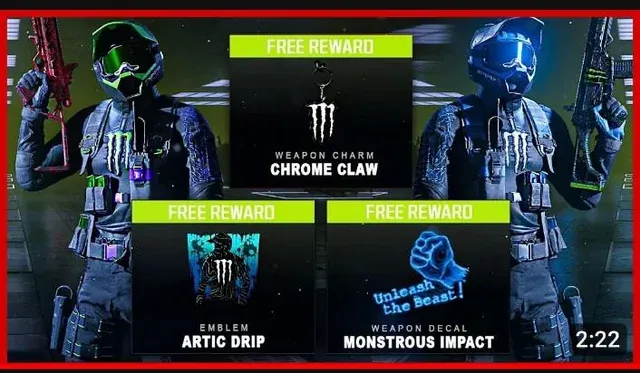
To redeem your COD redeem code, you need to visit the official COD redeem code site provided by Activision. The direct link to redeem your codes is https://www.callofduty.com/redeem. This is the safest and most reliable place to enter your codes and claim your rewards.
Before redeeming, you must log in using your account credentials. Supported login options include your Activision ID, Battle.net, PlayStation Network (PSN), or Xbox Live account, depending on the platform you play on. Make sure to use the same account linked to your game to ensure your rewards are properly credited.
If you’re wondering where to redeem COD code, always use this official site to avoid scams and unauthorized third-party services.
How to redeem COD codes by platform?
Redeeming your COD redeem code varies slightly depending on the platform you use. Below is a quick guide on how to redeem COD code on PC, consoles, and mobile devices.
PC (Battle.net/Steam)
If you play Call of Duty on PC via Battle.net or Steam, start by logging into your account on the official COD redeem code site. Once logged in, enter your code in the provided field and confirm. The rewards will then be added to your account and available in-game.
Console (PS5/Xbox)
For console players on PlayStation 5 or Xbox, redeeming codes also happens through the official site after logging in with your PSN or Xbox Live account. Alternatively, some codes can be redeemed directly through the console’s store, but using the official COD redeem code site ensures compatibility with Call of Duty titles.
Mobile (COD mobile app or site)
If you have a code for Call of Duty Mobile, you can redeem it either directly in the game’s app or through the official website. To redeem Call of Duty mobile codes within the app, open the game, go to the “Events” or “Settings” section, and look for the redeem code option. You can also visit the COD redeem code site, log in with your Activision account, and enter your code to receive mobile rewards.
Following these steps will help you quickly unlock your bonuses, no matter which platform you’re on.
Types of codes and rewards
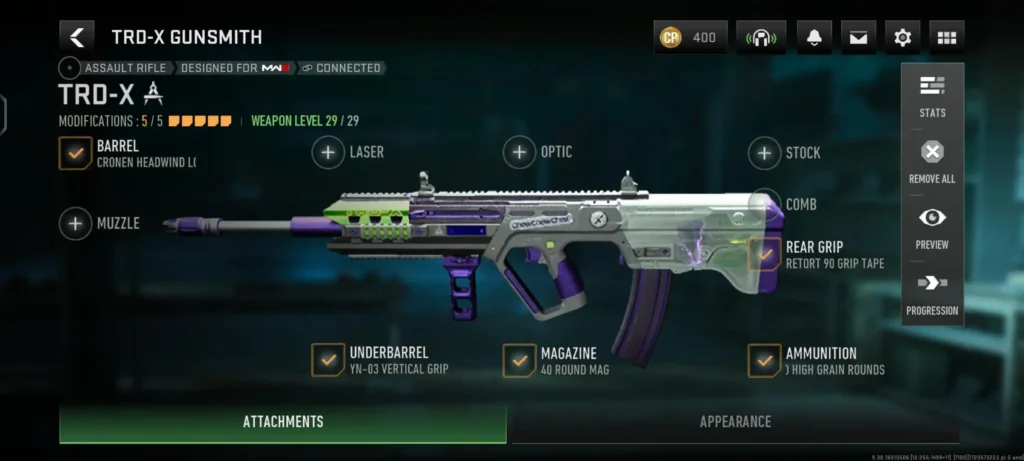
In the world of COD redeem, there are various types of Call of Duty redeem codes that players can use to unlock a range of exciting rewards. Some of the most popular rewards include:
| Reward type | Description |
| Skins | Unique character and weapon skins that personalize your gameplay appearance. |
| XP packs | Experience point boosts that help you level up faster. |
| Battle passes | Access to seasonal content and exclusive challenges. |
| Exclusive cosmetics | Special items like emotes, calling cards, and other customization options not available normally. |
These codes often come from event promotions or partnerships with brands, streamers, or other companies. Event codes are usually time-limited and tied to special in-game celebrations or launches, while partnership codes might be offered through collaborations with popular influencers or sponsored campaigns.
By staying updated on these codes, players can regularly enhance their Call of Duty experience with fresh and exclusive content through the cod redeem system.
What to do if your COD redeem code does not work?

Sometimes, when trying to use a COD redeem code, you might encounter issues where the code doesn’t work. Here are some basic checks to help you troubleshoot:
- Check validity: make sure the code hasn’t expired. Many Call of Duty redeem codes are time-limited and won’t work after the promotion ends.
- Verify typing: double-check the code for any typing errors. Codes are case-sensitive and must be entered exactly as provided.
- Confirm region restrictions: some codes only work in specific regions or countries, so ensure the code is valid for your location.
If you’ve checked all these and your code still doesn’t work, the next step is to contact Activision support. They can assist with issues related to invalid or unused codes linked to your account.
For help, visit the official Activision support page: https://support.activision.com. This site provides resources and live chat options to resolve your problems quickly.
Conclusion
Mastering the COD redeem process is key to unlocking exclusive content and maximizing your Call of Duty experience. Whether you’re redeeming codes for redeem code Modern Warfare, Call of Duty Mobile, or other titles, following the right steps ensures you never miss out on valuable rewards.
To further enhance your gameplay, consider using ExitLag—a powerful tool that improves connection stability and reduces lag in competitive online games like Call of Duty. This can give you the edge you need for smoother, more responsive matches.
For the latest COD redeem codes, exclusive offers, and partnership promotions, be sure to follow ExitLag and stay updated on all the newest opportunities to boost your gaming.
Frequently asked questions (FAQ)
Where can I redeem Call of Duty codes?
You can redeem your Call of Duty codes on the official COD redeem code site at https://www.callofduty.com/redeem. Make sure to log in with your Activision, Battle.net, PSN, or Xbox account.
How to redeem a code in Modern Warfare?
To redeem a code for Modern Warfare, visit the official COD redeem code site, log in with your account, enter your code in the redemption field, and confirm. The rewards will be added to your account and available in-game.
Can I redeem codes from mobile?
Yes, you can redeem codes for Call of Duty Mobile either directly within the game’s app or on the official COD redeem code site. In the app, look for the redeem code option under Events or Settings.
What if the code is invalid or expired?
If your code is invalid or expired, double-check the code for typos, ensure it hasn’t passed its expiration date, and verify regional restrictions. If problems persist, contact Activision support for assistance.
What are the rewards from CoD redeem codes?
CoD redeem codes can unlock skins, XP packs, battle passes, and exclusive cosmetics like emotes and calling cards, often linked to special events or partner promotions.
Got questions or want to connect with other players? Join the conversation at the ExitLag Forum!

