

Playing Clash Royale pc on a larger screen changes the experience in several ways. The precision of mouse controls, the comfort of a keyboard setup, and the stability of a wired connection create a more competitive environment for ranked matches and tournaments. As a result, many players are looking for alternatives beyond traditional mobile gameplay.
In addition, Clash Royale pc setups have become increasingly popular among players who want smoother animations and fewer interruptions during crucial moments of battle. Even though the game was designed primarily for mobile devices, modern emulators and optimization tools make desktop gameplay practical and enjoyable.
Moreover, Clash Royale pc users often report better visibility of the arena and improved reaction time during intense matches. A larger display makes it easier to track troop placement, spell timing, and elixir management without relying on a smaller touchscreen interface.
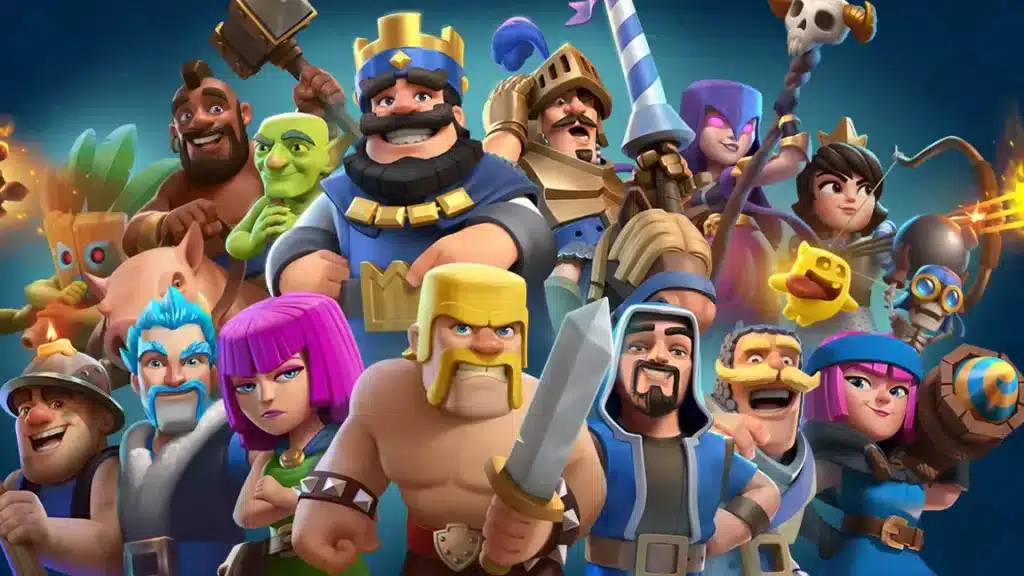
Why PC gameplay offers advantages for competitive players
Desktop gaming environments provide consistency that is difficult to achieve on mobile networks. While smartphones depend heavily on Wi-Fi stability and background applications, PCs can deliver a more controlled experience.
Furthermore, players who stream, record videos, or participate in tournaments benefit from stronger hardware and improved multitasking capabilities.
Better visibility and strategic control
A larger monitor helps players identify troop positions more quickly and monitor the battlefield with greater precision.
Benefits include:
- Improved visibility during fast-paced matches.
- Easier tracking of enemy elixir trades.
- More precise spell placement and troop deployment.
Increased comfort during long sessions
Long gaming sessions can become uncomfortable on mobile devices. On PC, however, players can enjoy ergonomic setups with larger screens and comfortable seating positions.
As a consequence, fatigue decreases and decision-making remains sharper during long ladder sessions or events.
How ExitLag improves the Clash Royale connection
Connection quality is one of the biggest factors influencing performance in online games. Even a brief delay can affect card deployment timing and completely change the outcome of a match.
ExitLag addresses this issue by optimizing data routes between the player and game servers.
Multi-path technology reduces packet loss
ExitLag uses multiple routes simultaneously to send game traffic through the fastest available path.
This approach offers several advantages:
- Reduced packet loss during peak internet usage.
- Lower latency in regions with unstable routing.
- Faster recovery when one route becomes congested.
Real-time route optimization
Unlike traditional VPN services, ExitLag continuously analyzes available routes and switches traffic dynamically when necessary.
Therefore, players receive a more stable experience without manually adjusting network settings.
| Feature | Standard Connection | ExitLag Optimized Connection |
| Packet loss protection | Limited | Advanced |
| Dynamic route switching | No | Yes |
| Real-time monitoring | No | Yes |
| Gaming optimization | Basic | Specialized |
| Stability during peak hours | Variable | Improved |
Understanding emulator options for desktop gaming
Choosing the right emulator is essential for achieving stable performance. Different platforms provide varying levels of optimization, resource usage, and compatibility.
Consequently, selecting an emulator should be based on hardware specifications and personal preferences.
Popular emulator choices
Several options dominate the market:
- BlueStacks
- LDPlayer
- GameLoop
Each offers unique benefits depending on CPU performance and memory availability.
Recommended system requirements
For smooth gameplay, players should aim for:
- At least 8 GB of RAM.
- A modern quad-core processor.
- SSD storage for faster loading times.
Meeting these requirements helps maintain stable frame rates during matches.
Is Clash Royale available for PC? and Is Clash playable on PC?
Is Clash Royale available for PC? Although there is no fully native desktop version, several official and unofficial methods allow players to enjoy the game on larger screens.
the game on larger screens.
As a result, PC gameplay has become a practical option for casual and competitive players alike.
Official alternatives and supported methods
The most common approach involves using Android emulators that replicate the mobile environment directly on Windows computers.
Is Clash playable on PC? These solutions maintain account synchronization, allowing progress to continue seamlessly between devices.
What players should consider before installing
Before choosing an emulator, users should evaluate:
- Resource consumption.
- Security and update frequency.
- Compatibility with their operating system.
Making the right choice prevents crashes and unnecessary performance issues.
Performance settings that improve match consistency
Optimizing graphics settings can make a substantial difference during competitive sessions.
Even powerful computers benefit from proper configuration.
Adjust emulator graphics settings
Recommended adjustments include:
- Enabling hardware virtualization.
- Allocating additional RAM to the emulator.
- Using performance mode whenever possible.
These settings typically improve frame stability significantly.
Disable unnecessary background applications
Background downloads, browser tabs, and update services often compete for bandwidth and processing power.
Therefore, closing unnecessary software before gaming sessions is strongly recommended.
Network problems that affect gameplay
Lag in Clash Royale is not always caused by low internet speed. In many cases, inefficient routing between the player and game servers creates unnecessary delays.
Understanding these causes helps players identify effective solutions.
Common causes of latency spikes
Several factors contribute to unstable gameplay:
- ISP congestion.
- Regional routing issues.
- Wi-Fi interference.
Recognizing these problems allows players to address them more efficiently.
Why routing matters more than speed
A 500 Mbps connection can still perform poorly if data packets travel through inefficient paths.
For this reason, route optimization tools often deliver greater improvements than simply upgrading internet plans.
How to play Clash Royale on PC? and Is Clash Royale on PC Steam?
How to play Clash Royale on PC? Many players search for official desktop availability before moving to an emulator solution.
Currently, however, there are important differences between desktop options.
Setting up an emulator step by step
The installation process is straightforward:
- Download a trusted emulator.
- Sign in with your Google account.
- Install Clash Royale from the app store.
- Configure graphics and controls.
- Launch the game and sync progress.
Following these steps usually takes only a few minutes.
Understanding Steam availability
At the moment, Clash Royale is not officially distributed through Steam.
Consequently, emulator solutions remain the primary method for desktop gameplay.
Why routing optimization matters during ranked matches
Competitive environments leave very little room for mistakes. A delayed spell or missed troop placement can decide an entire game.
This makes network stability just as important as mechanical skill.
Faster card deployment improves reaction times
Reduced latency allows actions to register more quickly on the server.
As a result, players experience more reliable interactions during critical moments.
Stable matchmaking sessions reduce frustration
Frequent disconnects interrupt momentum and can negatively affect ranking progress.
A stable connection creates a more enjoyable and predictable experience.
How ExitLag complements competitive strategies
Players often invest significant time learning deck rotations, elixir management, and matchup strategies.
However, strategy alone cannot compensate for poor network performance.
Combining game knowledge with technical optimization
A complete competitive setup should include:
- Stable hardware.
- Reliable internet service.
- Efficient routing optimization.
Together, these elements maximize consistency.
Building confidence for higher arenas
Knowing that your connection is stable allows greater focus on gameplay decisions rather than technical problems.
This confidence often translates into improved performance over time.
Final thoughts on desktop gameplay and optimization
The popularity of desktop gaming continues to grow as players search for more comfortable and competitive environments.
At the same time, tools that improve connection quality become increasingly valuable in online games where milliseconds matter.
Whether the goal is casual ladder progression or high-level ranked competition, combining an emulator with ExitLag creates a stronger overall setup for desktop gaming enthusiasts.
Ultimately, players looking for improved stability, lower latency, and more reliable matchmaking will find that Clash Royale pc experiences become significantly better when supported by optimized routing technology such as ExitLag.
Got questions or want to connect with other players? Join the conversation at the ExitLag Forum!



