The Crossout September Update Part 3 devblog just dropped, and it closes out the reveal cycle for the next season. Moreover, it saved some of the most interesting toys for last.
If you have been following the Brotherhood’s chase after Aris and the stolen Oracle modules, this is the payoff. The Crossout September Update Part 3 blog covers weapons, movement parts, and a serious shake-up to PvP missions.
Here is the short version. Crossout September Update Part 3 revealed a legendary ATGM with two firing modes, an epic heavy air cushion for frontline builds, new junk structural parts, and several permanent changes to PvP missions and brawls.
One important reminder before you plan any builds. Everything shown in a developer blog is subject to change, and some features may never reach the live servers at all.
Crossout September Update Part 3: Everything Revealed So Far
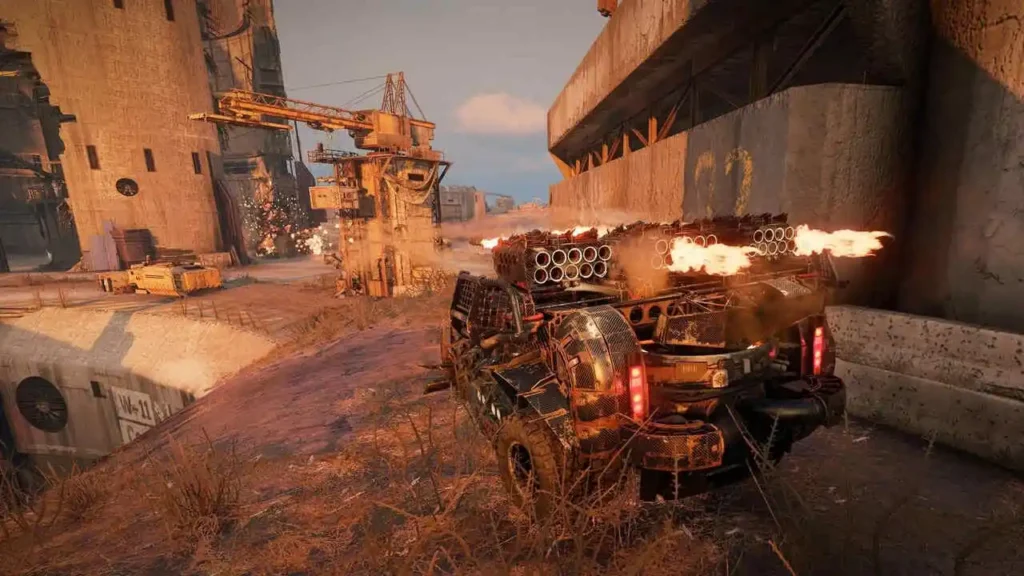
This entry is the third and final blog in the series. Consequently, it is the last preview before the traditional livestream that closes out the reveal cycle.
What The Final Devblog Covers
- Legendary Rocket Launcher: A Steppenwolf ATGM with a laser designator and two distinct firing modes.
- Epic Heavy Air Cushion: An Engineer movement part built for heavier frontline vehicles.
- Structural Parts: New junk-themed bumpers and a large cargo box for detailing and armour layering.
- Brawls And PvP Modes: Two new brawls, two returning ones, and permanent additions to standard missions.
How The New Parts Fit The Full Season
Crossout September Update Part 3 is only one third of the reveal. Furthermore, the earlier entries already covered several parts you will want to plan around.
The first two blogs revealed a legendary heavy cabin that follows “Echo”, an epic Scavenger ship cannon that fires physical cannonballs, a Legendary Autocannon successor to the “AC64 Joule”, and the first Legendary Radar in the game.
Notably, the new frames revealed earlier will not stay locked behind the Battle Pass forever. After the pass ends, they become available at the workbench in exchange for Engineer badges.
Legendary Rocket Launcher: Two Firing Modes, One Weapon
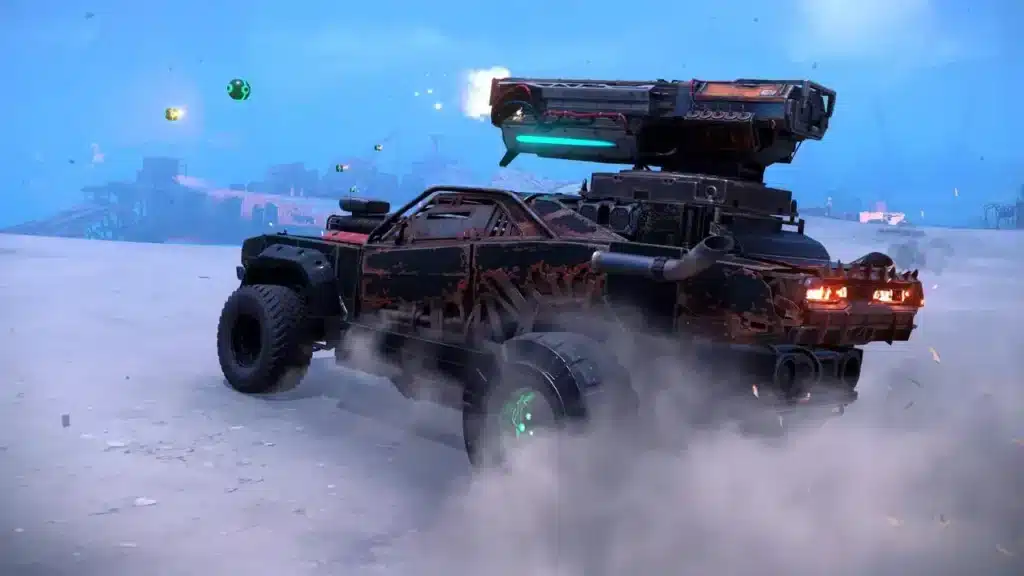
The star of this blog is the new Legendary Rocket Launcher built by the Steppenwolfs. It sits directly after the “Flute” on the technology tree, and it keeps the laser designator its predecessor is known for.
However, it is not just a bigger Flute. This launcher gives you a genuine tactical choice every single time you pull the trigger.
How The Dual Firing Modes Work
- Guided mode: Hold the fire button and steer the rockets onto the target. The explosion spreads along the flight path and pierces through parts.
- Fragmentation mode: Release the fire button mid-flight and the rockets break apart into several explosive fragments that deal area-of-effect damage.
That second option changes how the weapon plays against grouped enemies. Instead of committing a full guided rocket into one armoured target, you can detonate early and spread damage across a cluster.
Additionally, the piercing behaviour in guided mode matters more than it sounds. Damage that travels along the flight path can reach modules sitting behind the outer armour layer.
The Repeat Damage Perk Explained
The perk rewards persistence rather than burst. If the launcher lands repeated damage on the same enemy within a certain time window, that damage increases.
Therefore, target discipline becomes your main skill expression with this weapon. Consequently, switching targets constantly is the fastest way to waste the perk entirely.
Practically speaking, this favours players who commit to one enemy and finish the job. Meanwhile, spray-and-pray ATGM users will see noticeably lower numbers.
Epic Heavy Air Cushion: Built To Hold The Frontline
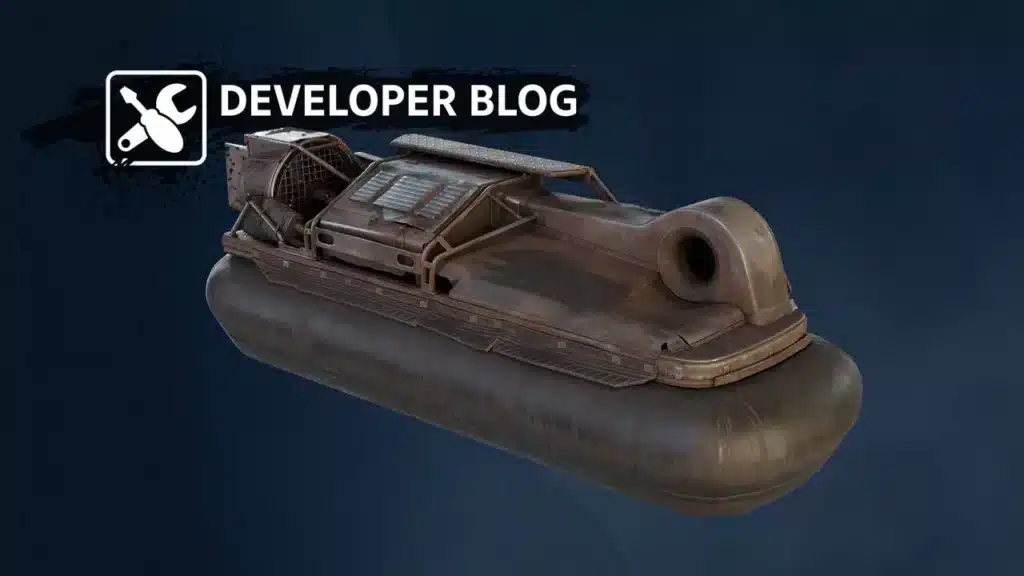
The second headline reveal is an Epic Heavy Air Cushion from the Engineers. It is a heavier version of the existing air cushion, with a reworked form factor.
Hovers have always been a divisive movement type in the Wasteland. Nevertheless, this one is clearly aimed at players who want mass rather than speed.
What The Perk Actually Rewards
The perk increases your cabin’s power by a percentage for each nearby enemy, counting up to four. In other words, the more enemies crowd you, the harder your vehicle pushes.
That is an aggressive design. Instead of rewarding you for kiting at range, it pays out when you drive into the middle of a fight and survive there.
Consequently, this air cushion pairs naturally with the legendary heavy cabin revealed in the first blog. That cabin also scales its bonuses based on how many enemies surround you.
Who Should Build Around It
- Brawlers: Close-range shotgun and melee builds that already want to be surrounded benefit the most.
- Heavy weapon users: Cannons and autocannons gain from the extra tonnage headroom a heavy movement part allows.
- Frontline support: Vehicles carrying radars or repair modules can hold ground without sacrificing mobility.
- Players tired of wheels: Hovers ignore terrain that constantly disrupts wheeled builds on rough maps.
New Game Modes In PvP Missions And Brawls
The most impactful part of this blog is not a part at all. The New Game Modes In PvP Missions section changes what your daily queue actually looks like.
Permanent Additions To PvP Missions
Two tested modes are graduating to permanent status. “Precious driver” joins classic PvP missions, while “Dangerous cargo” becomes permanent in missions featuring armoured aircraft and battle walkers.
In “Dangerous cargo”, one team escorts a cargo while the other tries to stop it. Furthermore, three checkpoints let the escorting team respawn, and leaving the cargo stationary too long triggers a countdown to an automatic loss.
The “Storm” random event also returns permanently to Control, Encounter, and Assault. However, the sandstorm will now appear far less frequently than it did during testing.
Finally, “Squad battle” arrives temporarily in classic missions. The developers explicitly asked players to try it and answer the in-game survey afterwards.
New And Returning Brawls
| Brawl | What Makes It Different | Best Suited For |
| No signal | All ally and enemy markers are disabled | Players with strong map awareness |
| Blind fire | Every player is invisible on the battlefield | Sound and tyre track trackers |
| Thunderous arena | Classic PvP with fast Ravager-style cars | High-speed aggressive drivers |
| No brakes | Racing return with smarter police AI | Drivers who prefer movement over combat |
“No signal” is the sneaky one. Without markers, you have to identify targets by camouflage alone, and hitting an ally actually damages them.
“Blind fire” pushes that idea further by making everyone invisible. As a result, sound cues and tyre tracks become your only reliable information.
“No brakes” also returns with modified blueprints, new racing routes, and a disabled floating camera. Notably, that camera change was made specifically to reduce motion sickness.
How Do You Prepare Before The Update Goes Live?
Preparation beats reaction in Crossout. Meanwhile, most players wait until patch day and then scramble for resources they could have banked weeks earlier.
The Crossout September Update Part 3 reveal gives you a clear shopping list. Therefore, use the remaining time to position yourself before prices spike.
Pro Tips: Getting Ready For The New Season
- Bank your Engineer badges now: The new frames become workbench purchases after the Battle Pass ends, so badges saved today are parts unlocked later.
- Practise laser designator discipline early: Take a Flute into a few matches and force yourself to finish one target at a time, since the new perk punishes target swapping.
- Test hover handling before you commit: Air cushion physics behave nothing like wheels, and learning that during a new season is an expensive mistake.
- Watch market prices on existing ATGMs: New tech tree additions almost always move the price of the parts that sit below them.
- Free up storage space: A reworked storage window with filters and favourites is coming, and a cleaner inventory makes it far easier to use.
Common Mistakes Players Make Before A Major Update
- Treating devblogs as final: Stats, perks, and even entire parts change between reveal and release. Fix: plan flexibly and avoid selling parts based on unconfirmed numbers.
- Dumping resources on hype: Prices inflate the moment a blog drops and usually settle afterwards. Fix: buy during the quiet window, not the announcement spike.
- Ignoring the brawl rotation: Brawls hand out badges and rewards that fund your builds. Fix: run the new modes early while queue times are short.
- Building for one weapon only: Perks that scale with enemy proximity change your entire build philosophy. Fix: design the vehicle around the perk, not around the gun.
Is Lag Costing You Kills In The Wasteland?
Here is the uncomfortable truth. You can master every new part in the Crossout September Update Part 3 reveal and still lose fights that were never about skill.
Guided rockets make this brutally obvious. A laser designator demands frame-accurate steering, and every spike of latency drags your rocket off course.
How ExitLag Helps In Crossout
ExitLag is not a VPN. Instead, it is a game connection optimizer that tests multiple network routes in real time and sends your traffic down the fastest, most stable one.
For a physics-driven game built on ram damage and guided projectiles, that difference is immediately visible:
- Real-time Optimization: Lower delay and reduced packet loss, so rocket steering and detonation timing land when you press the button.
- Multipath Technology: Packets travel several routes at once, so a single failing hop does not freeze you mid-brawl.
- Traffic Shaper: Game traffic gets priority over background downloads and streaming apps fighting for the same bandwidth.
- PC Boost: Frees RAM and trims background processes, which helps during chaotic eight versus eight fights.
The service supports over 4,000 titles across more than 1,500 servers in 190 countries. Furthermore, it handles over 18 million optimizations weekly for a player base above 30 million.
Is ExitLag Safe To Use?
Yes. ExitLag does not modify game files, does not inject code, and does not interact with anti-cheat systems in any way.
That makes it safe alongside Crossout and every other supported title. One caveat though: do not run it together with a VPN, because the two will work against each other.
If your ping spikes during team fights, grab the PC version of ExitLag here and test it across a few missions before the season lands.
Crossout September Update Part 3: What To Do Next
You do not need to overhaul your garage today. Instead, focus on the handful of decisions that will actually matter when the season goes live.
Your Priority Checklist
- Save Engineer badges for the frames that unlock at the workbench later.
- Run a few matches with an existing ATGM to build laser designator muscle memory.
- Test a hover build now so the heavy air cushion is not your first experience with the movement type.
- Watch the upcoming livestream for the reward scale and the reworked storage window.
The Bottom Line
This reveal is heavier on systems than on raw firepower. Between two firing modes on one launcher, a proximity-scaling movement part, and permanent PvP mission changes, the meta has real room to shift.
That is exactly why the Crossout September Update Part 3 blog is worth reading closely instead of skimming. Prepare your resources, fix your connection, and hit the new season ready instead of guessing.
All game images used in this blog post belong to Targem Games and Gaijin Entertainment. They are used for informational and educational purposes only and do not imply endorsement or affiliation with the rights holders.
Got questions or want to connect with other players? Join the conversation at the ExitLag Forum!