Searching for a DBD Mod To Reduce Lag usually means one thing: you are tired of rubberbanding, hit validation delays, and choppy chases in Dead By Daylight. The good news is that you do not need an unofficial mod to fix this. In fact, most third-party mods that promise to reduce lag can get your account flagged or banned.
This guide walks through every legitimate way to fix lag in Dead By Daylight, from network settings to hardware tweaks. Instead of risking a ban with a DBD Mod To Reduce Lag search result, you will learn safe, developer-approved methods that actually work.
The direct answer is simple: the fastest way to reduce lag in Dead By Daylight is to fix your connection route, lower background network load, and adjust in-game settings, not to install unofficial mods. Behaviour Interactive does not support client-side modifications for performance, and many “lag fix mods” are outdated cheats in disguise. Real fixes come from your network setup, your PC, and trusted optimization tools.
Below, you will find every step needed to stop lag spikes, rubberbanding, and killer teleport glitches without touching a single unauthorized file.
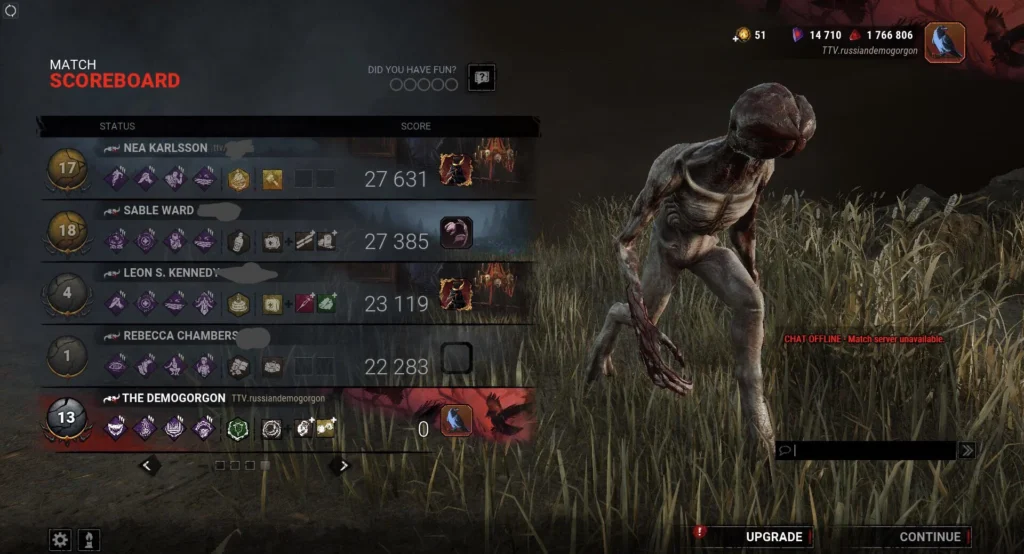
Why Players Search For A DBD Mod To Reduce Lag
Dead By Daylight has a long history of connection complaints. Survivors report freezing mid-vault while the killer moves freely, and killers report survivors teleporting past pallets. This is why so many players go looking for a DBD Mod To Reduce Lag in the first place.
Is Dead By Daylight Peer To Peer Or Dedicated Servers?
Dead By Daylight originally ran on peer-to-peer connections before Behaviour Interactive rolled out dedicated servers worldwide. However, dedicated servers did not eliminate lag completely.
Ping still depends heavily on your physical distance to the chosen server region. Players far from a data center will always see higher latency than those close by.
What Actually Causes Lag In Trials?
Several factors stack up to create the rubberbanding effect players hate:
- Long distance between your location and the game server
- Packet loss from an unstable Wi-Fi signal
- Background downloads competing for bandwidth
- Outdated network drivers on your PC
- A killer or survivor on a genuinely poor connection
Understanding these causes matters more than chasing a risky DBD Mod To Reduce Lag download from a random forum.
Legitimate Alternatives To A DBD Mod To Reduce Lag
Instead of an unofficial mod, focus on the settings and tools that Behaviour Interactive and the wider gaming community actually recommend. This is the safest way to search for a real DBD Mod To Reduce Lag without breaking the terms of service.
Best In-Game Settings For Smoother Gameplay
Adjusting your Dead By Daylight Settings directly reduces stutter and input delay without any third-party software. These changes are simple and reversible:
- Set Graphics Quality to Low or Medium as a stable starting point.
- Turn off V-Sync to reduce input delay during chases.
- Cap your frame rate slightly below your monitor’s refresh rate for consistency.
- Set Resolution to your monitor’s native resolution for the cleanest performance.
- Disable unnecessary visual effects like motion blur if your PC struggles to hold frames.
How Do You Fix Network Lag Without A DBD Mod To Reduce Lag?
Network-side fixes solve most rubberbanding complaints. Try these in order:
- Switch from Wi-Fi to a wired Ethernet connection for a stable signal.
- Close background apps, especially cloud sync tools and streaming services.
- Update your network adapter drivers through your manufacturer’s official tool.
- Restart your router before long play sessions to clear buffer buildup.
- Flush your DNS cache to remove outdated routing information.
Furthermore, these steps address the root cause of most lag complaints, which is an unstable or congested connection rather than a game file problem.
Comparing Lag Fix Methods For Dead By Daylight
| Fix Method | Risk Level | Effectiveness | Ban Risk |
|---|---|---|---|
| Unofficial DBD Mod To Reduce Lag | High | Unreliable | High, possible account ban |
| In-Game Settings Adjustment | None | Moderate | None |
| Wired Ethernet Connection | None | High | None |
| Router And Driver Updates | None | Moderate to High | None |
| Connection Optimizer Like ExitLag | Low | High | None, does not touch game files |
As the table shows, a network optimization tool consistently outperforms unofficial mods on both safety and results. That difference matters when your account and progress are on the line.
Are Third-Party DBD Lag Mods Safe To Use?
No, they are not. Behaviour Interactive treats unauthorized client modifications as a violation of the game’s terms of service, even when the intent is performance rather than cheating.
Consequently, downloading a random DBD Mod To Reduce Lag file from an unverified site can introduce malware or trigger an anti-cheat flag. The safer path is always official settings plus network-level optimization.
What Hardware Changes Help Reduce Lag The Most?
Hardware upgrades are not always required, but a few small changes go a long way:
- Use a wired controller instead of Bluetooth for lower input delay.
- Upgrade to an SSD if you are still running Dead By Daylight from a hard drive.
- Add RAM if your system frequently hits full memory usage during matches.
- Use a gaming router with Quality of Service (QoS) settings enabled for your PC.
Pro Tips: Reducing Dead By Daylight Lag
- Pick the closest server region manually: Auto-select does not always choose the fastest option. Manually testing regions often shaves real milliseconds off your ping.
- Monitor your packet loss, not just your ping: A low ping with high packet loss still causes rubberbanding. Packet loss is often the true culprit behind chase desync.
- Keep the game and drivers updated: Behaviour Interactive regularly patches network code, and outdated GPU or network drivers can undo those improvements on your end.
- Avoid peak-hour queue times when possible: Servers under heavy load during major sales or events tend to introduce more variance in connection quality.
Common Mistakes Dead By Daylight Players Make
- Downloading unverified DBD Mod To Reduce Lag files: Many of these are outdated, useless, or bundled with malware. Fix: rely on in-game settings and trusted optimization software instead.
- Blaming the game for every stutter: Sometimes the issue is a background download or an overloaded home network. Fix: check your own bandwidth usage before assuming server-side problems.
- Ignoring router firmware updates: An outdated router firmware can cause random disconnects and packet loss. Fix: check your router manufacturer’s app or site for the latest firmware.
- Playing on Wi-Fi during ranked-style matches: Wireless signals fluctuate constantly, especially in busy households. Fix: switch to a wired connection whenever consistency matters most.

ExitLag: A Safer Way To Reduce Dead By Daylight Lag
If you were originally searching for a DBD Mod To Reduce Lag, ExitLag is the safer and more effective alternative. It is not a mod, and it is not a VPN either.
ExitLag is a game connection optimizer that analyzes multiple network paths in real time. It then selects the fastest, most stable route between your PC and Dead By Daylight’s servers, without touching any game files.
Because ExitLag never modifies files or injects code, it does not interact with anti-cheat systems. This means there is no ban risk, unlike an unofficial DBD Mod To Reduce Lag download.
For Dead By Daylight specifically, features like Real-time Optimization and Multipath Technology help cut down on the rubberbanding and desync that ruin chases. Multipath sends your traffic through multiple routes at once, so a single unstable hop does not tank your whole connection.
ExitLag also offers Multi-Internet support for up to four simultaneous connections, PC Boost to clean up background resource usage, and AI-powered routing that picks the best path automatically. These features work together instead of relying on a single risky fix.
The platform currently supports over 4,000 titles for PC and Mobile, with more than 1,500 servers spread across 190-plus countries. It is trusted by over 30 million users and handles more than 18 million optimizations every week.
One important note: avoid running ExitLag alongside a VPN, since the two can conflict and reduce overall effectiveness. If you are ready to try a safe, developer-friendly solution, PC players can start with the official ExitLag Download, and the same optimization engine benefits anyone jumping between platforms during cross-play sessions.
The Bottom Line On DBD Mod To Reduce Lag
At the end of the day, chasing a risky DBD Mod To Reduce Lag is rarely worth the potential ban or malware exposure. Instead, focus on wired connections, updated drivers, smart in-game settings, and a trusted optimization tool.
These combined steps address the real causes of rubberbanding and desync far more reliably than any unofficial file ever could. Therefore, the smartest move is to treat network optimization as your actual DBD Mod To Reduce Lag, minus the risk.
All game images used in this blog post belong to Behaviour Interactive. They are used for informational and educational purposes only and do not imply endorsement or affiliation with the rights holders.
Got questions or want to connect with other players? Join the conversation at the ExitLag Forum!