For many players, Delta Force Lag is more than a small inconvenience; it’s a constant frustration that ruins immersion and competitive precision. Nothing is worse than aiming perfectly and seeing your shot delayed, or watching your character rubberband across the battlefield. However, even gamers with fast internet run into the same issues, making the problem feel confusing and unpredictable.
Therefore, understanding why Delta Force Lag happens is the first step to solving it for good. Lag isn’t random; it comes from specific bottlenecks between your PC and the game server. Once you understand these causes, you can finally apply a solution that targets the real problem instead of trying endless “fixes” that don’t work.
Like this, this guide breaks down the real causes of Delta Force Lag, explains how connection routes affect your gameplay, and presents ExitLag as the definitive, long-term solution to stabilize your matches and unlock smooth performance.
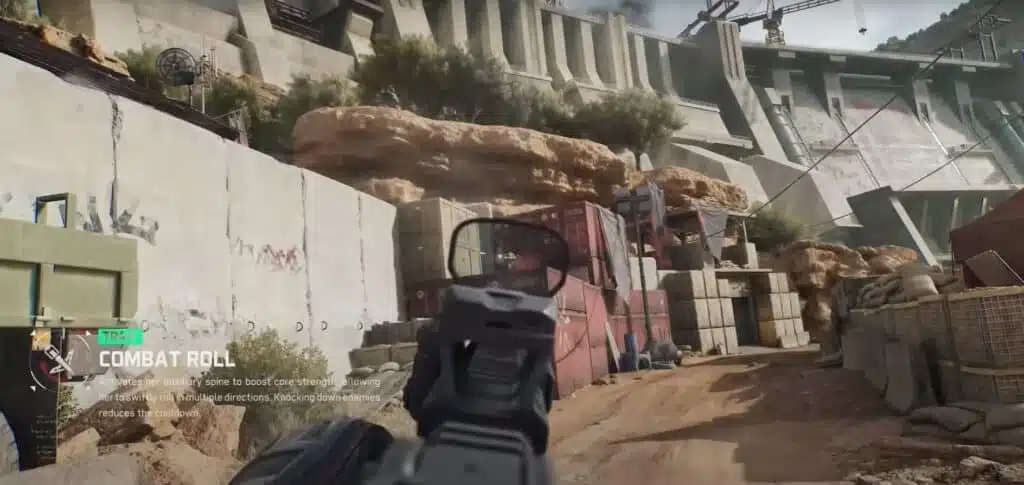
What is lag in Delta Force?
Before diving into solutions, it’s important to understand what “lag” actually means in this game. Lag is the delay between your command and the server’s response. In Delta Force, this delay can appear as:
- delayed shots
- rubberbanding
- teleporting enemies
- unstable movement
- inconsistent hit registration
However, these symptoms often occur even when your FPS is high and your internet plan seems fast. That’s because lag isn’t about speed, it’s about stability and efficient routing.
Causes of lag
Therefore, to fix Delta Force performance issues, players need clarity on the true causes:
Routing issues
Your internet provider automatically chooses a route for your data, but the “default” path is not always the shortest or least congested. When your data takes a long, busy pathway, ping increases.
Packet loss
When data packets fail to reach the game server, you experience stuttering and delayed inputs. This is one of the most common sources of Delta Force Lag during peak gaming hours.
Distance to server
The farther you are from the server, the more time it takes for information to travel. This increases ping and affects reaction time.
Unstable ISP connection
Even if your speed test seems normal, internal instabilities in the provider’s network can create micro-drops that cause unpredictable lag spikes.
Lag, ping and fps: understand the difference
Many players assume their PC is to blame, but FPS is only one part of the equation.
| Term | Meaning | Effect on Gameplay |
| Lag | Delay between command and response | Slow actions, rubberbanding |
| Ping | Round-trip time of data | High ping = slower reactions |
| FPS | Frames displayed per second | Visual smoothness only |
Therefore, your PC might run at 120 FPS, but the server may still respond slowly due to network issues meaning the real culprit is your connection, not your graphics.
Why does lag happen even with a good connection?
Players often ask: “Why do I lag if my internet is fast?” The answer lies in how providers route your data.
Imagine your command as a package sent across a city. Your provider decides the route, but it might choose a crowded avenue instead of a clean freeway. This “digital traffic” creates delays, packet loss and instability.
However, what if you could manually choose a better, cleaner route?

Exitlag: the solution
That’s exactly what ExitLag does. It’s a software designed specifically to solve connection problems in online games by optimizing the route between your PC and the game server.
How Exitlag works
- uses multi-route technology
- avoids congested pathways
- prioritizes stability
- reduces packet loss
- improves hit registration
Like this, even in peak hours, your connection remains clean and consistent.
Benefits of Exitlag for Delta Force players
More stable ping
Improves reaction time and ensures consistent command execution.
Reduced packet loss
Prevents player teleportation and ensures every action reaches the server.
Smoother gameplay
Less rubberbanding, fewer spikes and more accurate movements.
Improved precision
Essential for competitive players who need perfect responsiveness.
Easy to use
Simple interface and quick setup.
Quick view: why Delta Force players choose Exitlag
- Faster server route
- Lower ping
- Fewer disconnects
- Better hit registration
- Increased reliability during competitive matches
How to use ExitLag in Delta Force
The process is extremely simple:
Step 1 – Access the official ExitLag website and download the application. There’s a free trial period for new users.
Step 2 – Install and open the program. Log in with your account.
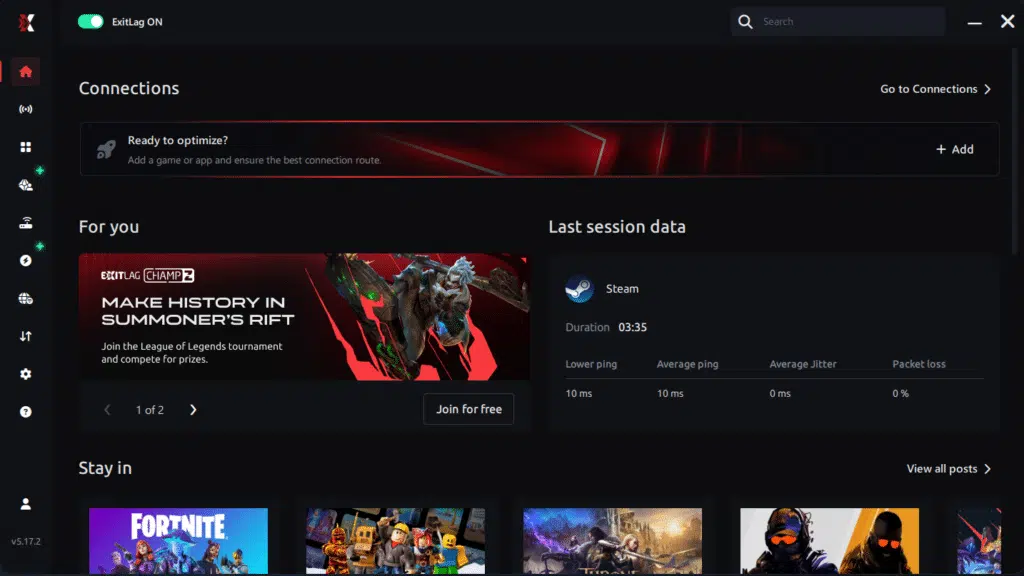
Step 3 – In the search bar, type “Delta Force” and select the game from the list.
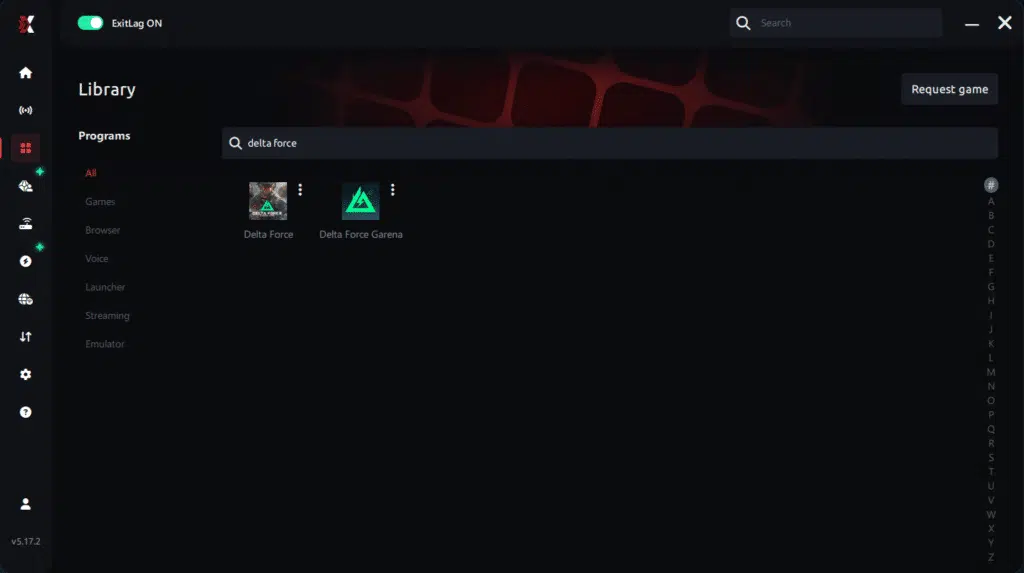
Step 4 – Choose between automated or manual route
Based on the results, you can let ExitLag automatically select the best route or manually choose the server that showed the lowest latency for your connection.
AI-optimized automated route
Based on the results, you can let ExitLag automatically select the best route through AI optimization. The system analyzes multiple connection paths in real time and automatically identifies the most efficient route for your connection, ensuring the lowest possible latency without requiring manual choices.
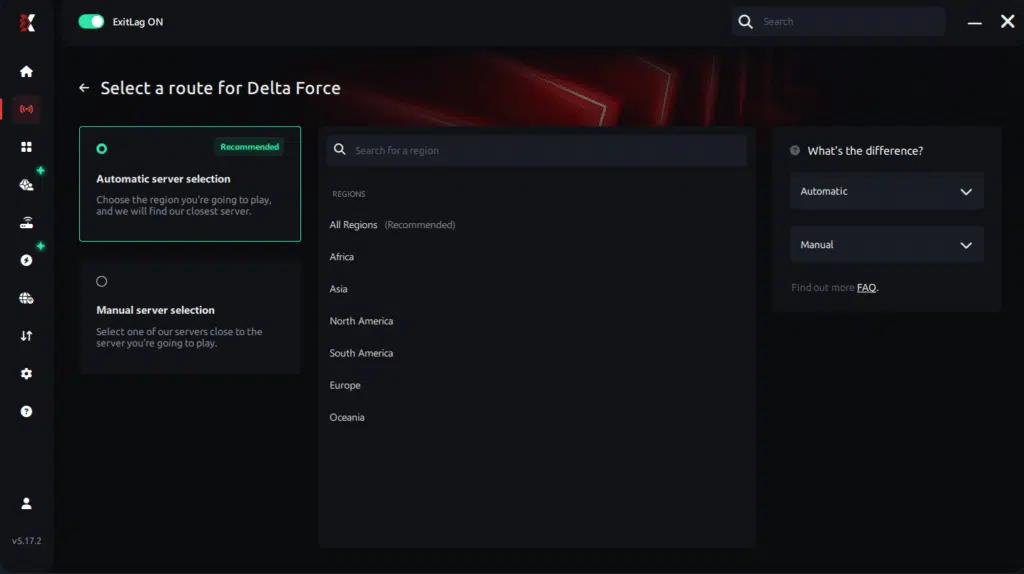
Manual route
If you prefer to have full control over your connection, you can manually choose the server based on the ping test results. Simply select the server that showed the lowest latency or the one that best meets your specific gaming needs, allowing complete customization of your experience.
Step 5 – Click “Delta Force” or the play button. ExitLag will begin optimizing your connection automatically.

Step 6 – Wait a few seconds until optimization is complete. You’ll see ping indicators in the interface.
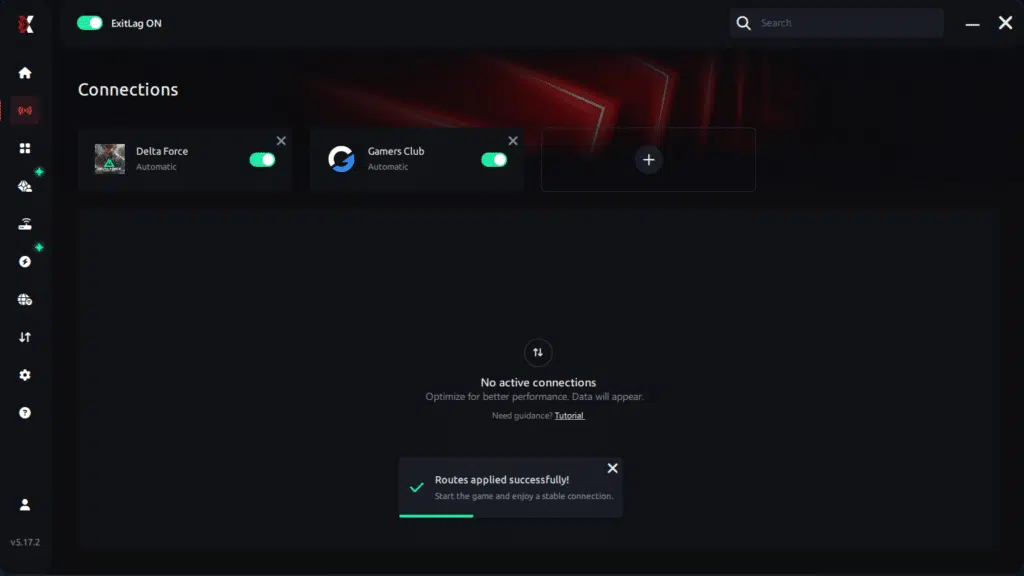
Step 7 – Launch Delta Force normally. The optimization will already be active.
ExitLag runs in the background while you play, constantly adjusting routes to maintain the best possible performance.connection is optimized.
Final thoughts
The frustration of Delta Force Lag does not need to ruin your matches anymore. With optimized routing, reduced packet loss and improved server communication, ExitLag delivers the stability every player needs, especially in competitive scenarios.
Therefore, if you’re tired of losing fights because of delays, rubberbanding or inconsistent hit registration, this is your moment to take control of your connection and unlock the gameplay quality you’ve been missing.
Finally, test ExitLag for free and experience Delta Force the way it was meant to be played smooth, fast and with zero Delta Force Lag.
Got questions or want to connect with other players? Join the conversation at the ExitLag Forum!