Searching for roblox desync fast flag has become increasingly common among competitive Roblox players looking for lower latency, smoother gameplay, or even a perceived advantage in certain experiences. However, much of the information available online is outdated, and many tutorials still reference Fast Flag modifications that are no longer supported by Roblox.
Today, roblox desync fast flag is a controversial topic because Roblox has introduced stricter controls over client-side Fast Flags. Many configuration flags that players previously modified are now ignored through an allowlist system, making countless older guides ineffective. Understanding how these changes affect gameplay is essential before downloading configuration packs or editing client files.
So, what exactly is roblox desync fast flag? Originally, Fast Flags were internal configuration variables used by Roblox developers to test and deploy new features. Over time, players discovered that modifying certain values could change aspects of the client, including networking behavior. While some believed these changes reduced latency or created desync roblox effects, Roblox has significantly restricted unsupported Fast Flag modifications to improve fairness, security, and client stability.
Instead of relying on outdated tweaks, modern players should focus on legitimate methods of improving connection quality and reducing network instability. This guide explains what Fast Flags are, why desync occurs, whether older Fast Flag methods still work, and the safest ways to optimize your Roblox experience.
Roblox Desync Fast Flag Explained
Before discussing whether Fast Flags still work, it's important to understand their original purpose.
What Are Fast Flags?
Fast Flags (often called FFlags) are internal configuration variables used by Roblox developers to enable, disable, or test features without requiring a complete client update.
These flags can control various aspects of the Roblox client, including:
- Rendering features
- Experimental systems
- Network behavior
- User interface changes
- Performance testing
Originally, Fast Flags were intended for internal development and controlled rollouts rather than public customization.
Over time, community tools made it easier for players to edit local Fast Flag configurations, leading to widespread experimentation.
What Is Desync in Roblox?
To understand desync roblox, you first need to understand how online multiplayer games synchronize data.
Roblox constantly exchanges information between your device and the game server.
This includes:
- Player positions
- Physics calculations
- Character animations
- Combat actions
- Environmental changes
When communication becomes delayed or inconsistent, your local client may temporarily display information that doesn't perfectly match the server.
This is commonly referred to as desynchronization—or simply desync.
Common symptoms include:
- Rubberbanding
- Players teleporting unexpectedly
- Delayed hit registration
- Physics behaving inconsistently
- Characters appearing to freeze before catching up
Although network conditions often cause desync naturally, some players attempted to manipulate networking behavior using Fast Flags.
Why Players Used Roblox Desync Fast Flag
For years, discussions surrounding roblox desync fast flag spread across forums, Discord communities, and social media.
Many players believed certain Fast Flag configurations could influence client synchronization.
Intended Performance Improvements
Some users claimed modified Fast Flags could:
- Improve network responsiveness
- Reduce visual stuttering
- Lower perceived latency
- Smooth gameplay
While some adjustments affected client behavior, many claims were exaggerated or based on outdated Roblox versions.
Attempts to Create Artificial Desync
Unfortunately, other players experimented with Fast Flags for less legitimate reasons.
Some hoped to create artificial desync roblox situations by altering how their client communicated with servers.
Reported goals included:
- Delaying replication
- Appearing harder to hit
- Creating visual inconsistencies
- Exploiting synchronization timing
Roblox has continued improving its networking and anti-cheat systems specifically to reduce these possibilities.
Modern server-side validation now handles far more gameplay logic than older versions of the platform.
Why Roblox Restricted Fast Flags
As Fast Flag editing became more widespread, Roblox introduced stronger protections.
The company implemented a Fast Flag allowlist that limits which local configuration variables the client accepts.
As a result:
- Unsupported Fast Flags are ignored.
- Many networking-related tweaks no longer function.
- Older configuration files have become obsolete.
- Client stability has improved.
These changes help ensure that gameplay remains fair across the platform while reducing opportunities for abuse.
Because of this, many guides published several years ago are no longer accurate.
Does Roblox Desync Fast Flag Still Work?
This is the question most players are asking.
The short answer is:
In most cases, no.
What Changed?
Older tutorials often recommended editing local Fast Flag files to influence networking behavior.
However, Roblox now validates many client-side configuration values using its allowlist system.
If a modified Fast Flag isn't approved, the client simply ignores it.
This means that numerous "working" Fast Flag packs available online either:
- Produce no measurable effect.
- Only affect cosmetic settings.
- Were created for outdated Roblox versions.
Many community discussions continue referencing configurations that are no longer supported.
Why Older Guides Are Outdated
Fast Flag tutorials published years ago often assume behavior that no longer exists.
Since Roblox regularly updates its networking systems, advice that worked previously may have no effect today.
Always verify publication dates before following configuration guides.
If a tutorial predates Roblox's Fast Flag allowlist changes, it is unlikely to remain accurate.
Risks of Downloading Fast Flag Packs
Searching for roblox desync fast flag often leads users to unofficial downloads.
This carries several risks.
Outdated Configurations
Many configuration packs include values that Roblox simply ignores today.
Installing them may accomplish nothing.
Malware
Downloading files from unknown sources always introduces security risks.
Some unofficial packages may contain:
- Malicious software
- Credential stealers
- Unwanted applications
- Modified executables
Never replace Roblox files with software from untrusted websites.
False Performance Claims
Some creators promise:
- Zero ping
- Massive FPS gains
- Perfect desync
- Undetectable advantages
These claims are unrealistic.
No Fast Flag can eliminate internet latency or guarantee improved network performance.
Instead, focus on supported optimizations that improve both performance and stability.
Safe Ways to Reduce Desync Roblox Issues
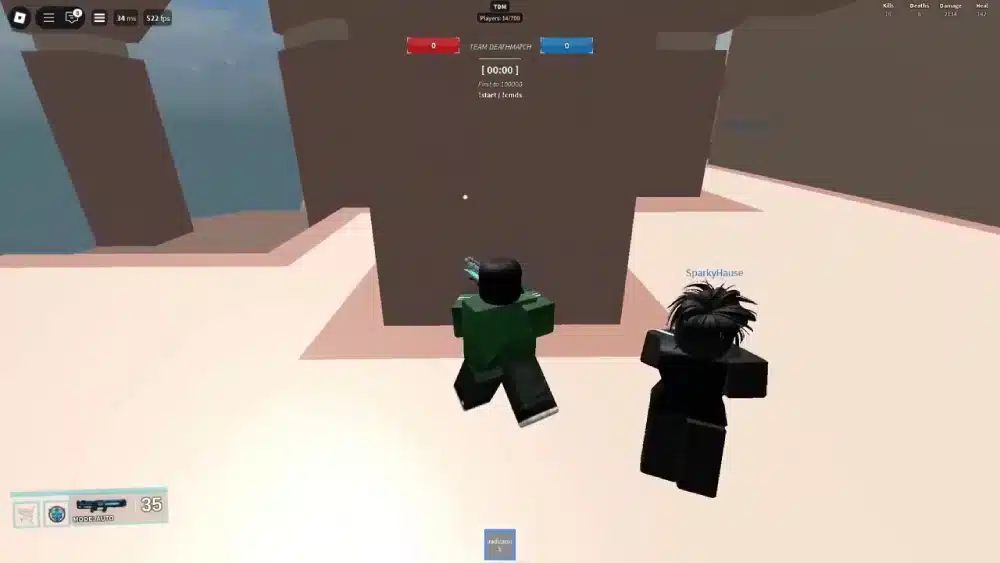
Although modifying Fast Flags is no longer a reliable solution, there are several legitimate ways to reduce desync roblox problems. Most synchronization issues originate from unstable network conditions, high latency, or packet loss rather than the Roblox client itself.
Improving your overall connection often has a greater impact than any unofficial client modification.
Use a Stable Internet Connection
Your network quality directly affects how quickly your device communicates with Roblox servers.
For the best experience:
- Use a wired Ethernet connection whenever possible.
- Position your router in an open location.
- Avoid gaming over congested public Wi-Fi.
- Restart your modem and router periodically.
- Limit heavy downloads while playing.
Even small improvements in connection stability can reduce rubberbanding and delayed synchronization.
Choose Nearby Roblox Servers
Latency increases as the physical distance between you and a server grows.
Whenever possible:
- Join servers located in your region.
- Avoid regions with consistently high ping.
- Rejoin if matchmaking places you on a distant server.
Lower latency helps keep your client synchronized with the server more consistently.
Optimize Roblox Graphics Settings
Performance issues aren't always network-related.
If your computer struggles to maintain stable frame rates, gameplay may feel less responsive.
Try lowering:
- Graphics Quality
- Shadow detail
- Visual effects
- Resolution (if necessary)
Maintaining a stable frame rate allows your system to process incoming server updates more efficiently.
Close Background Applications
Many background programs consume bandwidth without obvious signs.
Before launching Roblox, consider closing:
- Cloud storage synchronization
- Web browsers with multiple tabs
- Streaming applications
- Large downloads
- Operating system updates
Reducing unnecessary network traffic gives Roblox more consistent access to your available bandwidth.
Can ExitLag Help with Desync Roblox?
It's important to understand what ExitLag can—and cannot—do.
ExitLag does not create desync, modify Fast Flags, or alter Roblox's networking systems. It also cannot bypass Roblox's security features or client restrictions.
Instead, ExitLag focuses on optimizing the route your internet traffic takes after it leaves your local network.
Its technologies include:
- Multipath Connection
- Real-Time Optimization
- Traffic Shaper
- Multi-Internet
These systems continuously analyze available network routes and select more stable paths to supported game servers.
Benefits may include:
- Reduced packet loss
- Lower jitter
- More consistent latency
- Improved route stability
- Fewer connection interruptions caused by inefficient routing
If your synchronization issues stem from unstable internet routes rather than Roblox's servers, optimized routing can help deliver a smoother gameplay experience.
However, ExitLag cannot resolve desync caused by:
- Server-side performance issues
- Game bugs
- Unsupported Fast Flag modifications
- Client exploits
- Hardware limitations
Combining a stable home network with optimized routing provides the best opportunity for consistent online performance.
Roblox Desync Fast Flag vs. Legitimate Optimization
Many players wonder whether unofficial Fast Flag edits are still worth trying.
The comparison below highlights the differences.
| Method | Supported by Roblox | Safe | Long-Term Effectiveness |
| Old Fast Flag packs | No | Often questionable | Low |
| Editing unsupported Fast Flags | No | Not recommended | Very Low |
| Stable Ethernet connection | Yes | Yes | High |
| Keeping Roblox updated | Yes | Yes | High |
| Updating network drivers | Yes | Yes | High |
| Optimized internet routing with ExitLag | Yes | Yes | High |
As Roblox continues updating its networking infrastructure, legitimate optimization methods remain far more reliable than outdated client modifications.
Best Practices for Better Roblox Performance
Rather than searching for unsupported configuration files, follow these recommendations to maintain smooth gameplay.
- Keep Roblox updated to the latest version.
- Install graphics driver updates regularly.
- Restart your router occasionally.
- Use Ethernet whenever possible.
- Avoid saturating your connection with downloads.
- Close unnecessary background applications before gaming.
- Monitor CPU and GPU temperatures.
- Keep Windows fully updated.
- Avoid downloading unofficial Fast Flag packs.
- Verify information using official Roblox documentation whenever possible.
These habits improve both performance and overall system stability.
Frequently Asked Questions
What is Roblox desync fast flag?
Roblox desync fast flag refers to community-created Fast Flag configurations that players believed could alter networking behavior or client synchronization. Many of these configurations were based on older Roblox versions and are no longer supported.
Does Roblox desync fast flag still work?
In most situations, no. Roblox's Fast Flag allowlist ignores many unsupported client-side configuration variables, making numerous older Fast Flag guides obsolete.
What causes desync Roblox?
Several factors can contribute to desync roblox, including: High latency Packet loss Unstable internet connections Server performance issues Temporary network congestion These factors can cause your local game state to temporarily differ from the server's authoritative state.
Is using Fast Flags allowed?
Roblox uses Fast Flags internally for development and controlled feature rollouts. While certain supported configuration options exist, modifying unsupported client-side Fast Flags is not recommended and may have no effect due to Roblox's allowlist system.
Should I download Fast Flag packs?
Exercise caution. Many unofficial downloads are outdated, ineffective, or distributed through untrusted websites. Always prioritize official Roblox documentation and trusted community resources over anonymous configuration packs.
Can ExitLag reduce Roblox lag?
Yes. ExitLag can improve routing efficiency, reduce packet loss, minimize jitter, and stabilize latency between your PC and supported game servers. While it cannot modify Roblox's Fast Flags or eliminate server-side issues, it can help reduce network-related lag caused by inefficient internet routing.
Final Thoughts
Interest in roblox desync fast flag continues because many players are searching for ways to improve responsiveness in competitive Roblox experiences. However, the platform has evolved considerably over the years, and many Fast Flag modifications that once circulated within the community are no longer supported.
Instead of relying on outdated tweaks, players experiencing desync roblox issues should focus on proven optimization methods. Maintaining a stable internet connection, using nearby servers, keeping Roblox updated, and reducing packet loss provide measurable improvements without modifying unsupported client settings.
For players looking to further optimize their online experience, ExitLag complements these best practices by improving internet routing beyond the home network. Combined with a stable local connection, intelligent routing can help deliver smoother gameplay, lower jitter, and more consistent performance across supported online games.
Disclaimer: All game images used in this blog belong to Roblox Corporation and their respective creators. They are used for informational and educational purposes only and do not imply endorsement or affiliation with the rights holders.