A default look rarely reflects who someone actually is inside Roblox’s massive world. Building a great Roblox Avatar is one of the most personal parts of the entire experience.
Whether you want something cute, cool, funny, or nostalgic, the customization system supports an enormous range of styles. This guide walks through every major direction worth exploring, along with practical tips for making a style actually stick.
According to Roblox’s own official avatar customization guide, avatars can be adjusted through body type, clothing layers, accessories, and animation packs, all accessible directly from the built-in editor.

Roblox Avatar Basics: Where Customization Starts
Before chasing specific themes, it helps to understand the core tools available. Everything starts inside the same central hub.
Here is what the base customization system includes.
- Avatar Editor: The main hub for changing body type, face, and clothing.
- Body type sliders: Adjust proportions between classic and more realistic styles.
- Layered clothing: Combine multiple clothing items for unique combinations.
- Animation packs: Change how your avatar walks, runs, and idles.
Consequently, even without paid items, players can create surprisingly distinct looks using free base assets alone. Spending time exploring these free options first often reveals a personal style before any purchase is even considered.
Using The Avatar Editor Roblox Provides By Default
The Avatar Editor Roblox ships with every account is more powerful than many new players realize. Categories like face, hair, and accessories can all be mixed independently.
Therefore, spending a few minutes exploring each tab often reveals options players never knew existed.
Avatar Customization Roblox Players Often Overlook
Avatar Customization Roblox offers extends beyond clothing into scaling, color correction, and even dynamic hair physics on some items. These smaller details can dramatically change an avatar’s overall feel.
As a result, two players using identical clothing items can still end up with noticeably different final looks depending on how these smaller adjustments are combined.
Roblox Avatar Ideas By Theme
Choosing a theme first makes the customization process far less overwhelming. Here is a practical sequence for building a themed look from scratch.
- Pick a core theme, such as cute, cool, or nostalgic.
- Choose a base body type and skin tone that fits the theme.
- Select clothing items that reinforce the chosen aesthetic.
- Add accessories sparingly so the look does not feel cluttered.
- Test the finished avatar in-game lighting before finalizing it.
Cute Roblox Avatars And Soft Aesthetic Builds
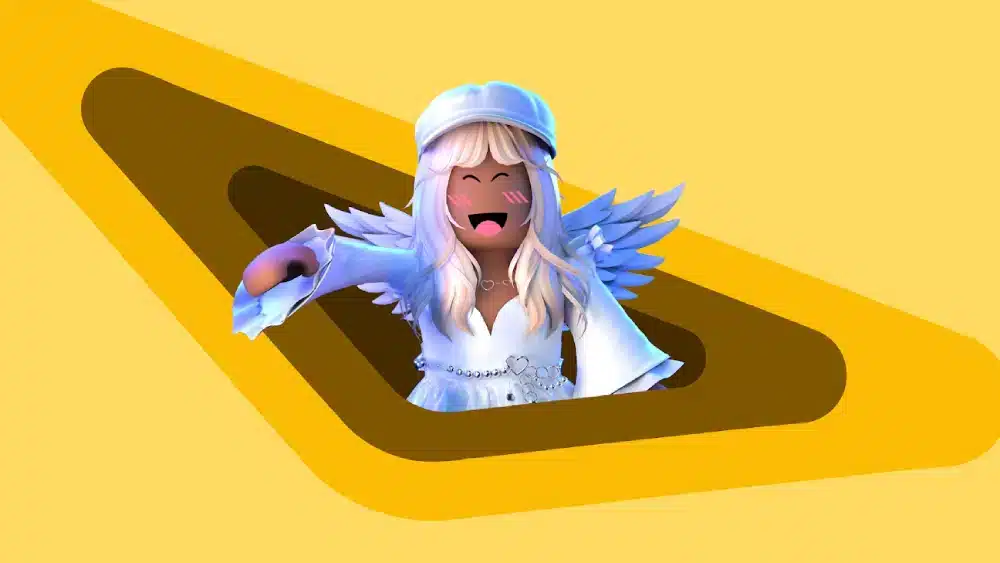
Cute Roblox Avatars typically lean on pastel colors, rounded accessories, and softer facial expressions. Pairing lighter color palettes with smaller accessories usually reinforces this look effectively.
Similarly, a Roblox Girl Avatar built around this aesthetic often favors flowing hair items and matching color-coordinated outfits.
Cool Roblox Avatars And Bold Style Choices
Cool Roblox Avatars generally favor darker palettes, sharper silhouettes, and standout accessories like unique headwear. Funny Roblox Avatars, meanwhile, often intentionally clash colors or proportions for comedic effect.
- Dark, monochrome outfits for a sleek look
- Oversized accessories for exaggerated comedic style
- Mismatched color combinations done intentionally
- Unusual body proportions for a stylized silhouette
Emo Roblox Avatars And Alternative Aesthetics
Emo Roblox Avatars and related Emo Discord Roblox Avatars styles typically combine dark clothing, dramatic hair pieces, and muted color palettes. This style has remained consistently popular within specific community circles.
Therefore, searching community marketplaces specifically for “emo” tagged items usually surfaces the most relevant options quickly.
Character-Inspired Looks Like Itachi And Exodia
Character-inspired builds, such as an Itachi Roblox Avatar or an Exodia Roblox Avatar based on Exodia The Forbidden One Roblox Avatar designs, rely on combining existing assets creatively rather than official licensed items. Community creators often release fan-made pieces that approximate these looks closely.
Consequently, checking user-generated marketplaces regularly is the best way to find fresh character-inspired pieces as they are released. Following specific creators known for anime or trading-card-inspired designs also helps you catch new drops before they trend widely.
Old Roblox Avatars And Nostalgic Throwback Styles
Old Roblox Avatars from the platform’s earlier years have become their own nostalgic aesthetic among longtime players. Blocky proportions and simpler clothing textures are now intentionally recreated for retro appeal.
What Makes The Best Roblox Avatars Stand Out?
The Best Roblox Avatars typically share a few common traits: a clear theme, balanced proportions, and accessories that complement rather than overwhelm the overall look. Consistency matters more than sheer quantity of items.
Therefore, a simple avatar with a clear aesthetic often outperforms a cluttered one loaded with random accessories.
Are Cutest Roblox Avatars Always The Most Popular?
Not necessarily. Cutest Roblox Avatars tend to dominate certain social spaces, but cool, funny, and nostalgic styles all maintain dedicated followings of their own. Popularity often depends heavily on the specific game or community involved.
A roleplay-focused server, for example, might favor detailed and cute designs, while a competitive game community leans toward simpler, bold silhouettes that read clearly at a distance.
Building A Signature Look Over Time
Many experienced players slowly refine their avatar over months rather than finalizing it in one sitting. Small adjustments based on new item releases keep the look feeling current.
Keeping a mental note of what feels dated after a few weeks helps guide future updates too. An avatar that felt fresh at launch can quickly feel generic once dozens of other players adopt the same popular items.
Comparing Popular Roblox Avatar Styles
The table below compares the main aesthetic categories at a glance.
| Style | Color Palette | Best For | Typical Accessories
|
|---|---|---|---|
| Cute Roblox Avatars | Pastel, soft tones | Social and cozy games | Small, rounded items |
| Cool Roblox Avatars | Dark, bold contrast | Action and PvP games | Sharp headwear, effects |
| Emo Roblox Avatars | Muted, dark tones | Alternative communities | Dramatic hair, chains |
| Old Roblox Avatars | Classic, blocky | Nostalgic throwbacks | Simple, retro clothing |
Notably, mixing elements from two styles often produces the most original results.
Pro Tips: Building A Standout Roblox Avatar
- Preview under different lighting: Some games render colors differently, so testing in-game avoids surprises later.
- Layer clothing thoughtfully: Stacking too many layered items can create clipping issues on certain body types.
- Follow item release calendars: New accessories and clothing drop regularly, refreshing what is possible each week.
- Save multiple avatar presets: Keeping a few saved looks lets you switch styles quickly for different games or moods.
Common Mistakes Roblox Avatar Builders Make
- Overloading the avatar with accessories: Too many items can clutter the silhouette entirely. Fix: pick two or three standout pieces instead of everything at once.
- Ignoring body type when choosing clothing: Some items look different depending on the base body type selected. Fix: preview clothing on your specific body type before finalizing.
- Copying a look exactly without personal touches: Direct copies rarely feel authentic. Fix: adjust colors or accessories slightly to make it your own.

More Roblox Guides From The ExitLag Blog
Once your avatar is ready, this guide on fun games to play on Roblox is a great next step for finding places to show it off.
If you are new to the platform entirely, this beginner-friendly guide to playing Roblox covers everything from account setup to navigating experiences.
Exploring Roblox Alternatives
Curious how Roblox compares to similar platforms? This guide on games like Roblox covers other creative multiplayer options worth exploring.
Checking Platform Status Before You Play
If your avatar changes are not saving properly, it might not be your settings at all. This Roblox down detector guide helps confirm whether an outage is affecting the platform.
Keep Your Roblox Sessions Smooth While You Customize
Nothing ruins a freshly customized Roblox Avatar debut like lag during a busy server join. Slow loading and rubber-banding can make even the best-designed avatar look broken in motion.
ExitLag is not a VPN. It does not encrypt your traffic or mask your IP, and it does not interfere with anti-cheat systems used across supported games.
Instead, it analyzes multiple network paths in real time and automatically routes your connection through the fastest, most stable option available. This keeps busy social experiences running smoothly, even during peak hours.
With support for 4,000+ titles, 1,500+ servers across 190+ countries, and a community of 30M+ users, ExitLag optimizes both PC and mobile play. Grab ExitLag for Android or ExitLag for iOS if you play Roblox on the go, or the ExitLag Download for PC sessions.
All game images referenced in this blog post belong to Roblox Corporation. They are used for informational and educational purposes only and do not imply endorsement or affiliation with the rights holders.
Got questions or want to connect with other players? Join the conversation at the ExitLag Forum!