Easy Anti-Cheat is one of the most widely used security systems in online multiplayer gaming, and it plays a major role in keeping matches fair. If you play competitive shooters, survival games, or co-op titles, chances are you have already used Easy Anti-Cheat without noticing it running in the background.
It also helps to be clear about what anti-cheat is trying to stop, because that shapes what gets flagged and why some restrictions feel strict. If you want a straightforward overview of how studios approach enforcement, this guide on Apex Legends cheats and ban risks is a useful reference point. It frames the difference between fair-play protection and the behaviors that trigger action.
Many players search for Easy Anti-Cheat because they want to understand what it does, why a game requires it, or how to fix an EAC error when a title refuses to launch. In simple terms, Easy Anti-Cheat is an Anti Cheat software solution designed to support cheat prevention and stronger gaming protection in online environments.
Whether you are troubleshooting an EAC Anti-Cheat installation problem, checking if modding is safe, or trying to understand how this Anti Cheat software affects your system, this guide covers the essentials. It also includes repair tips, common EAC error fixes, and a dedicated section on how ExitLag helps performance without interfering with cheat prevention.
What is Easy Anti-Cheat and how does it work?

Easy Anti-Cheat is a hybrid anti-cheat solution used by many multiplayer PC games to detect and reduce cheating. The official Easy Anti-Cheat site describes it as an industry-leading service using hybrid anti-cheat mechanisms for multiplayer PC games.
For the cleanest source of what EAC is and how it is positioned, go directly to the vendor’s official pages. The official Easy Anti-Cheat website overview is the best baseline for supported games, general behavior, and high-level expectations. It keeps the discussion anchored in first-party info instead of rumors.
At a high level, Easy Anti-Cheat helps developers protect online matches by checking for suspicious behavior, unauthorized modifications, and known cheat tools. However, the exact enforcement behavior (kick, block, flag, ban review, etc.) can vary by game, because studios configure their own rules and moderation policies.
This means Easy Anti-Cheat is not a “one-size-fits-all” punishment system. It is a protection layer that supports gaming protection and cheat prevention, while EACh game decides how to apply penalties.
Core idea behind EAC Anti-Cheat protection
The goal of EAC Anti-Cheat is simple: reduce unfair advantages in online play.
That includes helping detect:
- unauthorized memory manipulation
- game file tampering
- suspicious tools that hook into the game
- certain forms of automation or exploit behavior
This is why so many online titles rely on Anti Cheat software like Easy Anti-Cheat. Fairer matches improve player trust, retention, and competitive integrity.
Does Easy Anti-Cheat ban players automatically?
Not always, and not in the same way for every game.
What Easy Anti-Cheat does can depend on the game’s setup:
- some games block launch if the service is missing
- some kick players from online sessions
- some flag suspicious events for review
- some apply immediate enforcement for specific violations
So if you see an EAC error or a warning, it does not always mean a permanent ban. In many cases, it is a technical issue (corrupt install, missing files, permissions, or launch conflicts).
Why do games use Easy Anti-Cheat?
Game studios use Easy Anti-Cheat because multiplayer games need consistent cheat prevention to stay healthy. Without anti-cheat systems, ranked ladders become unreliable, casual lobbies become frustrating, and communities lose trust.
Easy Anti-Cheat is used across multiple genres, including shooters, battle royale games, survival titles, and co-op experiences. The official Easy Anti-Cheat support/resources and Epic support pages provide install/repair guidance used across supported games.
In short, Easy Anti-Cheat is part of a broader gaming protection strategy. It helps developers maintain fair play while reducing exploit abuse in online ecosystems.
Benefits of Anti Cheat software for players
For players, strong Anti Cheat software creates a better experience:
- fewer obvious cheaters
- fairer matchmaking
- more reliable ranked progression
- stronger trust in competitive play
Even if anti-cheat tools are invisible most of the time, they are often one of the main reasons a multiplayer game remains playable long-term.
Benefits of EAC Anti-Cheat for developers
For developers, EAC Anti-Cheat helps by:
- reducing cheating at scale
- supporting competitive integrity
- improving player confidence
- providing integration tooling/support paths
Epic’s developer documentation also offers anti-cheat interfaces and integration resources for studios implementing anti-cheat systems.
How to install, repair, or uninstall Easy Anti-Cheat?
One of the most common reasons people search Easy Anti-Cheat is a launch problem. Usually, the fix is not complicated. In many games, the service is bundled with the game and can be installed or repaired from the game folder.
Epic/EOS support instructions commonly point users to the game’s EasyAntiCheat folder and setup executable for install, uninstall, or repair.
This is also why many EAC error messages can be solved without reinstalling the whole game.
How to install Easy Anti-Cheat
In many cases, Easy Anti-Cheat installs automatically when you install or launch a supported game.
If manual install is needed, the common process is:
- Open the game installation folder.
- Find the Easy Anti-Cheat folder.
- Run the setup executable (often EasyAntiCheat_Setup.exe or similar).
- Select the game (if prompted).
- Click Install or Repair.
This method aligns with Epic/EOS support guidance for install/repair flows.
How to uninstall Easy Anti-Cheat
If you need to remove it (for troubleshooting or if you uninstalled a game), the usual process is:
- Open the same setup executable in the game folder.
- Select the relevant game.
- Choose Uninstall.
Important:
- many games will reinstall Easy Anti-Cheat automatically on launch
- uninstalling it may prevent multiplayer access
- some titles may refuse to launch online modes entirely without it
So uninstalling is usually a troubleshooting step, not a permanent solution.
What causes an EAC error and how can you fix it?
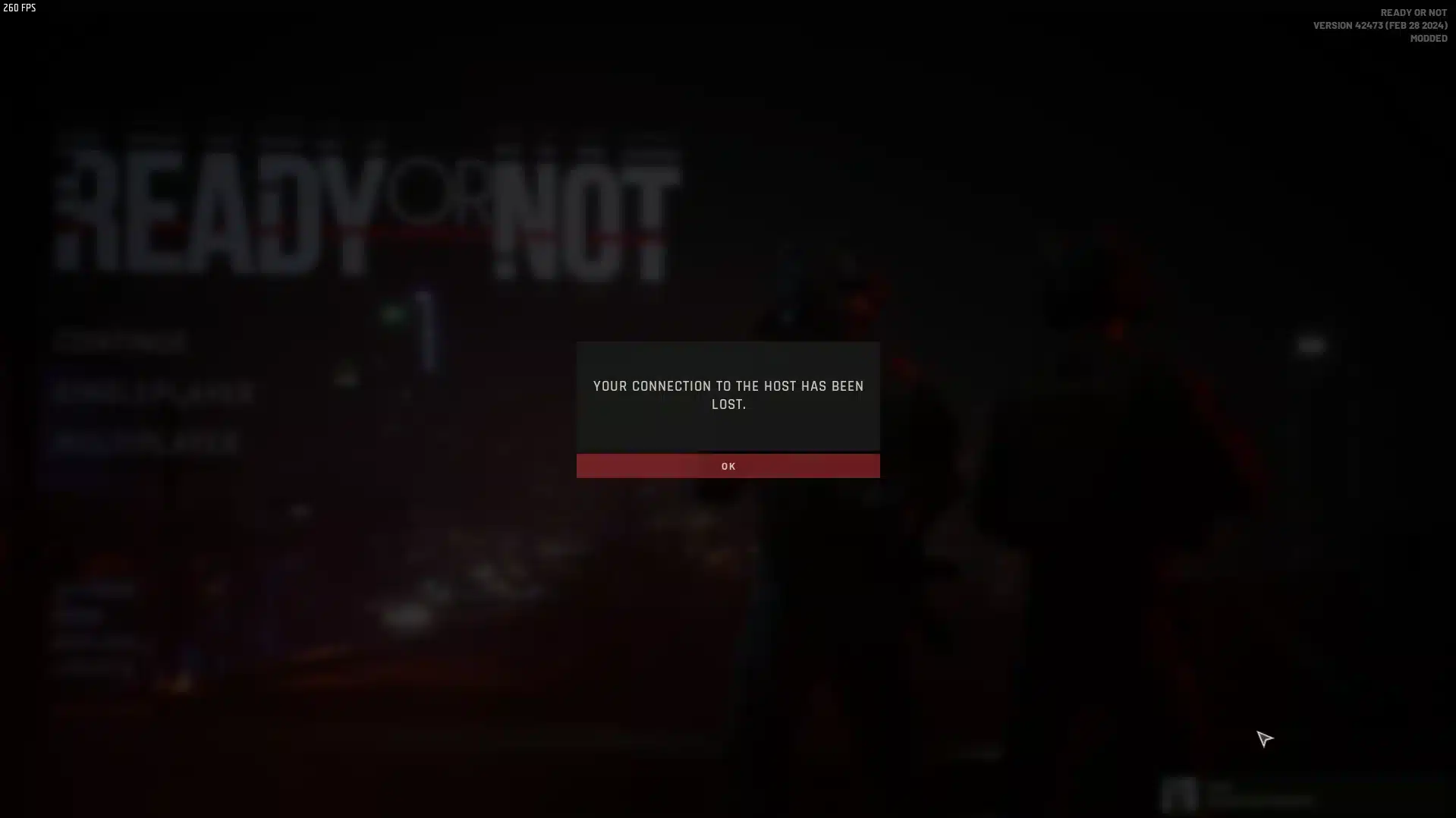
An EAC error can happen for many reasons, and not all of them are related to cheating. In practice, most EAC error reports come from technical issues like corrupted files, blocked services, antivirus conflicts, missing permissions, or launcher problems.
Epic’s EAC support page also notes that connection and firewall issues can affect EAC-protected games, and recommends checking network/firewall settings in some cases.
The good news: many EAC error cases can be fixed quickly.
When fixes are not working, the fastest way to avoid guesswork is to follow the vendor’s own troubleshooting flow. The official Easy Anti-Cheat support resources are where you can confirm the correct repair steps and common launch conflicts. That is especially helpful when a game update changes what worked last week.
Most common EAC error causes
Here are frequent causes of an EAC error:
- corrupted game or EAC files
- antivirus/firewall blocking the service
- launcher cache issues
- missing admin permissions
- broken game update
- Windows/system file problems
- conflicting overlays or background tools
This is why a reinstall alone does not always work. You may need to repair EAC and verify the game files too.
Fast checklist to fix EAC error problems
Use this troubleshooting checklist:
- Restart your PC
- Run the game launcher as administrator
- Repair Easy Anti-Cheat from the game folder
- Verify game files in Steam/Epic/EA launcher
- Check antivirus quarantine/exceptions
- Temporarily disable overlays (Discord, GPU overlays, etc.)
- Check firewall permissions
- Install pending Windows updates
- Reinstall the game only if the above fails
If your issue happens only in one title, start with that game’s EAC repair tool first.
Can you play without Easy Anti-Cheat?
This is a very common real-world question. In many online games, you cannot access multiplayer without Easy Anti-Cheat running. Some titles may still allow certain offline or local modes, but online matchmaking is usually restricted.
Because this depends on the developer’s implementation, always check the specific game’s requirements before assuming offline access will work.
For many players, this is why Easy Anti-Cheat feels “mandatory”: it is often required for the game modes people actually play.
This “mandatory” feeling is even stronger in games where progression and shared servers are central to the experience. A practical example is the discussion around Palworld cheats and server integrity, where fairness and persistence become part of the core loop. It helps explain why developers lock online access behind anti-cheat checks instead of treating them as optional.
Multiplayer access and cheat prevention requirements
In most competitive titles, cheat prevention is tied directly to matchmaking access.
That means:
- if Easy Anti-Cheat is not installed, online play may fail
- if the service is broken, the game may not launch properly
- if files are modified, online mode may be blocked
This is a core part of gaming protection design.
Offline play, training modes, and mod behavior
Some games may let you use:
- offline practice
- local training
- private/non-protected modes
However, this varies a lot by title. If you use mods or altered files, you should assume online play may be blocked unless the game explicitly supports modding.
Does Easy Anti-Cheat affect mods?
Yes, Easy Anti-Cheat can affect mods, especially in online games. If a mod changes files or behavior in ways the game treats as unauthorized, Easy Anti-Cheat may block the launch, restrict online access, or trigger an EAC error.
That does not mean “all mods are banned in every game.” It means modding safety depends on:
- the game
- the mode (offline vs online)
- the type of mod
- the developer’s policy
So the safest approach is to treat EAC Anti-Cheat games as mod-restricted unless the developer clearly says otherwise.
A lot of confusion comes from players mixing “mods” with tools that cross the line into unfair advantages. If you want a clear example of how that line gets discussed in another popular title, this guide on Overwatch 2 cheats and enforcement provides useful context. It reinforces why anti-cheat systems often take a conservative stance around injections and automation.
Safe modding practices in EAC-protected games
If you want to reduce risk:
- use mods only in offline/single-player modes (if allowed)
- read the game’s official mod policy
- avoid online play with modified files
- restore original files before rejoining multiplayer
This helps avoid EAC error messages caused by file integrity conflicts.
Why Anti Cheat software often blocks harmless mods too
Sometimes players say, “But my mod is only visual.” Even then, Anti Cheat software may still rEACt if the modification touches protected files or behaves like a known injection method.
Anti-cheat systems prioritize cheat prevention, so they may block borderline cases instead of guessing intent.
Does Easy Anti-Cheat use kernel-level access?
This topic creates a lot of confusion. In general, discussions about Easy Anti-Cheat and kernel-level behavior depend on the game, platform, and implementation details. The article text you shared is directionally correct to present this carefully, because public documentation does not always provide a single universal answer for every title/version.
What is well documented is that EAC on Windows includes a service component that starts when an EAC-protected game starts and stops when the game stops. Easy Anti-Cheat’s Windows service documentation explicitly states this behavior.
Because this is a sensitive topic (security, privacy, compatibility), it is best to avoid absolute claims and instead explain the practical implications to players.
What players should understand about system access
What matters most for players:
- Easy Anti-Cheat is designed to monitor for cheating-related anomalies
- it runs only when an EAC-protected game starts (service behavior on Windows)
- different games/platforms may implement anti-cheat features differently
If you are privacy-conscious, review the game’s support docs and EAC/Epic support information for your specific title.
Why this topic is controversial
Kernel-level discussions are controversial because deeper system access can improve cheat prevention, but users also care about:
- privacy
- compatibility
- system stability
- trust in vendors and developers
That is why clear communication from game studios matters as much as the Anti Cheat software itself.
How ExitLag helps in Easy Anti-Cheat games
Using ExitLag with Easy Anti-Cheat games is generally about connection quality, not bypassing anti-cheat. ExitLag focuses on routing optimization, ping stability, and packet loss reduction. It does not act as cheat software and should not be presented as a way to evade cheat prevention.
This distinction matters: Easy Anti-Cheat protects match integrity, while ExitLag helps network stability.
What ExitLag improves (and what it does not)
ExitLag can help with:
- ping spikes
- packet loss
- jitter
- unstable routes during peak hours
ExitLag does not:
- disable Easy Anti-Cheat
- bypass gaming protection
- remove an EAC error caused by corrupted EAC files (unless the issue is network-related)
So think of ExitLag as performance support, not anti-cheat troubleshooting software.
Why stable routing matters in EAC-protected multiplayer games
In EAC-protected games, players often confuse network lag with anti-cheat issues.
A stable connection helps reduce:
- disconnects during matches
- desync-like behavior
- packet loss spikes that feel like “hitreg problems”
That is why pairing strong gaming protection (via Easy Anti-Cheat) with better connection stability (via ExitLag) makes sense for competitive players.
Is Easy Anti-Cheat safe and worth it in 2025?
For most players, yes: Easy Anti-Cheat remains a major part of modern multiplayer fairness. Cheating tools keep evolving, and games need anti-cheat systems to protect ranked play, tournaments, and everyday matchmaking.
The value of Easy Anti-Cheat is not that it eliminates every cheat forever. The value is that it raises the barrier, supports enforcement, and improves trust in online play.
That matters even more in 2025, when competitive communities expect better cheat prevention and consistent gaming protection across platforms.
Why communities still need EAC Anti-Cheat
Without systems like EAC Anti-Cheat, many multiplayer titles would struggle with:
- increased exploit abuse
- unreliable ranked progression
- lower player retention
- weaker competitive integrity
Anti-cheat tools are not perfect, but they are necessary.
When you should troubleshoot instead of panic
If you encounter an EAC error, do not assume the worst.
Most cases are technical and fixable:
- repair EAC
- verify files
- restart your system
- check launcher permissions
- update drivers/system
- review firewall/antivirus conflicts
That approach solves far more problems than immediately reinstalling everything.
FAQ
What is Easy Anti-Cheat and how does it work?
Easy Anti-Cheat is an anti-cheat solution used by many multiplayer PC games to help detect cheating and protect fair play. The official site describes it as using hybrid anti-cheat mechanisms for multiplayer PC games.
Is Easy Anti-Cheat the same in every game?
No. The core service is similar, but enforcement and integration can vary by developer and game.
Does Easy Anti-Cheat always ban immediately?
Not always. Some games block access, kick players, or flag suspicious behavior depending on policy.
How do I fix an EAC error?
Most EAC error problems are caused by technical issues, not cheating. Start by repairing EAC from the game folder and verifying the game files.
What is the fastest EAC error fix?
Restart your PC, repair Easy Anti-Cheat, and verify game files in your launcher.
Can firewall or antivirus cause EAC error issues?
Yes. Epic support notes firewall/network issues can affect EAC-related game connections.
Can I launch a game without Easy Anti-Cheat?
In many games, online multiplayer requires Easy Anti-Cheat. Some offline or training modes may work without it, but that depends on the game.
Will uninstalling Easy Anti-Cheat stop the game from working?
It may block online play, and some games will reinstall it automatically on launch.
Can I disable Easy Anti-Cheat just to use mods?
Only if the game supports offline/modded modes. Online play with modified files is often blocked.
Does Easy Anti-Cheat affect mods?
Yes, it can. Easy Anti-Cheat may block modified files or trigger an EAC error if it detects unauthorized changes in protected games.
Are visual mods always safe?
Not necessarily. Even cosmetic mods can conflict with protected files in some games.
What is the safest way to mod EAC games?
Use mods only in offline or officially mod-supported environments.
Does Easy Anti-Cheat use a Windows service?
Yes. Easy Anti-Cheat’s Windows service documentation states that on Windows it includes a service component that starts when an EAC-protected game starts and stops when the game stops.
Does the service run all the time?
The EAC Windows service documentation says it does not run unless you run an EAC-protected game.
Where can I get official install/repair instructions?
Use Epic/EOS support pages and your game’s official support documentation. If you play competitive multiplayer games, Easy Anti-Cheat is part of what keeps matches fair, ranked progress meaningful, and communities healthier. Learn the basics, keep your files clean, and treat every EAC error as a troubleshooting problem first—not an automatic punishment. And if you want smoother online sessions in EAC-protected games, use ExitLag to improve routing stability, reduce packet loss, and stay competitive without interfering with Easy Anti-Cheat or cheat prevention.