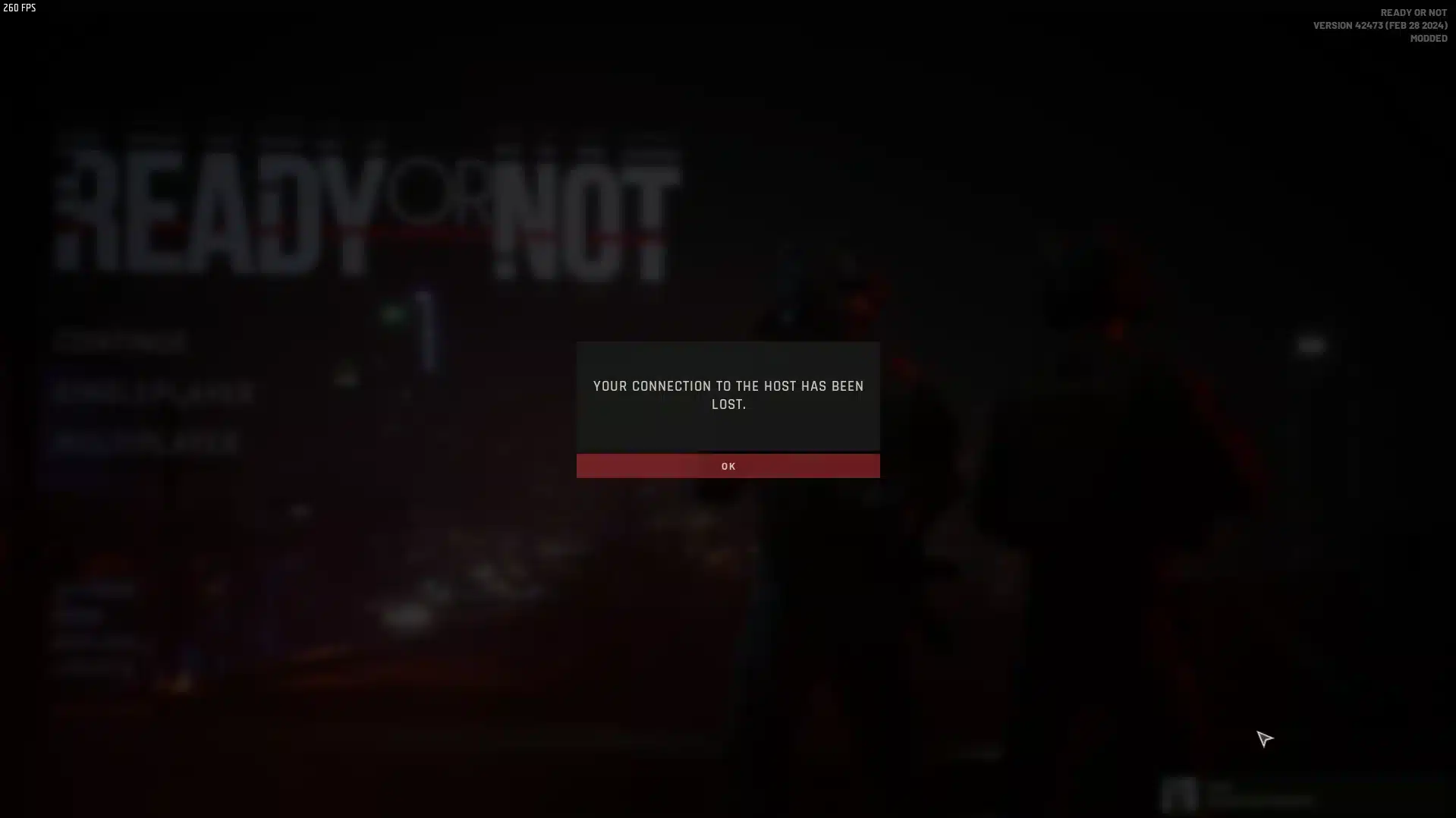
Few things kill a tactical raid faster than a sudden pop-up in the middle of breaching a door. If you play Ready Or Not, you already know the pain of Ready Or Not Lost Connection To Epic Services showing up right when your squad needs you most.
This error is not random. Ready Or Not relies on Epic Online Services to handle matchmaking, lobbies, cross-play authentication, and session data. When that link breaks, the game locks you out of multiplayer entirely.
The good news is that most causes are fixable on your end. Ready Or Not Lost Connection To Epic Services usually points to a local network hiccup, a firewall block, or a temporary Epic Online Services outage, and each has a clear troubleshooting path.
In this guide, you will get a full breakdown of why this happens, practical fixes tested by the community, and advanced networking tips most guides skip entirely. We will also cover how a smarter connection route can reduce disconnects during long tactical sessions.
Ready Or Not Lost Connection To Epic Services: What It Actually Means
When Ready Or Not throws this message, the game client failed to maintain (or establish) a stable handshake with Epic Online Services. This is not the same as a Steam connectivity issue, even though many players mix the two up.
Epic Online Services runs independently from Steam, even on the Steam version of the game. Consequently, a perfectly healthy Steam connection does not guarantee a stable Epic Online Services session.
Why Ready Or Not Depends On Epic Online Services
Ready Or Not uses Epic Online Services for several background functions that most players never see directly:
- Matchmaking and lobby creation for multiplayer raids.
- Cross-play identity and account linking.
- Session hosting data for joining friends.
- Social features like friend lists and party invites.
Because these systems run through Epic's infrastructure, any interruption there ripples straight into your game session. This is different from a Ready Or Not Server Connection Issues problem caused purely by your own router.
Common Triggers Behind The Error
Several conditions can trigger this specific error message, and they rarely announce themselves clearly. Understanding the difference speeds up your fix considerably.
- Temporary Epic Online Services maintenance or regional outage.
- Restrictive firewall or antivirus blocking outbound Epic traffic.
- Router NAT type set to Strict, blocking peer connections.
- Corrupted or outdated game files after a recent patch.
- ISP-level routing congestion to Epic's authentication servers.
Ready Or Not Epic Services Error: Step By Step Fixes
Before touching advanced settings, run through the basics first. Most reported cases resolve with these steps alone, and they take only a few minutes.
- Check the official Epic Games status page to confirm services are online.
- Restart the game client completely, not just the current session.
- Verify integrity of game files through your platform's library tools.
- Restart your router to force a fresh IP lease and clear stale NAT tables.
- Temporarily disable third-party firewall or antivirus software to test the connection.
- Relink your Epic account inside the game's account settings menu.
If the error persists after these steps, the problem likely sits deeper in your network configuration rather than the game itself.
Fixing A Ready Or Not Connection Error At The Router Level
Your NAT type plays a bigger role than most players realize. Ready Or Not, like most games built on Epic Online Services, needs an Open or Moderate NAT to establish peer sessions reliably.
Log into your router's admin panel and check the current NAT status under network or gaming settings. If it shows Strict, enable UPnP first, since that is the simplest fix.
If UPnP is already on and the issue continues, manually forward the ports Epic Online Services typically needs. This includes select TCP ports in the 443 and 3478-3479 range, plus a dynamic UDP range for voice and session traffic.
Advanced Troubleshooting For Persistent Errors
Here is where most basic guides stop, but there is more to check. Double NAT setups, common when using a modem plus a separate router, frequently block Epic Online Services handshakes entirely.
Test your connection by connecting a device directly to your modem, bypassing your router temporarily. If the error disappears, your router is the bottleneck and needs bridge mode enabled.
DNS resolution also matters more than people assume. Switching from your ISP's default DNS to a public resolver can eliminate slow or failed lookups to Epic's authentication endpoints, cutting down on timeout-based disconnects.
Why Does Ready Or Not Keep Losing Connection To Epic Services?
This is the question most players type straight into a search bar after the third disconnect in one evening. The honest answer is that it is rarely just one factor working alone.
The Combined Factors Behind Repeated Drops
Packet loss on your route to Epic's servers, combined with a Strict NAT type, creates the perfect storm for repeated failures. Meanwhile, background downloads or other devices saturating your bandwidth make the handshake window even tighter.
Causes And Fixes At A Glance
Here is a quick comparison of the most common causes and their matching fixes:
| Cause | Symptom | Fix |
|---|---|---|
| Epic Online Services outage | Error affects many players at once | Wait, check status page, retry later |
| Strict NAT type | Cannot join or host lobbies | Enable UPnP or forward ports manually |
| Firewall blocking traffic | Error appears instantly on launch | Allowlist the game executable |
| Corrupted game files | Error after a recent update | Verify or reinstall game files |
| Unstable routing path | Intermittent drops mid-session | Optimize route with a connection tool |
| Double NAT setup | Error persists despite open NAT | Enable modem bridge mode |
Is It My Internet Or Ready Or Not Epic Services Error On Their End?
This distinction matters because it changes your entire approach. If Epic Online Services is having a widespread outage, no local fix will help until it resolves.
Testing Whether The Problem Is Shared
You can quickly separate the two by checking whether friends on different networks are also affected. If everyone reports the same error simultaneously, the issue sits with Epic's infrastructure, not your setup.
Confirming A Local Network Problem
However, if you are the only one disconnecting while squadmates play normally, the problem is local. In that case, focus on your router, firewall, and routing path rather than waiting around.

Ready Or Not Connection Error Fix: Keeping Sessions Stable Long Term
Fixing the error once is useful, but tactical shooters punish inconsistency during long raids. A single dropped packet during a breach can cost your whole team the round.
Stable sessions depend on more than just fixing the immediate error message. Consistent routing, low jitter, and a reliable path to Epic's servers matter just as much over a full evening of play.
Pro Tips: Ready Or Not Server Connection Issues
- Restart before every session: A fresh router lease and closed background apps reduce the chance of stale connections carrying over old errors.
- Wired connection over Wi-Fi: Ethernet removes wireless interference entirely, which matters a lot during time-sensitive matchmaking handshakes.
- Close bandwidth-heavy apps: Cloud backups and streaming services competing for bandwidth can delay the Epic Online Services handshake just enough to fail it.
- Keep firmware updated: Router manufacturers regularly patch NAT and UPnP bugs that directly affect game connectivity, so outdated firmware often causes recurring errors.
Common Mistakes Ready Or Not Players Make
- Blaming the game immediately without checking Epic's status page. Fix: always confirm server status first, since a local fix cannot solve a server-side outage.
- Forwarding the wrong ports or forwarding them to the wrong device IP. Fix: double check your PC's local IP address before saving router port forwarding rules.
- Ignoring double NAT setups when using both a modem and a router. Fix: enable bridge mode on the modem so only one device handles NAT translation.
- Reinstalling the entire game before trying simpler fixes. Fix: verify game file integrity first, since a full reinstall rarely solves a networking issue.
How ExitLag Helps Stabilize Your Ready Or Not Sessions
ExitLag is not a VPN. It is a game connection optimizer that scans multiple network routes in real time and picks the fastest, most stable path between your PC and the game's servers.
It does not encrypt your traffic, does not mask your IP, and does not touch apps outside the games it supports. It currently covers 4,000+ titles on PC and Mobile, backed by 1,500+ servers spread across 190+ countries, and it is trusted by over 30M+ users running 18M+ optimizations weekly.
For a connection error tied to server handshakes, routing stability matters more than raw speed. This is where ExitLag's approach fits naturally into your troubleshooting routine.
- Multipath Technology: keeps a session alive by staying resilient to a single path failure, reducing the disconnects that trigger Ready Or Not Connection Error Fix scenarios in the first place.
- Multi-Internet failover: combines up to 4 simultaneous connections, automatically switching if one link degrades mid-raid.
- Traffic Shaper: prioritizes your game's data packets over background traffic competing for bandwidth.
- AI-powered routing: continuously adjusts your path in real time instead of relying on a single static route.
It does not modify game files, does not inject code, and does not interact with anti-cheat systems, so it stays safe to use alongside Ready Or Not. Just avoid running it together with a VPN, since the two can conflict over routing priority.
If disconnects keep interrupting your raids, grabbing the ExitLag Download and testing a session is a quick way to see whether routing, not your setup, was the missing piece all along.
Final Thoughts On Ready Or Not Lost Connection To Epic Services
Most instances of Ready Or Not Lost Connection To Epic Services trace back to a mix of server status, NAT configuration, and local network stability. Working through each layer systematically saves you from guessing blindly.
Start with the basics, move into router and firewall settings, and only then consider your broader routing path. Consistent, methodical troubleshooting beats reinstalling everything from scratch.
With the right setup, Ready Or Not Lost Connection To Epic Services becomes a rare inconvenience instead of a recurring session killer.
All game images used in this blog post belong to VOID Interactive. They are used for informational and educational purposes only and do not imply endorsement or affiliation with the rights holders.