Edgar Brawl Stars fans know the feeling: you jump in, land a clean combo, and then lose the fight to a laggy input. This guide fixes both problems, the build and the connection.
Playing Edgar Brawl Stars well is about timing, healing and knowing when to dive. Every punch heals him, so the right loadout turns a risky jump into a winning trade.
The best Edgar build in Brawl Stars right now pairs the Let’s Fly gadget with the Hard Landing star power for burst damage. If you prefer a sustain style, Hardcore with Fisticuffs keeps him alive longer. Pick the setup that matches your mode and your map.
Because balance and community stats change often, this guide focuses on what holds up in the current Royal Academy season. Consequently, you get choices that work today, not a static list.
What Makes Edgar From Brawl Stars So Strong?
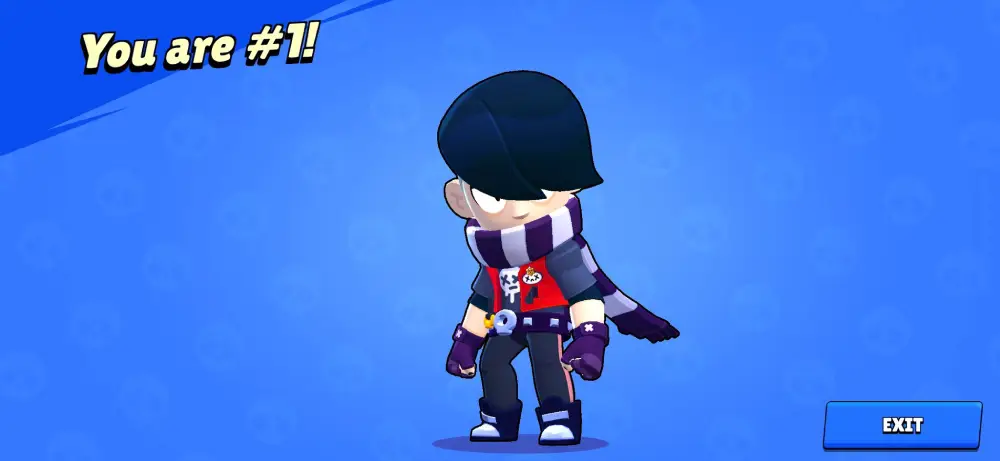
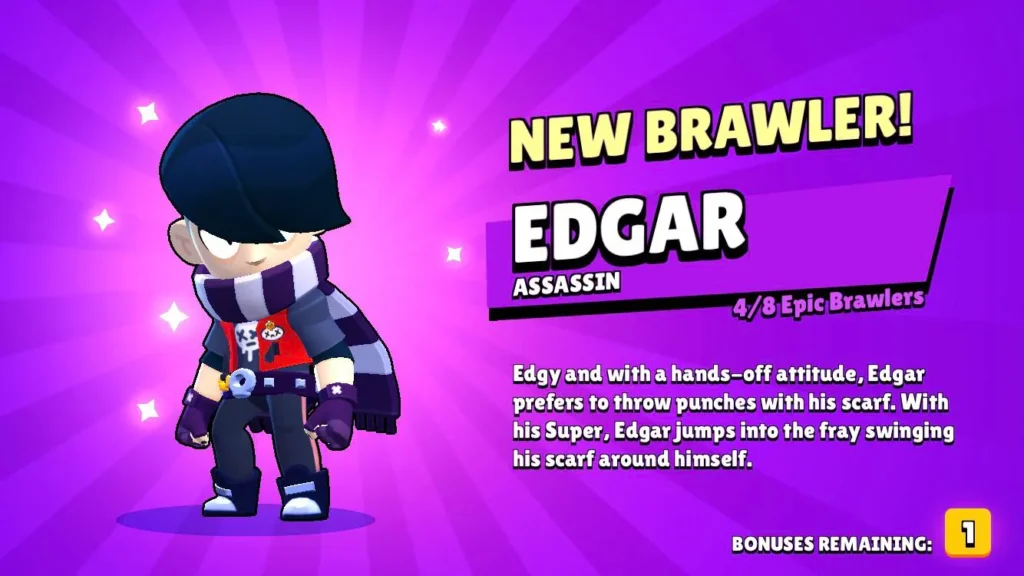
Edgar From Brawl Stars is an Epic Assassin with high health and very fast movement. His Fight Club attack lands quick scarf punches that heal him for every hit, so he snowballs once he connects.
Furthermore, his Super lets him leap onto enemies, which is why Brawl Stars Edgar is a favorite for hunting fragile Brawlers. You can read the official overview of the game on the official Brawl Stars page from Supercell.
Core Stats And Playstyle
Edgar rewards aggression, but only in short, controlled bursts. Here is what defines him:
- Class: Assassin, built to reach backline threats.
- Rarity: Epic, so he is accessible to most players.
- Health: 3700 base health, with healing on every punch.
- Speed: Very fast, ideal for closing gaps.
How Does Edgar’s Healing Work?
Each landed punch heals Edgar, so keeping your combo going matters more than raw damage. As a result, missing a Super jump is far worse than taking a small hit.
Fisticuffs increases that healing, while the Hardcore gadget adds a shield. However, both only help if you attack from a good angle.
Where Does Edgar Fit In The Current Meta?
Tier lists disagree on Edgar because the current season rewards Brawlers that control space and adapt to each map. Some data sources rank him high, others place him lower.
Indeed, that spread shows how much depends on player skill. In short, treat rankings as a guide and trust your own practice.
Best Edgar Build Brawl Stars Players Should Use
The Best Edgar Build Brawl Stars community stats point to is flexible. Edgar has two gadgets, two star powers and a hypercharge, and each combination changes how he plays.
Below are the current options, based on the state of the game in September. Edgar was not touched in the September balance update, so recent adjustments still apply.
Gadgets: Let’s Fly Or Hardcore?
Let’s Fly grabs the closest enemy and pulls Edgar behind them. Notably, it also drags him toward walls, which is great for repositioning.
Hardcore gives a large temporary shield. Therefore, it fits players who dive into crowded fights.
- Pick Let’s Fly if you want burst and mobility.
- Pick Hardcore if you want to survive a longer brawl.
- Save the gadget for the moment you commit, not before.
Star Powers: Hard Landing Or Fisticuffs?
Hard Landing adds area damage when Edgar lands from his Super or Let’s Fly. In addition, it deals extra damage on a direct hit, so it is perfect for finishing weakened targets.
Fisticuffs boosts healing from damage you deal. Hence, it suits players who fight in long duels.
Gears And Hypercharge
Community stats currently show a few strong gear pairs. Damage and Speed are common picks, while some players prefer Shield or Super Charge for safer dives.
Meanwhile, the hypercharge gives Edgar extra reach for a short window. Always check your in-game hypercharge details, since values shift between updates.
| Build Style | Gadget | Star Power | Best For |
|---|---|---|---|
| Burst Assassin | Let’s Fly | Hard Landing | Brawl Ball and finishing kills |
| Sustain Brawler | Hardcore | Fisticuffs | Long duels and Showdown |
| Safe Diver | Hardcore | Hard Landing | Beginners learning the jump |
| Speed Hunter | Let’s Fly | Fisticuffs | Chasing backline Brawlers |
Edgar Build Brawl Stars Guide For Each Game Mode
An Edgar Build Brawl Stars setup should change with the mode. What works in Brawl Ball does not always work in Showdown, so adjust before each match.
Use the sections below as a starting point for Brawl Stars: Edgar and adapt to your team.
Brawl Ball
Edgar shines in Brawl Ball because his jump can steal the ball and reset a fight. Furthermore, his speed lets him escape after a goal attempt.
- Use Let’s Fly to reposition behind the ball carrier.
- Pair with Hard Landing to punish clustered defenders.
- Never dive alone when the enemy has a healer.
Showdown
In Solo Showdown, patience beats aggression. Wait for enemies to trade damage, then jump in and heal through the fight.
- Hardcore protects you from a surprise second attacker.
- Fisticuffs keeps your health up after boxes and duels.
- Avoid open fields where long range Brawlers punish you.
Gem Grab And Heist
In Gem Grab, Edgar hunts the enemy gem carrier. In Heist, however, he struggles to break the safe unless his team clears defenders first.
- Scout with your teammates before you jump.
- Target throwers and snipers first.
- Retreat once your Super is spent.
Who Counters Edgar And How Do You Beat Them?
Edgar is powerful, but several Brawlers stop his jump cold. Control and burst shields are his biggest problems.
Current matchup data points to Nani, Frank and Maisie as tough opponents. Consequently, avoid picking Edgar when the enemy team locks in several of them.
How Do You Play Around Hard Counters?
Bait the counter first, then dive their teammates. Alternatively, swap to a safer Brawler if the draft looks bad.
- Watch their gadget and Super timers.
- Jump only when their key ability is on cooldown.
- Keep a wall between you and long range threats.
How Do You Beat Edgar When You Face Him?
If you fight Edgar, stay near your team so he cannot isolate you. In fact, standing close to walls lets you punish his landing.
Additionally, save your stun or knockback for the moment he leaps in.
Pro Tips: Edgar Brawl Stars
- Charge the Super before diving: A full Super gives you a guaranteed escape or a second jump, which turns a bad fight around.
- Attack from behind: Landing behind an enemy limits their return fire, so more punches connect and heal you faster.
- Use walls with Let’s Fly: The scarf pull to walls repositions you safely without spending your Super.
- Rotate builds by mode: Swap between Hard Landing and Fisticuffs depending on whether you need burst or sustain.
- Practice in friendly battles: Training your jump timing builds muscle memory that no stat page can replace.
Common Mistakes Edgar Players Make
- Diving without a Super: You lose your escape and get punished. Fix: wait until your Super is charged or your team is engaged.
- Spamming Let’s Fly: Wasting the gadget leaves you exposed later. Fix: hold it for a key pull or wall dash.
- Chasing low health targets alone: Enemies bait you into their team. Fix: check the minimap before every chase.
- Ignoring the map: Open maps punish short range Brawlers. Fix: choose Edgar on maps with cover and corners.
Why Do Lag Spikes Ruin Edgar Matches?
Edgar depends on split second timing, so even a small delay can break a jump. A late input means the enemy moves, and your Super lands in empty space.
Therefore, a stable connection matters as much as your build. Consider these common causes of lag on mobile:
- Weak or crowded Wi-Fi signal.
- Switching between Wi-Fi and mobile data mid match.
- Poor routing between your device and the game server.
- Background apps using your bandwidth.
Quick Fixes For Mobile Lag
- Move closer to your router or use 5 GHz Wi-Fi.
- Close background apps before you queue.
- Restart your network if ping stays high.
- Use a connection optimizer for stable routing.
Does Lag Hurt Other Games Too?
Yes, and the same routing problems appear in shooters and action titles. For a practical example, see how lag is handled in this Mecha Break lag spikes guide.
Similarly, if you enjoy picking a character to match your style, check the Borderlands 4 characters breakdown for another take on hero choice.
How ExitLag Helps Your Edgar Brawl Stars Games
ExitLag is not a VPN. It is a game connection optimizer that tests multiple network paths in real time and picks the fastest, most stable route to the game server.
It does not encrypt traffic, mask your IP, or affect apps outside supported games. It supports 4,000+ titles on PC and mobile, with 1,500+ servers in 190+ countries.
Features That Matter For Mobile Play
- Real-time Optimization: Reduces delay and packet loss so your jumps land on time.
- Multipath Technology: Sends packets through several routes, so one bad path does not ruin the match.
- AI Routing: Chooses a stable route in one click.
Because ExitLag does not modify game files or interact with anti-cheat, it is safe for competitive play. Do not run it alongside a VPN, since that reduces its effectiveness.
How To Set Up ExitLag On Mobile
- Install the app on your phone.
- Search for Brawl Stars and select it.
- Choose the best route or let the AI pick.
- Launch the game and check your ping.
You can also learn what changed in the latest release in the new version of ExitLag overview. Ready to play smoother? Get ExitLag for Android or ExitLag for iOS and stop losing fights to lag.
Final Thoughts On Edgar Brawl Stars
Edgar rewards patient, precise play. Pick a gadget and star power that fit your mode, respect his counters, and dive only when your Super is ready.
Keep practicing, keep your connection stable, and Edgar Brawl Stars will feel like a different Brawler in your hands.
Quick Recap Before Your Next Match
- Match your build to the mode and map.
- Watch counters like Nani, Frank and Maisie.
- Keep your Super charged before every dive.
Your Next Step
Jump into a friendly battle, test both gadgets, and note which style feels natural. Then commit to a build and climb.
All game images used in this blog post belong to Supercell. They are used for informational and educational purposes only and do not imply endorsement or affiliation with the rights holders.
Got questions or want to connect with other players? Join the conversation at the ExitLag Forum!