Error Code Drowned Minecraft is a frustrating issue that prevents players from signing into the game, especially when using the Bedrock Edition. Instead of loading worlds or connecting to servers, players are stopped at the login stage with a message that offers little explanation. This makes the error feel more serious than it actually is.
For many players, this problem appears suddenly. One day Minecraft works normally, and the next day the error code drowned message blocks access. Because it happens before gameplay even begins, it often leads to confusion and unnecessary reinstall attempts.
In simple terms, this error is not related to your worlds, mods, or progress. It is a connection and authentication problem tied to how Minecraft communicates with Microsoft services.
What does error code drowned mean in Minecraft?
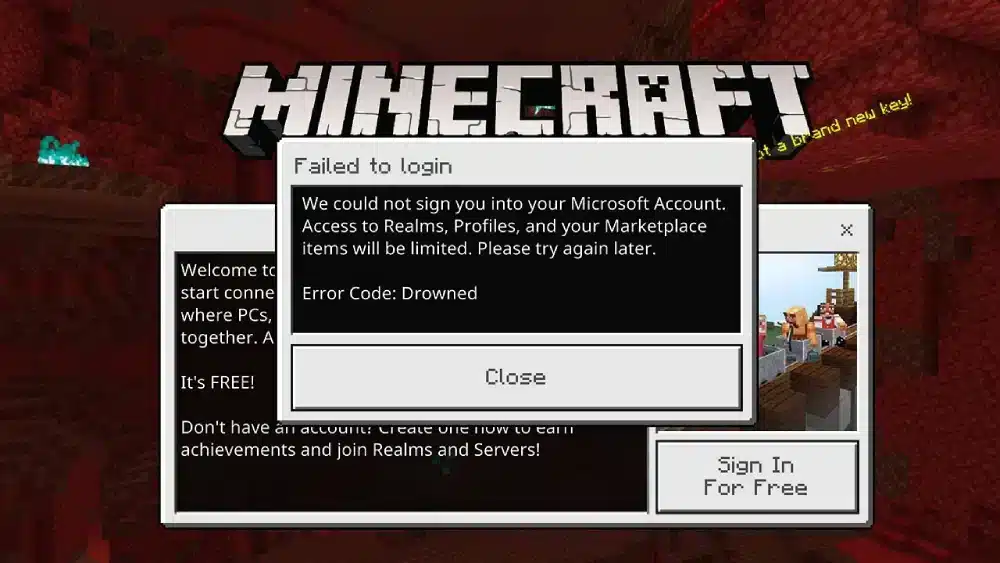
To understand what does error code drowned mean in Minecraft, it helps to look at how Bedrock Edition works. Minecraft Bedrock requires a successful connection to Microsoft and Xbox Live services to verify your account before letting you play online features.
Error Code Drowned appears when this verification process fails. The game is unable to confirm your Microsoft account credentials or complete the network handshake required to proceed. When that happens, Minecraft stops the login process and displays this error instead of loading the main menu normally.
This does not mean your account is banned or broken. In most cases, it simply means the game could not communicate properly with the authentication servers at that moment.
Minecraft error code drowned and Bedrock Edition
The minecraft error code drowned issue is almost exclusively reported by players using Bedrock Edition. Java Edition uses a different login system and is rarely affected by this problem.
Bedrock Edition relies heavily on:
- Microsoft account authentication
- Xbox Live background services
- Continuous network communication
Because of this structure, any interruption in these systems can trigger Error Code Drowned. Even a small delay or mismatch during login can cause the process to fail.
Error code drowned Minecraft Bedrock PC: why it’s so common
Reports show that error code drowned Minecraft Bedrock PC is especially common on Windows 10 and Windows 11. This is largely due to how many background services must work together for Bedrock to run correctly on PC.
On Windows, Minecraft Bedrock depends on:
- The Xbox app
- Xbox Live Auth Manager
- Gaming Services
- Microsoft Store synchronization
If any of these components fail to respond correctly, the game may show Error Code Drowned even though your internet connection appears fine.
Why error code drowned happens
Understanding the causes helps avoid repeating the same problem later. Error Code Drowned usually happens for one or more of the following reasons.
Microsoft account sync issues
If your Microsoft account fails to sync properly, Minecraft cannot verify your login. This can happen after password changes, account security updates, or interrupted sign-in attempts.
Network instability or packet loss
Minecraft Bedrock performs a real-time authentication check. If packets are lost or delayed during this process, the server response may never arrive, triggering the error.
Xbox Live service interruptions
When Xbox Live services are down or unstable, Minecraft cannot complete the login process. Even partial outages can cause Error Code Drowned to appear.
Cached data conflicts
Corrupted or outdated cached credentials stored by the Xbox app or Gaming Services can interfere with account verification.
Firewall or antivirus interference
Overly aggressive security software may block Minecraft or Xbox services from communicating with Microsoft servers.
Why this is not a gameplay bug
A common misconception is that Error Code Drowned is caused by corrupted worlds or broken game files. In reality, this error occurs before Minecraft even attempts to load any gameplay data.
That means:
- Your worlds are safe
- Your account is not banned
- Your installation is usually intact
The issue exists entirely at the login and connection layer.
How connection stability affects Minecraft Bedrock
Minecraft Bedrock is more dependent on stable connections than many players realize. Even when playing solo, the game still verifies your account online before granting access to features like Realms, servers, and multiplayer settings.
If your connection suffers from latency spikes, packet loss, or unstable routing, the login handshake can fail. When that happens, Error Code Drowned is one of the most common results.
This explains why some players experience the error intermittently. The problem may disappear once the network stabilizes, only to return later under similar conditions.
What players often misunderstand about error code drowned
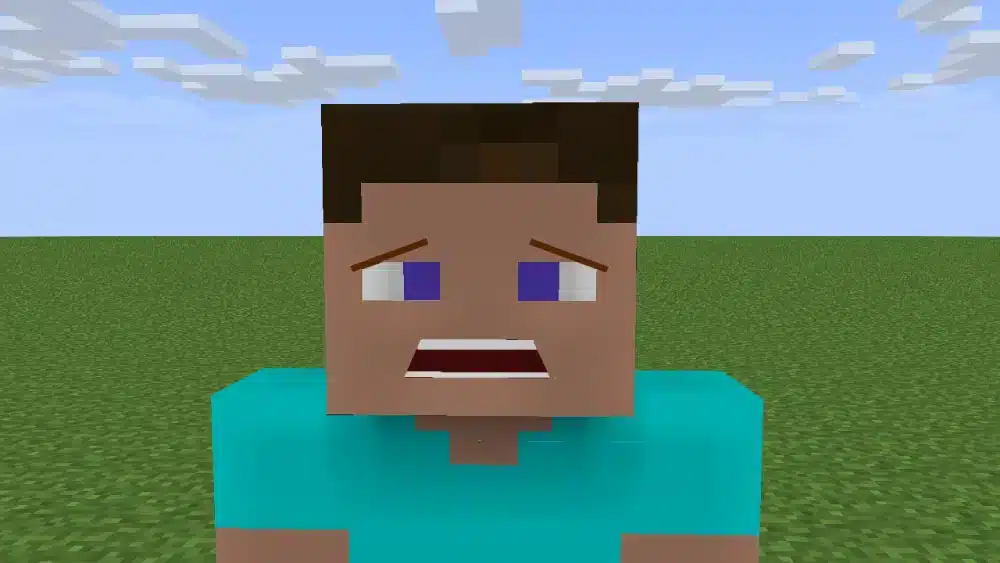
Because the error message is vague, players often assume the worst. Common mistakes include:
- Reinstalling Minecraft multiple times without fixing the real cause
- Thinking their Microsoft account is permanently broken
- Assuming the issue is caused by mods or add-ons
In most cases, none of these are true. Error Code Drowned is a technical communication problem, not a permanent restriction.
Preparing to fix error code drowned in Minecraft
Before attempting advanced solutions, it is important to understand that this error is usually fixable. In many cases, simple actions like refreshing account authentication or stabilizing your connection are enough.
How to Fix Error Code Drowned in Minecraft (Step-by-Step)
If you are seeing Error Code Drowned Minecraft repeatedly, the good news is that the issue is almost always fixable. Because this error is tied to authentication and connectivity, the solutions focus on refreshing services, fixing account sync problems, and stabilizing your network.
Follow the steps below in order. In most cases, players will not need to try every solution.
Quick Fixes You Should Try First
Before changing system settings, start with these basic actions. They solve a large percentage of cases.
- Restart Minecraft completely
- Restart your PC
- Sign out of your Microsoft account inside Minecraft
- Sign back in using the same account
These steps refresh expired authentication tokens and often resolve temporary sync failures.
Fix Error Code Drowned Minecraft Bedrock PC
If the error persists on Windows, the issue is usually related to Xbox or Gaming Services running in the background.
Reset the Xbox App Cache
The Xbox app stores cached credentials that Minecraft Bedrock depends on. If these files become corrupted, login verification can fail.
To reset the cache:
- Press Windows + R
- Type wsreset.exe and press Enter
- Wait for the Microsoft Store to reopen
- Restart your PC
This clears cached data without affecting installed games.
Reinstall Gaming Services
Gaming Services is a core component required for Minecraft Bedrock authentication. When it breaks, Error Code Drowned is a common result.
Reinstalling Gaming Services refreshes all related files and permissions, fixing persistent login issues that simple restarts cannot solve.
Check Microsoft and Xbox Live Services Status
Sometimes the problem is not on your system at all. Error Code Drowned can appear during partial Xbox Live or Microsoft account outages.
Before continuing, check:
- Xbox Live service status
- Microsoft account authentication status
If services are down, waiting is the only solution. Attempting fixes during an outage will not work.
Network-Related Fixes for Error Code Drowned
Because Minecraft Bedrock relies on real-time authentication, network instability is one of the biggest triggers for this error.
Restart and Optimize Your Network
Start by resetting your connection:
- Restart your router and modem
- Switch from Wi-Fi to a wired Ethernet connection if possible
- Disable VPNs or proxy services temporarily
Even short packet loss during login can cause Error Code Drowned to appear.
Check NAT Type and Firewall Settings
Minecraft Bedrock requires an open or moderate NAT type. Strict NAT or blocked ports can prevent authentication responses from reaching your PC.
Make sure:
- Minecraft is allowed through your firewall
- Xbox services are not blocked by antivirus software
- Your network does not restrict outbound connections
Advanced Fixes If Error Code Drowned Persists
If none of the previous steps worked, try these advanced system checks.
Sync System Time and Date
Incorrect system time can break secure authentication. Make sure Windows is set to sync time automatically.
Verify Microsoft Account Consistency
Ensure you are logged into the same Microsoft account across:
- Microsoft Store
- Xbox App
- Minecraft
Mismatched accounts often cause silent authentication failures.
Error Code Drowned Fixes Overview
| Fix Type | Difficulty | Best Use Case |
| Restart & Re-login | Easy | Temporary login issues |
| Reset Xbox Cache | Easy | Corrupted credentials |
| Reinstall Gaming Services | Medium | Persistent Bedrock errors |
| Network Optimization | Medium | Packet loss or instability |
| Firewall & NAT Fix | Advanced | Multiplayer restrictions |
Why Error Code Drowned Happens Again and Again
Many players fix Error Code Drowned only to see it return later. This usually happens when the root cause is not addressed.
The most common long-term cause is unstable routing between your PC and Microsoft authentication servers. Even if your internet speed is high, inconsistent routing can interrupt login verification.
This is why reinstalling Minecraft rarely solves the problem permanently. The issue exists outside the game files.
How ExitLag Helps Prevent Error Code Drowned in Minecraft
ExitLag helps reduce the chances of Error Code Drowned Minecraft by optimizing how your connection reaches Microsoft and Xbox services.
By selecting the most stable routes in real time, ExitLag reduces packet loss and connection instability during the authentication process. This results in:
- Fewer failed login attempts
- More reliable access to Bedrock servers and Realms
- Consistent multiplayer connectivity
ExitLag works on PC only and is ideal for Minecraft Bedrock players on Windows who experience frequent connection-related errors.
Start your Exitlag 3 days Trial!
When to Contact Support
If Error Code Drowned continues after all fixes, contact Mojang or Microsoft support. Provide details such as:
- Platform (Windows 10 or 11)
- Minecraft edition (Bedrock)
- Network type (Wi-Fi or Ethernet)
- Error code message
This helps support teams diagnose the issue faster.
FAQ – Error Code Drowned in Minecraft
Error Code Drowned means that Minecraft Bedrock Edition failed to authenticate your Microsoft account. The game could not complete the login verification with Microsoft or Xbox Live services, so it stops before loading the main menu.
No. This error happens before any worlds or gameplay data are loaded. Your saves, progress, and account status are safe. The issue exists only at the login and network authentication stage.
Minecraft Bedrock relies heavily on Microsoft account authentication, Xbox Live services, and background Windows components. Any interruption in these systems can trigger Error Code Drowned, which is why Java Edition is rarely affected.
The most frequent causes include Microsoft account sync issues, unstable network connections, Xbox Live service outages, corrupted Xbox app cache, or firewall and antivirus software blocking authentication traffic.
To reduce recurrence, players should ensure stable network routing, keep Xbox and Gaming Services updated, avoid account mismatches across Microsoft apps, and use connection optimization tools like ExitLag to minimize packet loss during login.
All game images used in this blog belong to Mojang Studios. They are used for informational/educational purposes only and do not imply endorsement or affiliation with the rights holders.
Got questions or want to connect with other players? Join the conversation at the ExitLag Forum!