The Aurora Cape Minecraft promotion is live right now, and it is one of the easiest free cosmetics you can grab this month. You do not need to play anything special. You just need to watch the right stream for a short time.
The shimmering green and purple design looks great on both editions. Whether you call it the Minecraft Aurora Cape or the Aurora Cape Minecraft fans keep talking about, this guide shows exactly how to claim it. Moreover, you will learn the common mistakes that make players miss their code, plus how to keep your connection stable while you play.
In short, you get the cape by watching a live Minecraft Dungeons II stream with rewards enabled for 15 minutes on Twitch, or 3 minutes on TikTok. Afterward, you receive a code and redeem it on the official Minecraft website before it expires on October 31.
What Is The Aurora Cape Minecraft Reward?
The cape is a free cosmetic tied to the launch buzz around Minecraft Dungeons II. Interestingly, the cape itself works in Minecraft (Java Edition and Bedrock Edition), not inside Minecraft Dungeons II.
The Aurora Cape Minecraft promotion is run by Mojang with streaming platforms, so you earn it by watching instead of buying anything. That is why the Minecraft Aurora Cape Twitch drop has spread so quickly among players.
Key Facts About The Promotion
Here is what matters most before you start:
- Start date: September 29, 2026.
- End date: October 14, 2026 (Pacific Time).
- Redeem deadline: codes must be redeemed by October 31.
- Platforms: Twitch and TikTok.
- Supply: limited, so codes can run out.
Which Editions Support The Cape?
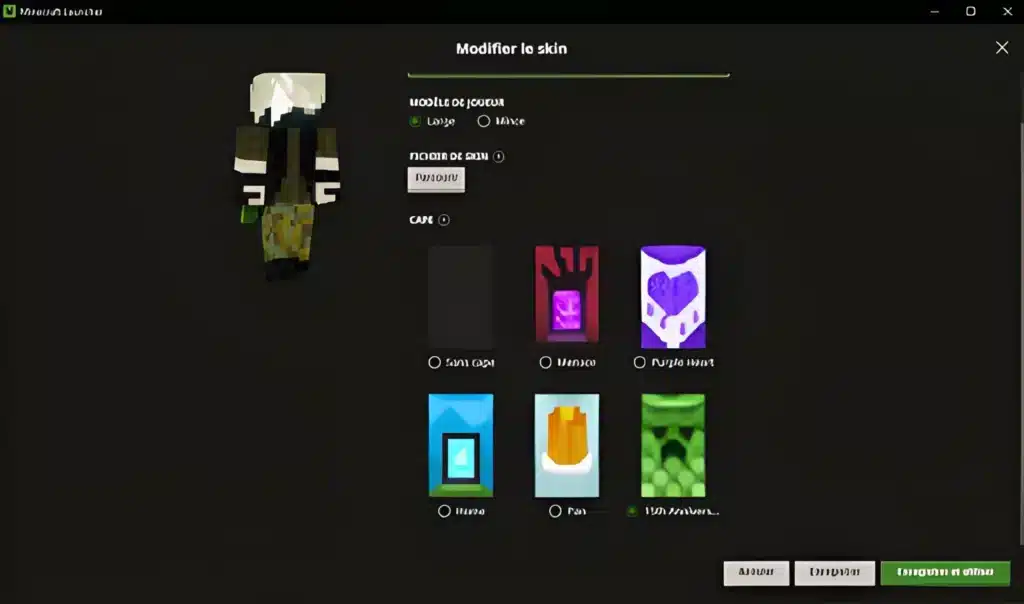
The cape works on Java Edition and Bedrock Edition. Once you redeem the code, the Aurora Cape Minecraft reward is added permanently to your Microsoft account.
Therefore, you can switch between editions and still wear it. Just open the Wardrobe or Cape menu inside the game and equip it.
Minecraft How To Get Aurora Cape: Step By Step
If you are wondering How To Get Aurora Cape without wasting time, follow the numbered steps below for the Aurora Cape Minecraft reward. They cover the Twitch route, which is the most popular one.
- Link your Twitch account to your Microsoft account if prompted, and make sure you are signed in on Twitch.
- Open a Partner or Affiliate stream in the Minecraft Dungeons II category with drops or rewards enabled.
- Keep the stream open while it is live for at least 15 minutes.
- Open your Twitch Inventory and claim the code once it appears.
- Go to the official Minecraft redeem page, sign in with your Microsoft account and enter the code.
- Launch the game and equip the cape from your wardrobe.
How Do You Get The Cape On TikTok?
The TikTok route is shorter. You watch a rewards-enabled Minecraft Dungeons II live stream for 3 minutes, and the code arrives through your TikTok notifications.
However, this route is tied to the mobile app, so keep your phone connected until the notification shows up.
Is There A Minecraft Aurora Cape Code Hack?
No. The only safe Minecraft Aurora Cape Code is the one you receive directly from Twitch or TikTok. Codes are one per person, non-transferable and non-refundable.
Any site selling or generating an Aurora Cape Minecraft code outside those channels is a risk. Because of that, avoid it and keep your account safe.
Minecraft Twitch Cape Requirements Explained
Many players chasing the Aurora Cape Minecraft reward watch for 15 minutes and still get nothing (the Minecraft Twitch Cape rules are strict). Usually, the reason is a small detail in the requirements.
Check this table before you open any stream:
| Requirement | Twitch | TikTok
|
|---|---|---|
| Watch time needed | 15 minutes | 3 minutes |
| Stream type | Partner or Affiliate | Rewards-enabled live |
| Category | Minecraft Dungeons II | Minecraft Dungeons II |
| Where the code appears | Twitch Inventory | TikTok notifications |
| Must be live | Yes | Yes |
Why Is My Code Not Showing Up?
Time only counts while a stream is live, so replays and clips will not work. Likewise, a stream without rewards enabled will not track your progress.
At launch, some players also reported that codes were awarded for general Minecraft streams, and that supply ran out quickly. As a result, patience and a second stream are sometimes necessary.
What Should You Do If Codes Run Out?
Supply is limited, so check back later and try another qualifying stream. In addition, make sure your account is eligible in your region.
If the platform rewards are unavailable where you live, the official page remains the only trustworthy source. Read the full rules on the official Minecraft Dungeons II capes promotion page before you start.
Pro Tips: Claiming The Cape Without Stress
- Start early: Codes are limited, so begin watching as soon as the promotion is open to avoid the rush.
- Watch in a stable tab: Keep one stream tab open and avoid refreshing, because a reload can reset your progress on some streams.
- Check your inventory often: The code lands in your Twitch Inventory, so look there instead of waiting for an email.
- Redeem immediately: Do not wait until October 31, because expired codes cannot be recovered.
- Use a steady connection: A choppy stream can drop your watch time, so a stable line helps.
Does The Minecraft Aurora Cape Code Work On Every Account?
You need a Microsoft account tied to Minecraft to redeem your Aurora Cape Minecraft code. Moreover, each person gets one code, so do not expect to stack several on the same profile.
If you play on both Java and Bedrock, one redeemed code covers both through your account.
Common Mistakes Aurora Cape Minecraft Players Make
- Watching the wrong category: Streams outside Minecraft Dungeons II may not count. Fix: check the category name before you settle in.
- Watching replays: Only live viewing counts. Fix: join a stream that is currently live and has rewards enabled.
- Waiting too long to redeem: Codes expire on October 31. Fix: redeem as soon as you receive it.
- Trusting random code sellers: Unofficial sellers can scam you. Fix: only use codes from Twitch or TikTok.
What Does The Cape Look Like In Game?
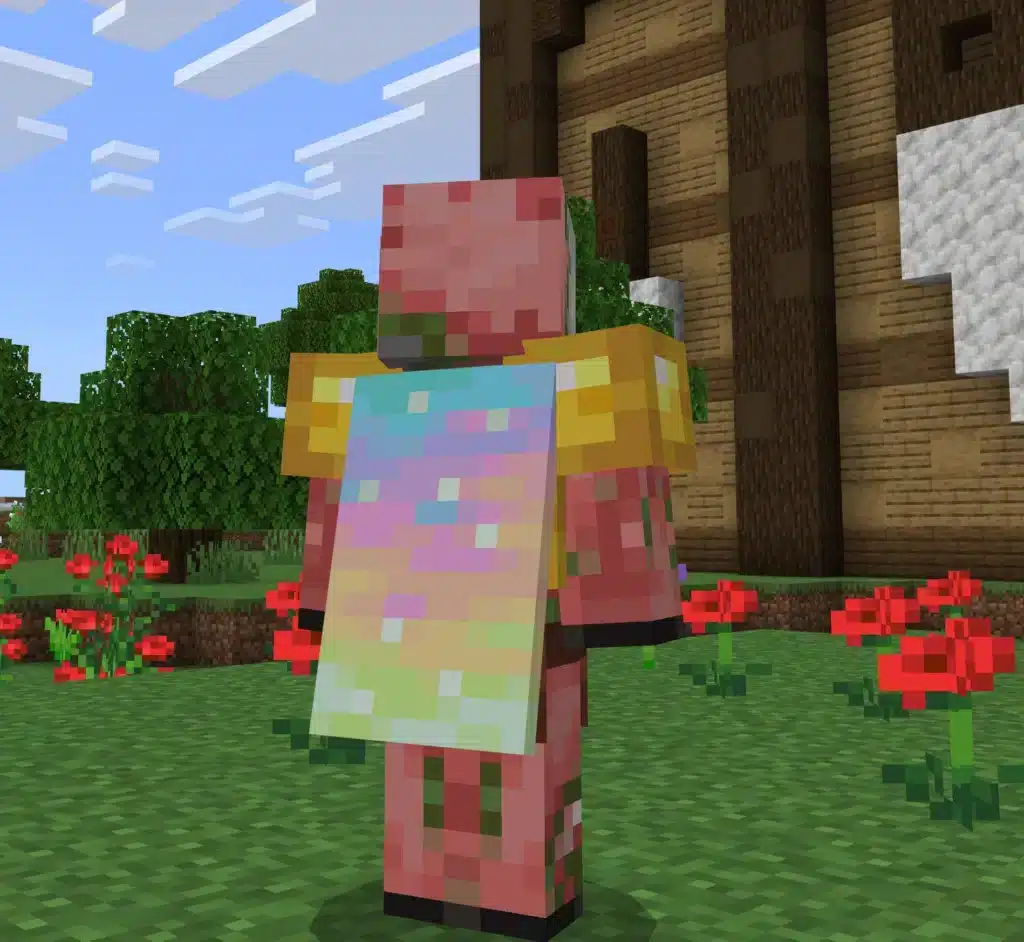
The Aurora Cape Minecraft design has a flowing northern lights look that stands out in a crowd. It pairs well with dark armor skins and night-time builds.
It also appears in third person and in the Cape menu preview, so you can confirm it before logging into a server.
Why Does Connection Quality Matter While You Collect Rewards?
Collecting the Aurora Cape Minecraft reward is easy, but showing it off on servers is where lag can ruin the fun. Rubberbanding, delayed block breaking and sudden disconnects make multiplayer feel rough.
If you often see spikes, read this guide on how to fix high ping in Minecraft and test your line. Furthermore, the walkthrough on how to fix lag in Minecraft covers in-game settings that help too.
Quick Fixes Before You Join A Server
Try these simple checks first:
- Use a cable instead of Wi-Fi whenever you can.
- Close apps that eat bandwidth, such as downloads and cloud sync.
- Pick a server close to your region.
- Restart your router if your ping keeps climbing.
What If Your Ping Keeps Jumping?
Unstable ping is often a jitter problem, not just a high number. In that case, how to fix jitter in Minecraft explains how to smooth out those swings.
Meanwhile, a short ping test before big events helps you spot trouble early.
How Can ExitLag Help You Play Minecraft Without Lag?
ExitLag is not a VPN. It is a game connection optimizer that checks multiple network routes in real time and picks the fastest, most stable one between you and the game server. It does not encrypt your traffic or mask your IP.
It supports 4,000+ titles on PC and mobile, with 1,500+ servers in 190+ countries, and 30M+ users rely on it. For Minecraft, that means steadier connections on multiplayer servers where you actually wear your new cape.
Which ExitLag Features Matter Most For Minecraft?
- Multipath Technology: Sends packets through several routes at once, so if one path fails, the others keep you connected.
- Real-time Optimization: Reduces delay and packet loss for smoother block placement and combat.
- Multi-Internet: Uses up to 4 connections, so a drop on one line does not kick you out.
- PC Boost: Cleans RAM and trims background processes for better FPS.
How Do You Start With ExitLag?
Setup takes only a few minutes:
- Install the app and sign in.
- Pick Minecraft from the game list.
- Let the AI choose the best route, or customize it manually.
- Launch the game and join your server.
Do not run it alongside a VPN, because that reduces its effectiveness. Ready to play smoother? Grab ExitLag Download for PC, or get ExitLag for Android or ExitLag for iOS for mobile play.
Final Thoughts On The Aurora Cape Minecraft Drop
The Aurora Cape Minecraft reward is free, simple and time limited. Watch a qualifying live stream, claim your code, redeem it on the official page and equip it.
Act before the Aurora Cape Minecraft drop ends on October 14 and redeem before October 31. Then jump into a server with a stable connection and show off your new look.
All game images used in this blog post belong to Mojang Studios and Microsoft. They are used for informational and educational purposes only and do not imply endorsement or affiliation with the rights holders.
Got questions or want to connect with other players? Join the conversation at the ExitLag Forum!