
FiveM is a multiplayer modification for Grand Theft Auto V that lets players join custom servers and enjoy unique gameplay. Unlike standard GTA V online, it provides more flexibility and creative freedom. Using a FiveM mod can enhance this experience by adding new features tailored to your play style.
The FiveM community is driven by creativity and personalization. Players constantly look for ways to customize maps, vehicles, and scripts. Installing a FiveM mod allows gamers to safely introduce these elements, making every session more engaging and unique.
From new vehicles to custom scripts and enhanced visuals, a FiveM mod opens endless possibilities. This continuous innovation keeps the game fresh and ensures that each server can offer a distinct and exciting experience.
What Are Mods in FiveM?

Mods have been a staple of the GTA V experience for years, allowing players to customize gameplay, visuals, and mechanics. However, FiveM mods differ from standard GTA V mods because they are designed specifically for multiplayer servers.
While regular GTA V mods often affect only single-player mode, GTA 5 FiveM mods must be compatible with server rules and other players’ experiences to prevent conflicts and crashes.
Using a Grand Theft Auto Five mod in FiveM can range from aesthetic enhancements to functional scripts that change the way you interact with the game world. This distinction is important because client-side mods and server-side mods have different purposes and installation requirements.
Types of FiveM Mods
There are several categories of FiveM mods commonly used in servers and personal gameplay:
- Visual mods: Improve textures, lighting, and overall graphics;
- Vehicle mods: Add new cars, bikes, or custom vehicle handling scripts;
- Scripts and game mechanics: Introduce jobs, custom missions, or HUD elements;
- Clothing and character mods: Customize player appearance with unique outfits;
- Map and environment mods: Expand the world with new locations or interactive elements.
Key Differences Between GTA V and FiveM Mods
Understanding how GTA 5 FiveM mods differ from single-player mods helps avoid conflicts:
- FiveM mods must not interfere with server stability;
- Some mods are strictly server-side, affecting all players, while others are client-side for personal use;
- Multiplayer compatibility is essential to prevent bans or errors.
By selecting the right FiveM mods, players can enhance their GTA V multiplayer experience safely, creating unique gameplay that stands out from the standard online mode.
How to Install Mods on FiveM

Many players wonder how to get mods on FiveM safely without risking errors or server conflicts. Installing mods correctly depends on whether you are setting them up for a personal experience or managing a custom server. Understanding these two approaches ensures that your FiveM mods run smoothly.
Installing Server-Side Mods
Server-side mods are designed for server owners who want to provide unique content to all players. These GTA 5 FiveM mods are stored on the server’s resource folder, which automatically synchronizes with clients when they join. Examples include roleplay scripts, economy systems, or custom maps.
To install them:
- Download the FiveM mod resource package from a trusted website;
- Place the extracted files into the resources folder of your server directory;
- Edit your server.cfg file to include the mod;
- Restart your server to apply changes.
This setup ensures that every player joining the server experiences the new content seamlessly.
Installing Client-Side Mods
Client-side mods are personal additions like custom HUDs, textures, or character skins. If you are asking how to add mods to FiveM, this is the method you’ll use. Unlike server-side files, these are placed in your PC’s FiveM application data folder.
Steps to install client-side mods:
- Locate the FiveM application data folder on your PC;
- Create a mods or plugins folder if it doesn’t exist;
- Copy the downloaded grand theft auto five mod files into the folder;
- Launch FiveM, select your server, and the mods should load automatically.
Keep in mind that not all servers allow client-side mods, so always check server rules before using them.
Installing FiveM Mods
To better visualize the process, here is a step-by-step video tutorial:
Where to Find Safe FiveM Mods
One of the most common questions from players is where to download FiveM mods safely. Since mods are developed by the community, choosing the right platforms is essential to avoid corrupted files, malware, or compatibility issues. Reliable sources ensure that your GTA 5 FiveM mods run smoothly without putting your game or system at risk.
Trusted Platforms for FiveM Mods
There are several well-known platforms where you can safely download grand theft auto five mod packages:
| Platform | Type of Mods | Direct Link |
| FiveM.net | Official resources, scripts. | fivem.net |
| FiveMods.io | Vehicles, skins, scripts. | fivemods.io |
| GTA5-Mods.com | Visuals, maps, roleplay. | gta5-mods.com |
These sites are widely used by the community and regularly updated, making them safe options for downloading FiveM mods.
Safety Tips Before Downloading Mods
When learning how to get mods on FiveM, security should always be the top priority. Here are key tips to follow:
- Check reputation: Always read user reviews and ratings;
- Verify dates: Updated mods are less likely to cause compatibility issues;
- Scan files: Use antivirus software before installing any FiveM mod;
- Check comments: Community feedback often highlights bugs or hidden problems;
- Use trusted links: Avoid mods shared in random forums or unofficial Discord servers.
By sticking to these practices, you’ll minimize risks and keep your GTA V FiveM mods stable and secure.
How to Remove or Verify Installed Mods
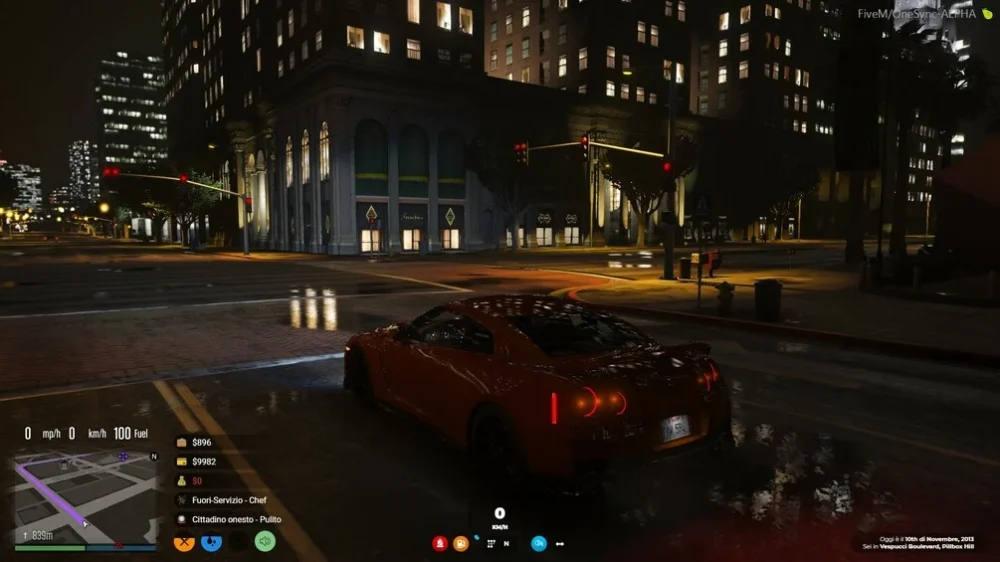
Managing your mods correctly is essential to keep FiveM stable. Many players wonder how to see FiveM mods after installation or how to delete them when they cause issues. The process is straightforward once you know where the files are located.
How to Find Where FiveM Mods Are Installed
By default, mods are stored inside the FiveM application data folder on your PC. If you’re asking how to find where FiveM mods are installed, here’s the common path:
C:\Users\[YourUsername]\AppData\Local\FiveM\FiveM Application Data\mods
Within this folder, you can check every installed FiveM mod. Organizing them by category (such as textures, scripts, or vehicles) can make troubleshooting easier. This location is also useful if you want to back up your favorite GTA 5 FiveM mods before making changes.
How to Remove or Verify Mods Safely
Sometimes a grand theft auto five mod may conflict with another or cause crashes. In these cases, removing or verifying mods is crucial. To do this:
- Open the FiveM application data folder;
- Navigate to the mods or plugins directory;
- Identify suspicious or recently added files;
- Delete or move them to a backup folder outside the FiveM directory;
- Restart FiveM to check if the issue is resolved.
If you’re unsure which mod is causing the conflict, try disabling them one by one until the game runs normally.
Compatibility and Conflict Issues
Even safe FiveM mods can create problems if they overlap. For example:
- Two vehicle handling mods might overwrite each other;
- Old mods may not be compatible with the latest FiveM updates;
- Scripts designed for single-player GTA V may not work properly in GTA V FiveM mods.
Keeping your mods updated and downloading only from trusted platforms helps minimize these conflicts.
What Happens When You Uninstall FiveM?
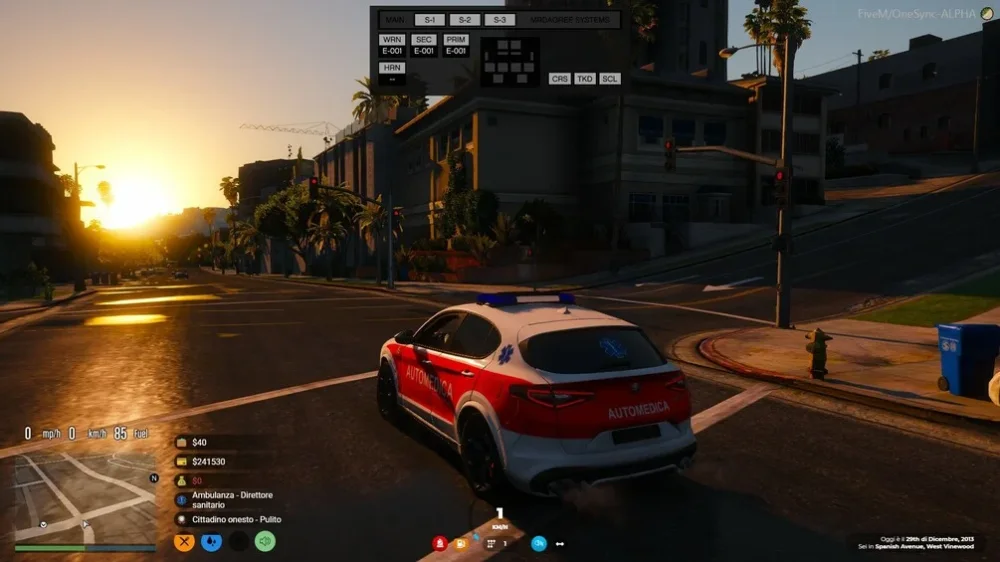
A common concern among players is will uninstalling FiveM remove mods from their system. The short answer is no. While uninstalling removes the FiveM client itself, the local mod folders often remain on your PC unless you manually delete them. This means your FiveM mods may still be present after reinstallation.
Local Files That Remain After Uninstall
When you uninstall FiveM, certain directories such as the Application Data folder are not always removed automatically. These can include:
- Custom scripts from GTA 5 FiveM mods;
- Texture and vehicle packs;
- Saved configurations for servers and plugins.
For players using a grand theft auto five mod, it’s important to know these files might linger, especially if you plan to perform a clean reinstall.
Backup and Clean Reinstallation Tips
If you want to preserve your FiveM mods but still refresh the client, consider making a backup:
- Go to your FiveM application data folder;
- Copy the mods and plugins directories to another location;
- Uninstall FiveM normally;
- Delete any leftover files to ensure a clean setup;
- Reinstall FiveM and move your GTA V FiveM mods back into the appropriate folders.
This approach guarantees stability and helps avoid conflicts between outdated mods and the latest client updates. Keeping backups also ensures you don’t lose your favorite customizations during the process.
FAQ
To install mods, place files in the FiveM application data folder. For server-side mods, upload them to the resources folder and update your server.cfg. Client-side mods, such as skins or HUDs, go into the mods or plugins folder on your PC.
Default location: C:\Users\[YourUsername]\AppData\Local\FiveM\FiveM Application Data\mods;
Server-side mods are stored in the server’s resources folder;
Always back up before making changes.
No. Uninstalling removes the client but usually leaves the mods folder untouched. To perform a clean reinstall, you must manually delete the remaining files.
Some single-player GTA V mods work, but not all. GTA 5 FiveM mods must be compatible with multiplayer and server rules. Always verify before installing.
Is there a difference between client-side and server-side mods?
Yes:
Client-side mods affect only your personal game (HUDs, skins, textures);
Server-side mods apply to all players connected to a server (scripts, jobs, maps).
Optimize Your FiveM Mods Experience with ExitLag
A FiveM mod can transform your GTA V gameplay, but performance depends on stable connections. Custom servers often use global routes, which can create lag, high ping, or connection drops.
ExitLag helps by optimizing your connection path, reducing latency, and ensuring smoother gameplay in multiplayer sessions.
Try ExitLag and enjoy your mods on FiveM without connection issues.



