
Every Rainbow Six Lag Siege player knows the pain of losing a round due to connection problems. You are planning your strategy, coordinating with your team, and suddenly your screen freezes or commands delay. This lag makes your precise actions feel unpredictable and ruins your tactical advantage.
Understanding Rainbow Six Lag is essential for competitive play. Lag is the delay between your input and the game’s response, which can appear as stuttering, delayed movement, or missed shots. Even players with fast internet and high-end PCs experience lag if their connection is not optimized.
Moreover, fortunately, there are effective ways to solve this problem and enjoy a smooth, responsive experience.
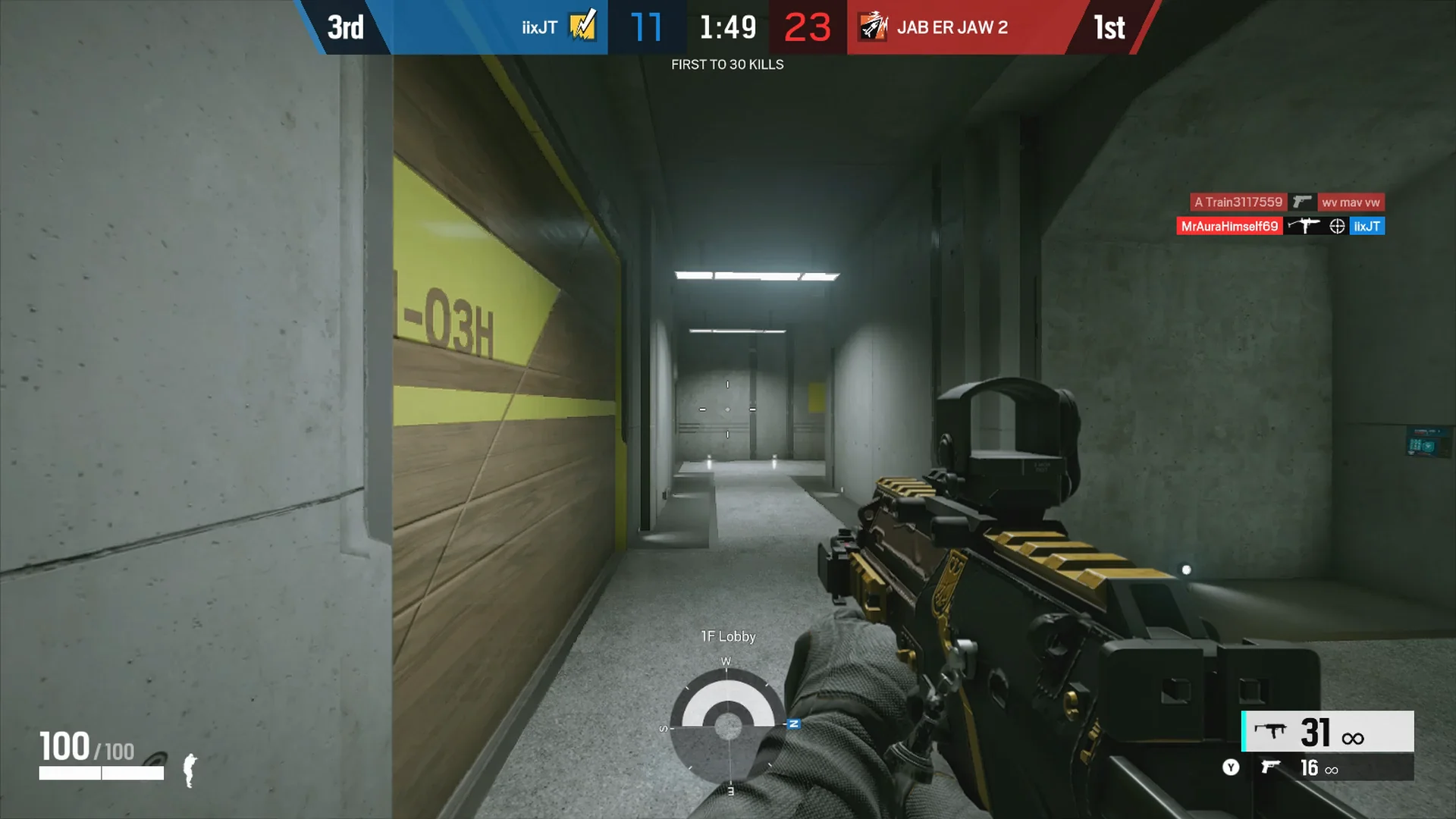
What is lag in Rainbow Six?
Before diving into solutions, it is important to understand what causes lag in Rainbow Six Siege. Lag occurs when your actions take longer to register with the game servers. It can be caused by slow internet, network instability, packet loss, or poor routing.
As well as, lag is different from FPS issues, which affect your graphics performance, and ping, which measures the round-trip time of your data. Knowing the difference helps you focus on the right solution and prevents unnecessary upgrades to hardware that may not fix connection issues.
In competitive Rainbow Six Siege, every millisecond counts. Therefore, addressing Rainbow Six Lag is crucial to maintain your tactical advantage and play at your best level.
Common causes of lag in Rainbow Six
Several factors can lead to lag, stuttering, and delayed commands in Rainbow Six Siege. Understanding these causes helps you diagnose and fix the problem effectively.
Internet Connection Route
Your ISP automatically chooses the route your data takes to reach Rainbow Six servers. Sometimes these routes are inefficient, causing unnecessary delays and latency spikes.
Packet Loss and Network Congestion
When data packets fail to reach their destination or arrive late, packet loss occurs. This leads to micro-freezes, rubber-banding, and delayed inputs, especially during peak internet usage.
Server Distance
The physical distance between your location and the Rainbow Six server can significantly affect latency. Even with a fast internet connection, long distances cause higher ping and delayed response times.
Unstable Internet Providers
Some ISPs provide fast speeds but unstable routing. During high traffic periods, your connection may be rerouted inefficiently, causing inconsistent gameplay.
Understanding lag, ping, and FPS
Many players confuse lag, ping, and FPS. Here is a simple explanation to clarify the differences and their impact on your Rainbow Six experience:
| Term | Definition | Main Cause | Effect on Gameplay |
| Lag | Delay between action and response | Network instability | Slow reaction, missed inputs |
| Ping | Time for data to travel to server and back | Distance and routing | High ping causes delayed responses |
| FPS | Frames per second | Hardware performance | Low FPS causes choppy visuals |
Understanding this distinction is critical. Often players try to upgrade their computer to fix lag, but the real issue is network-related. Proper optimization can significantly improve responsiveness.
Why Rainbow Six lag happens even with good internet
Even with high-speed internet, Rainbow Six Siege players often experience lag. This is because your provider may use inefficient or congested routes to the servers.
Think of your data like a delivery truck. A fast truck does not guarantee quick delivery if it must travel through traffic jams and detours. Similarly, your data packets might take longer paths to the server, increasing latency and causing packet loss.
Like this, even during peak hours or when playing in high-intensity matches, these routing inefficiencies can cause delayed responses and stuttering. Without proper optimization, you may experience instability despite having a solid internet connection.
ExitLag: The solution to Rainbow Six lag
What if you could choose the fastest and most stable route for your connection to the Rainbow Six servers? This is exactly what ExitLag offers.
Moreover, ExitLag is a connection optimization software specifically designed for gamers. It uses multi-route technology and intelligent tunneling to find the optimal paths for your data, reducing ping, eliminating packet loss, and providing smoother gameplay.
Unlike VPNs or other ping boosters, ExitLag continuously monitors your connection and adjusts routes in real time. This ensures that your data always travels through the fastest and most stable path available.
Benefits of ExitLag for Rainbow Six players
Using ExitLag for Rainbow Six Siege provides immediate and noticeable improvements. Here are the key benefits:
Lower and Stable Ping
ExitLag optimizes your data path to the server, ensuring minimal latency and stable ping. Commands are registered instantly, improving accuracy and reaction time.
Reduced Packet Loss and Stuttering
By keeping your packets flowing efficiently, ExitLag prevents freezes, rubber-banding, and delayed actions during critical moments.
Better Performance in Competitive Matches
For ranked or tournament play, every millisecond matters. ExitLag ensures your connection remains stable even during intense matches, giving you a competitive edge.
Easy Setup and Use
ExitLag is simple to install and configure. You can select Rainbow Six Siege from the game list and apply routes with a single click.
Works During ISP Congestion
Even if your provider experiences traffic spikes, ExitLag maintains a smooth connection by routing your data through optimized paths.
How to use ExitLag in Rainbow Six Siege
The process is extremely simple:
Step 1 – Access the official ExitLag website and download the application. There’s a free trial period for new users.
Step 2 – Install and open the program. Log in with your account.
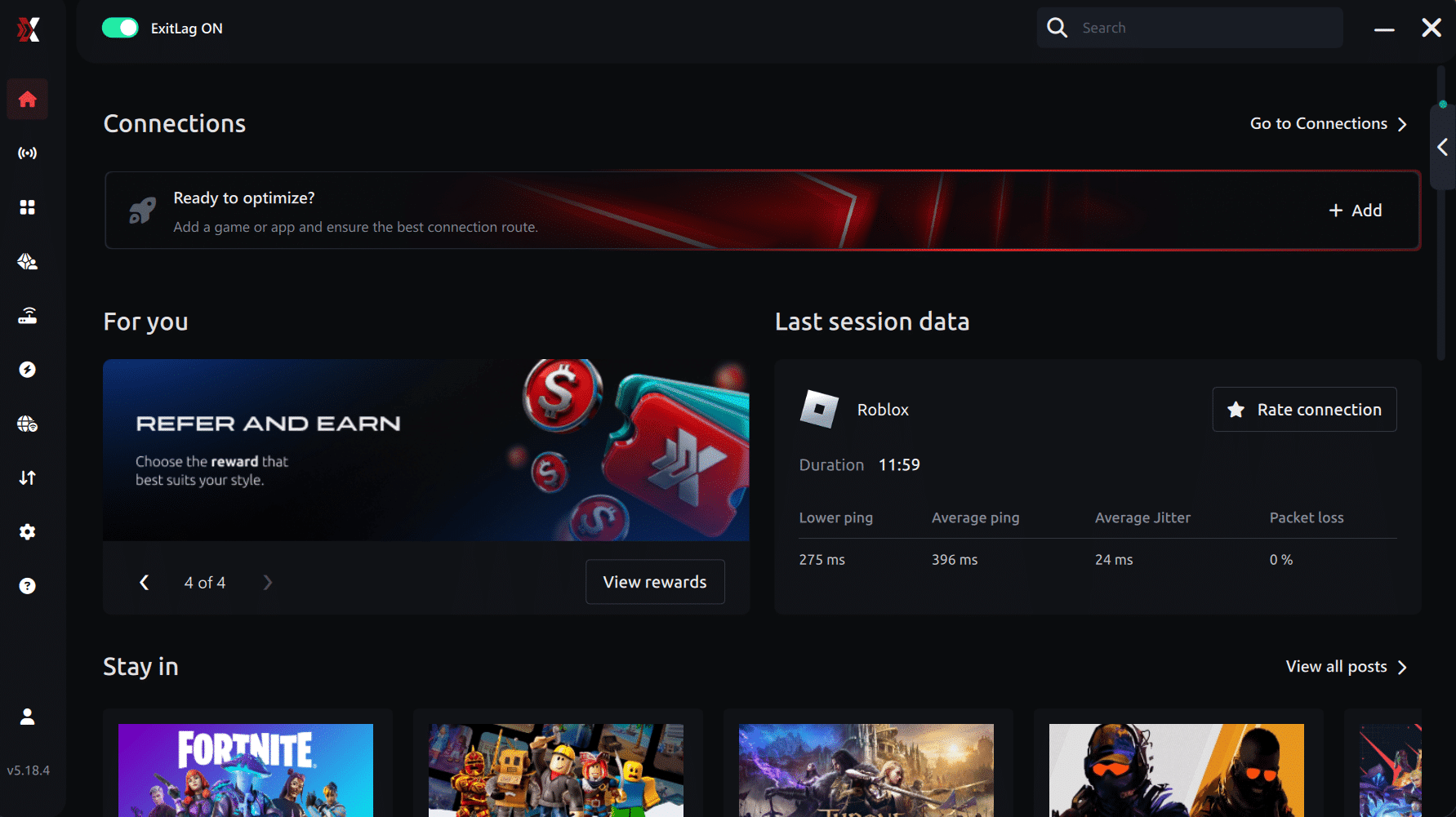
Step 3 – In the search bar, type “Rainbow Six Siege” and select the game from the list.
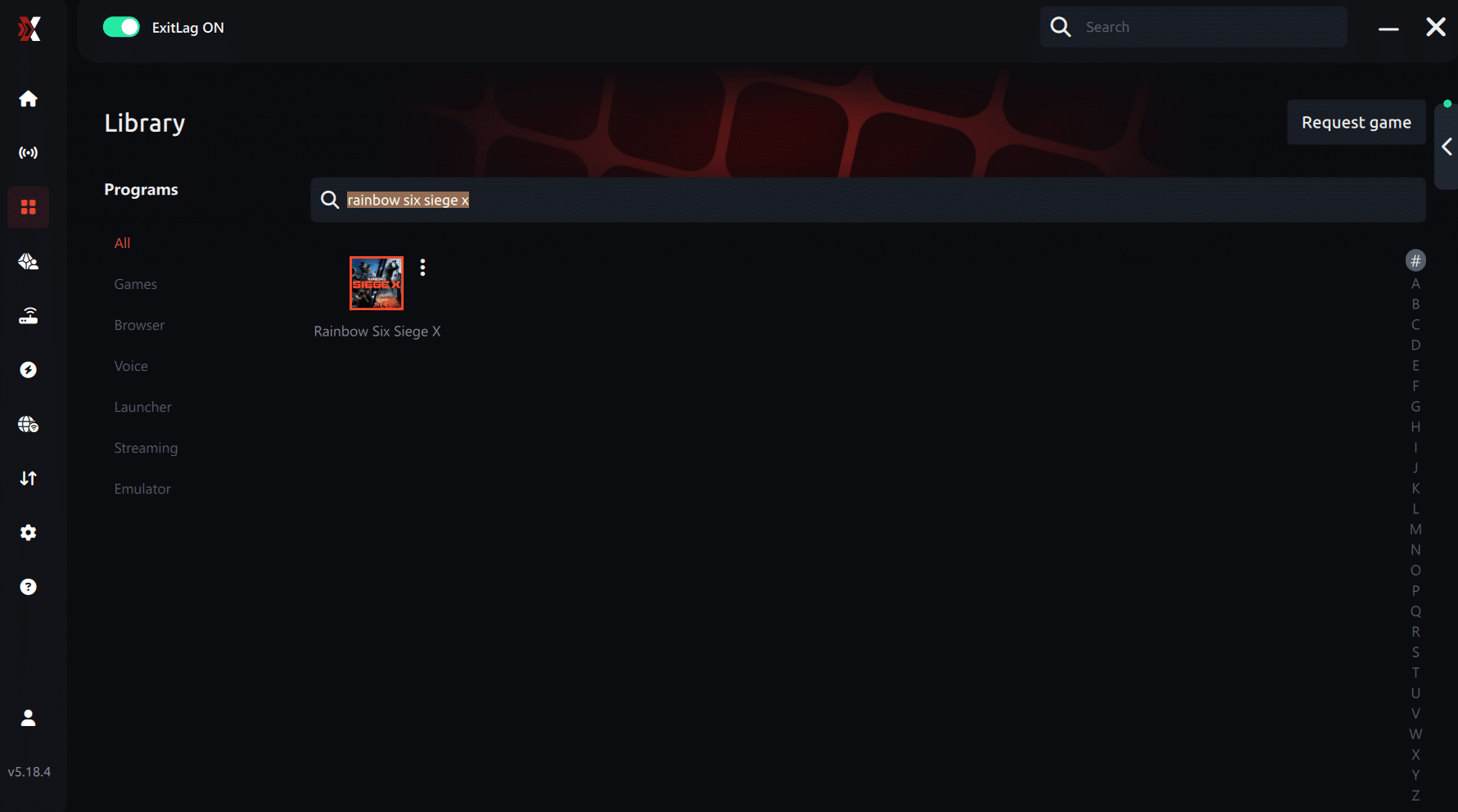
Step 4 – Choose between automated or manual route
Based on the results, you can let ExitLag automatically select the best route or manually choose the server that showed the lowest latency for your connection.
AI-optimized automated route
Based on the results, you can let ExitLag automatically select the best route through AI optimization. The system analyzes multiple connection paths in real time and automatically identifies the most efficient route for your connection, ensuring the lowest possible latency without requiring manual choices.
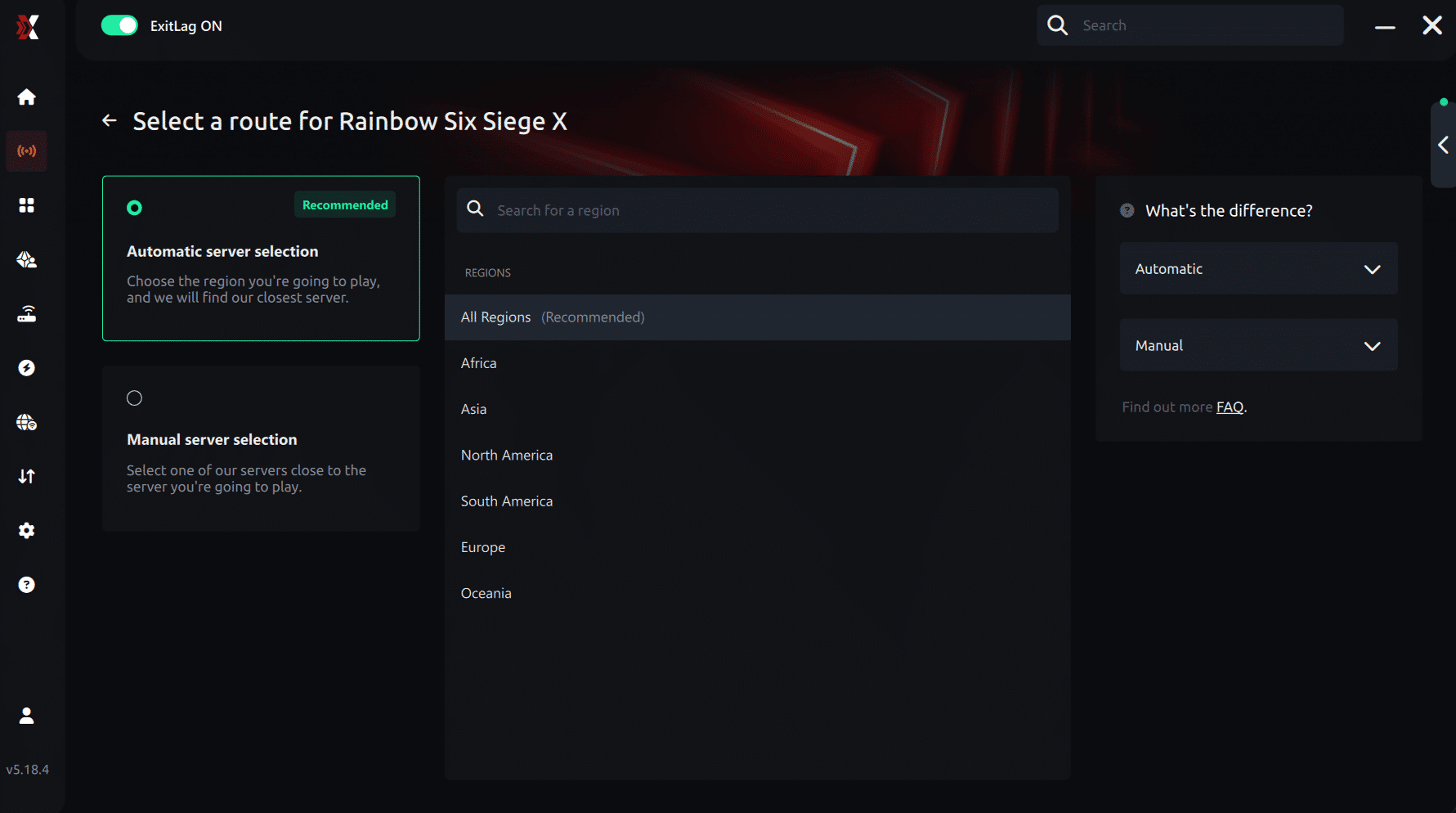
Manual route
If you prefer to have full control over your connection, you can manually choose the server based on the ping test results. Simply select the server that showed the lowest latency or the one that best meets your specific gaming needs, allowing complete customization of your experience.
Step 5 – Click “Apply routes” or the play button. ExitLag will begin optimizing your connection automatically.
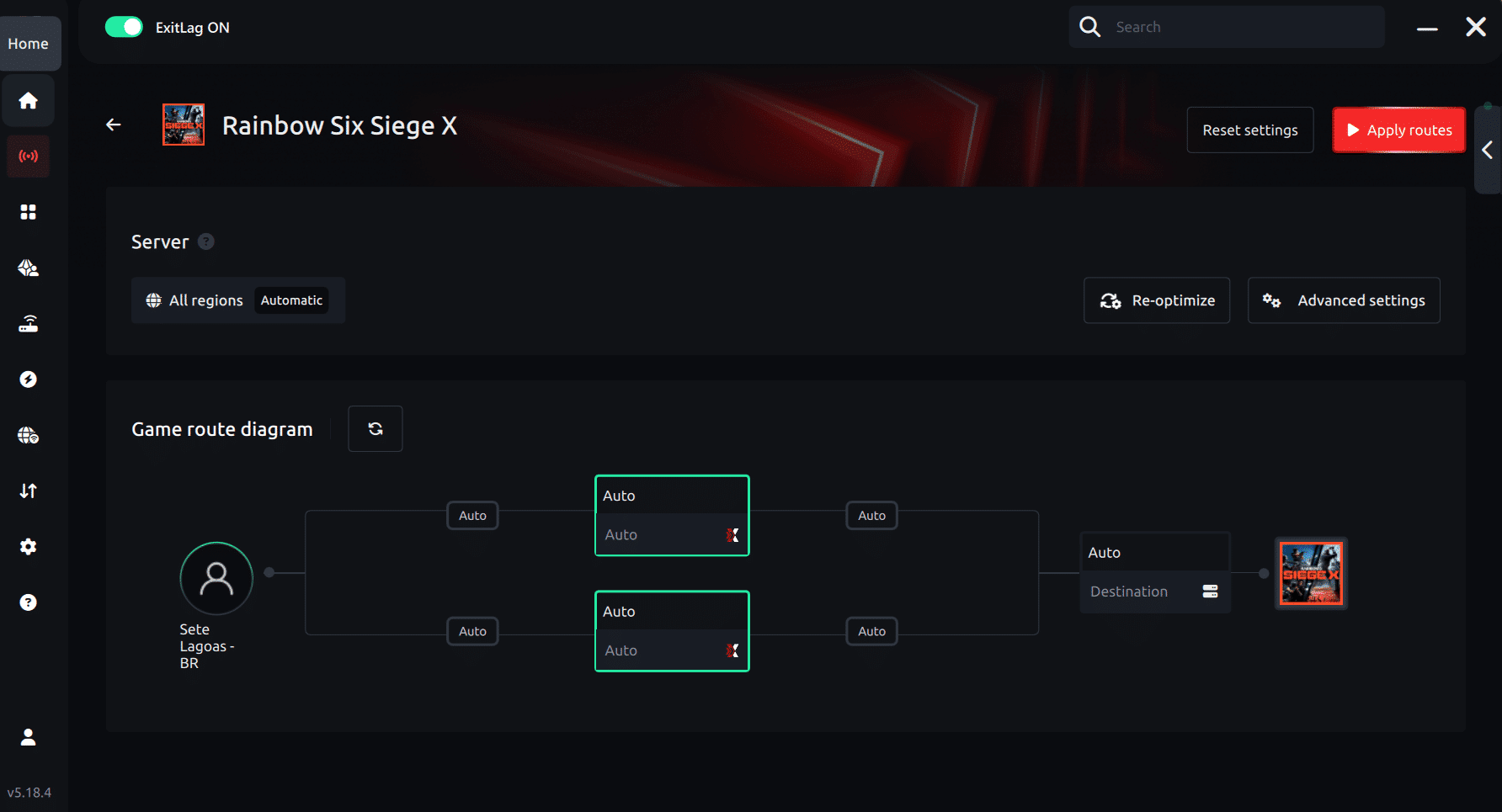
Step 6 – Wait a few seconds until optimization is complete. You’ll see ping indicators in the interface.
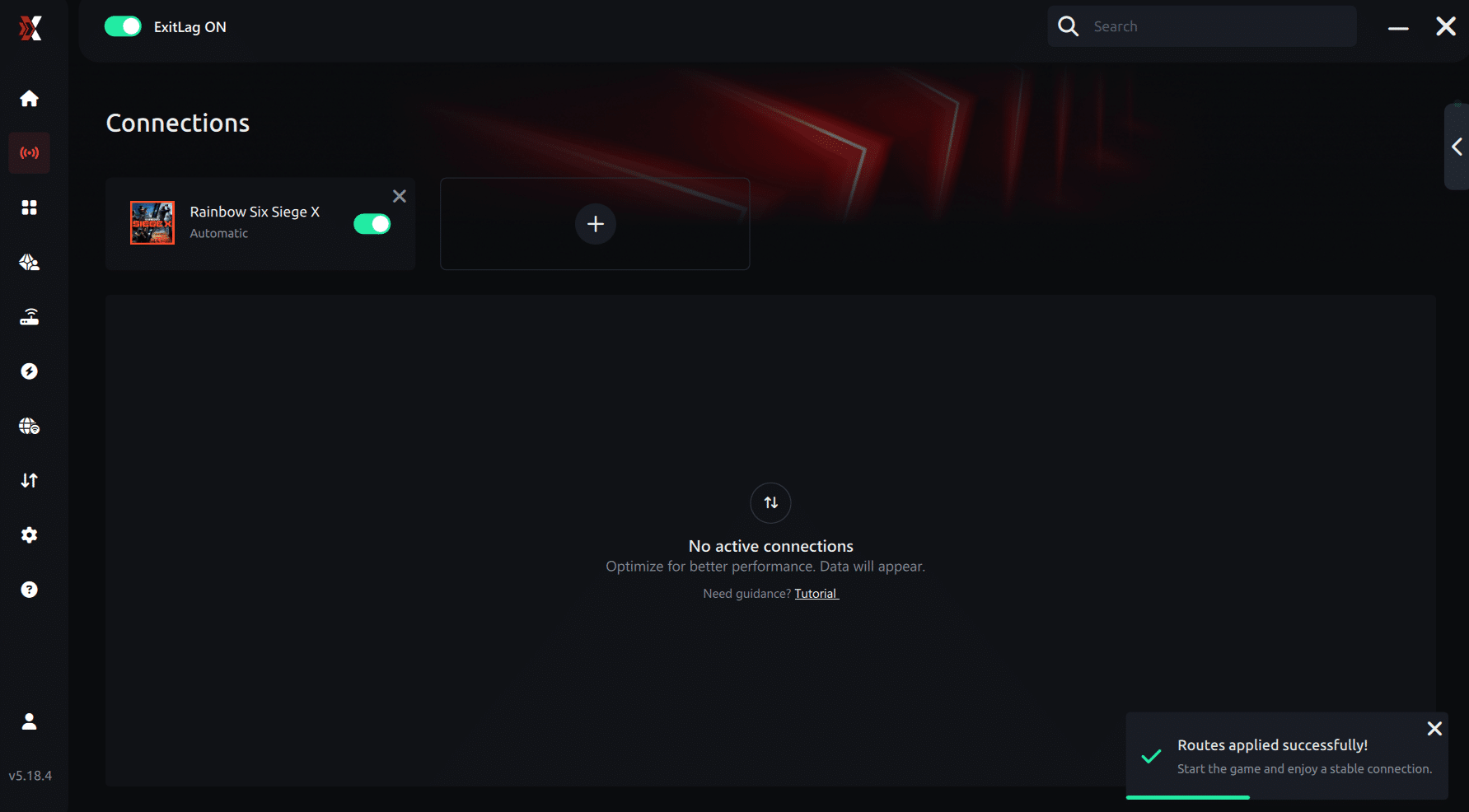
Step 7 – Launch Rainbow Six Siege normally. The optimization will already be active.
ExitLag runs in the background while you play, constantly adjusting routes to maintain the best possible performance.
How to use Ping for Games: step-by-step guide (Rainbow Six Siege)
Checking your connection quality before entering a match has never been easier. Here’s how to use Ping for Games in just a few steps:
1. Open the ExitLag software on your PC
Ensure the application is installed and open. The feature is integrated into the platform and available for free to all users.
2. Access the Network Analyzer tool
Locate the Network Analyzer in the software menu. This is where you’ll find Ping for Games along with other connection analysis features.
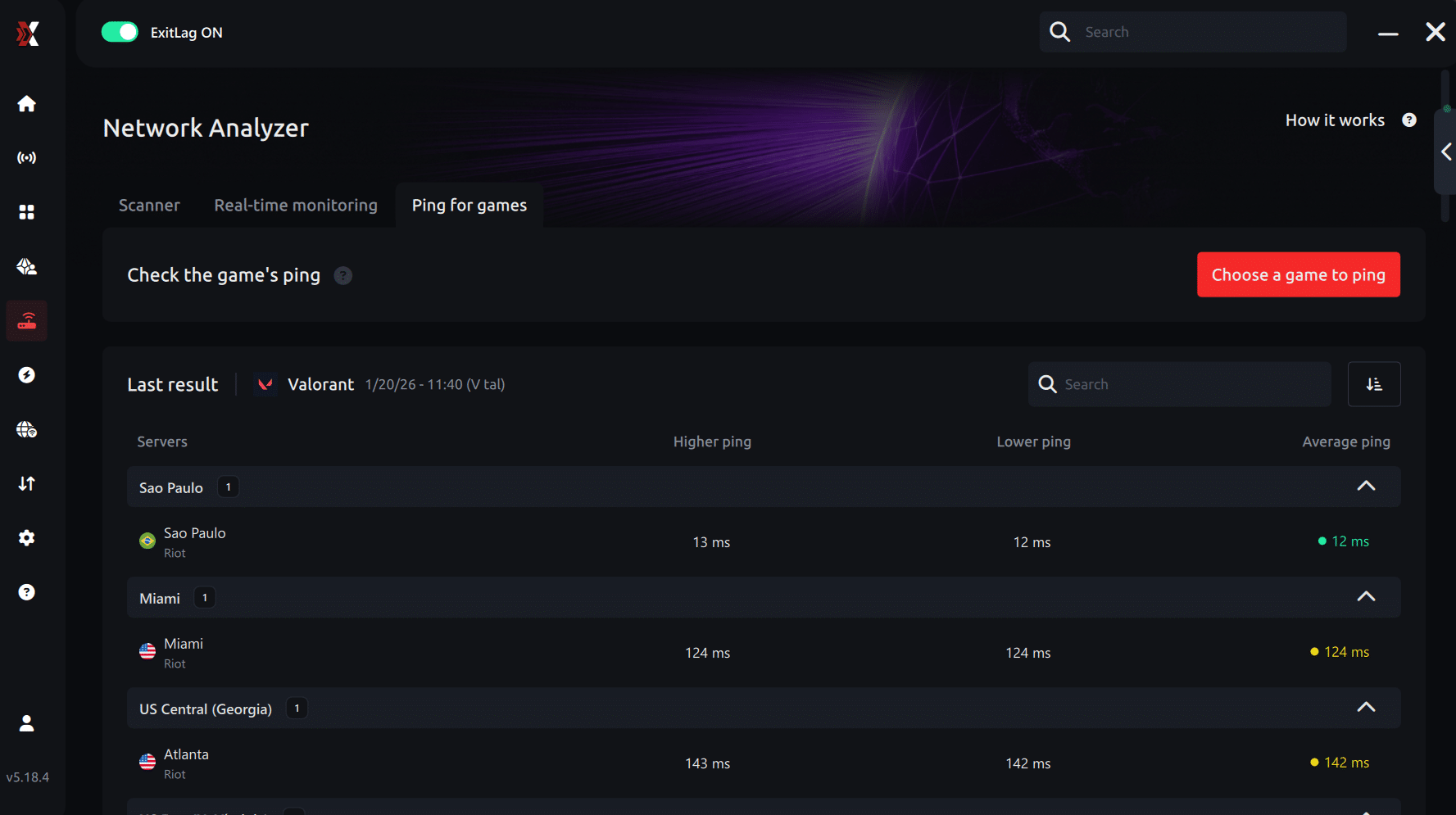
3. Select the game you want to test
Choose Rainbow Six Siege from the list. The tool supports major online multiplayer games, including FPS, Battle Royales, MOBAs, MMORPGs, and more.
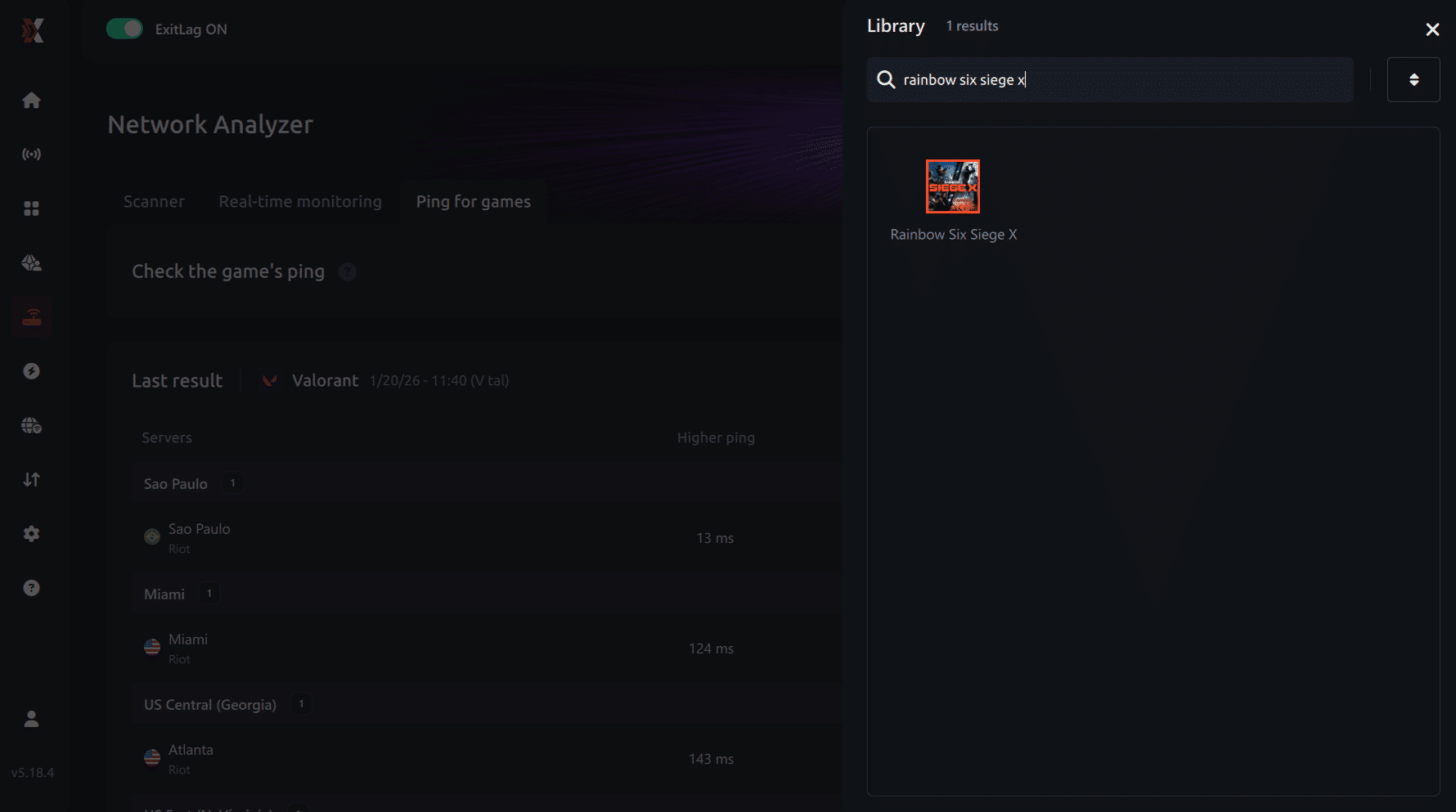
4. Choose the specific server
Select the exact Rainbow Six Siege server you want to test instead of a generic region. This ensures more accurate results for your match.
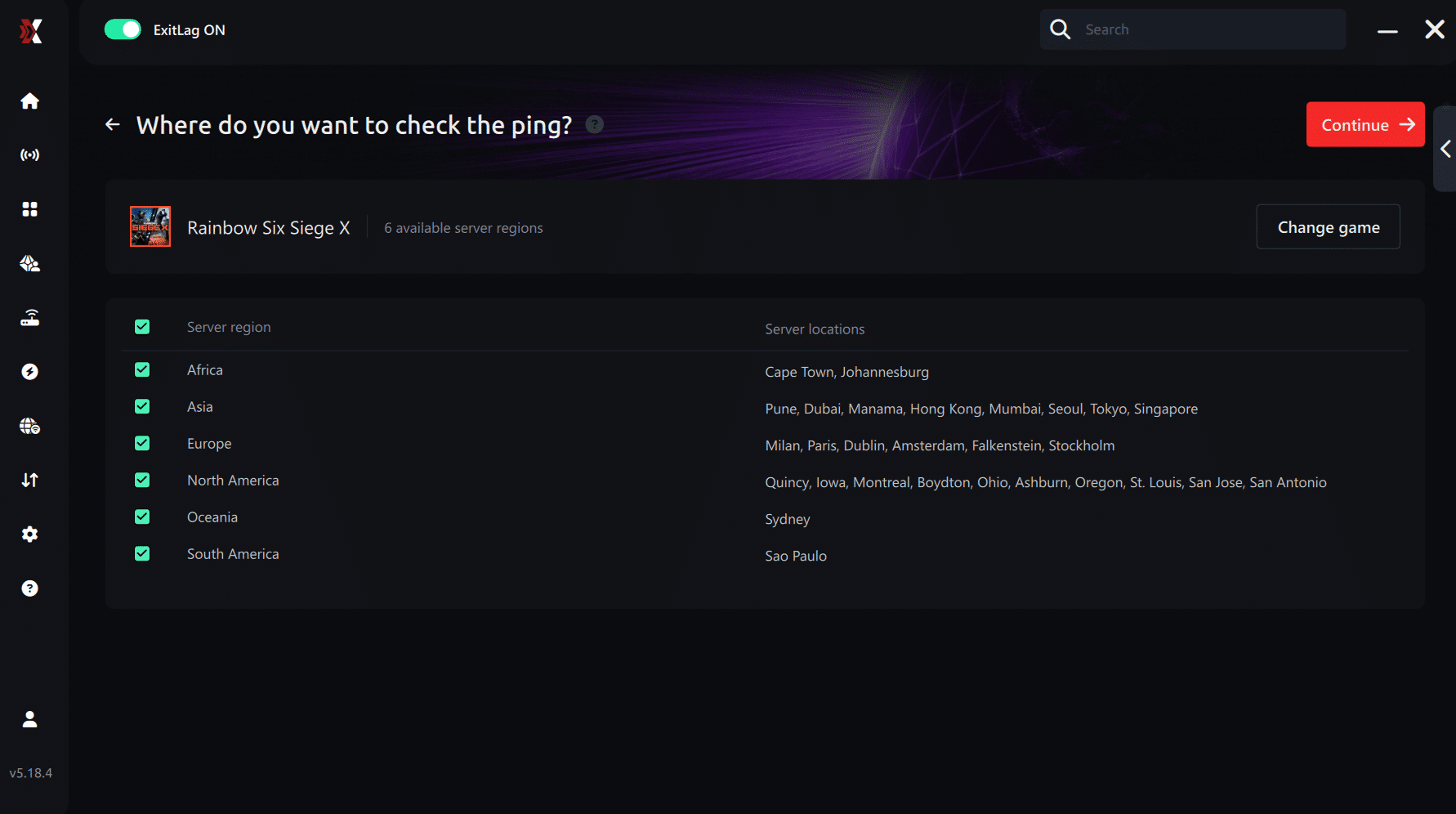
5. Start the ping test
With one click, the measurement is performed in real time between your device and the selected Rainbow Six Siege server, considering your current connection (cable or Wi-Fi).
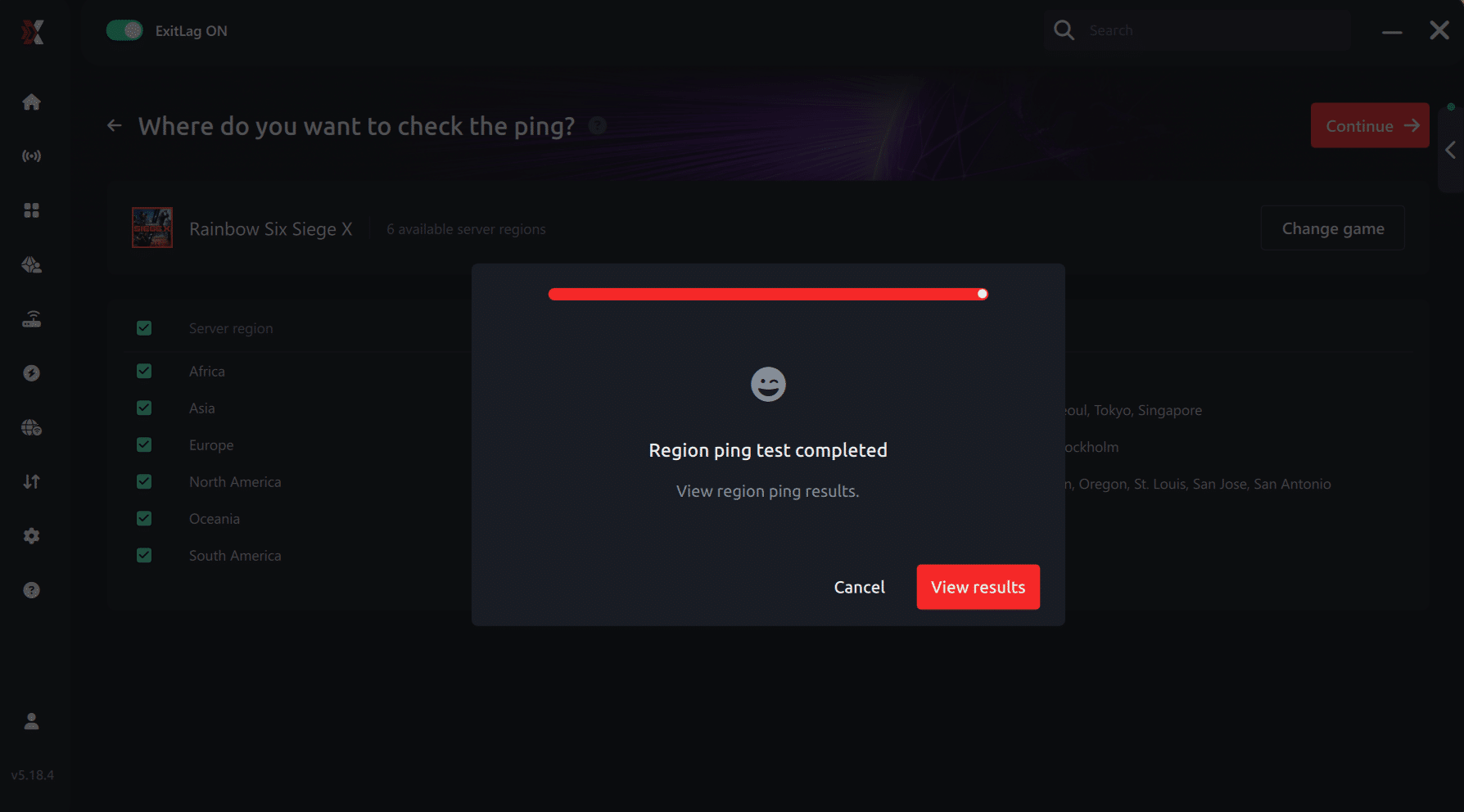
6. Analyze the results
Results appear in milliseconds (ms), automatically sorted from best to worst ping. You can also reorganize the view alphabetically if you prefer.
7. Choose the best server and play worry-free
With this information, simply select the server with the lowest latency and jump into Rainbow Six Siege knowing your connection is optimized.
Final thoughts: Play Rainbow Six Siege without lag forever
At the end of the day, Rainbow Six Siege lag should never decide your matches. You spend time mastering your aim, reflexes, and strategy your internet connection should never be the reason you lose.
With ExitLag, you finally take control of your network performance. The software finds the fastest routes, eliminates lag, and stabilizes your ping so that every shot, every breach, and every clutch happens exactly when you want it to.
Try ExitLag for free right now and experience how smooth Rainbow Six Siege can be when your connection is fully optimized. Play with confidence, reach your full potential, and make lag a thing of the past.
Real-World example: ExitLag performance
Consider two players with the same internet provider.
| Player | Connection Setup | Average Ping | Game Stability |
| Player A | Regular ISP route | 120 ms with spikes up to 200 ms | Frequent lag, delayed actions |
| Player B | Optimized with ExitLag | 45 ms stable | Smooth gameplay, no packet loss |
This example illustrates how the same internet speed can perform very differently depending on route optimization. ExitLag ensures that your connection always takes the fastest path, giving you a tactical advantage in Rainbow Six Siege.

Additional tips to minimize lag in Rainbow Six
In addition to using ExitLag, these practices help further reduce lag and improve performance:
- Use a wired Ethernet connection instead of Wi-Fi.
- Close background applications consuming bandwidth.
- Choose the correct server region in Rainbow Six Siege settings.
- Keep your PC drivers and operating system updated.
- Enable Game Mode on Windows for better resource allocation.
Combining these practices with ExitLag guarantees the best possible gaming experience.
Play Rainbow Six without lag
At the end of the day, lag should never dictate your performance. Your skill and strategy should be the deciding factor in every match.
With ExitLag, you control your connection, reduce ping, eliminate packet loss, and enjoy smooth, responsive gameplay. No more delays, stuttering, or interrupted rounds.
Try ExitLag now and experience Rainbow Six Siege the way it was meant to be played: fast, precise, and stable, free from Rainbow Six Lag. Your competitive edge is just a few clicks away.



