The First Descendant has captured the attention of looter-shooter fans with its sci-fi aesthetic, fast-paced gunplay, and cooperative gameplay. But for many players, performance issues like lag, stuttering, and FPS drops are turning an otherwise exciting experience into a frustrating one.
Whether you're grinding for rare mods or pushing through chaotic boss fights, technical problems can ruin your momentum. For an in-depth overview of missions, characters, and progression systems, check out The First Descendant complete guide — it offers valuable insights to complement this optimization tutorial.
This guide will walk you through every possible fix and tweak to ensure you enjoy smooth, responsive gameplay in The First Descendant.
What is The First Descendant?

The First Descendant is a free-to-play third-person looter-shooter developed by Nexon Games. The game blends PvE combat with RPG mechanics, letting players collect characters, grind gear, and take on massive bosses in cooperative missions. Set in a post-apocalyptic sci-fi world, you play as a "Descendant," humanity's last hope against invading alien forces.
Available on PC, PS5, and Xbox Series X|S, the game features high-fidelity graphics and fast-paced combat—elements that can easily strain performance on lower-end systems. Versions for PS4 and Xbox One were initially available but are now considered discontinued and are not recommended.
If you want to explore everything directly from the creators, you can visit The First Descendant’s official website for news, developer updates, and download options.
How ExitLag Helps With The First Descendant
ExitLag optimizes your connection by reducing ping, avoiding routing congestion, and stabilizing packet transmission. If your issues are network-related—like rubberbanding, lag spikes, or disconnections—ExitLag can significantly improve your online experience in The First Descendant by providing multi-path connection routing tailored to your region and server. The software is especially helpful during high server load periods, where standard ISP routing may introduce latency.
The First Descendant Lag: Understanding the Core Issues
Common Performance Complaints
Players across forums and Reddit threads have cited a range of issues:
- FPS drops in intense fights
- Lag spikes when matchmaking or loading into missions
- Rubberbanding during co-op sessions
- Poor performance on mid-range GPUs
- Stuttering when swapping weapons or abilities
- Audio desync during cinematic scenes
- Delayed UI responses when accessing inventory or menus
Platforms Most Affected
These issues are more frequently reported by PC players, especially those with aging hardware. Some reports from Reddit and forums also mention occasional lag spikes and stuttering on PS5 and Xbox Series X|S, particularly in multiplayer lobbies, though this may vary based on server load and individual network conditions. Players with inconsistent internet connections or outdated routers are particularly vulnerable to these interruptions.
If you’re unsure whether your system is the culprit, you can read more about why your PC is lagging and how to fix it — understanding the root cause of slow performance can help you fine-tune both your setup and in-game configuration for The First Descendant.
Essential System Requirements for The First Descendant

Minimum Specs
- CPU: Intel Core i5-3570 / AMD FX-8350
- GPU: NVIDIA GTX 1050Ti / AMD Radeon RX 560
- RAM: 8GB
- Storage: SSD with 50GB available
Recommended Specs
- CPU: Intel i7-7700K / AMD Ryzen 5 3600
- GPU: NVIDIA RTX 2060 / AMD RX 5700
- RAM: 16GB
- Storage: SSD with 50GB available
If your system barely meets the minimum, expect performance issues, especially in crowded areas or heavy combat. Always ensure Windows and your GPU drivers are updated to avoid known bugs or performance bottlenecks.
Optimize Your Graphics Settings
Best In-Game Settings for Low-End PCs
- Resolution: 1080p or lower
- Display Mode: Fullscreen
- V-Sync: Off
- Anti-Aliasing: FXAA
- Shadows: Low
- Textures: Medium
- Post Processing: Low
- Effects Quality: Low
Reducing visual fidelity can lead to a dramatic boost in FPS without compromising gameplay readability. Since the game uses Unreal Engine 5, it's worth noting that CPU/GPU bottlenecks can occur even on optimized presets due to the engine’s high-end rendering features. Players with entry-level GPUs may also benefit from setting a frame rate cap to ensure smoother pacing.
For those struggling with unstable connections despite hardware optimizations, this comprehensive guide on fixing high ping in games explains how latency works and offers actionable steps to stabilize your online sessions across multiple titles — including The First Descendant.
Boost FPS with NVIDIA/AMD Control Panel Tweaks
- Set power mode to “Maximum Performance”
- Enable image sharpening
- Turn off vertical sync at the GPU level
- Set texture filtering to performance mode
These tweaks help maintain frame pacing and reduce input delay in The First Descendant. Additionally, disabling hardware-accelerated GPU scheduling in Windows may benefit some older systems.
Network Lag Fixes for The First Descendant

Use a Wired Connection
Wi-Fi instability is one of the biggest culprits behind lag spikes. Always use Ethernet when playing online shooters like The First Descendant. This ensures a consistent connection and avoids interference from other wireless devices.
Close Background Apps
Programs like Chrome, Discord, or game launchers can consume bandwidth and CPU. Close unnecessary apps to free up resources. Also, disable Windows auto-updates during play sessions to avoid background download spikes.
Optimize Your Router Settings
- Enable QoS (Quality of Service) and prioritize gaming traffic
- Assign a static IP to your device
- Open NAT Type via port forwarding
- Use 5GHz Wi-Fi only if Ethernet is not an option
Use ExitLag
ExitLag routes your game traffic through the most efficient path, reducing ping and eliminating rubberbanding. This is especially useful if you’re experiencing The First Descendant lag spikes tied to server distance or unstable ISPs. Players from regions far from official servers have reported noticeable improvements in matchmaking speed and stability.
Fixing The First Descendant Stuttering and Frame Drops
Disable Windows Game Mode
Ironically, Windows Game Mode sometimes causes stuttering. Disable it via: Settings > Gaming > Game Mode → Turn off. This can help balance CPU usage more evenly across background tasks.
Disable Fullscreen Optimizations
Right-click the game .exe → Properties → Compatibility tab → Check “Disable Fullscreen Optimizations.” This reduces input lag and ensures true fullscreen rendering.
Increase Virtual Memory (Page File)
If RAM usage spikes during gameplay:
- Go to System Properties > Advanced > Performance > Settings > Advanced
- Set custom virtual memory to 1.5x your RAM size
- Restart your PC after applying changes
This tweak is particularly useful for systems with 8GB RAM or when multitasking while gaming.
Advanced Performance Tips for The First Descendant
Update Your Drivers
Always install the latest graphics drivers from NVIDIA or AMD. While not specific to this title, driver updates often include general performance improvements and compatibility fixes for new games. Some updates even include DirectX or shader cache optimizations.
Use Process Lasso or MSI Afterburner
Tools like these can allocate CPU cores more efficiently and monitor your hardware in real-time. With Process Lasso, you can set CPU affinity and prioritize the game process for more stable frame times.
Monitor Temperatures
Overheating can throttle performance. Though not exclusive to this game, keeping GPU/CPU temps below 85°C is considered a general best practice. Clean your fans, apply fresh thermal paste, and ensure good airflow in your case.
The First Descendant Optimization Checklist
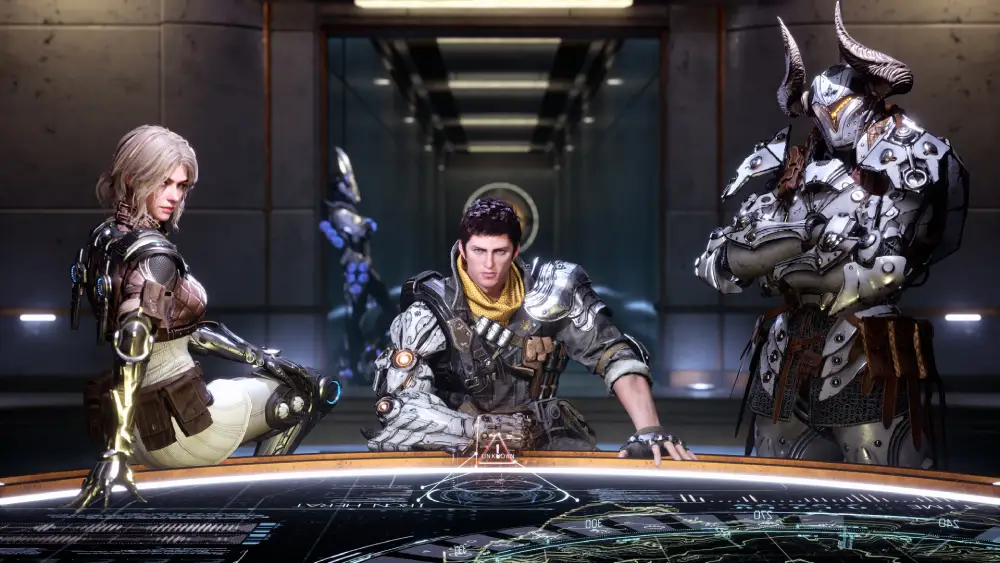
Here’s a summarized list of all the fixes you should try:
Graphics Optimization:
- Lower in-game settings
- Use performance mode in GPU control panel
- Cap frame rate for smoother pacing
Network Tweaks:
- Use wired internet
- Close background tasks
- Route traffic via ExitLag
- Configure router QoS/NAT properly
System Adjustments:
- Disable Game Mode
- Expand virtual memory
- Monitor temps and update drivers
- Use task management tools
Additional Tips and Multiplayer Considerations
Online-Only Multiplayer Game
It’s important to note that The First Descendant is an online-only title. There is no offline mode, and all gameplay—including solo missions—requires a stable internet connection. Network settings and connection stability will directly impact your performance. Planning your gaming time during off-peak hours may also reduce network congestion.
FAQ
Why is The First Descendant so laggy?
Lag in The First Descendant can stem from several factors, including unstable internet connections, server load, outdated drivers, or high system resource usage. Switching to a wired connection, updating your drivers, and using tools like ExitLag can reduce latency.
How do I fix lag spikes in The First Descendant?
To fix lag spikes, try optimizing your graphics settings, closing background applications, disabling Game Mode in Windows, and using ExitLag to reroute your connection for better server paths.
What are the best graphics settings for low-end PCs?
For low-end PCs, set shadows, post-processing, and effects quality to low. Disable V-Sync and use a resolution of 1080p or less. These changes improve FPS and reduce stuttering in The First Descendant.
Does ExitLag help with The First Descendant?
Yes, ExitLag helps by optimizing your network routing, reducing ping, and minimizing packet loss and jitter. It's especially helpful for players facing lag spikes or rubberbanding during co-op gameplay.
Is The First Descendant playable offline?
No. The First Descendant is an online-only game. Even solo missions require a live internet connection. Offline play is not supported, so a stable network setup is essential for smooth gameplay.
All game images used in this blog belong to Nexon Games. They are used for informational/educational purposes only and do not imply endorsement or affiliation with the rights holders.