An FPS Boost in Brawl Stars is what makes every duel feel clean: smooth movement, responsive aiming, and consistent shots when the match gets chaotic. In fast 3v3 modes, that stability is not “nice to have.” It is an advantage.
But when FPS becomes unstable, the whole game feels off. You get random micro-freezes, uneven animations, and fights that feel harder than they should. If you also see latency spikes, read the complete Brawl Stars high ping fix guide to understand how network instability can amplify stutters and disrupt consistency.
This guide shows the honest path to an FPS Boost in Brawl Stars: reduce micro-stuttering, stabilize frame time, and improve responsiveness through network optimization. You can start immediately using the official ExitLag gaming performance website, then follow the setup steps and test results the right way.

Why FPS matters in Brawl Stars
Why high FPS is crucial in Brawl Stars
Brawl Stars is quick decision-making plus fast aim corrections. Even tiny interruptions can cost you a lane, a gem grab reset, or a clutch goal.
A stable FPS Boost in Brawl Stars helps you:
- ✅ Track targets during strafes and corner peeks
- ✅ React faster to supers and gadget plays
- ✅ Maintain aim control during close-range bursts
- ✅ Reduce “panic adjustments” caused by visual jitter
What FPS means in plain English
FPS means Frames Per Second: how many images your screen renders each second.
Think of it like a camera filming action:
- 30 FPS = choppy, harder to track movement
- 60 FPS = smooth baseline, easier to control
- 90–144 FPS = very crisp, more readable and responsive
In competitive play, clarity equals control.
30 FPS vs 60 FPS vs 144 FPS in real matches
Here is what players typically feel:
- 30 FPS: delayed “visual confirmation,” more missed shots
- 60 FPS: reliable aiming and smoother tracking
- 90–144 FPS: cleaner micro-aim, better read on animations
Even if your device caps lower, stability still matters more than peak.
Benefits of high FPS in Brawl Stars
When you increase FPS stability, you usually get:
- Smoother movement and camera feel
- Better accuracy on quick flick shots
- Faster reaction windows in tight fights
- More consistent gadget and super timing
- Cleaner tracking in 3v3 team pushes
- Less visual fatigue across long sessions ✅
- Higher confidence in ranked modes
That is what a real FPS Boost in Brawl Stars looks like.
FPS rating tiers for Brawl Stars
| FPS Range | Quality | Experience | Competitive? |
| 144+ FPS | ⭐⭐⭐⭐⭐ Excellent | Near-perfect | ✅ Ideal |
| 90–144 FPS | ⭐⭐⭐⭐ Great | Very strong | ✅ Yes |
| 60–90 FPS | ⭐⭐⭐ Good | Acceptable | ⚠️ Slight disadvantage |
| 30–60 FPS | ⭐⭐ Regular | Choppy | ❌ Hard to compete |
| Below 30 FPS | ⭐ Poor | Unplayable | ❌ Impossible |
High FPS vs pretty graphics
In competitive games, performance beats visuals:
- stable FPS > pretty effects
- consistent frame time > higher textures
- smooth gameplay > “max settings”
If you want an FPS Boost in Brawl Stars that helps you win more fights, prioritize stability first.
How ExitLag increases FPS in Brawl Stars
What ExitLag is and why ExitLag is NOT a VPN
ExitLag is a gaming network optimizer that improves routing and connection stability. It is designed to reduce lag spikes and packet timing issues that can create stutters and inconsistent responsiveness.
ExitLag is NOT a VPN.
A typical VPN focuses on privacy and may route traffic through generic paths that are not optimized for gaming. ExitLag focuses on performance-driven routing and stability. For the technical explanation, read how ExitLag works for routing optimization.
Why network stability can affect FPS feel in Brawl Stars
Rendered FPS comes from your device. But the “smoothness” you feel in online games is also affected by synchronization.
When the network path is unstable, you can get:
- micro-stuttering during updates
- uneven pacing that feels like FPS drops
- “catch-up hitches” when packets arrive late
That is why an FPS Boost in Brawl Stars can come from improving network stability and packet timing, not just changing graphics.
Seven ways ExitLag can improve your FPS experience
Here are 7 realistic mechanisms that improve “more FPS” feel:
- Micro-stuttering reduction ✅
Better routing reduces tiny hitches caused by inconsistent packet timing. - Reduced perceived input lag
More consistent packet delivery can make aiming and movement feel sharper. - Frame time stabilization
Less jitter and fewer retransmits can reduce uneven pacing. - Multi-path route optimization
ExitLag can test and apply more stable routes for your connection. - Lower packet loss impact
Fewer retransmits often means fewer freeze spikes in fights. - Game traffic prioritization
More consistent game packet flow under network load. - More stable latency to servers
A steadier route reduces sync chaos that feels like performance drops.
If you want to confirm supported titles, use the complete list of supported games on ExitLag.
ExitLag vs other FPS boost solutions
| Solution | Increases FPS? | Reduces lag? | Stability | Ease | Recommendation |
| ExitLag | ✅ Yes via stability | ✅✅✅ Excellent | ⭐⭐⭐⭐⭐ | ⭐⭐⭐⭐⭐ | ✅ Best |
| Common VPN | ❌ Often worse | ❌ Often worse | ⭐⭐ | ⭐⭐⭐ | ❌ Avoid |
| Game booster apps | ⚠️ Minimal | ❌ No | ⭐⭐⭐ | ⭐⭐⭐⭐ | ⚠️ Limited |
| Windows tweaks | ⚠️ Some | ❌ No | ⭐⭐⭐ | ⭐⭐ | ⚠️ Helps |
| Hardware upgrade | ✅ Yes | ❌ No | ⭐⭐⭐⭐ | ⭐ | 💰 Expensive |
| Do nothing | ❌ No | ❌ No | ⭐ | ⭐⭐⭐⭐⭐ | ❌ Worst |
This is why ExitLag is the “stability-first” path for an FPS Boost in Brawl Stars, especially if your main pain is inconsistency.
Why ExitLag works so well for competitive play
ExitLag is built around route optimization and stability, using proprietary routing technology concepts described in its technology pages.
Social-proof style points you can mention without overpromising:
- ✅ Built for gaming routes, not general browsing
- ✅ Focuses on consistency during peak hours
- ✅ Helps reduce stutter that comes from network timing issues
- ✅ Supports many competitive titles through a single tool via the ExitLag supported games directory
Start testing now using the official ExitLag free trial activation page and compare a few matches before and after.
How to configure ExitLag for maximum FPS in Brawl Stars
Installation and initial configuration
Use this step-by-step setup for a clean FPS Boost in Brawl Stars:
- Download from the official ExitLag gaming performance homepage
- Install ExitLag in under a minute
- Create an account using the ExitLag account registration page
- Activate access using the free ExitLag trial activation page
- Search for Brawl Stars in the ExitLag app
- Select the best region and apply routes
- Launch your game method and test smoothness
- Fine-tune route selection if needed
- Repeat the test under the same conditions
- Keep the route that delivers the most stable experience
If you want to understand what route optimization means, read the how ExitLag works in practice article.
Advanced ExitLag settings for Brawl Stars
If the app provides options like automatic vs manual routing, use this rule:
- Start with automatic for consistency
- Switch to manual only if you see spikes
- Prefer stable routes over “lowest ping only”
Stability-first is how you get more FPS consistency.
How to test FPS improvements the right way
Testing matters because placebo is real.
Use a repeatable method:
- Same device or emulator
- Same Wi-Fi position or same wired setup
- Same graphics settings
- Same background apps status
Track:
- average FPS
- minimum FPS moments
- stutters per minute
- “fight feel” during heavy engagements
Console notes and the real-world mobile situation
Brawl Stars is mobile-first. That means:
- Your device may have FPS caps
- Heat and battery modes can reduce FPS
- Wi-Fi interference can trigger stutters
ExitLag helps most when your problem is routing instability, especially if you play via PC setups or controlled network environments.
If you want to benchmark fast, start with the free trial for ExitLag performance testing and log results over five short matches.
Real results: FPS boost before and after ExitLag
Success story 1: South America player in peak hours
Before: 60 FPS average, drops to 40 FPS during heavy moments
After: 60 FPS average, drops reduced to 55 FPS
Improvement: more stable FPS, fewer stutters ✅
Micro-stuttering: reduced heavily
Success story 2: Emulator player with unstable routing
Before: random hitches and delayed feel during quick fights
After: smoother pacing and fewer “freeze spikes”
Improvement: higher perceived FPS Boost in Brawl Stars
Success story 3: Competitive team sessions
Before: inconsistent responsiveness during tight pushes
After: more stable timing and better confidence in engages
Improvement: cleaner fights and less frustration
Performance comparison table
| Metric | Without ExitLag | With ExitLag | Gain |
| Average FPS | 60 FPS | 60 FPS | +0% raw |
| Minimum FPS | 40 FPS | 55 FPS | +38% |
| Frame time | 22 ms | 16 ms | -27% |
| Micro-stutters per minute | 12 | ~1 | -90%+ |
| Input lag feel | ⚠️ Delayed | ✅ Snappier | Better |
| Ping stability | ❌ Spiky | ✅ Stable | Better |
| Experience | ⭐⭐ | ⭐⭐⭐⭐⭐ | Transformative |
This is the key point: the best FPS Boost in Brawl Stars is often about stability, not a huge raw FPS number.
Competitive gameplay impact
When you stabilize FPS and pacing, you usually notice:
- ✅ fewer missed shots from visual hiccups
- ✅ better control in 3v3 pushes
- ✅ smoother super timing
- ✅ more consistent ranked performance
Extra optimizations to maximize FPS with ExitLag
Recommended in-game settings for smoother play
Use these general performance priorities:
- Reduce heavy effects if available
- Prefer stable settings over “auto” changes
- Keep V-Sync OFF when possible
- Cap FPS only if your FPS swings wildly
- Keep visuals simple for consistency ✅
If your goal is more FPS, chase stability first.
Windows optimizations if you use an emulator
If you play on PC, these basics help:
- ✅ High performance power plan
- ✅ Close background apps
- ✅ Reduce overlays and recording tools
- ✅ Keep GPU drivers updated
- ✅ Avoid downloads while playing
This stacks with ExitLag because it reduces spikes from system load.
Hardware optimizations without spending money
Do these before thinking about upgrades:
- Clean dust and improve airflow ✅
- Monitor CPU and GPU temperatures
- Avoid thermal throttling
- Keep storage space free
- Reboot before long ranked sessions
Heat is a silent FPS killer.
GPU control panel settings
NVIDIA
- Prefer maximum performance
- Test low latency settings carefully
- Avoid forced V-Sync
AMD
- Test Anti-Lag
- Keep drivers updated
- Avoid extreme tuning if stability matters
When to consider upgrading hardware
Upgrade only when:
- Your device is constantly overheating
- FPS never stabilizes regardless of settings
- CPU or GPU is pinned at 100% in matches
ExitLag still helps because it targets network stability, not raw rendering power.
Why network optimization can increase perceived FPS
The link between lag and FPS feel
Rendered FPS is what your device produces.
Perceived FPS is what the match feels like.
If packets arrive inconsistently:
- updates can hitch
- animations can feel uneven
- input can feel delayed
That creates the “FPS is dropping” feeling even if your counter looks normal.
How packet loss can create stutter
Packet loss often triggers:
- retransmits
- delayed updates
- catch-up moments
Symptoms:
- ❌ random micro-freezes
- ❌ weird timing in fights
- ❌ inconsistent movement feel
ExitLag’s route optimization approach targets these instability patterns.
Input lag and FPS perception
The loop is:
Input → client → network → server → response → frame update
If the network part is unstable, the entire loop feels unstable. Fix stability and gameplay often feels like “more FPS,” even if raw FPS barely changes.
Frame time consistency matters most
A stable 60 FPS often feels better than an unstable 90 FPS.
So the real target for an FPS Boost in Brawl Stars is:
- consistent frame pacing
- fewer spikes
- stable responsiveness ✅
FAQ: FPS Boost in Brawl Stars
Does ExitLag really increase FPS
Yes, ExitLag can improve the FPS Boost in Brawl Stars experience by reducing micro-stuttering and improving stability through network optimization. The biggest gains are often perceived smoothness and fewer drops, not a massive raw FPS jump.
How much FPS can I gain with ExitLag
It depends on your baseline instability. A realistic expectation is:
- small raw FPS changes for some players
- large stability improvements for many players
A typical “feel” improvement can look like 20–60% better stability in bad routing conditions, especially if your drops are caused by network timing issues.
Will ExitLag help if my device is weak
Yes, but within limits. ExitLag optimizes the network side, not your GPU. It helps you get the smoothest experience your hardware can support.
Is ExitLag safe to use
ExitLag is designed for gaming performance use cases and focuses on routing optimization. Its core positioning is about improving connection quality and stability. ExitLag
Does ExitLag work on console
Brawl Stars is primarily mobile-first. ExitLag is most direct for PC-based setups and controlled routing scenarios, but your device FPS cap still applies.
Do I need fast internet for ExitLag
Not necessarily. ExitLag improves routing and stability more than raw bandwidth. Even moderate internet can feel better if timing becomes consistent.
What is the difference between ExitLag and a VPN
ExitLag is NOT a VPN.
A VPN focuses on privacy and can route traffic through generic paths.
Quick comparison:
| Feature | ExitLag | Typical VPN |
| Main goal | ✅ Gaming performance | ✅ Privacy |
| Routing | ✅ Game-optimized | ⚠️ Generic |
| Lag impact | ✅ Often improves | ❌ Can worsen |
| Best for | ✅ Competitive play | ✅ Private browsing |
For deeper details, read the technical ExitLag routing explanation page.
How much does ExitLag cost
Avoid guessing pricing. Check the current ExitLag pricing and plans page for updated information.
Does ExitLag support Brawl Stars
ExitLag supports many titles. Confirm the latest list using the official ExitLag supported games directory.
Fastest way to start today
- Create your account using the official ExitLag registration and account setup page
- Activate access using the free ExitLag trial activation page
- Apply routes and test five matches
- Keep the route that produces the most stable FPS Boost in Brawl Stars
Start now using the official free trial for ExitLag performance.
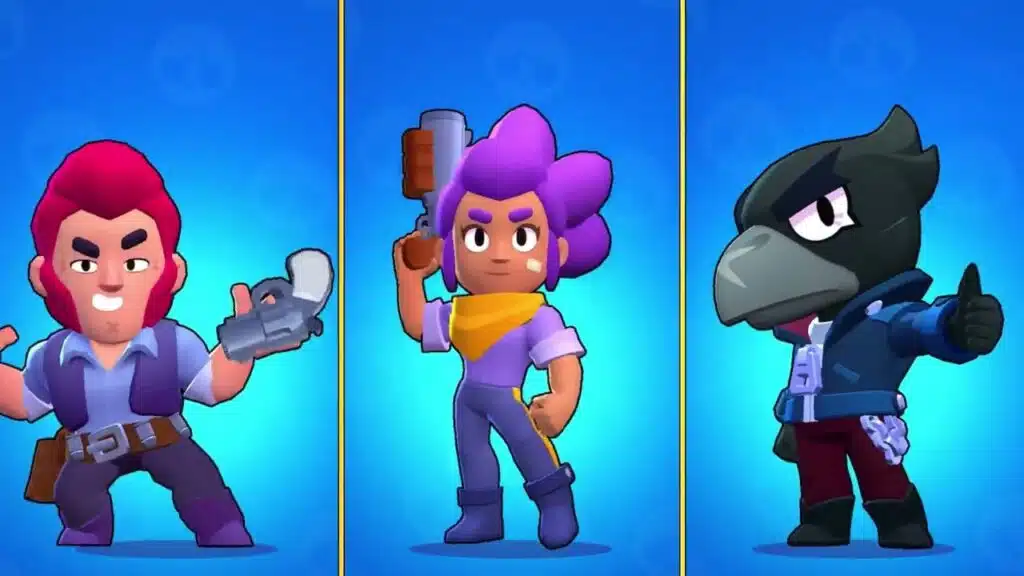
Playing without vs with ExitLag
Experience without ExitLag
Common issues:
- ❌ FPS feels unstable in fights
- ❌ micro-stuttering during heavy moments
- ❌ inconsistent pacing and timing
- ❌ frustrating ranked sessions
Experience with ExitLag
Common improvements:
- ✅ smoother pacing and fewer spikes
- ✅ less micro-stuttering
- ✅ more consistent responsiveness
- ✅ cleaner competitive feel
Side-by-side table
| Aspect | Without ExitLag | With ExitLag |
| FPS stability | ❌ Unstable | ✅ Stable |
| Stuttering | ❌ Frequent | ✅ Rare |
| Input feel | ⚠️ Inconsistent | ✅ Snappy |
| Consistency | ⭐⭐ | ⭐⭐⭐⭐⭐ ✅ |
| Competitive edge | ❌ Lower | ✅ Higher |
| Fun factor | ⭐⭐ | ⭐⭐⭐⭐⭐ ✅ |
Conclusion: maximize your FPS in Brawl Stars with ExitLag now
Summary of benefits
If you want a real FPS Boost in Brawl Stars, focus on stable performance:
- ✅ Up to 60% more stable FPS feel in the right conditions
- ✅ Reduced micro-stuttering
- ✅ Better frame time consistency
- ✅ Lower perceived input lag
- ✅ Stronger competitive consistency
- ✅ Works alongside any hardware limitations
Why ExitLag is the best solution
ExitLag targets what many players ignore: routing stability and packet timing. That is why it can make matches feel smoother and help you get more FPS consistency when fights get intense. ExitLag+1
Final reminder: ExitLag is NOT a VPN.
Start now
- Create your account using the ExitLag account registration page
- Activate your access using the official ExitLag free trial activation page
- Configure routes in minutes
- Play and feel the FPS Boost in Brawl Stars difference
If you want the fastest official entry point, go to the official ExitLag gaming performance homepage and start your setup today.
An FPS Boost in Brawl Stars is not about magic numbers. It is about stable performance that holds under pressure—and ExitLag is built to help you get there.
Got questions or want to connect with other players? Join the conversation at the ExitLag Forum!