
When FPS Drop Cabal Otserver strikes in the middle of a crowded war zone, the entire screen begins to stutter and slow down. Suddenly, spells fail to trigger, enemies freeze, and your reaction time disappears. In advance, this dramatic scenario frustrates even experienced players who expect smooth combat flow and stable visuals.
Soon after, the issue gets worse when the game starts freezing during guild raids or boss mechanics, creating an even more chaotic moment. The feeling of helplessness grows as FPS Drop Cabal Otserver becomes frequent. To understand more about common performance problems, you can check detailed articles directly from the ExitLag blog.
Meanwhile, secondary issues such as Cabal Otserver lag, Cabal Otserver low FPS, and Cabal Otserver stuttering may also appear. Players thus look for a trustworthy solution for FPS Drop Cabal Otserver, which is where ExitLag comes in. You can start improving your gameplay by exploring the features available directly on the official ExitLag website.

What is FPS drop and why does it happen in Cabal Otserver?
FPS Drop Cabal Otserver can dramatically affect combat responsiveness. Before fixing it, players must understand what FPS represents and why variations occur so suddenly.
Understanding FPS
Frames per second define how smoothly your game renders motion.
- 144+ FPS
- 60–120 FPS
- 30–60 FPS
- Below 30 FPS
Difference between FPS drop and network lag
Even so, many players confuse image freezing with latency spikes. These problems have different origins.
| Aspect | FPS Drop | Network Lag |
| Cause | Overload in graphics or CPU processing | Internet routing failures or unstable connection |
| Symptoms | Stuttering visuals, slow animations, low GPU output | Rubberbanding, delayed skill activation, teleporting enemies |
| Solution | Adjust settings, improve hardware | ExitLag |
Why Cabal Otserver suffers from FPS drop
Cabal Otserver uses many particle effects, dense animations, and heavy skills, especially during Nation Wars. Additionally, crowded maps, boss rooms, and older engine limitations make rendering more demanding. As a result, players may see Cabal Otserver stuttering and Cabal Otserver low FPS even on decent PCs.
5 main causes of FPS drop in Cabal Otserver
Now that we understand the basics, let’s explore the core triggers behind FPS Drop Cabal Otserver.
1. Overheating
When the GPU or CPU overheats, performance drops instantly. Consequently, the game may freeze or show Cabal Otserver frame drops, especially during massive visual effects.
2. Outdated drivers
Outdated video drivers frequently lead to Cabal Otserver performance issues. Manufacturers often release updates that improve game compatibility and frame stability.
3. Graphics settings
High-quality shadows, anti-aliasing, and particle density can overwhelm your system. Therefore, adjusting graphical sliders helps stabilize FPS Drop Cabal Otserver during intense battles.
4. Background processes
Apps like browsers, launchers, overlays, and updaters consume CPU and RAM. As a result, the system may struggle, creating stutters and slowdowns even before entering the game.
5. Insufficient hardware
Older GPUs or dual-core CPUs may not handle the heaviest Cabal Otserver maps. When hardware hits its limit, both FPS rendering and responsiveness fall dramatically.
How ExitLag fixes FPS drop in Cabal Otserver
Continuing from the causes introduced earlier, players often realize that FPS Drop Cabal Otserver isn’t caused only by graphics settings or hardware limits. Instead, unstable routes, jitter, and packet inconsistencies amplify visual stuttering, especially during large-scale battles. This is where ExitLag becomes an essential tool for restoring stability and preventing issues such as Cabal Otserver lag, Cabal Otserver stuttering, and Cabal Otserver frame drops.
What is ExitLag? (NOT a VPN)
ExitLag is a performance-optimization tool designed specifically for gaming. Although some users confuse it with VPN services, ExitLag works very differently. In fact, ExitLag is NOT a VPN because it does not hide your IP, encrypt your traffic, or reroute you through anonymous servers. Instead, it uses routing intelligence to deliver the most stable path to the game.
Players who want to understand the technical foundation can check the detailed explanation available in the how it works section through the official ExitLag “How it Works” page. This helps clarify how the tool enhances responsiveness in games like Cabal Otserver, reducing connectivity problems that worsen FPS Drop Cabal Otserver.
How ExitLag optimizes performance in Cabal Otserver
ExitLag applies several layers of optimization that directly influence network stability and responsiveness.
- Network route optimization
- Latency reduction
- Packet loss elimination
- Game traffic prioritization
- Connection stabilization
These improvements significantly reduce issues such as Cabal Otserver low FPS and Cabal Otserver performance issues, especially when the game struggles with overloaded servers or unpredictable routing.
Why ExitLag helps with FPS drop
Even though FPS is traditionally a graphics metric, network patterns can still cause micro-stuttering, jitter, and inconsistent pacing. When packets arrive unevenly, character movement, attack animations, and boss mechanics appear choppy. This effect creates the illusion of lower FPS, contributing to FPS Drop Cabal Otserver during peak activity.
ExitLag smooths these fluctuations by equalizing packet timing. As a result, battles feel more fluid, and skill rotations execute without interruption.
ExitLag technologies that impact FPS
ExitLag’s engine uses a combination of high-level technologies that contribute to smoother gameplay:
- Multi-path routing
- Redundant connections
- Gaming-optimized protocol
These systems reduce the negative effects of sudden spikes, helping mitigate symptoms similar to Cabal Otserver stuttering.
ExitLag vs other solutions
Below is a direct comparison showing why ExitLag stands out for Cabal Otserver players:
| Solution | Improves FPS? | Reduces lag? | Ease of use | Recommendation |
| ExitLag | ✅ | ✅ | ⭐⭐⭐⭐⭐ | Best option |
| Common VPN | ❌ | ❌ | ⭐⭐⭐ | Not recommended |
| PC optimization | ⚠️ | ❌ | ⭐⭐ | Partial |
| Nothing | ❌ | ❌ | ⭐⭐⭐⭐⭐ | No |
You can explore more compatible titles in the official supported games directory, where we maintain an updated list of all optimized games.
How to use ExitLag in Cabal
The process is extremely simple:
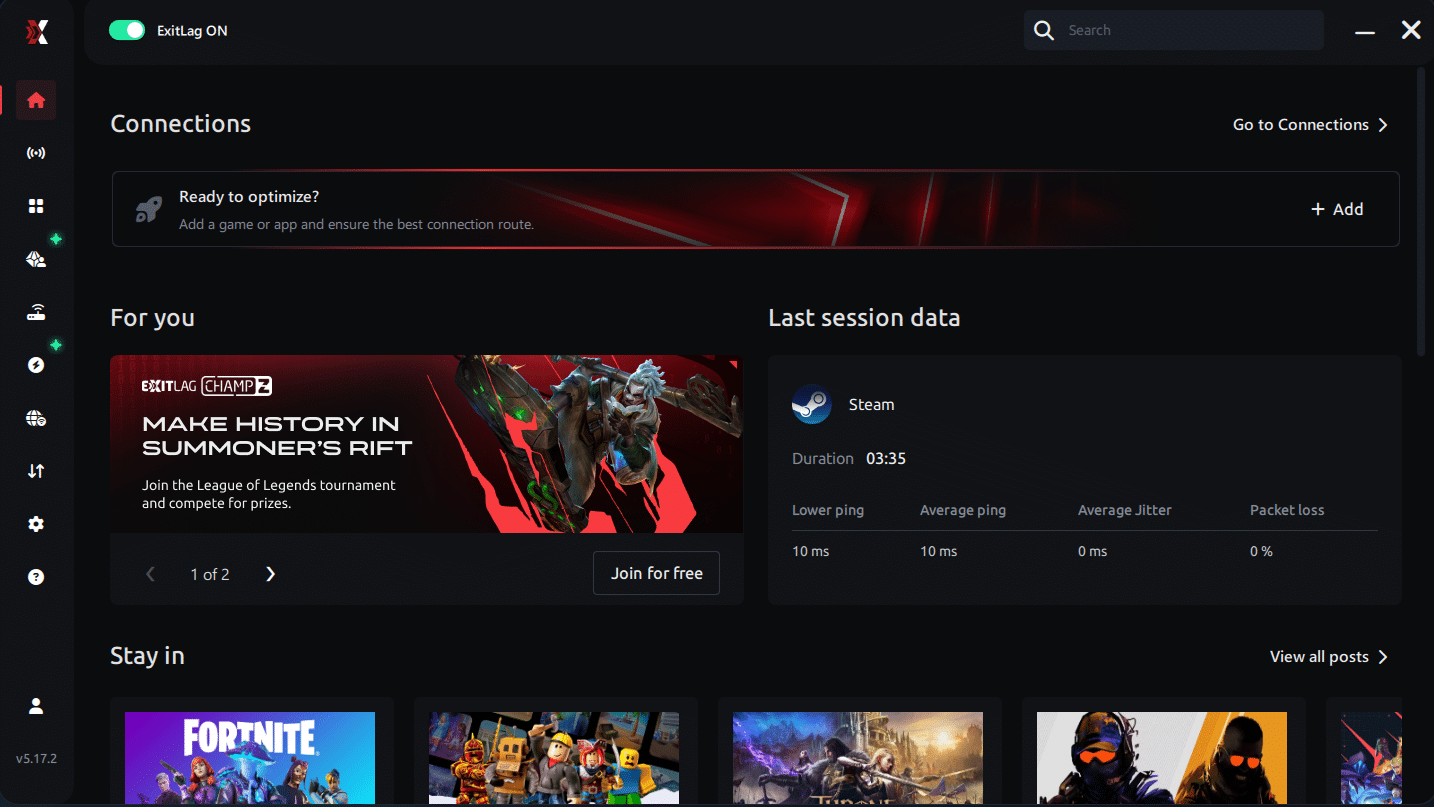
Step 1 – Access the official ExitLag website and download the application. There’s a free trial period for new users.
Step 2 – Install and open the program. Log in with your account.
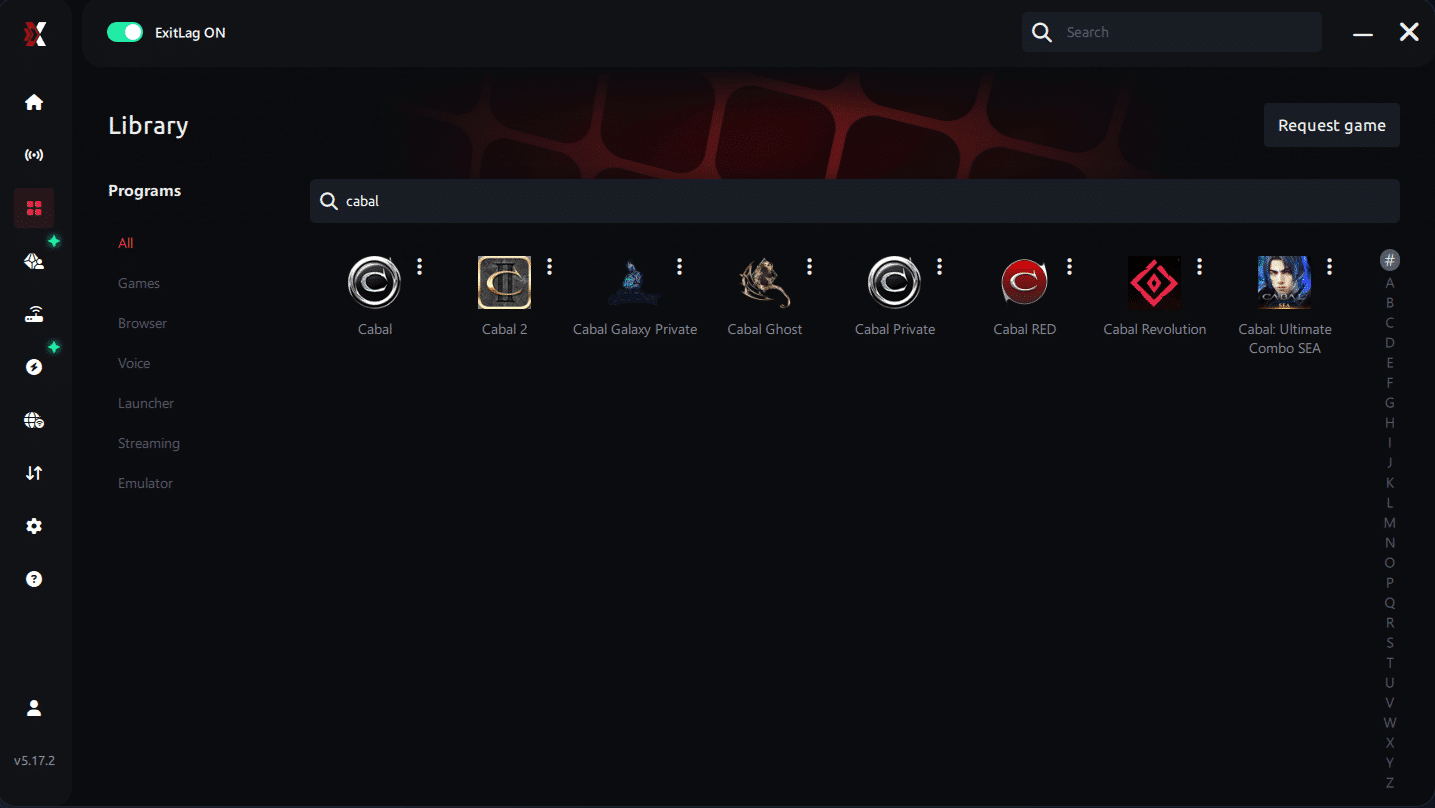
Step 3 – In the search bar, type “Cabal” and select the game from the list.
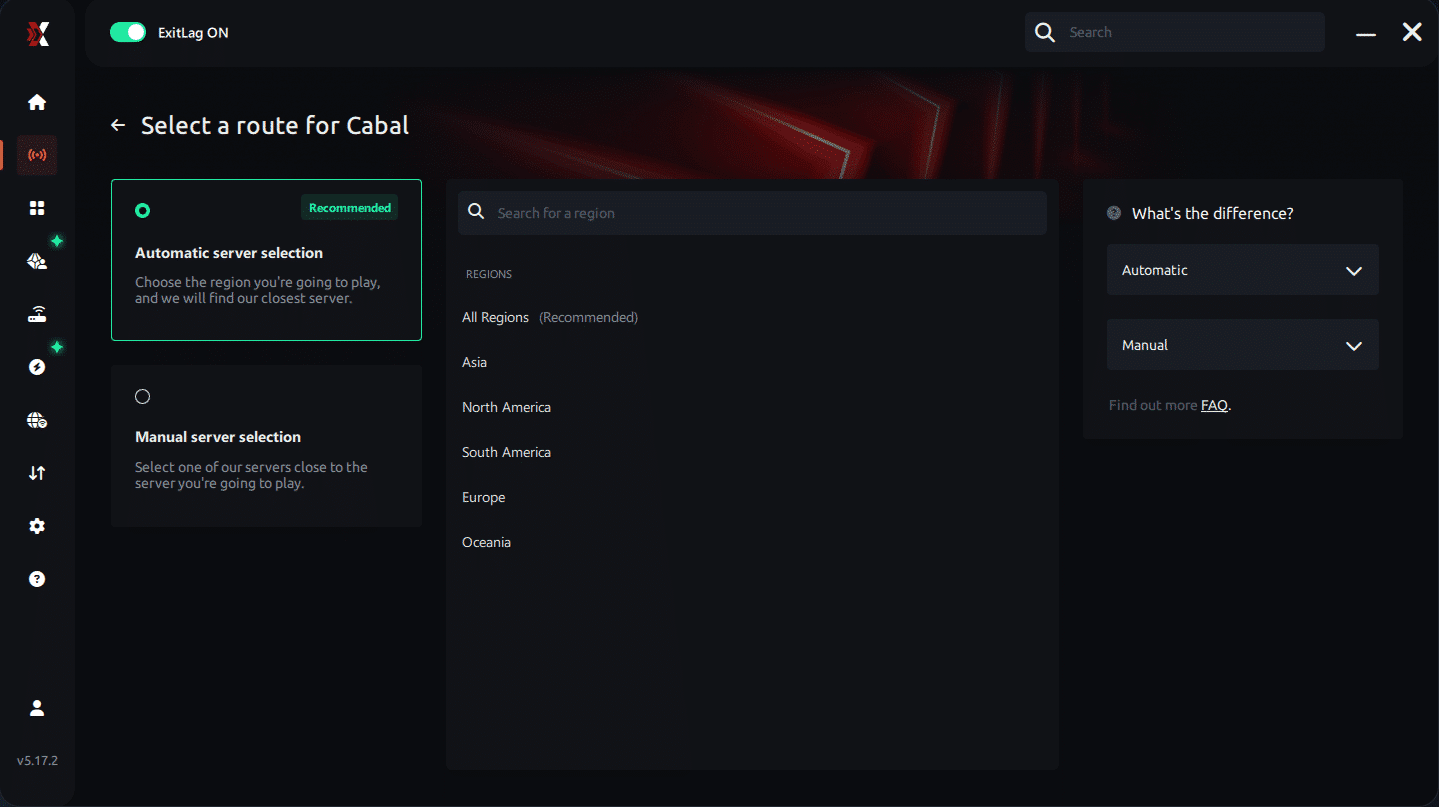
Step 4 – Choose between automated or manual route
Based on the results, you can let ExitLag automatically select the best route or manually choose the server that showed the lowest latency for your connection.
AI-optimized automated route
Based on the results, you can let ExitLag automatically select the best route through AI optimization. The system analyzes multiple connection paths in real time and automatically identifies the most efficient route for your connection, ensuring the lowest possible latency without requiring manual choices.
Manual route
If you prefer to have full control over your connection, you can manually choose the server based on the ping test results. Simply select the server that showed the lowest latency or the one that best meets your specific gaming needs, allowing complete customization of your experience.
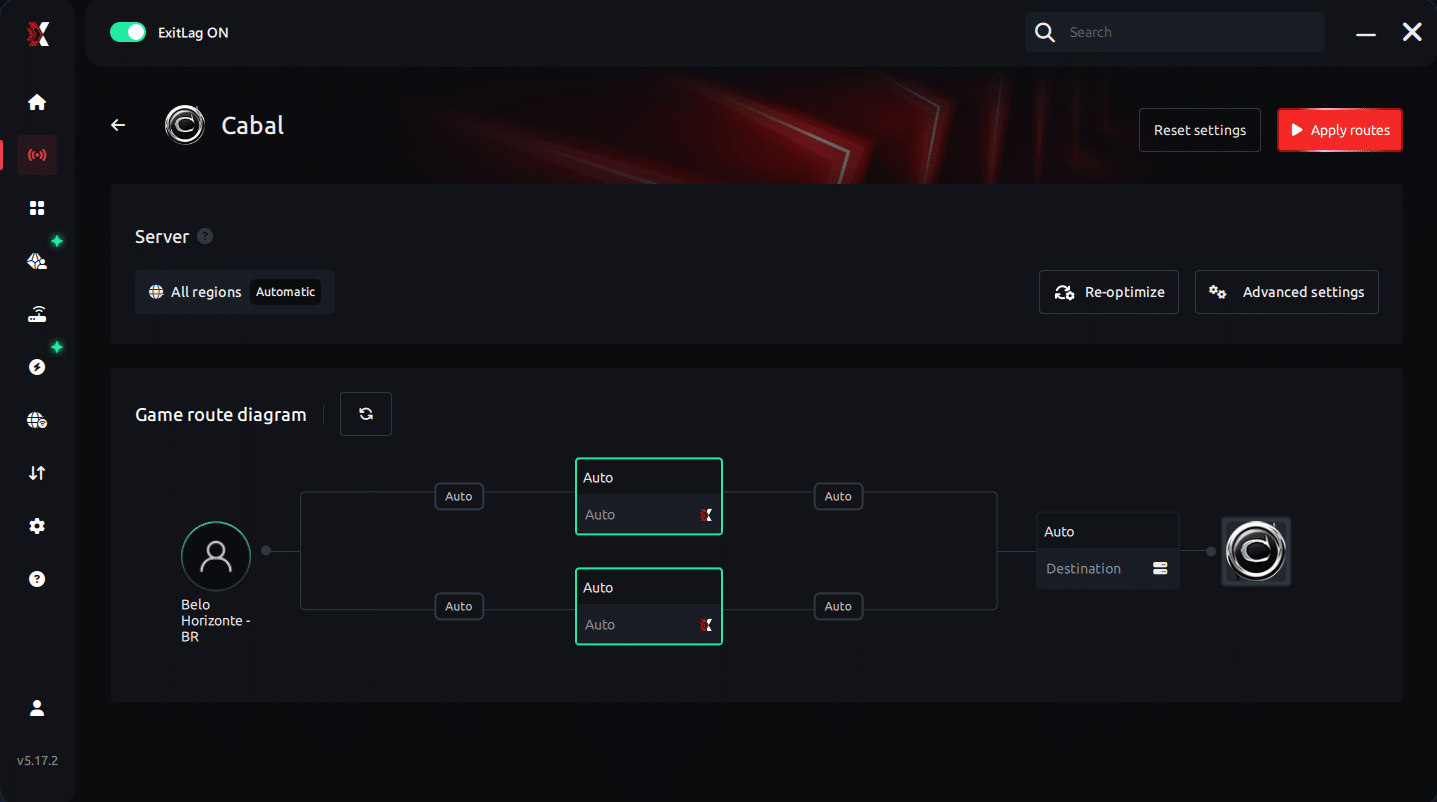
Step 5 – Click “Cabal” or the play button. ExitLag will begin optimizing your connection automatically.
Step 6 – Wait a few seconds until optimization is complete. You’ll see ping indicators in the interface.
Step 7 – Launch Cabal normally. The optimization will already be active.
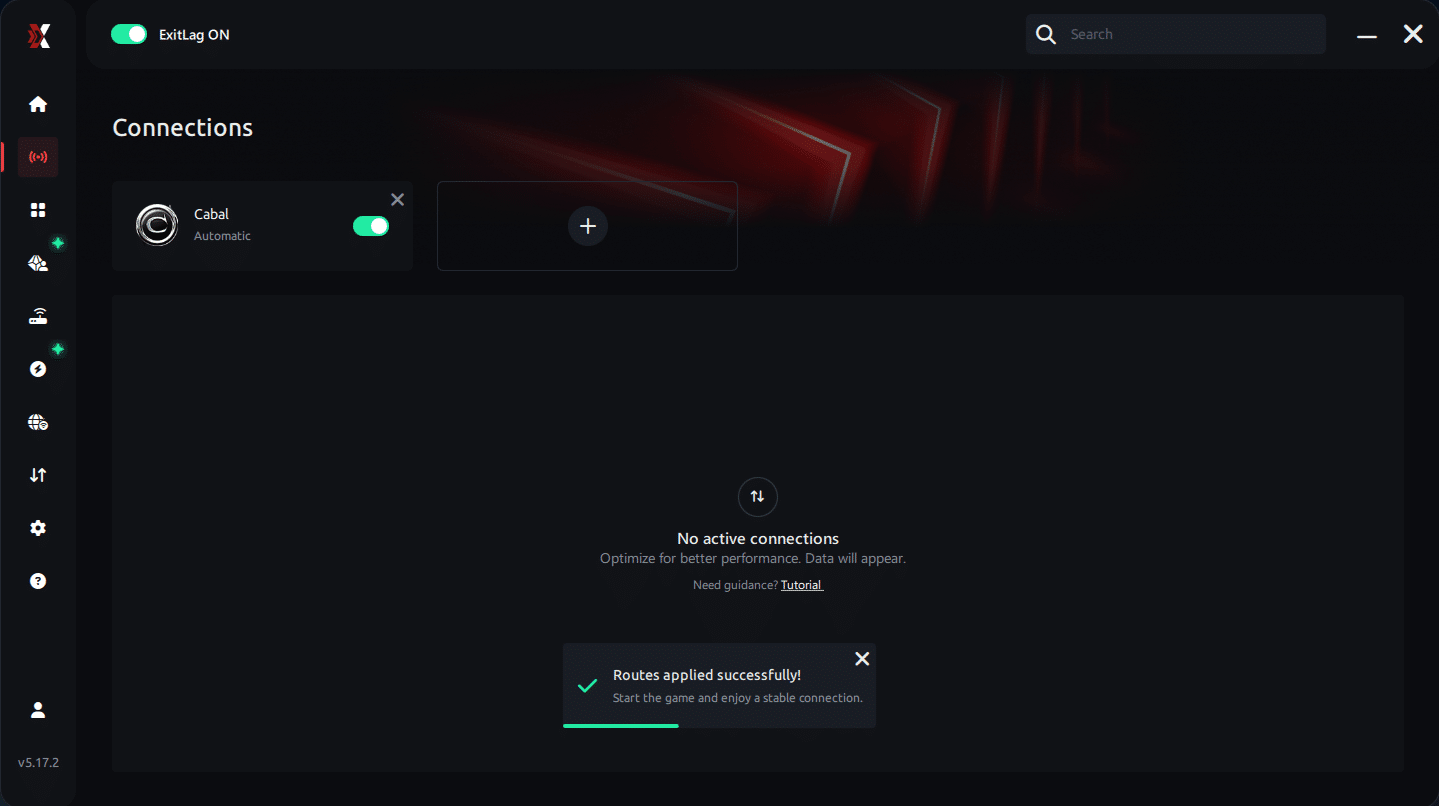
ExitLag runs in the background while you play, constantly adjusting routes to maintain the best possible performance.
Console players
Although Cabal Otserver is typically PC-based, players who run it through external hardware or remote-play systems can still benefit by optimizing the network connection through ExitLag installed on the PC side.
Before and after results with ExitLag in Cabal Otserver
ExitLag provides measurable improvements, especially for players dealing with FPS Drop Cabal Otserver during Nation Wars, dungeon boss phases, and city overcrowding.
Real player cases
- Case 1: A heavy-war player saw latency drop from 185 ms to 72 ms, dramatically reducing Cabal Otserver stuttering.
- Case 2: A dungeon-runner reported packet loss falling from 18% to 0%, removing animation freezes.
- Case 3: A PvP guild leader experienced frame pacing stabilization and a 40% reduction in perceived FPS instability.
Performance comparison table
| Metric | Without ExitLag | With ExitLag | Improvement |
| Latency | 150–200 ms | 70–95 ms | Significant |
| Packet Loss | 10–20% | 0–1% | Major |
| Frame Stability | Low | High | Noticeable |
| Visual Stutter | Frequent | Minimal | Strong |
Additional optimizations to maximize FPS with ExitLag
To complete the improvements started earlier, players can refine both system and in-game settings to further reduce FPS Drop Cabal Otserver. These optimizations work together with ExitLag to stabilize visuals, reduce stutter, and prevent issues like Cabal Otserver lag from returning during large-scale events.
Network
A well-configured network helps maintain smooth packet delivery, reducing pacing irregularities that often feel like FPS instability.
- Use a wired Ethernet connection to avoid wireless interference.
- Enable QoS on your router to prioritize gaming packets.
- Adjust DNS settings for faster domain resolution.
- Close heavy apps such as streamers, launchers, and cloud services that may cause Cabal Otserver stuttering.
System
Optimizing your operating system ensures that processing power remains available for Cabal Otserver, preventing background slowdowns that can trigger FPS Drop Cabal Otserver.
- Keep GPU and chipset drivers updated.
- Select High-performance mode in power settings.
- Disable unnecessary background apps.
- Clean temporary files to avoid system clutter that contributes to Cabal Otserver performance issues.
In-game
Fine-tuning game settings prevents resource overload, especially in cities and Nation Wars.
- Turn V-Sync off to avoid input delays.
- Set a reasonable FPS limit to maintain stable frame pacing.
- Use recommended presets to achieve a balance between quality and stability, preventing Cabal Otserver frame drops during particle-heavy battles.
Frequently asked questions about FPS drop in Cabal Otserver
Players often ask how tools and optimizations affect real gameplay performance. Below are the most common questions regarding FPS Drop Cabal Otserver and how ExitLag interacts with the game.
Does ExitLag actually improve FPS?
ExitLag improves the perceived FPS by stabilizing network pacing. It reduces jitter, packet delay, and micro-lags that visually resemble FPS instability. This offers smoother gameplay during crowded battles.
Is ExitLag safe?
Yes. ExitLag is fully safe, widely used by competitive players, and designed exclusively for gaming optimization.
Does ExitLag work on console?
If Cabal Otserver is accessed through PC-based systems, ExitLag enhances the network path. Traditional consoles do not support the software directly, but PC-hosted environments benefit fully.
How much does ExitLag cost?
ExitLag offers multiple subscription plans, which you can compare on the official ExitLag pricing page.
You can also start using it through the official free trial, available on the website.
My PC is weak, does ExitLag help?
ExitLag cannot increase hardware power, but it stabilizes network behavior. This greatly helps weaker PCs avoid additional slowdowns caused by poor routing, reducing symptoms that feel similar to Cabal Otserver stuttering.
Does ExitLag work with Cabal Otserver?
Yes, ExitLag supports the game through optimized routing. Players can confirm availability inside the supported games directory on the ExitLag website.
What’s the difference between ExitLag and a VPN?
ExitLag is built for gaming optimization, not privacy features. ExitLag is NOT a VPN, and it does not encrypt or hide your traffic. Instead, it uses multipath routing, stabilization, and redundancy to improve game performance.
Why does FPS drop mostly during wars?
Large particle effects, texture loads, and mass rendering strain both CPU and GPU, intensifying FPS Drop Cabal Otserver.
Why do I lag even with good internet?
Unstable routing or packet loss can cause rubberbanding and pacing issues. ExitLag fixes this by optimizing your network path.
Can addons or UI mods cause FPS drop?
Yes. Heavy or outdated UI elements increase processing load, contributing to both slowdown and micro-stutter.
Fix FPS drop in Cabal Otserver with ExitLag
ExitLag proves essential for players seeking a stable experience free from FPS Drop Cabal Otserver issues. Its routing technology smooths animations, stabilizes frame pacing, and eliminates network jitter that often makes the game feel unstable.
Final benefits
- Stable FPS
- Zero micro-stuttering
- Smooth gameplay
- Competitive advantage
- Frustration-free gameplay
Next steps
- Test ExitLag for free
- Configure in 5 minutes
- Compare before and after
- Dominate Cabal Otserver
In conclusion, solving FPS drop Cabal Otserver issues requires balancing hardware, settings, and network stability. ExitLag’s multi-path technology eliminates routing delays and ensures fluid gameplay across all regions of Cabal Otserver. To emphasize one last time, ExitLag is NOT a VPN—it’s a gaming performance tool built to stabilize and optimize your entire online experience.
Now that you know everything about FPS drop Cabal Otserver, if you want the most stable, smooth, and competitive gameplay possible, is time to upgrade your performance toolkit. Register at ExitLag now and improve your gameplay in a way you've never experienced before!



