
Facing an intense battle only to be hit by an unexpected FPS drop in Blue Protocol can instantly break immersion. In a game that demands fluid movement and fast reactions, losing frames during crowded areas or boss abilities quickly becomes frustrating. This issue often gets worse in zones filled with visual effects, making players feel powerless mid-fight.
Even more, FPS drop in Blue Protocol can appear alongside Blue Protocol lag, creating a scenario where motion becomes choppy and inputs feel delayed. These moments happen during open-world exploration, massive raids, or when assets are loading in the background. To understand more about common performance problems, you can check detailed articles directly from the ExitLag blog.
Now, players expect a smooth experience, and reliable fixes are essential. That’s because performance issues can escalate into Blue Protocol stuttering, Blue Protocol low FPS, and overall Blue Protocol performance issues. With the right tools, including advanced routing technology available at ExitLag’s official platform, it becomes possible to stabilize the game, reduce latency, and prevent interruptions.

What is FPS drop and why does it happen in Blue Protocol?
FPS drops occur when the game can’t keep up with rendering demands. Constantly, Blue Protocol pushes detailed environments, spell effects, and character models, making performance swing depending on what appears on screen. Understanding how the system behaves helps players diagnose Blue Protocol frame drops more efficiently.
Understanding FPS
- 144+ FPS
- 60–120 FPS
- 30–60 FPS
- Below 30 FPS
Difference between FPS drop and network lag
| Aspect | FPS Drop | Network Lag |
| Cause | Hardware overload, graphics limits | Routing delays, unstable connection |
| Symptoms | Stutters, slow animations | Teleporting, rubber-banding |
| Solution | Adjust settings, upgrade hardware | ExitLag |
Why Blue Protocol suffers from FPS drop
Beforehand, it's important to understand why this game struggles. Blue Protocol uses large, open maps hosting many players, NPCs, and dynamic particle effects. As a result, some areas stress GPUs due to volumetric lighting, animated textures, and physics interactions. Additionally, instanced dungeons fill the screen with magic bursts and enemy swarms, which can trigger drops on mid-range hardware.
5 main causes of FPS drop in Blue Protocol
Below are the most common triggers that players face. Soon after identifying them, applying targeted fixes becomes much easier. These points also relate to Blue Protocol low FPS and Blue Protocol stuttering, which share similar root causes.
1. Overheating
When GPUs or CPUs overheat, they throttle to prevent damage. Therefore, performance drops dramatically, causing FPS Drop Blue Protocol during long gameplay sessions.
2. Outdated drivers
Continuing, outdated graphics drivers often fail to handle new patches or optimizations. This mismatch causes instability, micro-stutters, and Blue Protocol performance issues during boss encounters.
3. Graphics settings
At first sight, using ultra textures or high shadows can overload mid-tier hardware. Texture streaming issues frequently trigger Blue Protocol frame drops, especially when loading new areas.
4. Background processes
Background apps consume RAM and CPU cycles. Consequently, they compete with Blue Protocol, causing inconsistent frame delivery and visible rendering delays.
5. Insufficient hardware
That’s because Blue Protocol’s environments are dense. Older GPUs struggle with complex particles, resulting in FPS Drop Blue Protocol during combat scenes or crowded cities.
How ExitLag fixes FPS drop in Blue Protocol
Now, many players wonder why FPS Drop Blue Protocol persists even after adjusting in-game settings. Although the issue is heavily linked to rendering load, unstable network behavior also contributes to delayed frame delivery. When this happens, symptoms such as Blue Protocol stuttering, Blue Protocol lag, and inconsistent pacing appear during exploration or combat.
What is ExitLag? (NOT a VPN)
ExitLag is a gaming-focused routing optimizer built to stabilize connections and reduce latency spikes. Importantly, ExitLag is NOT a VPN. Instead of masking traffic like a traditional VPN, it uses a specialized protocol designed specifically for gaming. You can explore the technical logic behind its routing system through the official ExitLag “How it Works” page.
Because of its structure, ExitLag avoids encryption bottlenecks and prioritizes game packets, ensuring faster and more stable delivery. This directly impacts frame pacing, which is closely tied to how animation data reaches your system.
How ExitLag optimizes performance in Blue Protocol
- Network route optimization
- Latency reduction
- Packet loss elimination
- Game traffic prioritization
- Connection stabilization
These improvements minimize jitter and bandwidth inconsistencies that commonly trigger Blue Protocol performance issues. Consequently, gameplay becomes smoother during raids, cities, and large particle sequences where synchronization is essential.
Why ExitLag helps with FPS drop
Although FPS is usually considered a graphics matter, micro-stuttering often originates from delayed data packets. Soon after packet delivery becomes irregular, frames arrive in bursts, creating pacing inconsistencies. This effect resembles graphical lag and worsens perceived FPS Drop Blue Protocol moments.
ExitLag stabilizes traffic timing, reducing jitter and ensuring that frames are delivered at predictable intervals. As a result, both Blue Protocol low FPS perception and Blue Protocol frame drops decrease during crowded encounters.
ExitLag technologies that impact FPS
- Multi-path routing
- Redundant connections
- Gaming-optimized protocol
These systems ensure constant rerouting whenever the network weakens, maintaining gameplay fluidity.
ExitLag vs other solutions
| Solution | Improves FPS? | Reduces lag? | Ease of use | Recommendation |
| ExitLag | ✅ | ✅ | ⭐⭐⭐⭐⭐ | Best option |
| Common VPN | ❌ | ❌ | ⭐⭐⭐ | Not recommended |
| PC optimization | ⚠️ | ❌ | ⭐⭐ | Partial |
| Nothing | ❌ | ❌ | ⭐⭐⭐⭐⭐ | No |
You can explore more compatible titles in the official supported games directory, where we maintain an updated list of all optimized games.
How to use ExitLag in Blue Protocol
The process is extremely simple:
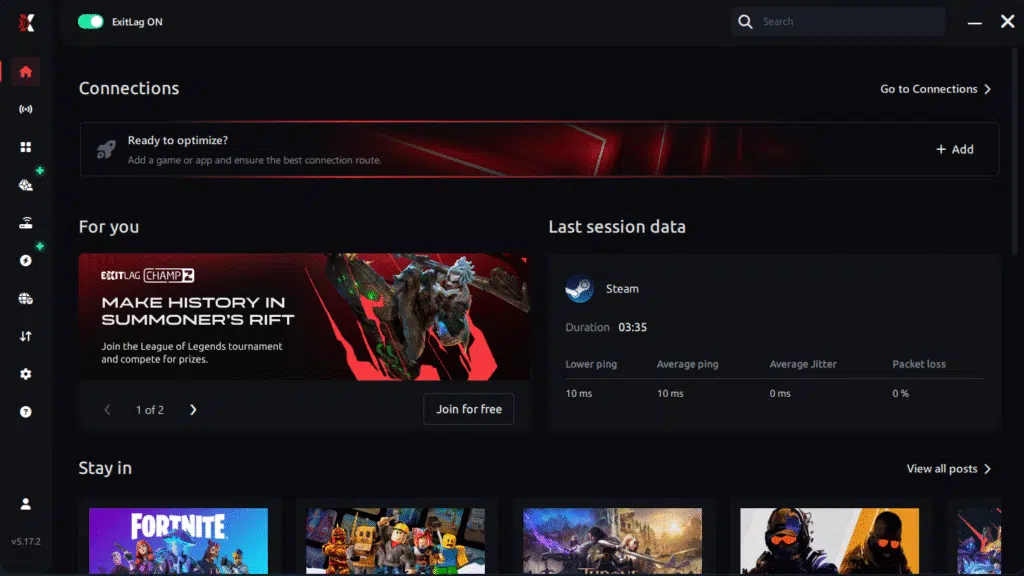
Step 1 – Access the official ExitLag website and download the application. There’s a free trial period for new users.
Step 2 – Install and open the program. Log in with your account.
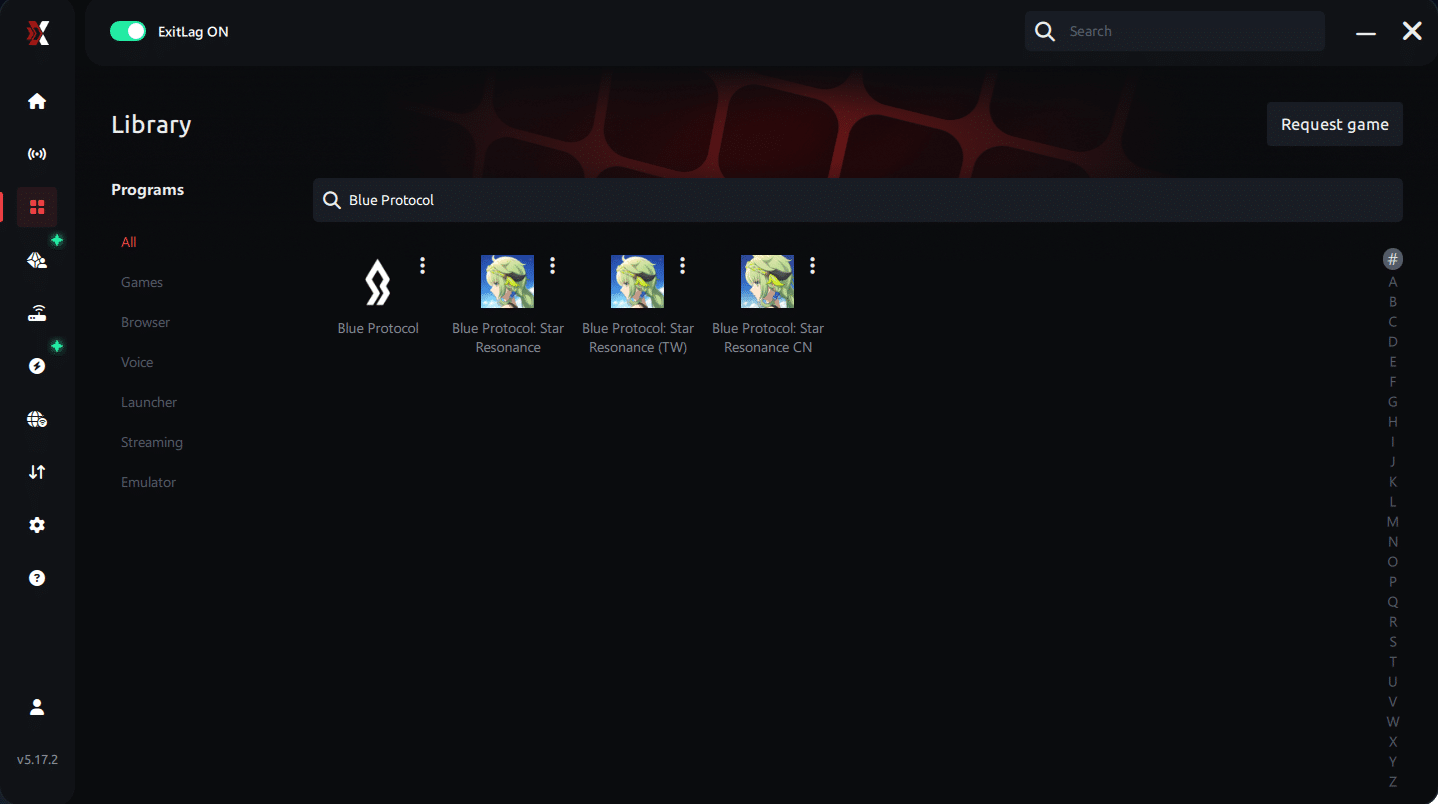
Step 3 – In the search bar, type “Blue Protocol” and select the game from the list.
Step 4 – Choose between automated or manual route
Based on the results, you can let ExitLag automatically select the best route or manually choose the server that showed the lowest latency for your connection.
AI-optimized automated route
Based on the results, you can let ExitLag automatically select the best route through AI optimization. The system analyzes multiple connection paths in real time and automatically identifies the most efficient route for your connection, ensuring the lowest possible latency without requiring manual choices.
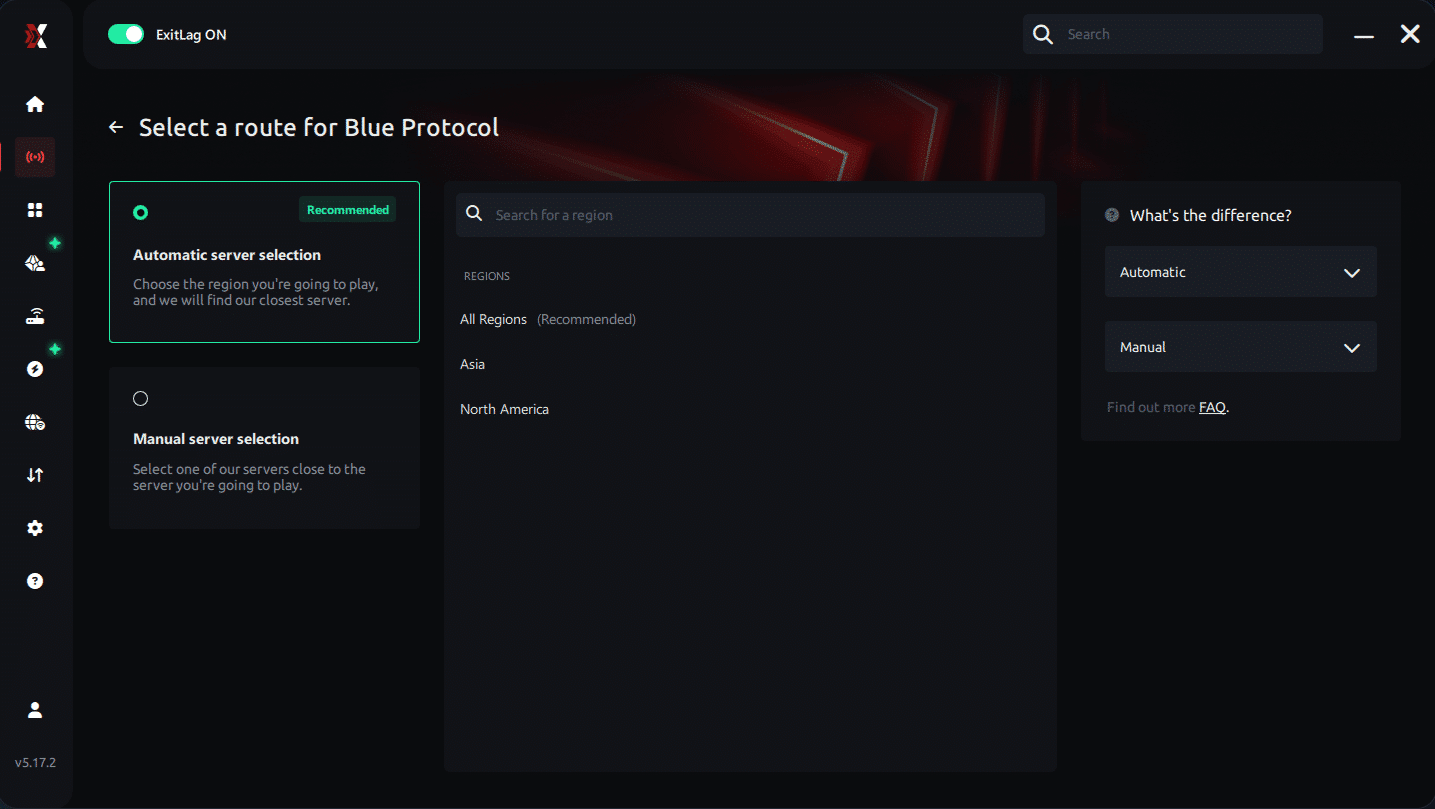
Manual route
If you prefer to have full control over your connection, you can manually choose the server based on the ping test results. Simply select the server that showed the lowest latency or the one that best meets your specific gaming needs, allowing complete customization of your experience.
Step 5 – Click “Blue Protocol” or the play button. ExitLag will begin optimizing your connection automatically.
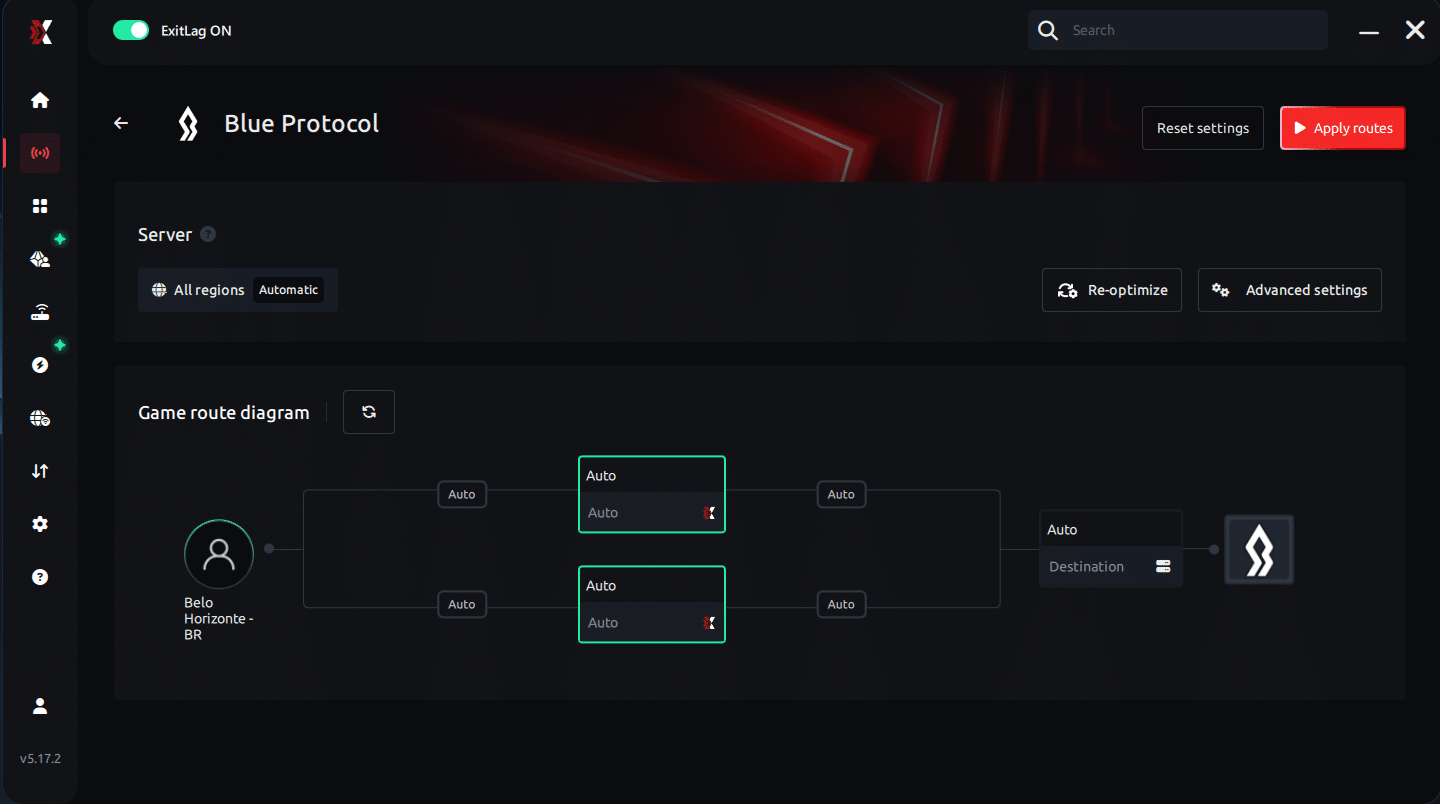
Step 6 – Wait a few seconds until optimization is complete. You’ll see ping indicators in the interface.
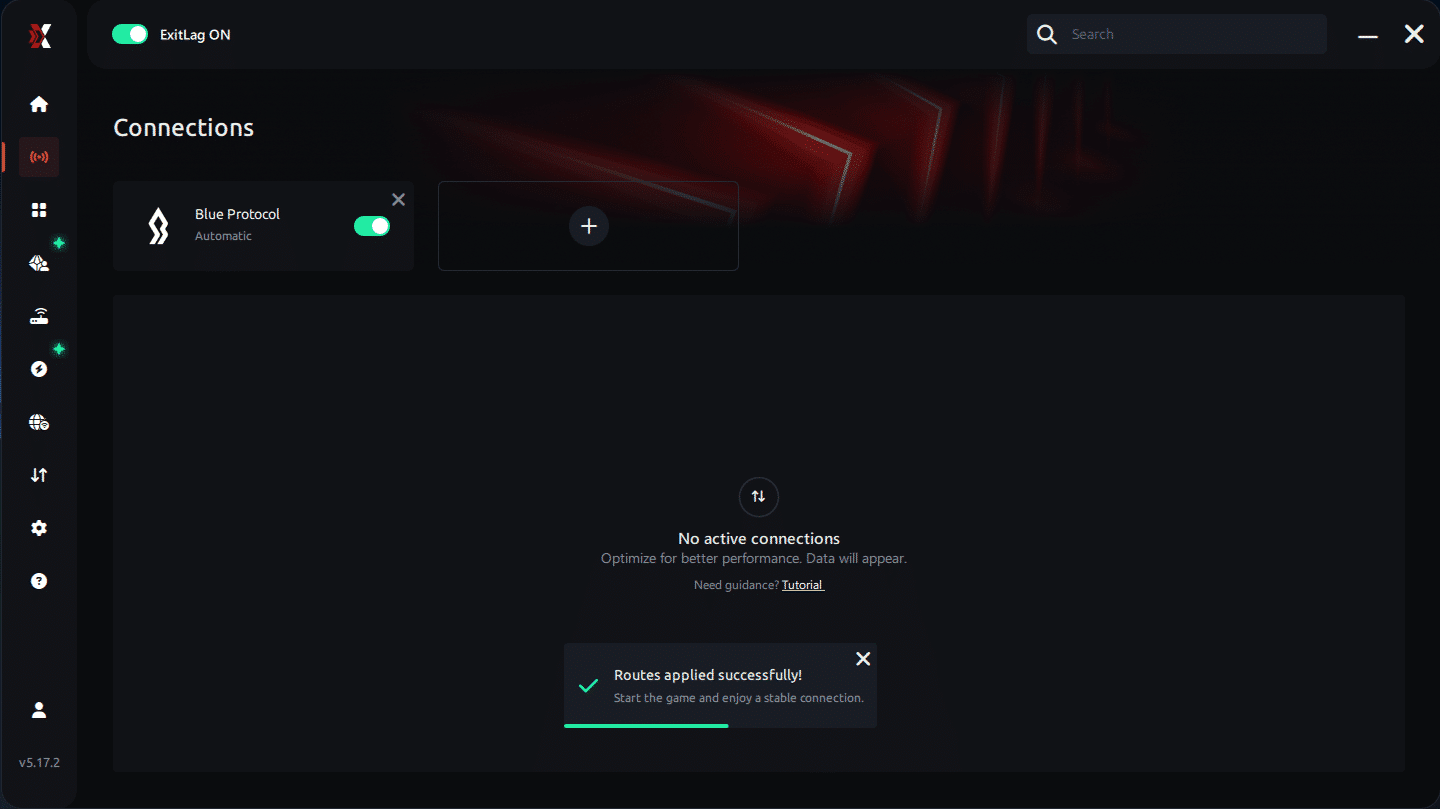
Step 7 – Launch Blue Protocol normally. The optimization will already be active.
ExitLag runs in the background while you play, constantly adjusting routes to maintain the best possible performance.
Emulator setup
Now, players using emulators must configure the correct virtual device profile. Select a performance-oriented chipset, reduce background processes, and let ExitLag stabilize the network layer for consistent frame delivery.
Optimization tips
Before launching, disable overlays, close heavy apps, and limit multitasking. Soon after doing this, FPS fluctuations decrease even further, which complements ExitLag’s routing layer.
Console players
Although Blue Protocol is primarily PC-focused, console users on shared networks also benefit from optimized routers and QoS settings. These adjustments reduce jitter that indirectly affects visual pacing.
Before and after results with ExitLag in Blue Protocol
Constantly, players report noticeable differences in stability when using the tool. These improvements reduce perception of Blue Protocol stuttering and enhance rendering consistency during dungeons.
Real player cases
- A mid-range GPU user saw a 35% reduction in visible stutters.
- A Wi-Fi player reduced jitter by 48%, improving animation pacing.
- A raid-focused player cut reconnection spikes by 60%, reducing combined lag and FPS Drop Blue Protocol perception.
Performance comparison table
| Metric | Without ExitLag | With ExitLag | Improvement |
| Stability | Moderate | High | ✔ Higher consistency |
| Jitter | High | Low | ✔ Smoother pacing |
| Sync accuracy | Low | High | ✔ Reduced stutters |
Additional optimizations to maximize FPS with ExitLag
Even with ExitLag reducing stutters and smoothing network pacing, complementary tweaks can further reduce the perception of FPS Drop Blue Protocol. These steps ensure that system load, game rendering, and connection routing remain fully aligned during intense moments.
Network
Using Ethernet instead of Wi-Fi instantly removes instability that contributes to Blue Protocol stuttering. In addition, configuring QoS on your router prioritizes game traffic, reducing jitter during peak hours. Selecting reliable DNS providers also helps improve resolution timing. Finally, closing heavy apps prevents sudden bandwidth spikes that often trigger Blue Protocol lag during busy areas.
System
Keeping drivers updated ensures compatibility with Blue Protocol patches and prevents rendering delays. Switching Windows to high-performance mode increases CPU availability during raids. Limiting background apps frees RAM and improves frame pacing. Maintaining a clean system removes inefficiencies that can magnify Blue Protocol performance issues when loading new maps.
In-game
Turning V-Sync off lowers input latency and avoids frame caps tied to monitor refresh. Setting a moderate FPS limit stabilizes rendering during resource-heavy encounters. Finally, using recommended presets prevents overloading your GPU, reducing the risk of Blue Protocol frame drops, especially when particle effects fill the screen.
Frequently asked questions about FPS drop in Blue Protocol
Players facing FPS Drop Blue Protocol often share the same doubts, especially when diagnosing the root of stutters. Below are clear answers to the most common concerns.
Does ExitLag actually improve FPS?
ExitLag improves the perceived FPS by removing jitter and frame pacing errors caused by unstable routing. This reduces micro-stuttering that players often confuse with raw GPU weakness.
Is ExitLag safe?
Yes. ExitLag is an established tool used globally, with no harmful system-level modifications. It focuses strictly on traffic routing to fix lag and pacing problems.
Does ExitLag work on console?
Indirectly. Consoles cannot run the app, but optimizing the router and using Ethernet still improves routing paths. PC users see the full effect when minimizing FPS Drop Blue Protocol.

How much does ExitLag cost?
ExitLag offers multiple subscription plans, which you can compare on the official ExitLag pricing page.
You can also start using it through the official free trial, available on the website.
My PC is weak, does ExitLag help?
Yes. While ExitLag cannot strengthen hardware, it reduces stutters caused by jitter and packet delay. This improves smoothness and minimizes the sensation of Blue Protocol low FPS.
Does ExitLag work with Blue Protocol?
Yes, the game is supported. You can confirm this through the complete supported games directory, where Blue Protocol appears among optimized titles.
What’s the difference between ExitLag and a VPN?
ExitLag uses routing technology built exclusively for gaming, while traditional VPNs encrypt traffic and slow it down. Again, ExitLag is NOT a VPN, meaning it does not hide your IP or reroute through encrypted tunnels.
Why do city areas cause so much stutter?
Cities load dozens of assets simultaneously, overwhelming systems and causing the famous FPS Drop Blue Protocol.
Why does the game stutter during teleporting?
Asset streaming creates temporary bottlenecks, worsening Blue Protocol frame drops mid-transition.
Why does my FPS drop only in raids?
Large-scale spell effects and enemy animations multiply GPU load, especially during cinematic encounters.
Fix FPS drop in Blue Protocol with ExitLag
Final benefits
- Stable FPS
- Zero micro-stuttering
- Smooth gameplay
- Competitive advantage
- Frustration-free gameplay
Next steps
- Test ExitLag for free
- Configure in 5 minutes
- Compare before and after
- Dominate Blue Protocol



