Furnace Minecraft gameplay is one of the first mechanics every player must understand to progress efficiently. From your very first night in Survival mode, the furnace becomes a critical tool for turning raw materials into usable resources. Without it, crafting tools, cooking food, and advancing through Minecraft’s technology tree would be impossible.
In Minecraft PC, learning how the furnace works is not optional – it is foundational. The furnace allows players to smelt ores, cook food, and process blocks needed for building, enchanting, and automation. Whether you are new to the game or returning after a long break, mastering the furnace Minecraft system will dramatically improve your survival speed and overall efficiency.
So, what exactly is a furnace, where does it come from, and when should you craft it? A furnace is a basic utility block available in all game modes, crafted early in Survival, used everywhere from starter bases to advanced redstone builds. Understanding what it does, when to use it, and how to craft it correctly is essential knowledge for every Minecraft PC player.

What Is a Furnace in Minecraft?
The minecraft furnace is a smelting block that converts raw or unusable items into refined resources. Once placed and fueled, it processes materials automatically, making it one of the most reliable blocks in the entire game.
With a furnace, players can:
- Smelt ores like iron and gold into ingots
- Cook raw food such as beef, pork, and chicken
- Transform blocks like sand into glass
- Reprocess materials such as cobblestone into stone
Because of this versatility, the furnace is usually crafted within the first 10 minutes of a new Survival world. Without it, players are limited to wooden tools and raw food, which severely restricts progression.
Why the Furnace Is Essential in Survival Mode
In Furnace Minecraft mechanics, survival efficiency depends on resource conversion. Raw materials are often useless until processed, and the furnace is the gateway to that transformation.
Here’s why the furnace is so important early on:
- Iron tools and armor require smelting iron ore
- Cooked food restores more hunger and saturation
- Glass is required for windows, bottles, and decoration
- Stone-based crafting recipes depend on furnace output
Players who delay crafting a furnace usually struggle with hunger, weak tools, and slow progression. This is why understanding how to make a furnace in Minecraft is considered a beginner milestone.
How to Make a Furnace in Minecraft
If you are wondering how do you make a furnace in Minecraft, the process is simple but requires the correct materials and crafting grid.
To begin, you must first gather cobblestone, which is obtained by mining stone blocks with a pickaxe. Once stone is broken, it drops cobblestone instead of stone.
Materials Required
To craft a furnace, you need:
- 8 blocks of Cobblestone, Cobbled Deepslate, or Blackstone
- 1 Crafting Table
A furnace cannot be crafted using the small 2×2 inventory grid. You must use a crafting table to access the full 3×3 crafting interface.
How to Craft a Furnace in Minecraft PC
Follow these steps exactly:
- Place your crafting table on the ground
- Open the crafting interface
- Fill all outer slots of the 3×3 grid with cobblestone
- Leave the center slot empty
This crafting pattern creates a furnace block, which you can then move into your inventory and place anywhere in the world.
This answers common questions such as how to craft a furnace in Minecraft PC and how do I build a furnace in Minecraft – the process is identical across Java Edition and Bedrock on PC.
How to Use a Furnace in Minecraft
Once placed, interacting with the furnace opens a simple interface with three key elements:
- Top slot: item to be smelted or cooked
- Bottom slot: fuel source
- Right slot: output result
To operate the furnace:
- Place a smeltable item (like iron ore or raw food) in the top slot
- Add fuel to the bottom slot
- The furnace will begin processing automatically
As long as fuel remains available, the furnace continues working. When fuel runs out, the process pauses until more fuel is added.
Best Fuel Sources for Furnaces
Fuel management is a major part of furnace Minecraft efficiency. Different fuels burn for different lengths of time, affecting how many items you can smelt per resource.
Common furnace fuels include:
- Coal and Charcoal
- Wooden planks and logs
- Blaze rods
- Lava buckets
Coal and charcoal are the most common early-game fuels because they are easy to obtain and efficient. Lava buckets are extremely powerful, capable of smelting up to 100 items, but are better saved for large-scale projects.
Furnace Timing and Smelting Speed
Each item smelted in a furnace takes approximately 10 seconds in real time. This means smelting large quantities of ore can take several minutes if you rely on only one furnace.
To improve efficiency, experienced players often:
- Build multiple furnaces early
- Smelt items in batches
- Upgrade later to blast furnaces and smokers
Even in the late game, standard furnaces remain relevant due to their flexibility and compatibility with automation systems.
Furnace Minecraft and Online Performance Considerations
While Minecraft can be played offline, many PC players experience the game through online servers, multiplayer worlds, and modded environments. In these cases, network stability becomes just as important as in-game mechanics.
Lag spikes, unstable routing, and high ping can interrupt furnace automation, chunk loading, and redstone timing – especially on multiplayer servers.
This is where ExitLag makes a difference for Minecraft PC players. ExitLag optimizes your connection by rerouting game traffic through the most stable paths available, reducing packet loss and connection spikes. With worldwide servers and real-time optimization, ExitLag helps ensure your furnace farms, automated smelters, and multiplayer sessions run smoothly without interruption.
By stabilizing your connection, ExitLag allows you to focus on building, crafting, and progressing – instead of dealing with lag-related delays.
Mastering Furnace Minecraft mechanics is the first real step toward long-term success in Survival mode. From crafting your first iron pickaxe to building automated smelting systems, everything starts with understanding how the furnace works.
Furnace Minecraft: Advanced Smelting Strategies for PC Players
Mastering furnace minecraft goes far beyond placing a single block and smelting a few ores. As your world grows, efficiency, automation, and fuel optimization become critical for long-term progression, especially on PC servers and multiplayer worlds.
Understanding advanced smelting strategies allows players to process resources faster, reduce fuel waste, and support large-scale builds. This is where experienced players separate themselves from beginners.
Smelting Efficiency and Batch Processing
Every item smelted in a furnace follows a fixed processing time, which means inefficient usage often leads to wasted fuel. Smelting one item at a time is rarely optimal.
Best practices include:
- Smelting items in full batches instead of single pieces
- Running multiple furnaces in parallel
- Preparing fuel before starting long smelting sessions
Batch processing ensures that fuel burn time is fully utilized, which is essential when smelting ores like iron, gold, or copper in large quantities.
Fuel Consumption Explained
Fuel choice plays a major role in furnace efficiency. Each fuel type burns for a specific duration and smelts a fixed number of items.
Players who understand fuel mechanics can drastically reduce resource waste and downtime.

Minecraft Furnace Variants: Blast Furnace and Smoker
While the standard minecraft furnace is versatile, it is not always the fastest option. Minecraft offers specialized furnace variants designed for specific tasks.
Blast Furnace vs Furnace
The blast furnace is designed exclusively for smelting ores and metal tools. It processes items twice as fast as a standard furnace.
Key advantages:
- Faster ore smelting
- Ideal for iron and gold processing
- Perfect for mining-heavy gameplay
However, blast furnaces cannot cook food or smelt blocks like sand or stone, which means they complement – not replace – standard furnaces.
Smoker vs Furnace
The smoker is optimized for food preparation. Like the blast furnace, it operates at double speed compared to a regular furnace.
Smokers are best used when:
- Managing food farms
- Preparing large quantities of cooked meat
- Supporting multiplayer servers with multiple players
Using smokers and blast furnaces together creates a highly efficient smelting ecosystem.
How to Automate a Furnace in Minecraft
Automation is a turning point for players asking how to create a furnace in minecraft setups that scale with progression.
Using Hoppers with Furnaces
Hoppers allow furnaces to receive items, fuel, and output automatically.
A basic automated furnace setup includes:
- Top hopper for smeltable items
- Side or bottom hopper for fuel
- Bottom hopper connected to a chest for output
This system removes the need for manual interaction and allows continuous smelting.
Basic Automated Furnace Setup
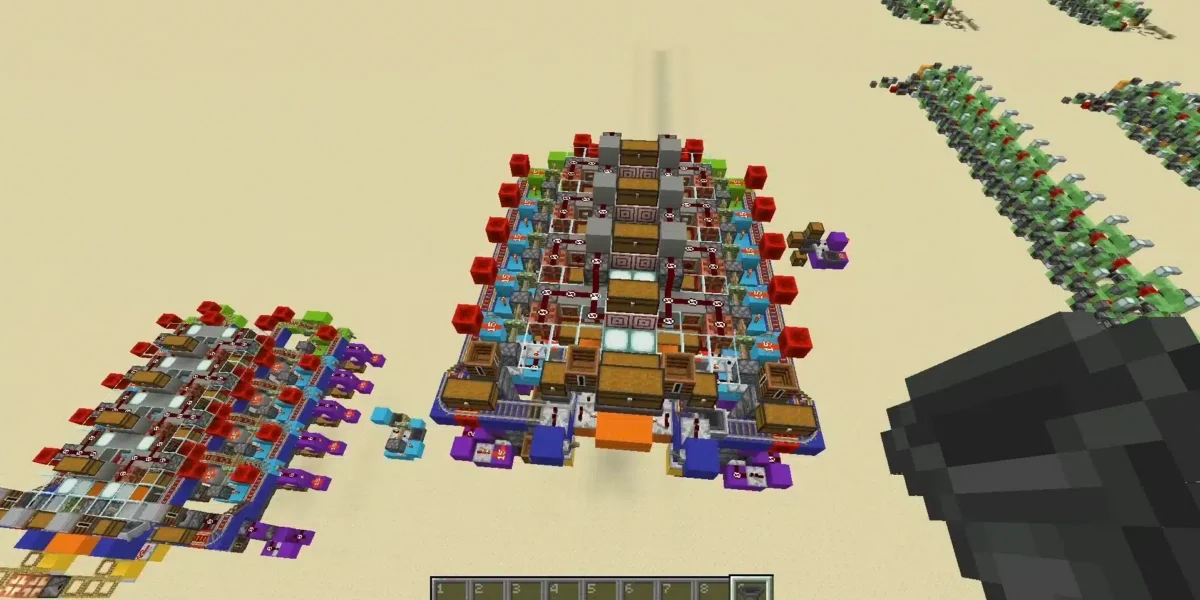
Automated furnace arrays are commonly used in mid-to-late game worlds. These setups:
- Process large quantities of ore
- Reduce player downtime
- Work efficiently on servers
Automation is especially important on multiplayer servers where time and efficiency matter.
Furnace Minecraft Fuel Comparison Table
| Fuel Type | Items Smelted | Burn Time | Best Use Case |
| Coal | 8 items | Medium | Early to mid game |
| Charcoal | 8 items | Medium | Renewable fuel |
| Lava Bucket | 100 items | Very Long | Large smelting projects |
| Wooden Planks | 1.5 items | Short | Emergency fuel |
| Blaze Rod | 12 items | Long | Nether-based setups |
Choosing the right fuel depends on resource availability and smelting volume.
Furnace Minecraft in Multiplayer and Servers
In multiplayer environments, furnace behavior is influenced by server performance, chunk loading, and tick rate.
Chunk Loading and Furnace Behavior
Furnaces only operate when their chunk is loaded. If a player moves too far away or logs out, smelting pauses.
This makes base location and AFK strategies important for efficient smelting.
Server Lag and Smelting Delays
On busy servers, lag can slow furnace processing, disrupt hopper timing, and break automation loops.
Stable connections are essential to avoid:
- Smelting interruptions
- Desynced automation
- Resource loss
Furnace Minecraft Performance and ExitLag Optimization
For PC players, especially those on multiplayer servers, connection quality directly impacts gameplay systems like furnaces, redstone, and automation.
ExitLag improves the Minecraft PC experience by optimizing your network routes in real time. By reducing packet loss and stabilizing ping, ExitLag ensures smoother chunk loading, consistent tick behavior, and reliable furnace automation.
With worldwide servers and proprietary routing technology, ExitLag allows players to focus on building and optimizing instead of fighting lag spikes or unstable connections.

Furnace Minecraft: Final Optimization Tips for PC Players
To fully master furnace minecraft, players should adopt long-term optimization habits.
Common Furnace Mistakes
- Relying on a single furnace
- Wasting fuel on small batches
- Ignoring automation options
Best Practices for Long-Term Worlds
- Create dedicated smelting rooms
- Combine furnaces, blast furnaces, and smokers
- Automate whenever possible
A well-planned furnace setup supports every stage of gameplay, from early survival to advanced technical builds.
All game images used in this blog belong to Mojang Studios. They are used for informational/educational purposes only and do not imply endorsement or affiliation with the rights holders.
Got questions or want to connect with other players? Join the conversation at the ExitLag Forum!