The getsockopt minecraft error is one of the most common and frustrating problems faced by players who try to join multiplayer servers. It usually appears suddenly, blocks access to servers, and provides little explanation, leaving players confused about what went wrong.
In most cases, the getsockopt minecraft error has nothing to do with your PC’s performance or Minecraft itself. Instead, it is directly tied to how your internet connection communicates with multiplayer servers, especially during unstable routing or packet loss situations.
So, what is the getsockopt minecraft error, who does it affect, and when does it usually appear? This error mainly affects Minecraft Java Edition players when joining online servers, custom realms, or modded multiplayer worlds, particularly during peak traffic hours.
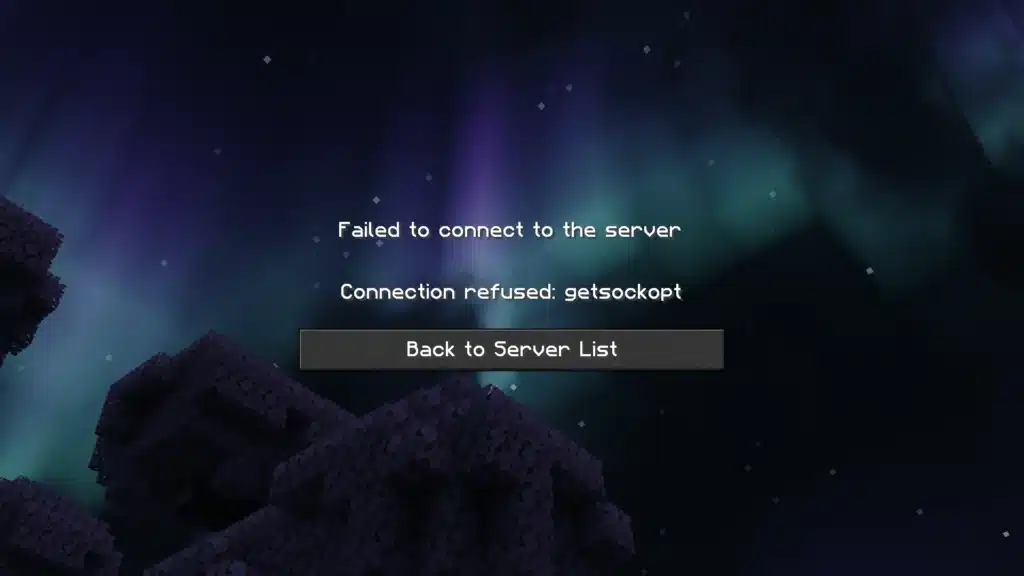
Getsockopt Minecraft Error: What It Means and Why It Appears
Understanding this error starts with understanding how Minecraft connects to servers.
What “getsockopt” means in Minecraft networking
Minecraft Java Edition relies on Java-based socket communication to exchange data with multiplayer servers. The term “getsockopt” refers to a network function that retrieves connection information from your operating system.
When Minecraft sends a request to the system and receives no valid response, the game cannot confirm a stable connection. As a result, the connection attempt fails and the getsockopt minecraft error appears.
This process happens in milliseconds, which is why the error often feels instant and unexpected.
When the getsockopt error usually happens
Players most commonly encounter this error during specific scenarios:
- Joining multiplayer servers with high player counts
- Connecting to servers located in another region or country
- Entering modded or custom-hosted servers
- Playing during peak internet traffic hours
In these situations, even small disruptions in routing or packet delivery can cause the handshake between your client and the server to fail.
Minecraft Getsockopt Error: Main Causes Explained
While the error message looks technical, the causes are usually straightforward once broken down.
Network routing instability and packet loss
The most frequent cause of the minecraft getsockopt error is unstable routing. Your internet provider decides which path your data packets take to reach the server. If that path is congested, overloaded, or poorly optimized, packets may arrive late or not at all.
Minecraft multiplayer is extremely sensitive to packet loss. Even a small amount of instability can result in a failed connection attempt.
Common routing-related triggers include:
- Long-distance connections to international servers
- ISP congestion during evenings or weekends
- Shared home networks with heavy traffic
Firewall, antivirus, and port blocking
Security software is another major contributor to this error. Firewalls and antivirus programs can mistakenly block Java or Minecraft network activity, especially after updates.
When Java is restricted from sending or receiving packets, Minecraft cannot complete the connection process, leading directly to a getsockopt error minecraft message.
This issue is particularly common on fresh installations or systems with aggressive security settings.
Getsockopt Minecraft Server Error on Multiplayer Worlds
Many players assume the problem lies with the server itself, but that is not always the case.
Why multiplayer servers are more sensitive
Multiplayer servers rely on real-time communication between players and the server host. Unlike single-player mode, there is no tolerance for delayed or missing packets during the initial connection phase.
If the server does not receive the expected response quickly enough, it automatically rejects the connection attempt.
This is why players may experience the error even when the server appears online and functional.
Server-side vs player-side responsibility
While servers can have issues, the getsockopt minecraft server error is more often triggered on the player’s side. Indicators that the issue is client-related include:
- Other players can join the server normally
- The error happens across multiple servers
- The issue disappears when switching networks
Recognizing this distinction helps avoid unnecessary server troubleshooting.
Minecraft Error Getsockopt on Java Edition vs Bedrock
The error behaves differently depending on the game version.
Why Java Edition shows this error more often
Minecraft Java Edition uses a more complex networking stack and allows custom servers, mods, and plugins. While this flexibility is powerful, it also increases sensitivity to network instability.
As a result, Java Edition players encounter the minecraft error getsockopt far more frequently than Bedrock players.
Version mismatch and protocol issues
Another common trigger involves mismatched versions. If your Minecraft client, mods, or server protocol are not aligned, the connection attempt may fail before authentication completes.
This is especially common on modded servers where updates are frequent and compatibility matters.
How to Prevent Getsockopt Minecraft Error Long-Term
Fixing the error once is helpful, but preventing it entirely is even better.
Network stability best practices
Following these habits significantly reduces the chance of recurring errors:
- Use a wired Ethernet connection instead of Wi-Fi
- Avoid background downloads while playing
- Restart your router regularly
- Keep Java and Minecraft updated
These steps ensure cleaner packet delivery and fewer interruptions.
Why routing optimization matters for Minecraft
Even with a strong internet plan, default ISP routing is not designed for online gaming. Poor routing decisions can cause sudden packet loss, which directly triggers connection failures.
This is why many multiplayer-focused players turn to connection optimization tools that prioritize stable routing paths and reduce packet loss, especially when playing on international or high-traffic servers.
By addressing routing stability early, players can dramatically reduce the chances of encountering the getsockopt minecraft error again.
Minecraft Getsockopt Error: Step-by-Step Fixes That Actually Work
If you are still encountering the minecraft getsockopt error after understanding its causes, it is time to focus on practical solutions. The good news is that most cases can be resolved by applying the right fixes in the correct order, starting with basic steps and moving toward more advanced network adjustments.
Below, you will find proven methods that directly address the most common triggers behind the getsockopt error minecraft players face on multiplayer servers.
Basic fixes every player should try first
Before changing system-level settings, always begin with simple adjustments that often solve the problem immediately:
- Restart your PC to clear temporary network conflicts.
- Restart your modem and router to refresh routing paths.
- Switch from Wi-Fi to a wired Ethernet connection.
- Close background downloads, cloud syncs, and streaming apps.
These steps reduce packet congestion and eliminate temporary routing failures that frequently trigger the minecraft error getsockopt message.
Advanced Windows network fixes
If the error persists, resetting your local network configuration is the next step. Windows can accumulate corrupted DNS or IP data over time, especially after system updates.
Recommended actions include:
- Flushing the DNS cache to remove outdated records.
- Renewing your IP address to force a fresh network assignment.
- Resetting the network adapter if disconnections occur frequently.
These fixes help restore clean communication between your system and Minecraft servers.
Getsockopt Error Minecraft: Firewall, Antivirus, and Java Fixes
Security software is one of the most overlooked causes of the getsockopt minecraft server error. Firewalls and antivirus tools may incorrectly flag Java-based traffic as suspicious.
Allowing Minecraft and Java through Windows Firewall
Minecraft Java Edition relies on Java executables to communicate with servers. If these are blocked, the connection fails instantly.
Make sure the following are allowed:
- Minecraft Launcher
- Java Runtime (javaw.exe)
- Both private and public network permissions
Once allowed, restart the game and attempt to reconnect.
Antivirus false positives and exceptions
Some antivirus programs apply aggressive network filtering. This can result in intermittent failures that are difficult to diagnose.
Common signs include:
- The error appearing only after updates
- Successful connections after disabling antivirus temporarily
- Inconsistent behavior across different servers
Creating permanent exceptions for Minecraft and Java usually resolves these cases.
Minecraft Error Getsockopt on Modded and Private Servers
Modded environments introduce additional complexity, which increases the likelihood of connection errors.
Version mismatch and mod loader conflicts
A common cause of the minecraft getsockopt error on modded servers is version incompatibility. If your client version, mod loader, or mod pack does not exactly match the server, the connection may fail before authentication completes.
Always verify:
- Minecraft version
- Forge or Fabric loader version
- Installed mods and their dependencies
Why modded servers trigger this error more often
Modded servers exchange larger amounts of data during login. This increases sensitivity to packet loss and unstable routing.
As a result, even players with decent internet connections may experience the getsockopt minecraft server error more frequently on heavily modded servers.
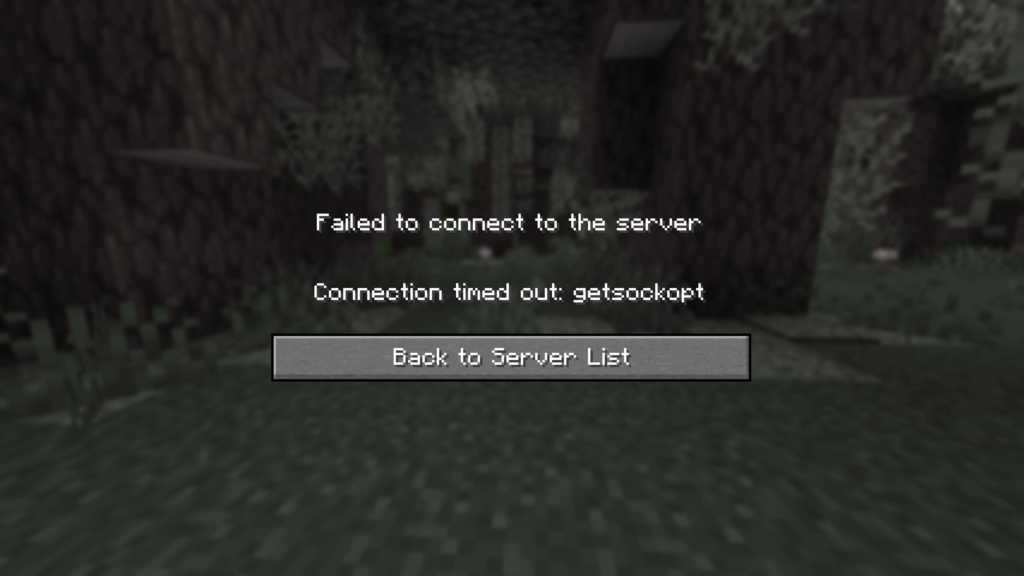
Getsockopt Minecraft Server Error: ISP, NAT, and Routing Issues
If the error occurs across multiple servers, the issue is usually tied to your internet provider rather than your system.
How ISP routing causes random disconnects
ISPs automatically route traffic through shared paths that are not optimized for gaming. Congested or unstable routes can cause packet delays during the initial server handshake, triggering the error.
This is especially common when:
- Playing on international servers
- Connecting during peak hours
- Using shared residential networks
NAT types and blocked ports
Strict NAT configurations or blocked ports can also prevent successful connections. A clear indicator of this issue is when the game works on a mobile hotspot but fails on your main connection.
In these cases, the problem lies in how traffic is handled by the network rather than the Minecraft server itself.
Common Causes vs Effective Fixes for Getsockopt Errors
| Cause | Symptoms | Best Fix |
| Packet loss | Random disconnects | Routing optimization |
| Firewall block | Instant failure | Java allow list |
| ISP routing | Error on all servers | Network optimizer |
| Mod mismatch | Modded servers only | Version sync |
| NAT restriction | Works on hotspot | Port or NAT adjustment |
This table highlights why a single fix does not work for every situation. Identifying the root cause is essential for long-term stability.
How ExitLag Fixes Getsockopt Minecraft Error Permanently
Standard troubleshooting can resolve temporary issues, but it does not address poor routing decisions made by ISPs. This is where ExitLag becomes a long-term solution for multiplayer players.
ExitLag works by optimizing the path your data takes between your PC and Minecraft servers. Instead of relying on a single route, it uses multiple simultaneous paths and automatically selects the most stable option in real time.
Key benefits for Minecraft players include:
- Reduced packet loss during server connections
- Stable routing to international servers
- Fewer random disconnects on high-population servers
- Improved consistency for competitive and modded gameplay
ExitLag is available for PC only and is fully compatible with Minecraft Java Edition, making it ideal for players who focus on multiplayer performance.
Minecraft Server Error Getsockopt: Best Practices for Stable Multiplayer
Preventing future errors requires a consistent approach to network stability.
Long-term prevention checklist
- Prefer wired connections whenever possible
- Keep Java and Minecraft fully updated
- Avoid background network usage during gameplay
- Restart networking equipment periodically
When to use optimization tools
Connection optimization tools are most effective when:
- Playing on international or competitive servers
- Experiencing frequent packet loss
- Using modded servers with high data exchange
By combining good network habits with optimized routing, players can significantly reduce the chances of encountering the minecraft server error getsockopt again.
All game images used in this blog belong to Mojang Studios. They are used for informational/educational purposes only and do not imply endorsement or affiliation with the rights holders.
Got questions or want to connect with other players? Join the conversation at the ExitLag Forum!