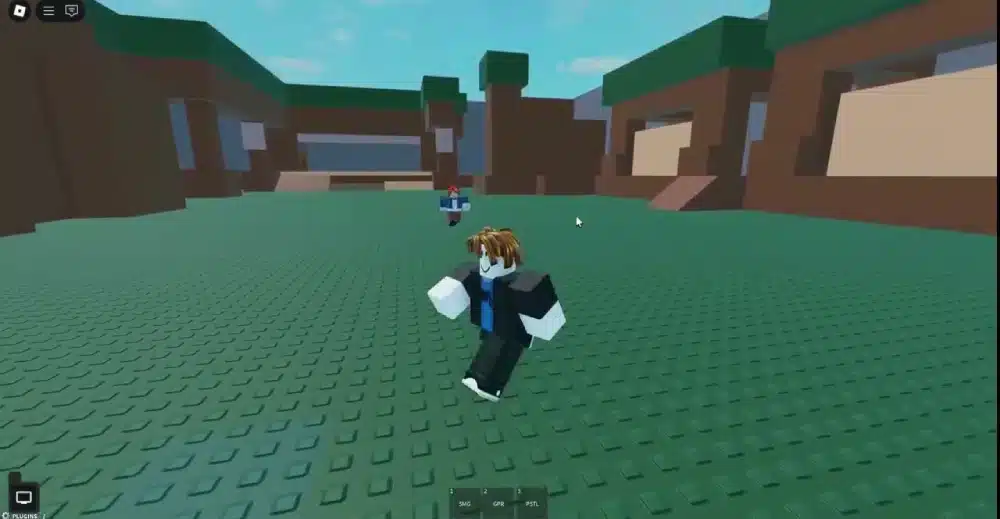
Grow a Garden Script Roblox is a popular search among players looking to automate repetitive tasks or better understand how one of Roblox’s biggest farming experiences works. As the game continues to attract millions of visits, curiosity about scripts, automation, and game mechanics has also grown.
For many players, Grow a Garden Script Roblox refers to tools that claim to automate harvesting, planting, collecting rewards, or completing repetitive actions. However, it is important to distinguish between legitimate scripting used by developers inside Roblox Studio and unauthorized scripts designed to alter gameplay.
If you’re searching for Grow a Garden Roblox Script, Roblox Script Grow a Garden, or a Script for Grow a Garden Roblox, this guide explains how scripting actually works, why unofficial scripts are risky, and how developers use Lua to build engaging Roblox experiences.

Grow a Garden Script Roblox: What Does It Mean?
The phrase Grow a Garden Script Roblox can describe two very different concepts. The first is legitimate Lua programming used by developers to create game mechanics. The second refers to unofficial scripts created to automate gameplay or attempt to gain advantages inside existing Roblox experiences. Understanding the difference is essential.
Official Roblox Scripts
Official scripts are written inside Roblox Studio.
Developers use them to create features such as:
- Plant growth
- Harvest systems
- NPC interactions
- Shop mechanics
- Weather systems
- Player progression
These scripts are part of normal game development.
Unofficial Automation Scripts
Some websites advertise scripts that promise automatic gameplay.
Common claims include:
- Auto farming
- Automatic harvesting
- Auto planting
- Instant collection
- Automatic selling
- AFK progression
These scripts are not created by the game’s developers and are not part of Roblox Studio.
How Roblox Scripts Power Farming Games
Modern farming games depend heavily on Lua scripting. Without scripts, players would not be able to interact with crops, tools, or progression systems.
Developers commonly script:
- Crop growth timers
- Inventory management
- Item spawning
- Currency rewards
- Tool behavior
- Save systems
Every harvest and every planted seed relies on scripted game logic.
Why Scripting Is Important
Scripts make farming games feel alive.
They control:
- Growth cycles
- Weather effects
- Daily rewards
- Marketplace systems
- Player statistics
- Interactive objects
Nearly every action in a farming simulator depends on Lua code.
How Roblox Studio Fits In
Official game development takes place inside Roblox Studio.
The development environment includes:
- Script Editor
- Explorer
- Properties
- Testing tools
- Debugging features
- Output console
These tools allow developers to build reliable gameplay systems without relying on external software.
Why Players Search for Grow a Garden Roblox Script
Automation has always attracted attention in online games. Many players search for scripts hoping to reduce repetitive gameplay.
Common motivations include:
- Faster farming
- Easier progression
- Collecting resources
- Saving time
- Curiosity about scripting
- Learning how games work
While these reasons are understandable, unofficial automation tools may introduce unnecessary risks.
Official Development vs Unofficial Scripts
Understanding the difference helps players make informed decisions.
| Official Roblox Studio Scripts | Unofficial Automation Scripts |
| Created by developers | Created by third parties |
| Built with Lua | Often depend on unauthorized software |
| Used during game development | Attempt to automate gameplay |
| Supported by Roblox | Not part of official development |
| Safe for creators | May create account and security risks |
Knowing which tools belong to Roblox Studio helps developers and players avoid confusion.
How Developers Build Farming Systems
Large Roblox farming games contain many interconnected systems.
Developers often create mechanics for:
- Crop planting
- Watering systems
- Harvest rewards
- Inventory storage
- Equipment upgrades
- Trading systems
These mechanics work together to create satisfying gameplay loops that encourage long-term progression.
Typical Development Workflow
Creating a farming experience usually follows several stages.
- Design the gameplay loop.
- Build the environment.
- Write Lua scripts.
- Test game mechanics.
- Publish updates.
Professional development focuses on creating balanced and enjoyable gameplay rather than automating it.
Understanding Roblox Script Safety
Players researching Grow a Garden Roblox Script frequently encounter websites offering downloadable files or automation tools.
It is important to remember that Roblox development is intended to take place inside Roblox Studio. Downloading unknown scripts or third-party automation software may expose users to malware, account theft, or moderation actions if those tools attempt to alter gameplay in unauthorized ways.
Developers who want to learn scripting should focus on Roblox Studio and Lua, which provide everything needed to build original experiences safely.
Why Learning Roblox Development Is More Rewarding
Exploring Grow a Garden Script Roblox can be an excellent introduction to how Roblox games are built. Rather than relying on unofficial automation tools, learning Lua and experimenting with Roblox Studio gives creators the skills to design their own farming systems, progression mechanics, and interactive worlds.
Whether you’re interested in understanding Grow a Garden Roblox Script, researching Roblox Script Grow a Garden, or learning how developers create farming games, mastering the official Roblox development tools provides a safer and far more rewarding path.
How Grow a Garden Uses Roblox Scripts
Every farming mechanic in Grow a Garden is powered by Lua scripts created inside Roblox Studio. These scripts allow crops to grow over time, rewards to be distributed, and player progress to be saved between sessions. Without scripting, the game would simply display static objects instead of a living, interactive garden.
Developers typically script systems such as:
- Seed planting
- Crop growth timers
- Harvest interactions
- Inventory management
- Currency rewards
- Equipment upgrades
These mechanics work together to create the satisfying progression that keeps players returning.
Crop Growth Systems
One of the most important scripted mechanics is crop growth.
Scripts determine:
- Growth duration
- Harvest availability
- Visual growth stages
- Reward calculations
- Plant removal
- Replanting logic
Each crop follows rules created by the developers rather than random behavior.
Saving Player Progress
Persistent progression is another essential feature.
Scripts safely store information such as:
- Owned seeds
- Coins
- Garden upgrades
- Equipped tools
- Player inventory
- Achievement progress
This allows players to continue building their gardens after leaving the game.
Common Gameplay Systems Developers Create
Modern Roblox farming experiences include far more than planting crops. Developers often combine multiple scripted systems to create engaging gameplay loops.
Popular systems include:
- Daily rewards
- Trading
- Seasonal events
- Pet companions
- Crafting
- Leaderboards
These features encourage players to continue progressing over time.
Interactive Tools
Tools are another heavily scripted element.
Examples include:
- Watering cans
- Shovels
- Harvesting tools
- Seed dispensers
- Fertilizer items
Scripts determine how each tool behaves when used by the player.
Dynamic Events
Many farming games include special events that appear automatically.
These scripted events may introduce:
- Limited-time crops
- Bonus rewards
- Rare weather
- Seasonal decorations
- Community challenges
Dynamic events help keep gameplay fresh throughout the year.
Why Players Look for Grow a Garden Roblox Script
Many searches for Grow a Garden Roblox Script come from players hoping to automate repetitive activities.
Common goals include:
- Automatic harvesting
- Auto planting
- Resource farming
- Faster progression
- AFK gameplay
- Easier collection
Although automation may sound appealing, unofficial scripts are not part of the game’s intended design.
Understanding the Risks
Many unofficial websites advertise automation tools using names such as Roblox Script Grow a Garden or Script for Grow a Garden Roblox. Downloading unknown files may expose users to several risks.
Possible issues include:
- Malware infections
- Password theft
- Fake downloads
- Account moderation
- Data loss
- Unstable game performance
Protecting your Roblox account should always take priority over temporary shortcuts.
Learn Roblox Scripting the Right Way
If you’re interested in how farming games work, learning Lua inside Roblox Studio is the safest and most rewarding approach. Instead of modifying existing games, you can build your own mechanics from scratch.
Beginner-friendly projects include:
- Crop growing systems
- Harvest animations
- Coin collection
- Inventory menus
- Shop systems
- Tool interactions
Each project introduces new scripting concepts that can be applied to larger games.
Build Your Skills Gradually
Most experienced Roblox developers recommend starting with simple mechanics.
A practical learning path is:
- Learn basic Lua syntax.
- Create interactive objects.
- Build a simple farming mechanic.
- Save player progress.
- Expand into multiplayer systems.
Small projects help develop programming confidence while avoiding unnecessary complexity.
Best Practices for Roblox Developers
Successful Roblox games are built on clean, organized code.
Developers should aim to:
- Organize scripts into folders.
- Use descriptive variable names.
- Test every new feature.
- Remove unused code.
- Keep projects well documented.
- Reuse code with ModuleScripts.
These habits make future updates much easier to manage.
Optimize Performance
Efficient scripts improve gameplay for everyone.
Developers should minimize:
- Duplicate code
- Unnecessary loops
- Repeated calculations
- Large unused assets
- Excessive server workload
Performance optimization becomes increasingly important as games grow larger.
Official Development vs Automation Tools
Many new creators become confused after seeing unofficial automation tools online. The difference between official development and unauthorized software is significant.
| Official Roblox Studio | Unofficial Automation Tools |
| Designed for game creation | Claims to automate gameplay |
| Uses official Lua scripting | Uses unofficial methods |
| Supported by Roblox | Not supported by Roblox |
| Safe for developers | May create account and security risks |
| Intended for building games | Intended to alter existing games |
Understanding this distinction helps players and aspiring developers choose the appropriate tools while learning Roblox development.
Whether you’re researching Grow a Garden Roblox Script, exploring Roblox Script Grow a Garden, or looking for Scripts for Grow a Garden Roblox, learning Lua through Roblox Studio provides valuable programming skills that can be used to create your own farming experiences instead of relying on unofficial automation tools.
Understanding Searches for Grow a Garden Roblox Script
Searches for Grow a Garden Roblox Script have become increasingly common as the game’s popularity continues to grow. Many players are curious about automation tools because farming games often involve repeating the same activities, such as planting, harvesting, and upgrading crops.
However, it’s important to understand that these searches usually refer to unofficial scripts rather than the Lua code used by the game’s developers.
Why Players Search for Automation
There are several reasons players look for scripts.
The most common include:
- Faster harvesting
- Automatic planting
- Easier resource collection
- AFK progression
- Faster upgrades
- Curiosity about scripting
While automation may seem convenient, unofficial scripts are not part of the intended gameplay experience.
How Developers Actually Build Games
Every mechanic in Grow a Garden is created using Roblox Studio and Lua.
Developers script systems like:
- Crop growth
- Inventory management
- Currency rewards
- Shop systems
- Tool interactions
- Save data
These official scripts are designed to create balanced and enjoyable gameplay for everyone.
Account Security and Roblox Moderation
One of the biggest concerns surrounding unofficial scripts is account security. Many websites advertising downloads for Roblox Script Grow a Garden or Script for Grow a Garden Roblox are not affiliated with Roblox or the game’s developers. Downloading unknown software can expose players to unnecessary risks.
Possible Risks
Using unofficial automation tools may result in:
- Account moderation
- Permanent account suspension
- Malware infections
- Password theft
- Personal data exposure
- Unstable game performance
Protecting your Roblox account should always be more important than saving a few minutes of gameplay.
Keep Your Account Safe
Following good security habits greatly reduces risk.
Recommended practices include:
- Enable two-step verification.
- Use a unique password.
- Avoid downloading unknown files.
- Never share your login information.
- Download Roblox only from official sources.
Simple precautions can help protect both your account and your personal information.
Learn Lua Instead of Downloading Scripts
If your goal is understanding how Grow a Garden works, learning Lua programming is a far better investment than searching for unofficial automation tools. Roblox Studio provides everything needed to build similar gameplay systems from scratch.
Beginner projects include:
- Plant growing systems
- Harvest interactions
- Shop menus
- Coin collection
- Inventory systems
- Upgrade mechanics
Each project teaches programming concepts that apply to countless Roblox experiences.
Build Your Own Farming Game
Many successful developers started with simple farming mechanics.
A beginner roadmap might look like this:
- Learn Lua basics.
- Create a planting system.
- Add crop growth timers.
- Save player progress.
- Expand with multiplayer features.
Building your own projects develops valuable programming skills while encouraging creativity.
Continue Improving
As your knowledge grows, you can explore more advanced systems.
Examples include:
- Dynamic weather
- Pet companions
- Trading systems
- Crafting mechanics
- Seasonal events
- Achievement systems
Continuous learning is one of the best ways to become a skilled Roblox developer.
Play Roblox With a More Stable Connection Using ExitLag
Whether you’re building games in Roblox Studio or spending hours growing the perfect garden with friends, a stable internet connection can make every session more enjoyable.
Network issues such as high latency, packet loss, and unstable routing may affect movement, synchronization, and multiplayer interactions. While they do not change gameplay mechanics, they can reduce the overall experience during long play sessions.
ExitLag is designed specifically for gamers. Its intelligent multi-path routing technology continuously optimizes network traffic to provide a more stable connection between your device and supported game servers.
Whether you’re testing a new project in Roblox Studio or managing a thriving virtual garden, a reliable connection helps you focus on the experience instead of your network.
Pro Tips
Learning about Grow a Garden Script Roblox is most valuable when your goal is understanding how Roblox games are created rather than searching for shortcuts. These tips can help both players and aspiring developers.
Learn the Basics First
Start by mastering simple concepts before attempting advanced systems.
Focus on:
- Variables
- Functions
- Events
- Loops
- Tables
- Player interactions
Strong fundamentals make every future project easier.
Create Small Projects
Practice by building manageable systems.
Good beginner ideas include:
- Crop timers
- Coin rewards
- Inventory menus
- Tool mechanics
- Shop interfaces
- Harvest systems
Completing small projects builds confidence and practical experience.
Common Mistakes
Mistake 1: Downloading Unknown Scripts
Many websites promise powerful automation tools. Correction: Only use Roblox Studio and official development resources when learning scripting.
Mistake 2: Expecting Instant Results
Programming takes time to learn. Correction: Build small projects consistently instead of trying to create a massive game immediately.
Mistake 3: Ignoring Account Security
Some players overlook the risks associated with unofficial downloads. Correction: Protect your account with strong passwords, two-step verification, and official software only.
Frequently Asked Questions
What Is Grow a Garden Script Roblox?
The phrase usually refers to unofficial automation scripts that claim to perform repetitive actions automatically, or to the Lua scripts developers use to build farming mechanics inside Roblox Studio.
Can I Create My Own Farming Systems?
Yes. Roblox Studio includes all the tools needed to create planting, harvesting, inventory, and progression systems using Lua.
Are Roblox Script Executors Official?
No. Third-party script executors are not part of Roblox Studio and are not intended for legitimate game development.
What Is the Best Way to Learn Roblox Scripting?
The safest and most effective approach is learning Lua through Roblox Studio while building your own projects and experimenting with official development tools.
Do Official Scripts Require Extra Software?
No. Everything needed for legitimate Roblox development is included within Roblox Studio and its official development environment.
Grow a Garden Script Roblox is a topic that attracts significant attention because players are curious about automation and game mechanics. However, the most rewarding path is learning how these systems are actually created through Roblox Studio and Lua rather than relying on unofficial tools.
Whether you’re researching Grow a Garden Roblox Script, exploring Roblox Script Grow a Garden, or searching for a Script for Grow a Garden Roblox, understanding the difference between official development and unauthorized automation helps you make informed decisions while building valuable programming skills for future Roblox projects.
Got questions or want to connect with other players? Join the conversation at the ExitLag Forum!