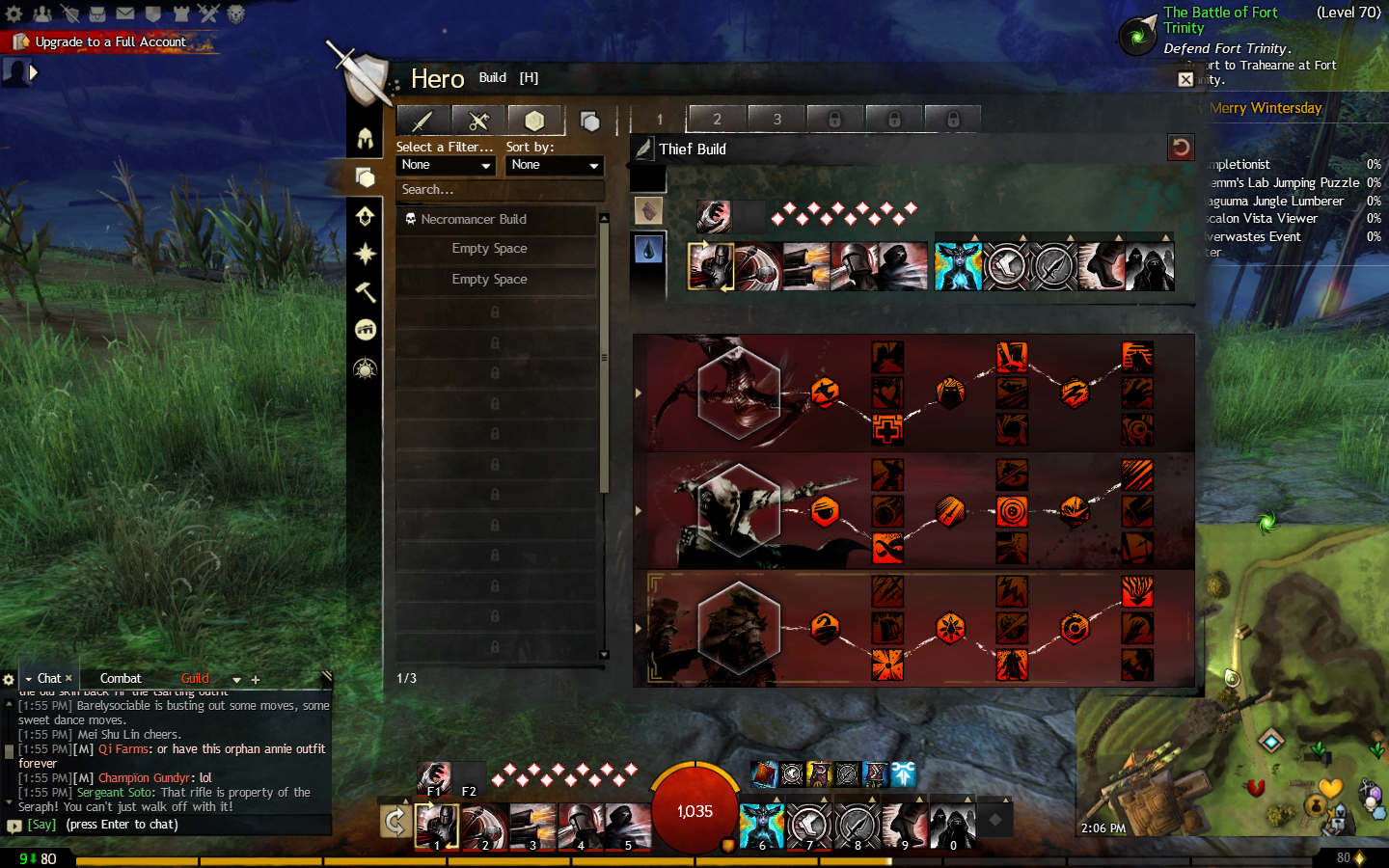
Guild Wars 2 builds are the foundation of how your character deals damage, supports allies, survives pressure, and responds to the content in front of you. A strong setup is not simply a list of popular traits copied from a guide. It is a system of connected decisions: profession, specializations, weapons, skills, gear stats, relics, runes, sigils, and the way you execute your rotation.
Profession choice is one of the first decisions that shapes that entire system. Players who prefer mobility, burst, and precise timing can start by comparing options through this Guild Wars 2 Thief build guide before committing to a full setup.
The best Guild Wars 2 builds begin with a clear purpose. A setup that clears open-world events quickly may not be the right choice for raids, structured PvP, or large-scale WvW fights. Therefore, before selecting traits or buying gear, decide where you want the character to perform. That one decision makes it much easier to read GW2 builds without getting lost in options.
In Guild Wars 2, flexibility is one of the game’s biggest strengths. You can save different setups, switch between roles, and adapt a character over time. However, that flexibility can also feel overwhelming. A focused Guild Wars 2 builds plan helps you avoid mixing unrelated skills, traits, and stat combinations.
This guide explains how to use build editors, compare community resources, test your choices in real combat, and refine your playstyle over time. You will also see why a reliable build Guild Wars 2 workflow is more useful than blindly replacing every slot after a balance patch.
What Are Guild Wars 2 Builds?
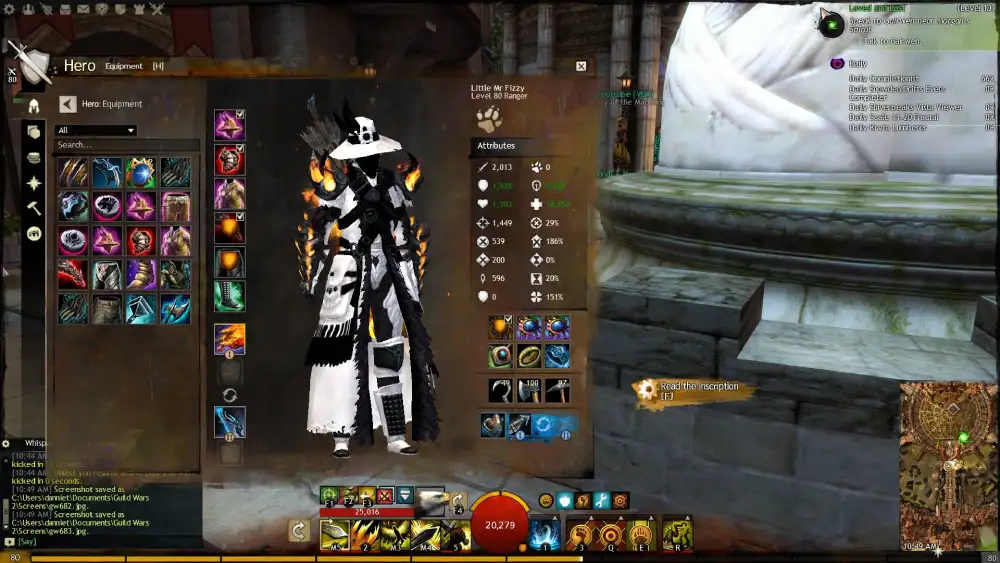
Guild Wars 2 builds combine every combat choice on your character into one working system. Your build includes your profession, the three specialization lines you select, trait choices, healing skill, utility skills, elite skill, weapons, equipment stats, runes, sigils, relic, and consumables.
That is why a build should always be evaluated as a complete package. A powerful weapon skill can underperform when the chosen traits do not support it. Likewise, a high-damage stat set can feel weak if it leaves you without sustain, boon access, crowd control, or a way to recover after a mistake.
A good Guild Wars 2 builds setup has a simple goal. It should help you do one job well before trying to do everything at once.
Start With a Role, Not a Random Template
Before opening an editor, pick one job for the character. Most Guild Wars 2 setups fall into a few broad categories:
- Power damage, focused on direct hits and critical strikes.
- Condition damage, focused on damage over time.
- Boon damage, which contributes damage while maintaining group boons.
- Healing support, which provides healing, cleanse, boons, and control.
- Roaming or dueling, designed for mobility and self-sustain.
- Open-world solo play, which balances damage with independence.
This does not mean every character needs one permanent role. Instead, it helps you avoid conflicting choices. A glass-cannon raid setup and a durable solo build can both be useful, but they solve different problems. When comparing GW2 builds, always check the activity first.
Some professions also change roles dramatically depending on legends, weapons, and trait choices. A focused Guild Wars 2 Revenant build guide can help you see how one profession can shift between damage, support, and survival depending on the content.
Understand the Trade-Offs in Your Setup
Every build has a cost. More damage may mean less defense. More support may reduce personal burst. High mobility may limit sustained pressure. The goal is not to remove every weakness. It is to choose weaknesses you can manage.
Use this quick comparison before committing gear:
| Build Goal | Priorities | Common Trade-Off |
| Open world | Damage, sustain, mobility | Lower group optimization |
| Instanced PvE | Role output, rotation, boon coverage | Less self-sufficiency |
| Structured PvP | Mobility, burst, control, survival | Limited room for niche tools |
| WvW | Squad role, cleanse, stability, positioning | Depends on group composition |
A smart build Guild Wars 2 plan accepts these differences. You do not need the same traits for every mode, and you should not expect one loadout to perform perfectly everywhere.
How Do You Build a Character in Guild Wars 2?
The simplest method is to build in layers. Start with content and role. Then choose the profession and specialization combination that supports that role. Next, select skills and weapons. Finally, add gear and upgrades that reinforce the damage type, boon role, or survivability you need.
This order matters. Picking gear first can lock you into a direction before you understand the build’s playstyle. Instead, use a working template, test it, and replace elements only when you know what problem you are solving.
A practical Guild Wars 2 builds routine keeps every decision connected to the same outcome. That makes your character easier to improve as you gain gear and experience.
Choose Your Profession and Damage Pattern
Every profession can cover more than one job, but their gameplay rhythm differs. Some are built around fast weapon swaps. Others rely on kits, shatters, pets, tomes, legends, attunements, stealth, or profession-specific resources.
The “best” profession is often the one whose rhythm you can maintain under pressure.
Ask these questions before you choose:
- Do you enjoy direct damage, condition pressure, support, or a mix?
- Do you want to stay in melee, attack from range, or alternate between both?
- Are you comfortable with a complex rotation?
- Do you want to play alone, in organized groups, or both?
- Does the build need to be forgiving while you learn?
For example, an open-world version of Guild Wars 2 may value self-healing and defensive boons more than a raid setup. Meanwhile, a PvP configuration may favor interrupts, movement skills, and ways to disengage.
Match Traits, Skills, and Gear to One Goal
Once you know the role, create a simple synergy map. Your traits should improve the actions you perform most. Your skills should help you create damage windows, maintain boons, control enemies, or survive danger. Your gear should support the same damage profile.
A useful planning checklist is:
- Pick one main damage source or support responsibility.
- Choose traits that reinforce that source.
- Select weapons that fit the rotation and engagement range.
- Add skills that provide defense, movement, crowd control, or boon support.
- Choose gear stats that match the build’s purpose.
- Add runes, sigils, and relics that improve the same game plan.
- Test the result against real enemies before making expensive upgrades.
In other words, strong GW2 builds are coherent. A condition-focused character should not be filled with unrelated direct-damage bonuses. A healer should not sacrifice every defensive tool for personal damage.
A reliable Guild Wars 2 builds setup is not one that copies every popular choice. It is one where you understand why every major slot exists.
What Are the Best Guild Wars 2 Builds for Each Game Mode?
The best Guild Wars 2 builds are not universal. A reliable open-world character needs enough damage to clear events while remaining safe alone. Instanced PvE builds are usually designed around defined group roles. PvP and WvW builds must respond to other players, terrain, objectives, and unpredictable pressure.
As a result, begin with the mode you actually play. It is better to have one functional setup for your current goal than an ideal raid build you cannot use comfortably in solo content.
Open World and Instanced PvE Builds
Open-world builds benefit from sustain, cleave, mobility, and enough defense to recover from mistakes. They should handle events, veterans, champions, and travel without relying on a perfectly coordinated squad.
For raids, strikes, fractals, and other organized encounters, builds tend to become more specialized. A group may need power damage, condition damage, quickness, alacrity, healing, or specific utility. Here, your rotation and boon uptime can matter as much as your individual damage.
Use this guide when choosing a PvE direction:
| Activity | Recommended Build Focus | What to Test |
| Open world | Sustain, cleave, movement | Solo events and champion fights |
| Fractals | Damage plus reactive utility | Breakbars, cleanse, survivability |
| Raids and strikes | Defined group role | Rotation, boon uptime, encounter mechanics |
| Farming | Speed, tagging, area damage | Travel time and pack clearing |
A practical build Guild Wars 2 choice may begin as an open-world setup, then branch into an organized PvE role once you understand the profession.
PvP and WvW Builds Need Different Priorities
Structured PvP gives every player an equalized environment, so build decisions focus on traits, amulet choices, weapons, utilities, and execution. It rewards map awareness, node control, timing, and the ability to survive focus pressure.
WvW is different. Large fights, roaming, small-scale groups, and zerg play can require separate roles. A roaming build may need escapes and burst. A squad support build may prioritize stability, cleansing, healing, or boon support.
Therefore, copy a WvW setup only when it matches the size and role of the group you intend to join.
When looking at Guild Wars 2 recommendations, ask whether the guide is for:
- Solo roaming.
- Small-scale havoc groups.
- Large organized squads.
- Structured PvP conquest.
- A tournament or ranked environment.
This context protects you from the common mistake of taking a high-level GW2 builds template into the wrong game mode and assuming the build is broken.
Guild Wars 2 builds become much easier to evaluate when you judge them by their intended content rather than by a generic ranking.
Complex professions can make this comparison even more important, especially when kits, tools, and utility choices affect the full rotation. This Guild Wars 2 Engineer build guide is useful for understanding how profession mechanics can change the way a setup performs across modes.
Which Tools Help You Create and Test GW2 Builds?
Build tools make theorycrafting faster, but they are not substitutes for practice. An editor can show trait interactions, gear combinations, weapon skills, and upgrade choices. A community guide can show an established rotation or role. The game itself tells you whether the build feels natural in real fights.
The most useful workflow combines all three. First, find a current reference. Second, inspect the build in an editor. Third, test the setup in a low-risk environment before you invest heavily in gear or try it in competitive content.
A strong Guild Wars 2 builds process uses tools to understand the logic behind a setup, not simply to copy a final list.
Use a Build Editor to Visualize the Whole Setup
GW2Skills is a well-known editor for planning a complete setup. It can help you examine profession tools, specialization lines, traits, weapons, upgrades, and selectable skills in one place.
This is especially helpful when you want to compare two approaches without constantly switching items in-game.
Build Templates inside the Hero panel are useful as well. Save separate configurations for PvE, WvW, and PvP so you do not accidentally enter content with the wrong traits or gear. Give each template a clear name, such as “Open World,” “Support,” “Fractal,” or “Roaming.”
Sharing a setup is easier when the build has a clean preview that others can open and review. A link like this Guild Wars 2 build preview can support that process by giving players a direct way to inspect a planned configuration.
Use editors and templates to:
- Compare trait choices before changing your active build.
- Share a build with friends or guildmates.
- Save an experimental version before replacing a working setup.
- Review weapon and skill interactions.
- Keep mode-specific configurations organized.
For long-term upkeep, Guild Wars 2 players should keep at least one stable template and one test template. This makes GW2 builds easier to maintain after balance updates.
Use Community Resources as Starting Points
Community sites are helpful when you need an established baseline. MetaBattle organizes builds across PvE, PvP, WvW, and open-world categories. Snow Crows offers detailed group-PvE and beginner-oriented resources. Other build hubs can be useful too, especially when they state the patch context and explain a role clearly.
However, never treat a guide as permanent. Balance updates can adjust skills, traits, relics, and build interactions. Before crafting expensive gear, confirm that the guide is current and that it targets your exact activity.
A good research routine is:
- Find a current GW2 builds guide for your mode.
- Check the patch date or most recent update.
- Read the explanation, not only the gear list.
- Load it in an editor or in-game template.
- Test it against real content.
- Change one variable at a time if it feels wrong.
This process turns a borrowed build Guild Wars 2 idea into a setup you understand and can adapt.
How Do You Improve a Build Guild Wars 2 Setup?

Improvement begins with identifying the exact problem. “My build feels bad” is too broad to solve. Instead, ask whether you are dying too quickly, running out of resources, missing boon uptime, dealing weak damage, losing fights to control effects, or struggling with the rotation.
Once you name the issue, you can change one layer of the build. Avoid replacing traits, skills, and gear at the same time. You will not know which change helped.
A focused Guild Wars 2 builds review is more useful than a complete rebuild after every difficult fight.
Diagnose the Weakest Part of Your Gameplay
Use a short review after several fights. Look for patterns rather than single unlucky moments.
| Problem | First Area to Review |
| You die before completing a rotation | Defense, positioning, sustain, stun breaks |
| Damage feels low | Rotation, boon uptime, weapon usage, stat alignment |
| You cannot keep enemies controlled | Crowd-control skills and breakbar timing |
| You lose targets in PvP | Mobility, immobilize, line-of-sight usage |
| You feel ineffective in groups | Assigned role, boon coverage, encounter knowledge |
A Guild Wars 2 build can be technically correct and still underperform because the player is trying to execute a rotation too quickly or using the wrong priority skills.
Strong GW2 builds also depend on knowing when not to use a skill. Save a stun break for control pressure. Hold crowd control for a breakbar. Keep a movement skill available when an encounter has a dangerous area attack.
Test Changes in a Controlled Way
After identifying the weak point, change only one or two things. For example, replace one utility skill with a stun break. Swap one trait to improve boon duration. Change a relic that does not support your main damage type. Then repeat the same type of content and compare the result.
Keep notes if you are serious about optimization. You can record:
- How often you die.
- How often you run out of resources.
- Which skills you fail to use on cooldown.
- Whether you maintain important boons.
- Which enemy mechanics interrupt your plan.
- Which matchups expose your build’s weakness.
This creates better Guild Wars 2 builds over time than switching to a new popular template every week. The goal is to understand the mechanics behind your choices, so you can respond when the meta changes.
How Can ExitLag Help Guild Wars 2 Players?
ExitLag is a connection optimization solution for online games. In Guild Wars 2, it can be useful when the main problem is network-related instability, such as inconsistent routing, packet loss, ping spikes, rubberbanding, or delayed input registration.
It does not improve character damage, replace a build guide, or solve low frame rates caused by your hardware. It also cannot fix a game server issue by itself. However, a more consistent route can matter in activities where reaction timing, movement, dodges, and group coordination are important.
When Connection Stability Matters Most
Connection problems can be especially frustrating in structured PvP and WvW. A delayed dodge can turn a winnable duel into a loss. In a large fight, inconsistent movement can make it harder to stay with your group, follow calls, or react to area damage.
Watch for network-related signs such as:
- Your character snaps backward after moving.
- Skills activate later than expected.
- Dodges or weapon swaps feel inconsistent.
- You disconnect during large events.
- The game feels worse on one server route or at certain times.
If you notice these patterns while using Guild Wars 2 setups that depend on precise timing, test whether ExitLag makes the connection feel more stable. Focus on consistency, not a guaranteed ping number.
Combine ExitLag With Basic Troubleshooting
Start with the basics. Close large downloads and streaming apps. Use a stable local connection. Restart network hardware when needed. Then compare the same activity at different times of day.
After that, test ExitLag during a normal session before relying on it for ranked PvP or a major WvW push. Pay attention to whether skill response, movement, and disconnect frequency feel more consistent.
A useful setup checklist includes:
- Keep Guild Wars 2 updated.
- Verify that your graphics settings match your hardware.
- Close bandwidth-heavy background apps.
- Test the same mode more than once.
- Use ExitLag when routing instability continues.
- Keep your defensive skills and positioning disciplined regardless of connection quality.
A stable connection will not turn an unfinished build Guild Wars 2 setup into a perfect one. Still, it can help your decisions register more consistently when execution matters.
Before finalizing major changes, it is worth reviewing the full setup in a dedicated planner. The GW2Skills build editor can help you compare traits, weapons, equipment, and skills before investing time or resources in a new direction.
FAQ:
Guild Wars 2 builds change as balance patches, elite specializations, relic options, and community discoveries evolve. The right approach is to begin with a current reference, understand why it works, and tailor it to the content you play most.
The best beginner choice is usually a build with a clear role, simple priority skills, enough self-sustain, and room to learn. Start with an open-world or beginner-focused template for your preferred profession, then move into specialized PvE, PvP, or WvW setups after you understand the basic rotation.
Avoid selecting a build only because it sits at the top of a tier list. A slightly less demanding setup that you can execute consistently will often perform better for you.
Check the official patch notes first. Then look at updated pages from reputable community resources and confirm the date or patch context. Use a build editor to compare changed traits, skills, or gear choices before investing in upgrades.
The best Guild Wars 2 builds are not frozen in time. Learn the role, test the rotation, and adjust with each meaningful patch. Then, when network instability gets in the way of clean execution, try ExitLag to support a more reliable online experience.
Got questions or want to connect with other players? Join the conversation at the ExitLag Forum!