
If you’ve already explored Hogwarts Legacy and want to take your experience to the next level, mods are the perfect way to do it. From visual improvements to gameplay changes, mods can completely transform how the game feels.
Hogwarts Legacy mods allow players to customize their experience, unlock new features, and experiment with mechanics that are not available in the base game.
So, what are Hogwarts Legacy mods? They are community-created modifications that alter or enhance the game, adding new features, improving performance, or changing gameplay elements.
Hogwarts Legacy mods: how they work and why players use them

Understanding how Hogwarts Legacy mods work is essential before installing anything. Mods are created by the community and interact directly with the game’s files, which means they can significantly change your experience.
Players use mods for different reasons, but most of them are looking for more control, more content, or a more personalized gameplay style.
Hogwarts Legacy modding explained
The process of Hogwarts Legacy modding involves modifying game files to add or change content. This can include:
- Visual upgrades;
- Gameplay tweaks;
- New features or mechanics.
Each Hogwarts Legacy mod is designed for a specific purpose, and combining multiple mods can create a completely unique experience.
However, it’s important to understand compatibility. Not all mods work well together, and some may require updates after game patches.
Best Hogwarts Legacy mods and what they offer
When looking for the best Hogwarts Legacy mods, players often focus on improvements that enhance gameplay without breaking immersion.
Popular categories include:
- Performance and optimization mods;
- Quality-of-life improvements;
- Visual enhancements;
- Gameplay expansions.
Some mods aim to fix small annoyances, while others introduce entirely new ways to play the game.
Hogwarts Legacy multiplayer mod and new possibilities
One of the most requested features in the game is multiplayer, and mods are already exploring this idea.
Hogwarts Legacy multiplayer mod explained
The Hogwarts Legacy multiplayer mod is a community-driven attempt to bring online gameplay into a single-player experience.
These mods aim to allow:
- Co-op exploration;
- Shared gameplay experiences;
- Interaction between players.
While still experimental, they show what could be possible in the future.
Hogwarts Legacy multiplayer mode release expectations
Many players search for Hogwarts Legacy multiplayer mode release, hoping for an official feature.
Currently, multiplayer is not part of the base game, but mods continue to evolve. These developments indicate strong community interest and ongoing innovation.
Hogwarts Legacy special mods and unique features
Some mods focus on very specific experiences, offering unique ways to play.
Hogwarts Legacy arachnophobia mode and accessibility
One popular example is the Hogwarts Legacy arachnophobia mode, designed for players who are uncomfortable with spiders in the game.
This mod replaces or alters spider models, making the game more accessible without changing core gameplay.
Searches like arachnophobia mode Hogwarts Legacy show how important accessibility features are for players.
Hogwarts Legacy first person mod and immersion
Another highly requested feature is the Hogwarts Legacy first person mod, which changes the camera perspective.
This creates a more immersive experience, allowing players to:
- Explore Hogwarts in a new way;
- Feel more connected to the environment;
- Experience combat from a different perspective.
These types of mods demonstrate how flexible the game can become.
Common issues with Hogwarts Legacy mods and how to fix them
While Hogwarts Legacy mods can significantly enhance your experience, they also introduce a layer of complexity that many players underestimate. Mods interact directly with game files, and if they are not installed, updated, or removed correctly, problems can quickly appear.
Understanding the most common issues, and how to fix them, is essential if you want a smooth and stable modded experience.
Hogwarts Legacy mods wont uninstall curseforge issue
One of the most frustrating problems players face is Hogwarts Legacy mods wont uninstall curseforge. At first glance, it may seem like the mod is simply “stuck,” but in most cases, the issue is related to how files are managed behind the scenes.
This problem usually happens due to:
- Incorrect file removal (mods not fully deleted);
- Conflicts between multiple mods installed at the same time;
- Incomplete uninstall processes through mod managers.
Even after removing a mod through CurseForge, some files may remain in your game directory. These leftover files can still affect gameplay, causing bugs or making it seem like the mod is still active.
To fix this issue effectively, you should take a more thorough approach:
- Manually check your game installation folders;
- Look for leftover mod files and remove them completely;
- Verify the integrity of game files (if using a launcher);
- Restart the game after making changes.
In more complex cases, especially if you’ve been experimenting with multiple Hogwarts Legacy modding setups, a clean reinstall of the game may be the fastest solution.
The key takeaway is that uninstalling mods is not always automatic, sometimes it requires manual cleanup.
Cheat plus mod Hogwarts Legacy and risks
Mods like cheat plus mod Hogwarts Legacy can be very appealing, especially for players who want to experiment, unlock features quickly, or simplify certain aspects of the game.
However, these types of mods come with risks that should not be ignored.
While they can enhance gameplay in the short term, they may also:
- Break game balance and progression systems;
- Cause compatibility issues with other mods;
- Lead to unexpected bugs or crashes.
For example, combining a cheat mod with other gameplay-changing mods can create conflicts that are difficult to diagnose. This is especially true if you are also using advanced features like a Hogwarts Legacy multiplayer mod, where stability becomes even more important.
Another important point is that frequent updates to the game can break mods. A mod that worked perfectly before may suddenly cause issues after a patch.
The best approach is to use these mods carefully and intentionally. If you want to test something, do it in a controlled setup rather than mixing too many changes at once.
In the end, using best Hogwarts Legacy mods is not about installing everything available, it’s about choosing the right ones, maintaining compatibility, and keeping your game stable.
By understanding these risks and solutions, you can enjoy all the benefits of modding without the frustration that often comes with it.
Hogwarts Legacy mods: types and uses
To better understand how Hogwarts Legacy mods impact your gameplay, it’s important to look beyond just installing them and actually understand what each type does.
Many players download multiple mods without a clear goal, which often leads to conflicts, bugs, or an unstable experience.
This overview helps you organize your choices and build a setup that truly improves your game instead of complicating it.
How to understand mod categories
Before using any Hogwarts Legacy mod, you need to understand that each category serves a different purpose. Some are focused on visuals, others on mechanics, and some introduce completely new features.
| Mod Type | Purpose | Example Use |
| Visual Mods | Improve graphics | Better textures, lighting, UI |
| Gameplay Mods | Change mechanics | New abilities, balance tweaks |
| Accessibility Mods | Improve comfort | Arachnophobia mode |
| Experimental Mods | Add new features | Multiplayer or new systems |
This table gives you a clear structure of how best Hogwarts Legacy mods are typically categorized.
For example, if your goal is immersion, visual mods and features like the Hogwarts Legacy first person mod can completely change how you experience the game world.
On the other hand, if you want new mechanics or gameplay flexibility, gameplay mods or tools like cheat plus mod Hogwarts Legacy may be more relevant.
Accessibility mods also play an important role. A great example is the Hogwarts Legacy arachnophobia mode, which is designed to make the game more comfortable for players who are sensitive to certain enemies. Searches like arachnophobia mode Hogwarts Legacy show how valuable these features are.
Finally, experimental mods push the boundaries of what the game can do. The Hogwarts Legacy multiplayer mod is a perfect example of this, giving players a glimpse of what a future Hogwarts Legacy multiplayer mode could look like, even though there is no official Hogwarts Legacy multiplayer mode release yet.
How to choose the right mods for your playstyle
Now that you understand the categories, the next step is choosing the right combination.
Instead of installing everything you find, focus on what actually improves your experience. This is where strategy matters.
Ask yourself:
- Do you want better visuals or better gameplay mechanics?
- Are you aiming for immersion or performance optimization?
- Do you prefer small improvements or major gameplay changes?
For example, if your goal is a more immersive experience, combining visual upgrades with a Hogwarts Legacy first person mod can create a completely different feeling.
If your focus is gameplay experimentation, then trying different Hogwarts Legacy mods that alter mechanics may be more interesting.
It’s also important to be cautious when combining multiple mods. Poor compatibility can lead to issues like crashes or even problems such as Hogwarts Legacy mods wont uninstall curseforge, which many players face when managing large mod setups.
The key takeaway is simple: the best setup is not the one with the most mods, but the one that is intentional and well-balanced.
By understanding how each category works and choosing mods based on your goals, you can build a stable, optimized, and highly enjoyable modded experience.
How connection impacts Hogwarts Legacy performance
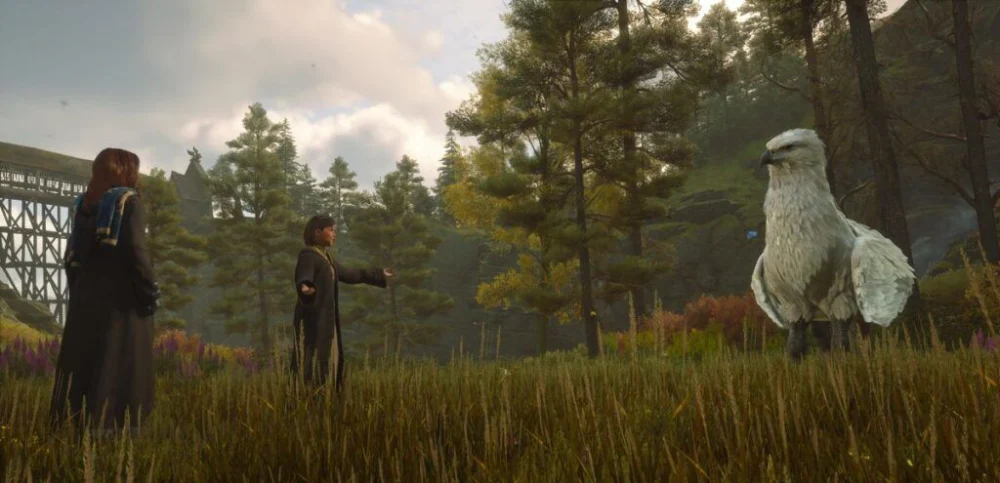
Even though Hogwarts Legacy is primarily a single-player game, connection quality can still affect your experience, especially when using mods or cloud gaming.
Why stable connection improves gameplay
An unstable connection can lead to:
- Delays in loading content;
- Performance inconsistencies;
- Issues with mod synchronization.
These problems can reduce immersion and gameplay quality.
How ExitLag improves your experience
ExitLag optimizes your connection by selecting the best route to game servers or platforms.
This results in:
- Reduced lag;
- More stable performance;
- Better responsiveness.
Important:
- ExitLag is not a VPN;
- It does not change your IP;
- It focuses only on route optimization.
FAQ
What are Hogwarts Legacy mods?
They are modifications created by the community to enhance or change the game.
Is there a multiplayer mode in Hogwarts Legacy?
Not officially, but there are experimental multiplayer mods.
What is the best Hogwarts Legacy mod?
It depends on your preference, but performance and quality-of-life mods are popular.
Can mods cause issues in Hogwarts Legacy?
Yes, especially if they are incompatible or not installed correctly.
How to fix mods that won’t uninstall?
Manually remove files and check your game directory.
Enhance your gameplay with ExitLag
Using Hogwarts Legacy mods allows you to customize your experience and explore new possibilities in the game.
With ExitLag, your gameplay becomes more stable and responsive, ensuring smoother performance even when using advanced setups.
Hogwarts Legacy mods become even more enjoyable when your connection is optimized and reliable.



