

If you are building farms, storage rooms, or redstone machines, understanding hopper minecraft mechanics is essential. This block is the foundation of automation in survival and multiplayer worlds, allowing items to move between containers without manual interaction.
The hopper minecraft block completely changes how you manage resources. Instead of collecting drops by hand, you can automate furnaces, mob farms, and storage systems. Once you understand how the minecraft hopper works, you unlock the full potential of redstone engineering.
So what is a minecraft hopper? A hopper is a redstone-compatible container block that automatically transfers items between inventories. It can pull items from containers above it and push them into containers below or to the side, making it a core component of automation systems.
If you are wondering how to make a hopper in minecraft, the process is simple, but the impact on your gameplay is massive. Let’s start with the crafting recipe.
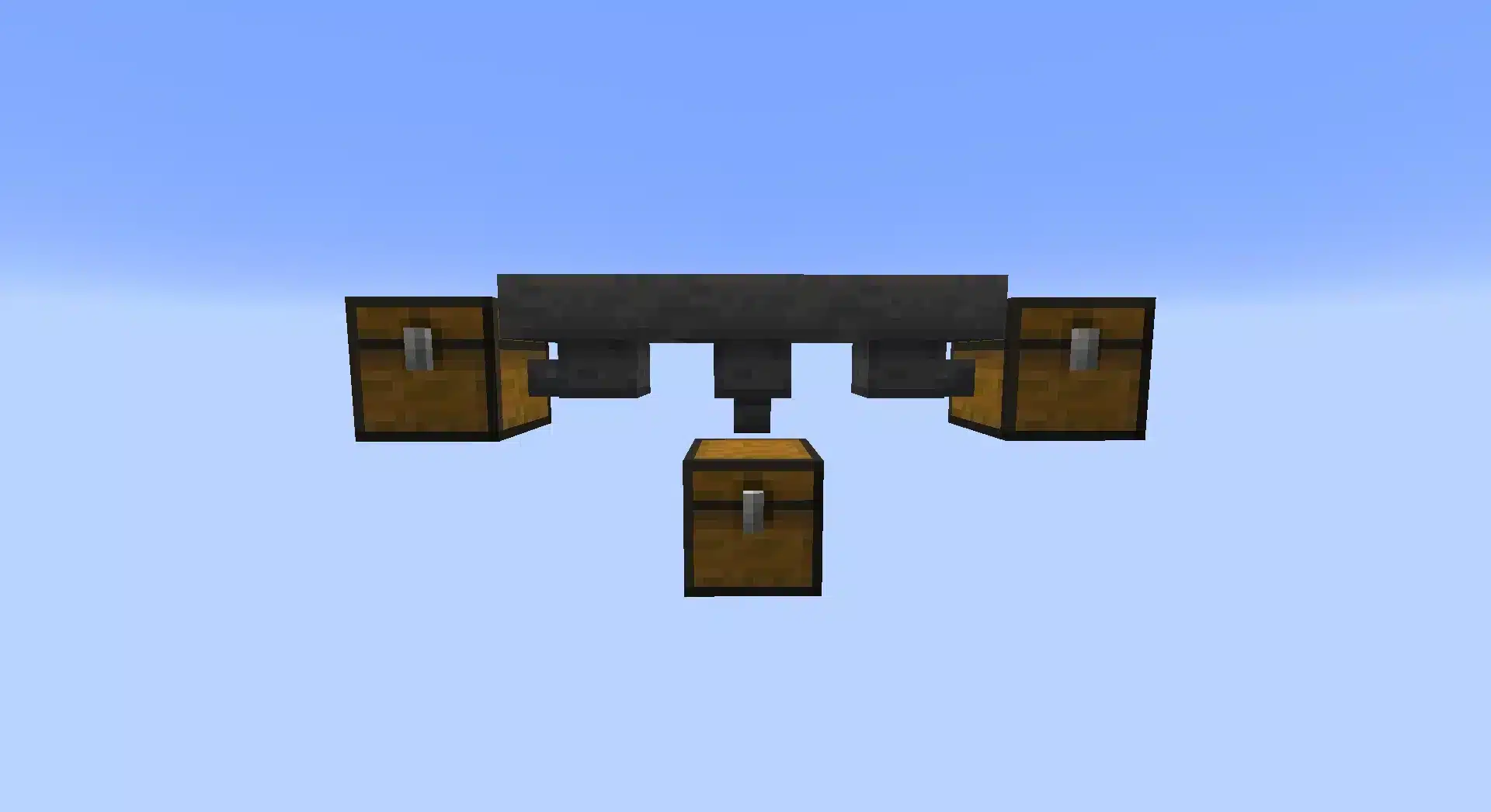
Hopper Minecraft Recipe - What You Need
Before building advanced systems, you must understand the hopper minecraft recipe and required materials.
Hopper Recipe Minecraft - Required Materials
To craft one hopper, you need:
- 5 Iron Ingots
- 1 Chest
The crafting pattern inside a crafting table should look like this:
| Iron Ingot | Iron Ingot | |
| Iron Ingot | Chest | Iron Ingot |
| Iron Ingot |
This V-shaped iron arrangement surrounding a chest creates one hopper.
Iron is typically mined underground and smelted from iron ore. The chest is crafted using 8 wooden planks arranged in a square, leaving the center empty.
Understanding the hopper recipe minecraft early in your survival world allows you to scale your storage efficiently.
How to Craft a Hopper in Minecraft (Step-by-Step)
If you are searching for how to craft a hopper in minecraft, follow these exact steps:
- Open your crafting table.
- Place one chest in the center slot.
- Arrange five iron ingots in a V-shape around the chest.
- Drag the hopper into your inventory.
That is how to craft a hopper minecraft players rely on for farms and automation builds. Whether you ask how to make hopper in minecraft or how do i make a hopper in minecraft, the answer remains the same: 5 iron ingots plus 1 chest.
Once crafted, you are ready to build automated systems.
How Does a Hopper Work in Minecraft?
Understanding hopper minecraft mechanics is critical before building automation systems.
Item Transfer Mechanics
A hopper:
- Transfers items every 8 game ticks (2.5 items per second).
- Pulls items from containers above it.
- Pushes items into containers it faces.
- Holds 5 inventory slots internally.
To control direction, place the hopper while sneaking. The small nozzle at the bottom shows the direction items will move.
This is why the minecraft hopper is powerful in vertical and horizontal item transport systems.
Redstone Interaction
Hoppers interact with redstone signals. When powered by redstone, a hopper becomes locked and stops transferring items.
This mechanic allows:
- Item sorting systems
- Timed release mechanisms
- Controlled furnace input
- Storage overflow protection
Redstone locking is the key to advanced automation builds.
Minecraft How to Build a Hopper System (Basic Setup)
If you want minecraft how to build a hopper systems that actually work efficiently, start simple.
Basic Chest-to-Chest Transfer Setup
- Place a chest on the ground.
- Sneak and place a hopper pointing into the chest.
- Place another chest on top of the hopper.
Items placed in the top chest will automatically transfer to the bottom chest.
This setup is ideal for starter storage rooms.
Furnace Automation with Hopper
Hoppers can fully automate smelting.
- Top hopper: inserts items to smelt.
- Side hopper: inserts fuel.
- Bottom hopper: extracts finished items.
This design ensures continuous smelting without manual input.
Understanding how to make a minecraft hopper useful in furnace systems dramatically improves efficiency in survival gameplay.
Hopper Minecraft in Multiplayer Servers
On multiplayer servers and Realms worlds, hopper minecraft systems can cause server strain when overused. Large hopper chains constantly process items, increasing server tick load.
Common multiplayer issues include:
- Item transfer delay
- Desynchronization
- Ghost items
- Lag spikes in large storage rooms
This is especially noticeable in SMP worlds with massive farms.
How ExitLag Improves Multiplayer Stability
ExitLag enhances performance for PC players building automation-heavy systems. It uses:
- Real-Time Optimization to monitor route performance.
- Multipath Connection to send data through multiple optimized paths.
- Traffic Shaper technology to prioritize game packets.
Instead of relying on a single unstable route, ExitLag dynamically selects the most stable pathway between your PC and the server.
Since Minecraft multiplayer infrastructure runs through PC-based routing, ExitLag is available for PC and Mobile platforms, helping reduce packet loss and improve block interaction responsiveness.
When working with advanced hopper minecraft systems, stable connectivity ensures smoother automation and fewer interruptions during large-scale builds.
Advanced Hopper Minecraft Systems for Automation
Advanced hopper minecraft systems go far beyond simple chest transfers. Once you understand redstone integration, locking mechanics, and item filtering, you can build fully automated storage networks that sort hundreds of items per minute.
Hopper Minecraft Item Sorting System
One of the most powerful uses of a minecraft hopper is automatic item sorting. These systems rely on redstone comparators to detect item quantities inside a hopper and lock or unlock adjacent hoppers accordingly.
Basic sorting logic works like this:
- Items enter the top hopper.
- A comparator reads signal strength based on item count.
- When the correct item fills the filter slots, the hopper unlocks.
- Items move into the designated chest below.
To prevent overflow, filler items are placed inside the hopper with renamed blocks. This ensures only the selected item passes through.
This type of hopper minecraft system is essential in large survival bases and SMP storage rooms.
Overflow-Proof Storage Design
Without proper locking, storage systems can break when chests fill up. Overflow-proof designs use locked hopper chains to redirect excess items.
Key principles include:
- Using redstone torches to control hopper locking
- Expanding double chest arrays horizontally
- Adding overflow chests at the end of the chain
- Preventing item looping
Bulletproof storage systems require careful redstone timing and spacing between comparators.
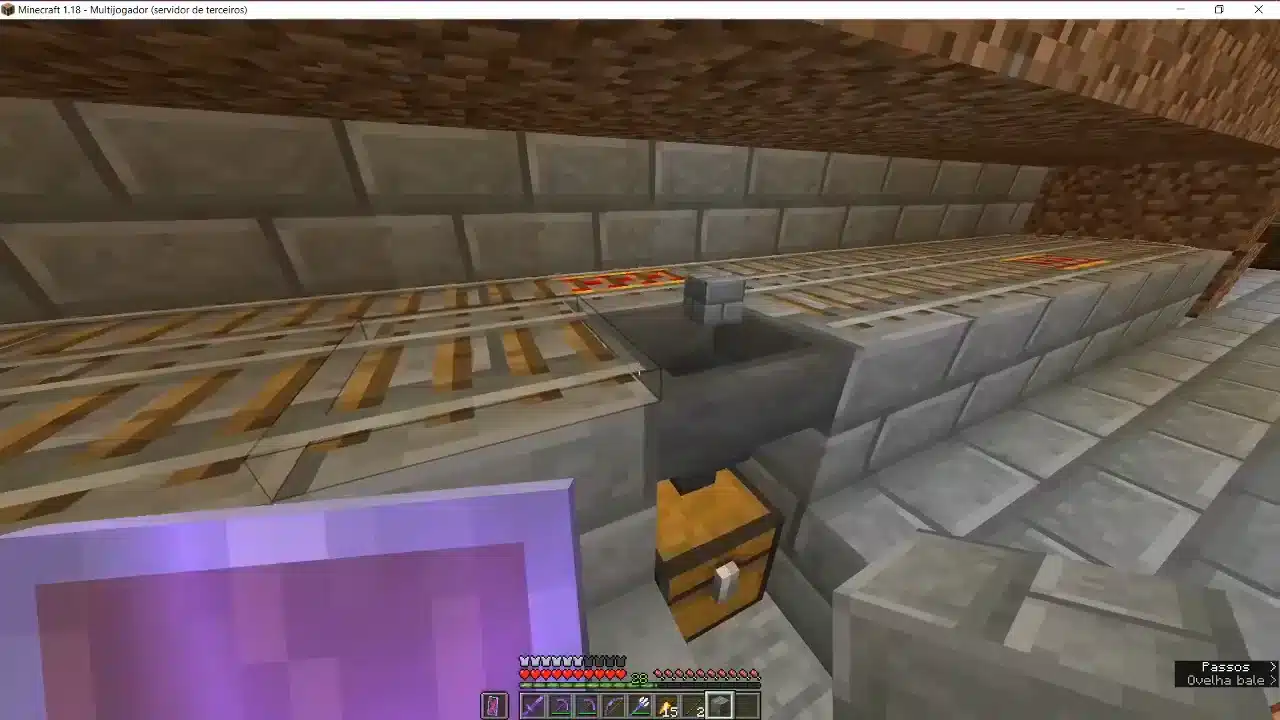
Hopper Minecart vs Regular Hopper - Which Is Better?
Choosing between a regular hopper and a hopper minecart depends on the build type.
Minecart with Hopper Mechanics
A minecart with hopper can collect items faster than a stationary hopper. It pulls items through blocks while moving on rails.
Advantages include:
- Faster item pickup in large farms
- Ability to collect items through farmland
- Efficient horizontal collection systems
However, it requires rails and powered rails for automation.
When to Use Each Type
Use regular hoppers when:
- Building vertical transfer systems
- Creating furnace automation
- Designing compact sorting rooms
Use hopper minecarts when:
- Building large crop farms
- Creating mob farm floor collectors
- Transporting items over long horizontal distances
Performance considerations matter. Minecarts introduce entity load, while long hopper chains increase tick checks.
Redstone Locking and Timing Systems with Hopper Minecraft
Advanced automation depends on locking and timing.
Using Redstone to Lock a Hopper
When a hopper receives a redstone signal, it becomes locked and stops transferring items. This mechanic is the backbone of sorting filters.
You can lock a hopper using:
- Redstone dust
- Redstone torches
- Comparators
- Repeaters for delay control
Locking prevents items from moving until the system triggers release.
Timer Systems and Controlled Item Release
To build controlled release systems:
- Place a hopper feeding into a dropper.
- Connect a comparator to read item count.
- Add repeaters to extend pulse duration.
- Use redstone dust to loop the signal.
This setup allows timed distribution systems and automated farm processing.
Combining droppers and hoppers expands automation potential significantly.
Performance Optimization - Reducing Hopper Lag
Large hopper minecraft systems can impact server performance, especially in multiplayer worlds.
Why Large Hopper Chains Cause Lag
Hoppers constantly check for item movement every 8 ticks. In large arrays, this creates significant server processing load.
Common lag causes include:
- Hundreds of active hopper connections
- Massive storage arrays
- Constant item flow loops
- Unlocked idle hopper systems
On SMP servers, this can result in tick delay and desynchronization.
Optimization Tips for Large Storage Rooms
To reduce lag:
- Lock hoppers when not in use
- Minimize unnecessary chains
- Replace long chains with water streams when possible
- Use hopper minecarts strategically instead of mass stationary hoppers
Optimizing automation improves server stability and keeps gameplay smooth.
Comparison - Hopper System Types
| System Type | Speed | Redstone Required | Lag Impact | Best Use Case |
| Single Hopper | 2.5 items/sec | No | Low | Basic chest transfer |
| Locked Hopper Filter | 2.5 items/sec | Yes | Medium | Item sorting |
| Hopper Minecart | Faster collection | Optional | Medium | Farm collection |
| Full Auto Sorter | 2.5 items/sec | Yes | High if unoptimized | Mega storage rooms |
Understanding these differences helps you design efficient hopper minecraft builds without overwhelming your world.
Multiplayer Stability and Automation Builds
Automation-heavy builds are common in SMP and Realms environments. However, multiplayer infrastructure can amplify tick delays when hopper chains are excessive.
Automation on SMP and Realms
Common multiplayer issues include:
- Delayed item transfers
- Item duplication glitches due to desync
- Storage room lag spikes
- Reduced server TPS
Large farms processing thousands of items per hour intensify these effects.
How ExitLag Improves Automation Stability
ExitLag enhances multiplayer performance for PC players using hopper minecraft automation builds. It applies:
- Real-Time Optimization to monitor routing stability
- Multipath Connection to distribute data across multiple paths
- Traffic Shaper technology to prioritize gameplay packets
Instead of relying on a single unstable route, ExitLag dynamically selects the most efficient pathway between your PC and the server.
This reduces packet loss and minimizes desync during high-traffic automation events.
Since Minecraft multiplayer operates through PC-based server routing, ExitLag is available for PC and Mobile platforms, helping maintain stable connectivity during complex redstone builds.
When working with advanced hopper minecraft systems, stable routing ensures smooth item transfer and consistent automation performance.
All game images used in this blog belong to Mojang Studios. They are used for informational/educational purposes only and do not imply endorsement or affiliation with the rights holders.


