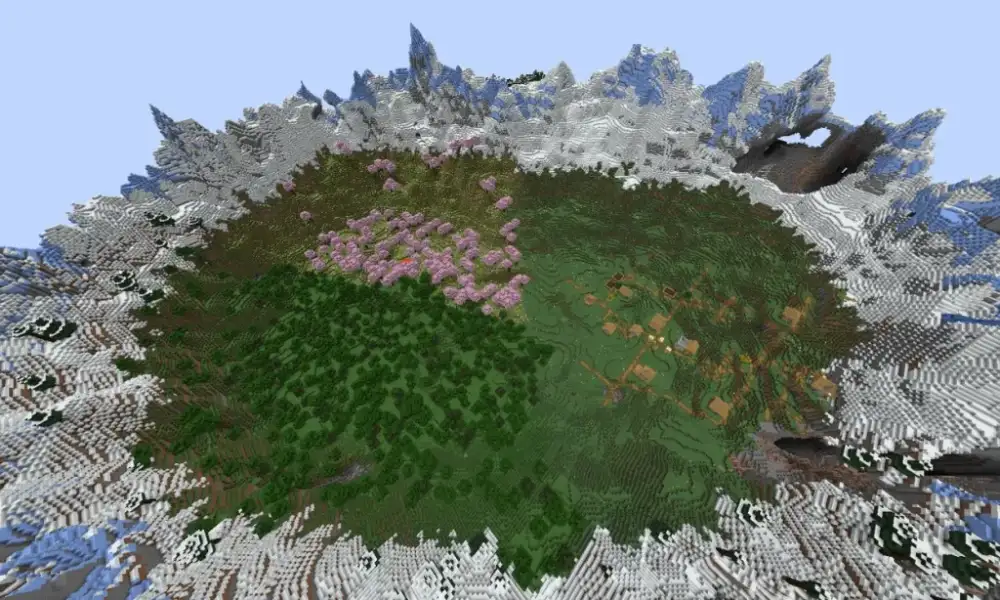
Minecraft Pocket Version remains one of the most recognizable names associated with playing Minecraft on smartphones and tablets. Although Minecraft has evolved considerably since its early mobile releases, millions of players still use “Pocket Edition” or “Pocket Version” when searching for the Android and iOS editions of the game.
Today, minecraft pocket version is best understood as the mobile side of Minecraft: Bedrock Edition. Instead of maintaining Pocket Edition as a completely separate product, Mojang brought mobile Minecraft into the broader Bedrock ecosystem, allowing compatible devices to share features, updates, multiplayer functionality, and cross-platform support.
So, what is minecraft pocket version today? It is essentially Minecraft: Bedrock Edition running on supported mobile devices, including Android and iOS. Therefore, players searching for a new Pocket Edition update should generally look at the current Bedrock release rather than expecting a separately numbered Pocket Edition update.
This distinction becomes particularly important when checking updates. Minecraft now has multiple actively maintained editions, and they do not necessarily use identical version numbers.
For example, Java Edition has its own releases for computers, while Bedrock Edition covers Windows, mobile devices, consoles, and other supported platforms. Experimental Beta and Preview releases can introduce yet another version number.
Understanding these differences makes it much easier to determine whether your game is current, whether you can join a particular server, and whether another player’s device is compatible with yours.
Minecraft Pocket Version explained: Pocket Edition vs Bedrock
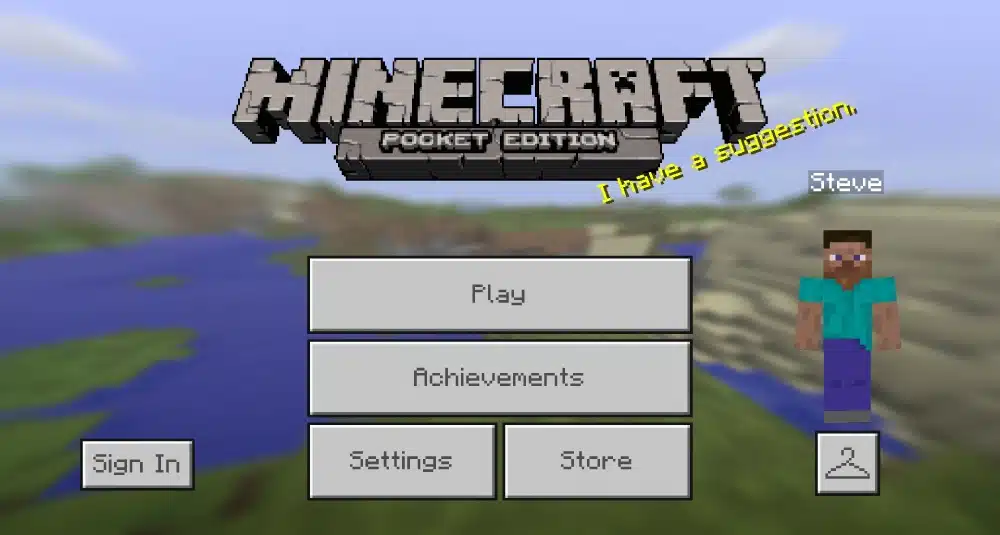
The original mobile edition of Minecraft was designed specifically around portable hardware and touchscreen controls.
However, modern minecraft pocket version has evolved far beyond those early limitations. Today’s mobile game belongs to the Bedrock family and shares much of its ecosystem with other Bedrock platforms.
What was Minecraft Pocket Edition?
Minecraft: Pocket Edition was originally Mojang’s dedicated mobile version of Minecraft.
Early versions were considerably more limited than the full desktop experience. Mojang’s own retrospective on Pocket Edition describes how the mobile game began as a relatively simple experiment before receiving increasingly sophisticated features.
Over time, features such as multiplayer, survival mechanics, crafting systems, new mobs, and Realms helped turn the mobile release into a much more complete Minecraft experience.
The touchscreen format also made Minecraft accessible to players who did not own a gaming PC or console.
This accessibility helped mobile Minecraft become a major part of the franchise rather than simply a smaller companion edition.
Is Minecraft Pocket Edition still separate?
Not in the way it once was.
Modern Minecraft on Android and iOS belongs to Bedrock Edition. Mojang lists Bedrock across platforms including Windows, Xbox, PlayStation, Nintendo systems, Android, and iOS.
Therefore, when someone talks about the minecraft version running on a modern phone, they are usually referring to a Bedrock release.
This change has several advantages:
- Updates can reach multiple Bedrock platforms under the same development branch.
- Mobile users can access cross-platform multiplayer with compatible Bedrock players.
- Realms can connect players across supported Bedrock devices.
- Features are considerably closer across phones, Windows PCs, and consoles.
However, Bedrock Edition and Java Edition remain separate ecosystems. This distinction becomes essential when discussing the minecraft latest version.
Minecraft versions explained: Java, Bedrock, and mobile
There is no single version of Minecraft covering every device in exactly the same way.
Instead, the two major minecraft versions players encounter are Java Edition and Bedrock Edition.
Both deliver the core Minecraft experience of exploration, survival, building, crafting, and multiplayer, but their platforms and technical ecosystems differ.
Minecraft Java Edition
Java Edition is the traditional computer-focused edition of Minecraft.
Mojang currently supports Java Edition on Windows, macOS, and Linux. It maintains its own update branch and version numbering.
Java is particularly associated with the long-established PC Minecraft ecosystem, including community servers and extensive customization.
It also receives development builds through snapshots, allowing players to test upcoming changes before stable releases.
Because Java has a separate release branch, asking what is the current minecraft pc version can actually have two answers on Windows: one for Java and another for Bedrock.
Minecraft Bedrock Edition
Bedrock Edition is designed around cross-platform compatibility.
It is available across supported Windows computers, mobile devices, and consoles. Android and iOS therefore belong to the same broader Bedrock ecosystem.
For someone looking specifically for Minecraft Pocket Edition, Bedrock is the edition that matters.
Bedrock also supports multiplayer between compatible platforms. For example, a mobile player can potentially join friends playing Bedrock on Windows or supported consoles.
This flexibility is one of the biggest differences between modern mobile Minecraft and the original Pocket Edition.
What is the current Minecraft version in 2026?
Players searching what is the current minecraft version should first determine which edition they are using.
As of September 19, 2026, Mojang’s official release information identifies different stable version numbers for Java and Bedrock.
Current Minecraft Bedrock version
The current stable Bedrock release is Minecraft Bedrock Edition 26.51, released as a hotfix on September 15, 2026.
Mojang states that this update addressed stability issues associated with the 26.50 release. It may also reach different platforms gradually rather than becoming available on every device at exactly the same moment.
This makes Bedrock 26.51 the relevant answer for most players searching for the current minecraft version on mobile.
However, it is important to distinguish a stable release from a Beta or Preview build.
Mojang may already be testing a numerically higher update while the normal public game remains on an earlier stable version.
Current Minecraft Java version
For Java players, the stable version is different.
Minecraft Java Edition 26.3 was officially released on September 15, 2026 as the Wilderness Bound game drop.
Therefore, the answer to what is minecraft’s latest version depends on the edition:
- Bedrock stable: 26.51
- Java stable: 26.3
This is why checking only a version number without checking the edition can create confusion.
What is the latest version of Minecraft Pocket Version?
Because modern mobile Minecraft is based on Bedrock Edition, determining the latest minecraft pocket version means checking the current Bedrock release.
As of September 19, 2026, that stable release is Bedrock Edition 26.51.
Latest stable mobile release
Bedrock 26.51 followed the larger Bedrock 26.50 Wilderness Bound update.
The 26.51 release itself is a hotfix focused on improving stability rather than another major content drop.
For regular mobile players, the stable version is usually the number that matters most.
If you’re trying to play with friends, enter a compatible server, or simply determine whether your app is up to date, compare your installed version against the stable Bedrock release available for your device.
Beta and Preview versions are different
A higher number does not always mean that your normal Minecraft installation is outdated.
Mojang was already testing Bedrock Beta and Preview 26.60.24 on September 16, 2026. However, Mojang explicitly categorizes Beta and Preview builds as works in progress.
These builds are designed for testing upcoming features and fixes. They may be unstable, and their content can change before final release.
Therefore, when answering what is the latest version of minecraft, it is useful to separate:
- Latest stable Bedrock release
- Latest Bedrock Beta/Preview
- Latest stable Java release
- Latest Java development build
For everyday mobile gameplay, the stable Bedrock release is generally the relevant answer.
What is the current Minecraft PC version?
PC is another area where Minecraft terminology can become confusing.
Windows players can encounter both Java and Bedrock, so what is the current minecraft pc version depends on which edition is being launched.
Minecraft Java Edition on PC
As of September 19, 2026, the stable Java Edition release is 26.3.
Java remains available for Windows, macOS, and Linux, making it the edition with the broadest traditional desktop operating-system support.
Its multiplayer environment is separate from standard Bedrock cross-play.
Therefore, a player running Java 26.3 should not assume that a friend using mobile Bedrock 26.51 can directly join the same normal multiplayer session.
Minecraft Bedrock Edition on Windows
Windows also supports Bedrock Edition.
The stable Bedrock branch is 26.51 as of the research date, matching the current mobile Bedrock release branch.
This makes Windows Bedrock particularly useful for players who regularly play with friends on mobile devices or consoles.
In simple terms, a Windows player may have access to two major minecraft versions:
- Java Edition for the traditional Java ecosystem.
- Bedrock Edition for the cross-platform Bedrock ecosystem.
Checking the edition is therefore just as important as checking the version number.
Minecraft Pocket Version platforms and cross-play
One of the biggest improvements over the original Pocket Edition is how connected mobile Minecraft has become.
Modern minecraft pocket version players can participate in the broader Bedrock multiplayer ecosystem instead of being isolated within a mobile-only environment.
Android and iOS support
Minecraft Bedrock supports both Android and iOS.
Mojang’s account documentation lists a Microsoft account and Google account for Android, while iOS uses a Microsoft account alongside an Apple ID.
Using the official version also provides access to supported updates and online features.
Players should avoid unofficial APK websites or modified downloads when simply trying to update Minecraft. Official distribution channels are the appropriate route for normal game installation and updates.
Can Minecraft mobile play with PC and console?
Yes, provided everyone is using compatible Bedrock versions and meets the relevant multiplayer requirements.
Bedrock’s cross-platform structure can connect players across mobile, Windows, and supported console platforms.
Java is the major exception.
Java Edition and Bedrock Edition use different multiplayer ecosystems. A normal Java client cannot simply enter a standard Bedrock multiplayer session because both editions operate differently.
Therefore, if your friends want to play together across phones and computers, check whether the computer players are using Bedrock rather than assuming every PC minecraft version is compatible.
How to update Minecraft Pocket Version
Keeping minecraft pocket version current is particularly important for online play.
Outdated versions can create compatibility problems when connecting to friends, Realms, or servers that have already moved to a newer release.
Updating Minecraft on Android
For a standard Android installation, check Minecraft through the supported app distribution platform on your device.
If an update is available, install it before launching multiplayer.
A simple update process is:
- Open your supported app store.
- Search for Minecraft.
- Open the official Minecraft listing.
- Select Update if an update is available.
- Wait for installation to finish.
- Launch Minecraft and check the displayed version.
Avoid downloading random APK files simply because they advertise the most recent version of minecraft. An unofficial package may not be the same software distributed through Mojang’s supported channels.
Updating Minecraft on iPhone and iPad
On iOS and iPadOS, check the App Store for Minecraft updates.
Automatic updates may already be enabled, but players experiencing version mismatch messages should verify the app manually.
If your friend has received an update before you, remember that Mojang sometimes rolls releases out gradually across platforms. Bedrock’s 26.51 notes specifically state that the update may become available gradually as Mojang releases it to different platforms.
Minecraft version comparison table
The easiest way to understand the current Minecraft ecosystem is to compare its main release branches.
As of September 19, 2026, the important versions are:
| Edition | Current version | Main platforms | Mobile support | Release type |
| Bedrock Edition | 26.51 | Windows, consoles, Android, iOS and other supported devices | Yes | Stable |
| Java Edition | 26.3 | Windows, macOS, Linux | No | Stable |
| Bedrock Beta/Preview | 26.60.24 | Selected supported devices | Android Beta supported | Testing |
| Java development builds | Varies | Windows, macOS, Linux | No | Testing |
These numbers illustrate why asking what is the current minecraft version without naming an edition can produce apparently conflicting answers.
Bedrock 26.51 and Java 26.3 can both be current simultaneously.
Which version should mobile players use?
For most Android and iOS players, use the latest stable Bedrock release officially available for your device.
Beta and Preview builds are designed for testing rather than normal everyday play.
This is particularly important if you regularly play multiplayer. Using a development build can affect compatibility with players using the stable game.
Which version should PC players use?
That depends on the desired ecosystem.
Choose Bedrock when cross-platform compatibility with supported mobile and console players is important. Choose Java when you specifically want the Java ecosystem and its associated servers and PC-focused experience.
Neither choice changes what Minecraft fundamentally is, but the multiplayer environments and technical implementations differ.
What changed in the most recent version of Minecraft?
Knowing the most recent version of minecraft is more useful when you also understand what changed.
The current stable releases belong to the Wilderness Bound era of Minecraft updates.
Wilderness Bound on Bedrock
Bedrock Edition 26.50 introduced the Wilderness Bound game drop.
According to Mojang’s official changelog, Wilderness Bound added features including the Dappled Forest, poplar trees, Abandoned Camps, cushions, straw beds, explorer maps, and additional blocks and gameplay content.
The update expanded exploration and building possibilities rather than changing the fundamental structure of Bedrock.
Then came 26.51.
Instead of another major content package, 26.51 served as a stability-focused hotfix for issues associated with the previous release.
That means players asking for the minecraft latest version should understand that the latest number does not necessarily represent another large content drop.
Wilderness Bound on Java
Java Edition 26.3 also delivered Wilderness Bound.
The release brought features including the Dappled Forest, poplar trees, Abandoned Camps, cushions, straw beds, and related additions to Java players.
Mojang therefore delivers major themes across both editions while maintaining separate technical releases.
This is another reason why Java and Bedrock version numbers should not be compared as though one number represents a “newer Minecraft” than the other.
Minecraft Pocket Version multiplayer and Realms
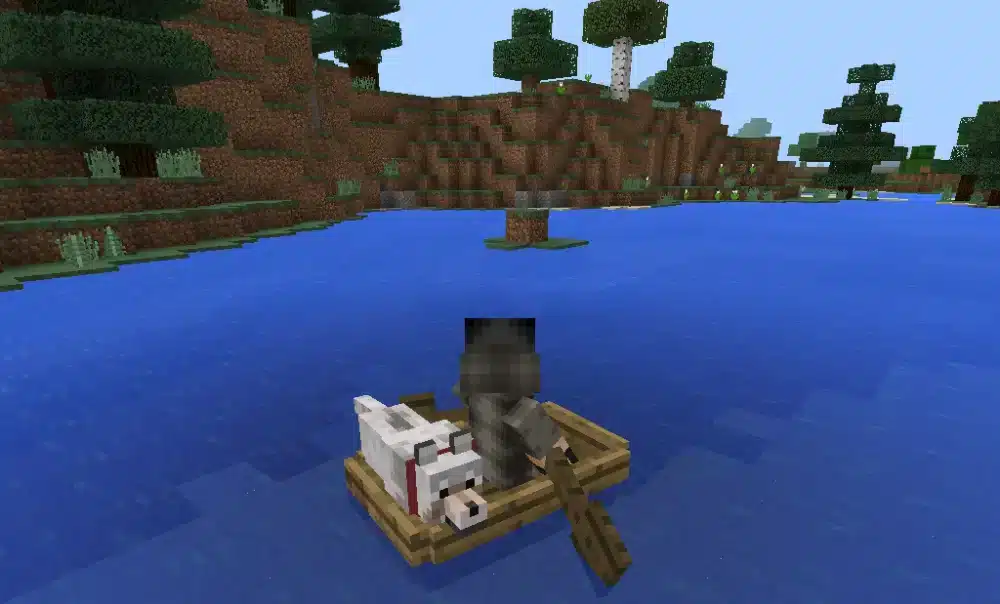
Multiplayer is one of the areas where modern minecraft pocket version differs most dramatically from the earliest mobile releases.
Bedrock players can now build worlds with friends across multiple supported devices.
Bedrock multiplayer on mobile
Mobile players can participate in online multiplayer with compatible Bedrock users.
That can include friends using other phones, tablets, Windows PCs, and supported consoles.
For a smoother experience, make sure:
- Everyone is using compatible Bedrock releases.
- Required Microsoft accounts are properly connected.
- Multiplayer permissions are enabled.
- Your internet connection is stable.
- The host, server, or Realm is available.
If someone cannot connect after an update, comparing version numbers is a useful first troubleshooting step.
Minecraft Realms on mobile
Realms provides another way to maintain persistent Minecraft worlds.
Mojang lists Bedrock Realms availability across platforms including Android, iOS, Windows, Xbox, PlayStation, Nintendo devices, Amazon Fire, and Chromebook.
Instead of depending on the world owner being actively connected, a Realm can remain available to invited members.
This makes Realms particularly convenient for groups whose members play at different times or on different supported Bedrock devices.
Minecraft Pocket Version performance with ExitLag
Minecraft can be played completely offline, but multiplayer introduces a network connection between the player and a server, Realm, or online session.
For minecraft pocket version players who regularly use multiplayer, network stability can therefore become an important part of the experience.
Why connection stability matters in Minecraft multiplayer
High latency or unstable network routing can make online gameplay feel less responsive.
Depending on the connection problem, players may experience delayed interactions, inconsistent movement, slow responses from the server, or sudden lag spikes.
These problems become especially noticeable when:
- Exploring busy multiplayer servers.
- Fighting other players.
- Playing fast-paced minigames.
- Joining friends located far away.
- Connecting to servers through inefficient network routes.
However, connection optimization should not be confused with graphical performance. Network tools cannot fix every FPS problem, device limitation, or server-side issue.
Using ExitLag with Minecraft
ExitLag is available for PC and Mobile, making it relevant to both computer and mobile online gaming.
Its connection optimization technologies include Real-Time Optimization and Multipath Connection. The goal is to identify and optimize network routes, helping provide greater connection stability when inefficient routing contributes to latency or packet loss.
For mobile players, ExitLag Mobile provides the corresponding experience on supported smartphones.
This can be particularly useful for players who spend significant time on online Minecraft servers or other competitive multiplayer games.
The process is straightforward: install ExitLag on a supported PC or Mobile device, select the game, apply the optimized routes, and start playing.
ExitLag does not change your Minecraft edition or unlock features from another minecraft version. Instead, it focuses on the network connection used during online gaming.
FAQ
Questions about minecraft pocket version frequently overlap with questions about Bedrock, Java, updates, and multiplayer.
Here are the most important answers.
What is Minecraft Pocket Version?
Minecraft Pocket Version is a common name players still use for mobile Minecraft.
The old Pocket Edition evolved into the broader Bedrock ecosystem, so modern Minecraft on Android and iOS is Bedrock Edition rather than a separately maintained Pocket Edition branch.
Does Minecraft Pocket Edition still exist?
Not as the separate edition it once was.
Minecraft on phones and tablets continues to exist, but current mobile releases belong to Bedrock Edition.
What is the current Minecraft version?
As of September 19, 2026, the stable Bedrock release is 26.51, while stable Java Edition is 26.3.
Therefore, what is the current minecraft version has different answers depending on the edition.
What is the latest version of Minecraft?
For stable releases as of September 19, 2026, Bedrock is 26.51 and Java is 26.3.
A newer Bedrock Beta/Preview, 26.60.24, is available for testing, but it should not be confused with the current normal stable release.
What is Minecraft’s latest version on mobile?
The relevant stable mobile branch is Bedrock Edition 26.51 as of September 19, 2026.
Mobile players should check the official app distribution platform on their device because updates can roll out gradually.
What is the current Minecraft PC version?
There are two major answers.
Java Edition is currently 26.3, while Windows Bedrock is on the stable 26.51 branch as of September 19, 2026.
Is Minecraft Pocket Version Bedrock Edition?
Yes, modern mobile Minecraft belongs to Bedrock Edition.
The Pocket Edition name remains popular among players, but Mojang’s current platform structure identifies Android and iOS as Bedrock platforms.
Can Minecraft mobile play with PC?
Yes, mobile Bedrock can play with compatible Windows Bedrock players when multiplayer requirements are met.
Mobile Bedrock does not natively join normal Java Edition multiplayer simply because Java is running on a PC.
Is Minecraft Beta the same as the latest version?
No.
Beta and Preview releases are testing builds. They can have a higher version number than the current stable release while containing unfinished or experimental changes.
For example, Bedrock Beta/Preview 26.60.24 is newer numerically than stable Bedrock 26.51, but Mojang describes Beta/Preview builds as works in progress.
How do I check my Minecraft version?
Launch Minecraft and check the version number displayed by the game, commonly visible around the main menu interface.
Then compare that number with the official changelog for your edition.
Make sure you compare Bedrock with Bedrock and Java with Java.
How do I update Minecraft on mobile?
Check the official app store or supported distribution service on your device.
If an update is available, install it and reopen Minecraft. Because some updates roll out gradually, another platform may occasionally receive the release before yours.
Minecraft Pocket Version and the latest Minecraft versions
Minecraft Pocket Version has changed dramatically since the early days of mobile Minecraft. What began as a simplified portable edition is now part of Bedrock, connecting supported Android and iOS devices to a much larger cross-platform ecosystem.
Knowing the difference between minecraft latest version, Bedrock releases, Java updates, and Beta/Preview builds makes keeping your game current much easier. As of September 19, 2026, stable Bedrock is 26.51 and stable Java is 26.3, while newer testing builds should be treated separately from normal public releases.
Mobile players should generally follow Bedrock update information when searching for the newest Pocket Edition release. PC players should first determine whether they are using Java or Bedrock before comparing version numbers or troubleshooting multiplayer compatibility.
Finally, Minecraft’s online worlds are at their best when the connection stays responsive. Whether you’re exploring a Realm, joining a Bedrock server, or playing another competitive title on PC or Mobile, minecraft pocket version players can use ExitLag to optimize network routes, reduce route-related lag, and improve connection stability during supported online gaming sessions.
All game images used in this blog belong to Mojang Studios. They are used for informational/educational purposes only and do not imply endorsement or affiliation with the rights holders.
Got questions or want to connect with other players? Join the conversation at the ExitLag Forum!