If you have ever typed How Does Someone Get IP Banned On Roblox into a search bar at 2 a.m., you are not alone. Thousands of players ask this question every month after losing access to their account without warning. Understanding the mechanics behind this enforcement action can genuinely save your progress.
How Does Someone Get IP Banned On Roblox usually comes down to repeated Terms of Service violations, cheating, or severe harassment reports. However, network-level bans can also affect innocent players who simply share a connection with someone else. Therefore, knowing the difference matters a lot.
In short, Roblox issues an IP ban when its moderation system flags a device’s network address after multiple serious violations or repeated attempts to bypass an existing account suspension. This blocks every account connecting from that address until Roblox manually lifts the restriction. Consequently, an entire household can lose access at once.
How Does Someone Get IP Banned On Roblox?
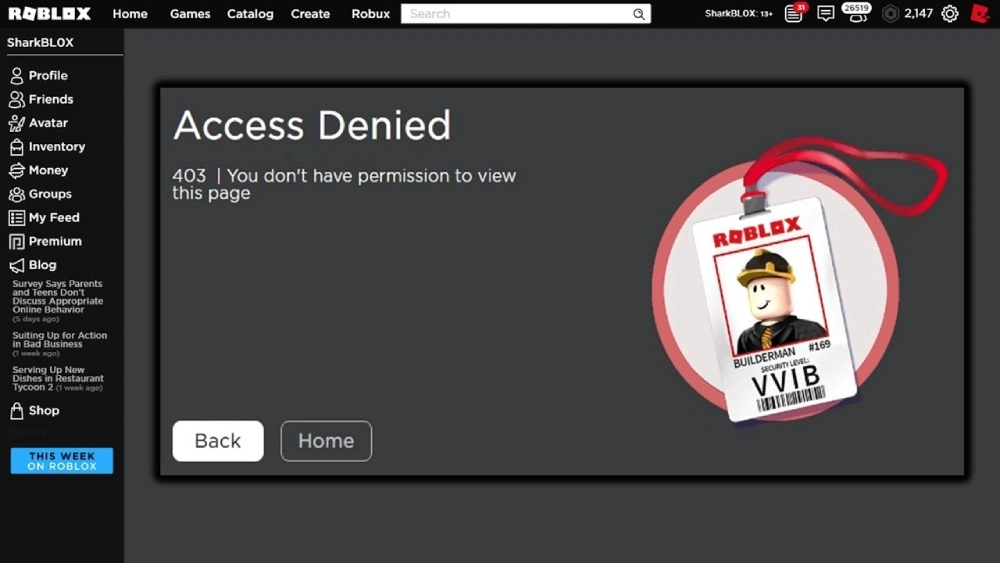
Roblox relies on a layered moderation system that escalates punishment based on severity. First, minor infractions get a warning or a temporary account ban. Next, repeated or extreme violations push the system toward stronger, network-wide action.
What Triggers an IP-Level Ban
An IP ban is rarely the first punishment for a small mistake. Instead, it typically appears after a pattern of serious behavior. Common triggers include:
- Ban evasion: Creating new accounts to dodge a previous suspension.
- Exploiting or cheating: Using third-party software to manipulate gameplay.
- Severe harassment: Repeated targeted abuse, threats, or doxxing attempts.
- Predatory behavior: Any content or conduct that endangers minors.
- Automated abuse: Running bots that spam servers or manipulate in-game economies.
IP Bans vs Account Bans
An account ban locks a single username. Meanwhile, an IP ban locks the network address itself, which can affect every device connected through it. As a result, IP bans are treated as a more severe, last-resort enforcement tool by Roblox’s trust and safety team.
Is It Possible To Get IP Banned From Roblox?
Yes, it is entirely possible, although it is far less common than a standard account suspension. Is It Possible To Get IP Banned From Roblox without ever breaking a rule yourself? Unfortunately, the answer is also yes in some edge cases.
Why Roblox Uses IP-Based Enforcement
Roblox uses IP-based enforcement primarily to stop repeat offenders from simply signing up again. Indeed, without this layer, a banned player could create a new free account within minutes. Therefore, this method protects the wider community from persistent bad actors.
Shared Networks and Collateral Bans
Unfortunately, this same system can catch bystanders. If you share Wi-Fi with a sibling, roommate, or school network, someone else’s violation can affect your access too. Consider these common scenarios:
- A family member gets banned for cheating on a shared router.
- A public or school network gets flagged after abuse from another student.
- A mobile hotspot previously used by a banned device gets carried over.
How Rare Is A Roblox IP Ban?
How Rare Is A Roblox IP Ban compared to a normal account suspension? Statistically speaking, it is quite uncommon. Most moderation actions on Roblox stop at the account level, since IP bans require confirmed, repeated, or severe misconduct.
Typical Violations That Escalate to IP Bans
Roblox generally follows an escalation pattern before reaching this level. In most reported cases, the following sequence applies:
- A first violation results in a warning or short account restriction.
- Repeated or serious violations lead to a longer or permanent account ban.
- Attempting to evade that ban with new accounts triggers device flagging.
- Continued evasion from the same network results in a full IP ban.
Comparing Ban Severity Levels
Understanding how each punishment type differs helps explain why IP bans feel so much more disruptive.
| Ban Type | Scope | Typical Duration | How To Reverse It |
|---|---|---|---|
| Account Ban | Single username | 1 day to permanent | Wait it out or submit an appeal |
| IP Ban | Entire network address | Days to permanent | Formal appeal through Roblox Support |
| Device Ban | Specific hardware ID | Usually permanent | Very difficult, rarely reversed |
| Chat Ban | Messaging features only | Hours to weeks | Automatically lifts after cooldown |
How Long Is An IP Ban On Roblox?
How Long Is An IP Ban On Roblox in practice? Duration varies significantly depending on the severity of the violation and whether it was a first-time or repeated offense.
Temporary vs Permanent IP Bans
Some IP bans last only a few days, particularly when tied to a single moderate incident. Other cases, especially those involving exploiting, hacking, or predatory behavior, result in a permanent block. Consequently, the safest assumption is always the worst-case scenario.
Factors That Affect Ban Duration
Several elements influence how long you might be locked out. These generally include:
- Severity of the violation: Harassment or exploits carry longer penalties than spam.
- Repeat history: Previous bans on the same account or network extend punishment.
- Appeal quality: A clear, honest appeal can sometimes shorten review time.
- Type of network: Shared IPs from ISPs may reset faster than static ones.
How To Get Your IP Unbanned On Roblox?
How To Get Your IP Unbanned On Roblox is the question every affected player asks next. Fortunately, Roblox does offer a formal appeal channel, even if the process takes patience.
Filing a Support Appeal
Follow these steps to submit a proper request:
- Visit the official Roblox Support help center from a browser.
- Select the option related to account or ban appeals.
- Explain the situation clearly, including any shared network details.
- Submit any requested verification information accurately.
- Wait for a response, which can take several business days.
What To Avoid During The Appeal Process
Certain actions can hurt your chances of getting reinstated. Avoid the following:
- Creating alternate accounts while waiting for a response.
- Using a proxy or a VPN to mask your address during the ban.
- Submitting multiple duplicate appeal tickets in a short period.
- Being dishonest about what actually happened.
Pro Tips

A few smart habits reduce the odds of ever facing this situation.
- Keep one account per household member: Sharing logins across a network increases collective risk.
- Report issues instead of retaliating: Use Roblox’s built-in reporting tools rather than escalating conflicts.
- Monitor your home network: Ask family members about installed exploits or unofficial clients.
- Read game-specific rules: Some experiences have stricter conduct policies than Roblox’s base terms.
- Document your appeal: Save screenshots and ticket numbers in case you need to follow up.
Common Mistakes
Many players unintentionally make their situation worse after a ban. Here are the most frequent errors.
- Creating a new account immediately: This looks like ban evasion to the moderation system. Fix: Wait for the official appeal outcome instead.
- Assuming a router reset removes the ban: Most home connections keep the same or a similar public IP. Fix: Contact your ISP if you suspect this is the issue.
- Ignoring the appeal form entirely: Silence guarantees the ban stays in place. Fix: Always submit a clear, honest appeal through official channels.
- Blaming lag or disconnects for a ban: Not every connection drop is a punishment. Fix: Check your Roblox account status page before assuming the worst.
Improve Your Connection Stability With ExitLag
Not every strange disconnect on Roblox means a ban. In fact, unstable connections, packet loss, and server hiccups often look identical to enforcement action at first glance. This is where a dedicated connection optimizer becomes genuinely useful.
ExitLag is not a VPN, and it does not hide or change your IP address for the purpose of evading a ban. Instead, it analyzes multiple real-time network routes and picks the fastest, most stable path between your device and Roblox’s servers. Furthermore, using ExitLag to try to bypass a ban would violate Roblox’s terms, so that is never the goal here.
What ExitLag actually helps with is smoother, more reliable legitimate play. Consider these features:
- Real-time Optimization: Continuously adjusts your route to reduce lag spikes.
- Multipath Technology: Sends data through multiple paths for extra stability.
- Traffic Shaper: Prioritizes gaming traffic over background downloads.
- PC Boost: Frees up system resources for a smoother session.
ExitLag does not modify game files, inject code, or interact with anti-cheat systems in any way. Additionally, it should never be run alongside a VPN, since the two can conflict. With over 30 million users, 1,500+ servers across 190+ countries, and support for 4,000+ titles, it is a trusted tool for reducing frustrating disconnects that sometimes get mistaken for punishment.
If you want fewer connection headaches while playing legitimately, grab the ExitLag Download for PC, ExitLag for Android, or ExitLag for iOS and see the difference on your next session.
Final Thoughts On How Does Someone Get IP Banned On Roblox
At the end of the day, How Does Someone Get IP Banned On Roblox comes down to repeated, serious violations rather than isolated mistakes. Most players will never encounter this level of enforcement. However, understanding the causes, duration, and appeal process puts you in a much stronger position if it ever happens.
Finally, focus on playing fair, reporting problems the right way, and keeping your connection healthy with tools built for legitimate optimization. That combination keeps your Roblox experience smooth, stable, and free from unnecessary risk.
All game images used in this blog post belong to Roblox Corporation. They are used for informational and educational purposes only and do not imply endorsement or affiliation with the rights holders.
Got questions or want to connect with other players? Join the conversation at the ExitLag Forum!