Learning how to change minecraft username is essential if you want a fresh identity, better branding, or simply a name that fits your current style. Many players don’t realize the process is simple – but it works differently depending on your edition.
If you’re wondering how to change minecraft username, the good news is that both Java and Bedrock editions allow it. However, how to change minecraft username depends on whether you use a Mojang/Microsoft account (Java) or an Xbox gamertag (Bedrock).
So, how to change minecraft username? Yes, you can do it officially through your account settings. The method for change minecraft username on Java is different from minecraft username change on Bedrock, and each has specific cooldown rules.
Before starting the process of changing your minecraft username, it’s important to understand account type, name availability, and cooldown limitations. Let’s break everything down step by step.
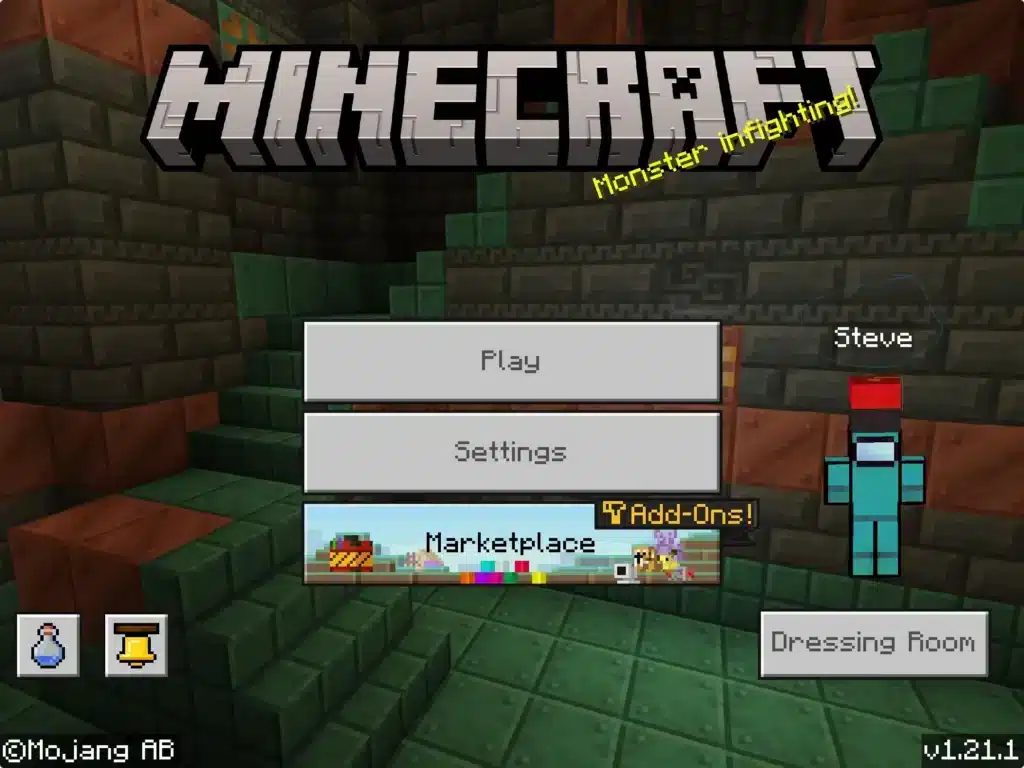
How to Change Minecraft Username on Java Edition
If you play Java Edition on PC, the process to how to change your minecraft username is handled directly through the official Minecraft website.
Step-by-Step Java Username Change
Follow these steps carefully:
- Go to minecraft.net and log into your account.
- Click on “Profile” in your account dashboard.
- Locate the username section.
- Enter your desired new username.
- Check availability.
- Confirm the change.
That’s it. The minecraft change username process on Java is completely free.
Java Username Rules You Must Follow
When changing username minecraft on Java Edition, your name must:
- Be between 3–16 characters
- Contain only letters, numbers, or underscores
- Have no spaces
- Be completely unique
Additionally:
- You can change your name once every 30 days.
- Your old username becomes available to others after 37 days.
Understanding these rules prevents failed attempts during your minecraft changing username process.
How to Change Your Minecraft Username on Bedrock Edition
Bedrock Edition works differently. Instead of a Mojang profile name, Bedrock uses your Microsoft Xbox gamertag.
So if you’re trying to change your minecraft username on Bedrock, you’re actually changing your Xbox gamertag.
Step-by-Step Bedrock Username Change
To complete a minecraft username change on Bedrock:
- Log into account.microsoft.com.
- Go to “Your Info.”
- Click “Edit Xbox Gamertag.”
- Enter your new name.
- Confirm availability.
- Save changes.
Important notes:
- Your first gamertag change is usually free.
- Additional changes may require payment.
- There is no strict 30-day cooldown like Java.
If you play on console, mobile, or Windows Bedrock, this is how to change my minecraft username effectively.
Minecraft Username Change Rules and Cooldowns
Whether you’re changing your minecraft username on Java or Bedrock, understanding restrictions is critical.
| Edition | Cooldown | Cost | Account System |
| Java | 30 days | Free | Mojang/Microsoft |
| Bedrock | No fixed limit | First free, then paid | Microsoft/Xbox |
Java is stricter with timing but more flexible long term. Bedrock is tied to the Microsoft ecosystem.
Common Problems When Changing Username Minecraft
Sometimes the minecraft changing username process does not go smoothly.
Username Already Taken
Popular names are claimed instantly. Even if your old name becomes available after 37 days, other users may monitor and claim it immediately.
If your desired name is unavailable:
- Try adding subtle underscores
- Use numbers creatively
- Slightly modify spelling
Username Not Updating In-Game
After a minecraft change username, the update may not appear instantly.
Try this:
- Log out and back into the launcher
- Restart your game client
- Wait up to 60 minutes for servers to sync
Your UUID remains the same, so your inventory and progress are safe.
Does Changing Your Minecraft Username Affect Multiplayer?
A common concern when changing username minecraft is whether it impacts your data.
Here’s what changes:
- Display name in chat
- Name in server player lists
- Public identity
Here’s what does NOT change:
- Your UUID
- World progress
- Purchased content
- Skins and cosmetics
Servers recognize accounts by UUID, not name. So your progress remains secure.
Why Stable Connection Matters After a Minecraft Username Change
After you complete the how to change minecraft username process, you may immediately jump into multiplayer servers.
However, unstable routing can delay server sync or cause display inconsistencies. High ping affects:
- Chat name refresh
- Player list updates
- Server switching
- Multiplayer responsiveness
ExitLag improves connection stability through real-time route optimization and multipath technology. Instead of relying on a single unstable path to the server, your traffic is dynamically adjusted for smoother routing.
For PC players using Java or Bedrock on Windows, this means:
- Reduced packet loss
- More stable ping
- Faster server synchronization
- Smoother multiplayer sessions
Even though how to change minecraft username is simple, maintaining a stable multiplayer connection ensures your new identity updates seamlessly across servers.
Minecraft Username Ideas: How to Choose the Perfect Name
After learning how to change minecraft username, the next step is choosing a name that actually represents you. Your username is your identity across servers, multiplayer matches, and community platforms.
When planning a minecraft username change, think long term. Changing too often can confuse friends, clan members, and followers.
What Makes a Strong Minecraft Username?
A strong username should:
- Be between 3–16 characters (Java rule)
- Be easy to read and pronounce
- Avoid excessive numbers or random characters
- Reflect your personality or playstyle
Short names are highly competitive. If you’re changing your minecraft username, avoid overly complex variations that are difficult to remember.
Popular Username Structures
Here are common formats players use when change minecraft username:
- Single-word minimalist names (Nova, Rift, Echo)
- Compound words (ShadowBlade, IronPulse)
- Subtle underscore variations (Dark_Wolf)
- Clean aesthetic names with balanced capitalization
When planning minecraft change username, also check social media availability if you’re a content creator.
How to Check Minecraft Username Availability Fast
Before completing the minecraft username change, you must confirm the name is available.
Java Edition Availability Checker
To check availability for Java:
- Log into minecraft.net.
- Go to your Profile section.
- Enter the desired name.
- The system instantly confirms availability.
This is the safest way to verify during the changing username minecraft process.
Bedrock Gamertag Availability
For Bedrock Edition, you must use your Microsoft account to change your Xbox gamertag.
Important differences:
- The first gamertag change is usually free.
- Additional changes may cost money.
- If a name is taken, Microsoft may suggest numeric suffixes.
| Edition | Availability Method | Free Change | Numeric Suffix System |
| Java | Minecraft.net Profile | Yes | No |
| Bedrock | Xbox Gamertag | First change free | Yes |
Understanding these systems prevents failed attempts when how to change my minecraft username is your goal.
Avoiding Username Sniping
When changing your minecraft username, especially on Java, your old name becomes available after 37 days.
This creates a risk called “name sniping,” where other players monitor released names and claim them instantly.
To reduce risk:
- Prepare a backup name option.
- Change during low-traffic hours.
- Avoid announcing the release of your old name publicly.
Short or rare usernames are claimed extremely fast.
Account Security During Minecraft Username Change
Security is critical when performing a minecraft changing username process.
Always:
- Enable two-factor authentication on Microsoft account
- Use a strong, unique password
- Avoid third-party “name reservation” websites
- Never share login credentials
Official systems do not sell reserved usernames. Any external service claiming to guarantee rare names is risky.
Branding Strategy for Content Creators
If you stream or create content, your change your minecraft username decision should align with your brand.
Consider:
- Matching your Twitch, YouTube, and Discord handles
- Keeping your name consistent across platforms
- Avoiding frequent changes that harm recognition
Consistency builds credibility in multiplayer communities.
When You Should NOT Change Your Username
Sometimes keeping your name is smarter than updating it.
Avoid changing if you:
- Have established reputation on competitive servers
- Are known in ranked leaderboards
- Lead a clan or guild
- Compete in tournaments
Even though how to change your minecraft username is simple, identity stability matters in competitive environments.

Does Changing Username Affect Server History?
A common concern during changing username minecraft is whether progress resets.
The answer: No.
Minecraft tracks accounts using UUID (Universally Unique Identifier), not your display name.
That means:
- Inventory remains intact
- Server ranks stay the same
- Purchases remain linked
- Ban history remains linked to UUID
Your identity label changes, but your account foundation stays intact.
Performance After Minecraft Username Change
After completing the how to change minecraft username process, many players immediately join multiplayer servers.
However, unstable routing can delay synchronization.
High ping may cause:
- Delayed name updates
- Player list refresh issues
- Slower server switching
- Reduced PvP responsiveness
How ExitLag Improves Multiplayer Stability
ExitLag enhances multiplayer stability through real-time route optimization and multipath routing.
Instead of relying on a single unstable network path, your connection is dynamically optimized for lower packet loss and more stable latency.
For PC players running Java or Bedrock on Windows, this results in:
- Faster server synchronization after name change
- Stable PvP performance
- Reduced lag spikes in large multiplayer hubs
- More consistent gameplay
| Scenario | Without Optimization | With ExitLag |
| Server Switch | Delay | Instant sync |
| PvP Combat | Latency spike | Stable hit registration |
| Multiplayer Hub | Packet loss | Smooth interaction |
Changing your name is simple – but maintaining smooth multiplayer performance ensures your new identity updates seamlessly across servers.
By following safe practices, securing your account, and planning your branding carefully, your minecraft username change becomes more than just a cosmetic update – it becomes a strategic improvement to your online presence.
Got questions or want to connect with other players? Join the conversation at the ExitLag Forum!