

Nothing ruins a perfect clutch moment faster than lag. Anyone who plays Counter-Strike 2 lag knows the frustration of missing a shot or losing a round because of sudden freezes, rubber banding, or high ping. Even with a solid internet connection, many players still experience stuttering gameplay and unstable performance.
Therefore, understanding why Counter-Strike 2 Lag happens and how to fix it is essential for players who want consistent performance and fair competition. In this article, we’ll break down the causes of lag, explain how to identify connection issues, and show you how to permanently fix them using smart optimization tools and techniques.
Like this, players can finally understand that lag is not always caused by their internet speed or hardware. Often, the real issue lies in how data travels between their PC and the game servers — a problem that can be solved with the right optimization approach.
What is lag in Counter-Strike 2?
Before diving into the solutions, it’s important to understand what lag really is. Lag refers to the delay between a player’s action and the game’s response. For example, when you fire your weapon, but your screen shows the shot half a second later, that’s lag.
It’s often caused by unstable network routes, server congestion, or hardware limitations. In Counter-Strike 2, even a small delay can mean the difference between winning and losing. Lag affects not only your gameplay but also your reaction time, accuracy, and overall experience.
Many players struggle with Counter-Strike 2 Lag, especially when servers are far away or when their internet provider routes data inefficiently. But don’t worry there are effective ways to fix it and ensure a smooth, stable match every time you play.
Common causes of lag in Counter-Strike 2
Understanding what causes lag helps you find the right solution. Let’s explore the most frequent reasons:
| Cause | Description | Possible Fix |
| Poor Connection Route | Data travels through slow or congested paths. | Use optimized routing software. |
| Packet Loss | Some data doesn’t reach the server. | Improve network stability. |
| High Ping | Long travel time between player and server. | Choose a server closer to your region. |
| Hardware Limitations | Outdated PC components or drivers. | Upgrade or optimize hardware settings. |
| ISP Instability | Fluctuations in your internet provider’s service. | Restart your router or contact your ISP. |
Lag, ping, and FPS: What’s the difference?
Many players confuse these three terms, but they represent different problems:
- Lag: Delay between your action and the game’s response.
- Ping: The time it takes for data to travel to the server and back (measured in milliseconds).
- FPS (Frames Per Second): The number of images your computer renders each second, affecting visual smoothness.
Like this, identifying whether your issue is related to ping, lag, or FPS helps you apply the right solution and avoid wasting time troubleshooting the wrong problem.
Why lag happens even with good internet
It’s frustrating when you have a fast internet plan, but the game still stutters. However, the problem often lies in how your internet service provider (ISP) routes your connection. Data doesn’t always take the shortest or most stable path to the server. Instead, it may travel through multiple stops like digital traffic before reaching its destination.
This inefficient routing increases latency even when your speed test results look perfect. Distance from the game server, regional congestion, or ISP limitations can also contribute to unstable connections.
Therefore, simply upgrading your internet speed doesn’t always solve the issue. What you need is a more direct and optimized route to the game server and that’s where specialized software comes in.
Introducing the ultimate solution: ExitLag
Imagine being able to choose the fastest and most stable path for your game connection manually. That’s exactly what ExitLag does.
ExitLag is an advanced connection optimization software designed specifically for gamers. It uses multi-route technology and intelligent tunneling to find the best path between your computer and the game server.
Key benefits of using ExitLag for Counter-Strike 2 include:
- Lower and more stable ping: Every command you execute registers instantly.
- Reduced packet loss: Prevents data from getting lost in transit.
- Consistent gameplay performance: No more freezes or rubber banding.
- Easy setup: Simply install, select your game, and play.
- Automatic server detection: ExitLag selects the optimal server for your location.
With ExitLag, you take control of your connection and eliminate the unpredictable routes your ISP might choose.
How to use ExitLag in Counter-Strike 2
The process is extremely simple:
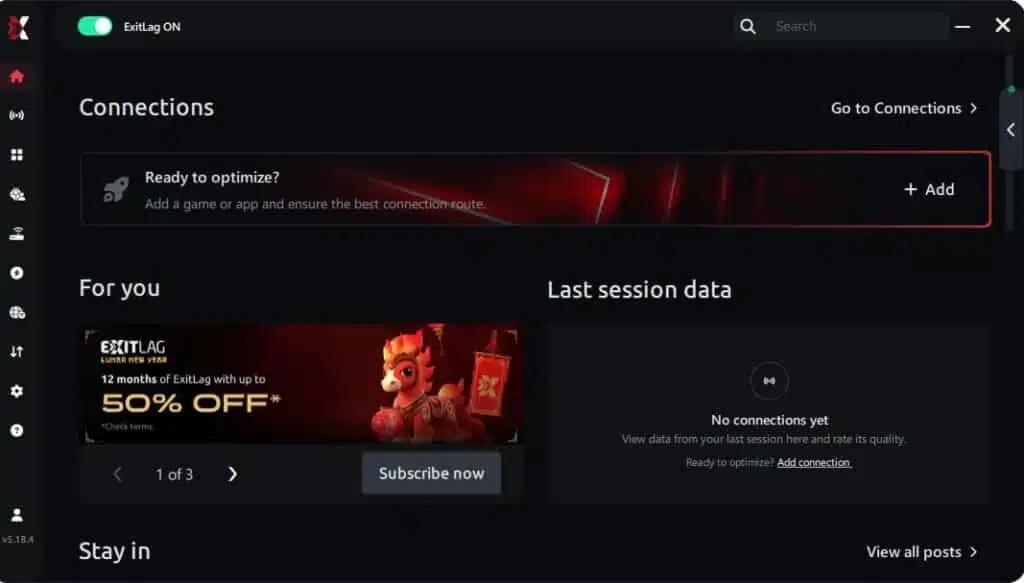
Step 1 – Access the official ExitLag website and download the application. There’s a free trial period for new users.
Step 2 – Install and open the program. Log in with your account.
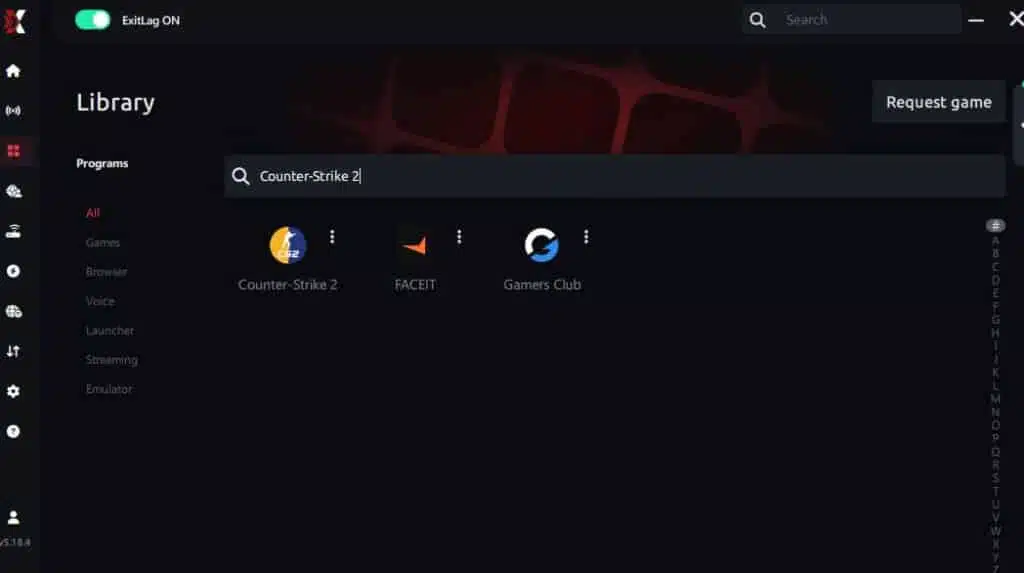
Step 3 – In the search bar, type “Counter-Strike 2” and select the game from the list.
Step 4 – Choose between automated or manual route

Based on the results, you can let ExitLag automatically select the best route or manually choose the server that showed the lowest latency for your connection.
AI-optimized automated route
Based on the results, you can let ExitLag automatically select the best route through AI optimization. The system analyzes multiple connection paths in real time and automatically identifies the most efficient route for your connection, ensuring the lowest possible latency without requiring manual choices.
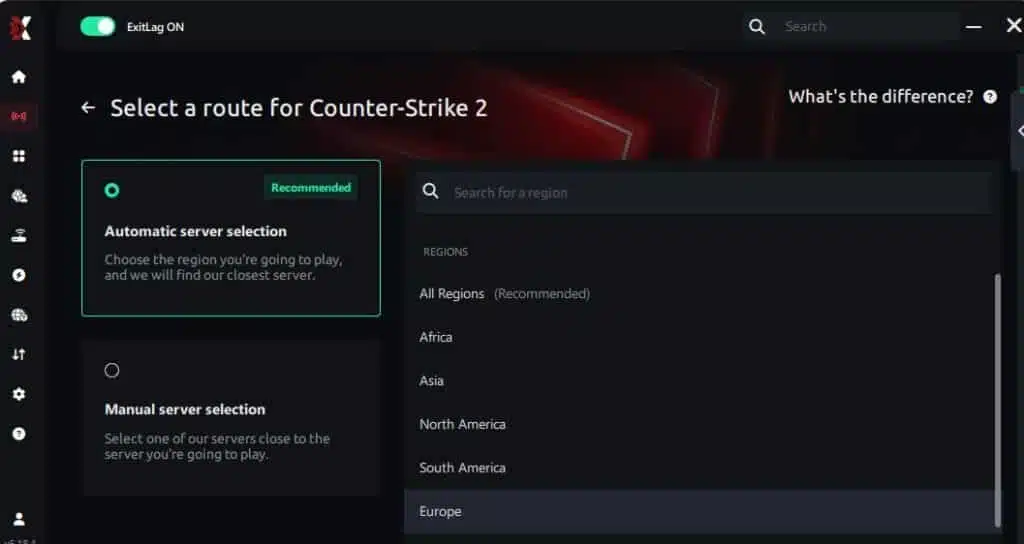
Manual route
If you prefer to have full control over your connection, you can manually choose the server based on the ping test results. Simply select the server that showed the lowest latency or the one that best meets your specific gaming needs, allowing complete customization of your experience.
Step 5 – Click “Counter-Strike 2” or the play button. ExitLag will begin optimizing your connection automatically.

Step 6 – Wait a few seconds until optimization is complete. You’ll see ping indicators in the interface.
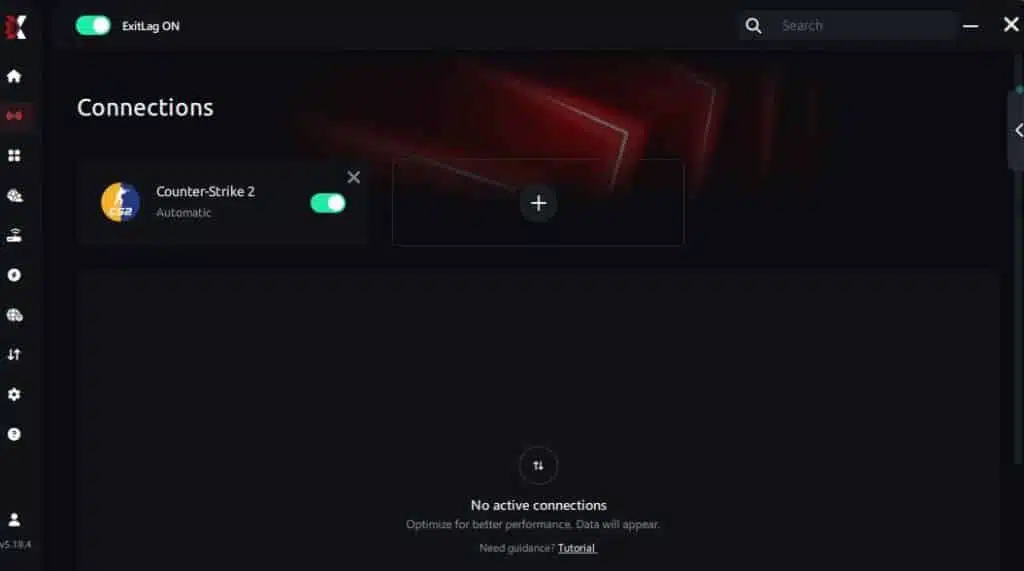
Step 7 – Launch Counter-Strike 2 normally. The optimization will already be active.
ExitLag runs in the background while you play, constantly adjusting routes to maintain the best possible performance.
Why ExitLag is perfect for Counter-Strike 2 players
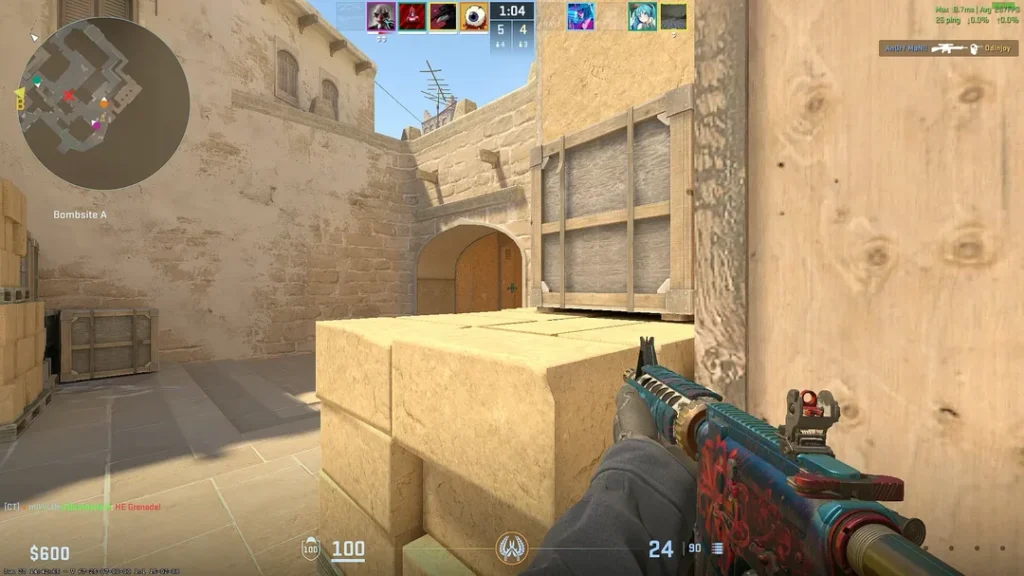
Players in competitive titles like Counter-Strike 2 rely on precision and timing. Any delay can ruin a perfect round. ExitLag ensures your connection remains stable even during peak hours or when servers are crowded.
Advantages for Counter-Strike 2 players:
- Stable ping throughout the match.
- Faster response time for precise aiming.
- Less jitter and rubber banding.
Improved hit registration. - Seamless experience in ranked matches.
In the middle of your gameplay, you’ll notice a significant difference. The smoother your experience, the better your focus and performance become a key advantage for competitive players looking for consistent results.
Troubleshooting other Issues affecting performance
Sometimes, performance issues can come from your system settings rather than your network. Here are additional steps to ensure smooth gameplay:
- Update your GPU drivers regularly for better rendering performance.
- Close background applications that consume bandwidth or CPU.
- Use a wired Ethernet connection instead of Wi-Fi for lower latency.
- Adjust in-game graphics settings to balance visuals and frame rate.
- Restart your router periodically to clear network congestion.
By combining these optimizations with ExitLag, you can completely eliminate connection issues and achieve top-tier performance in every match.
Final thoughts: Play Counter-Strike 2 without lag
Finally, remember that lag doesn’t have to ruin your gaming experience. Counter-Strike 2 is a competitive and skill-based game, and every millisecond counts.
By understanding what causes lag, optimizing your system, and using tools like ExitLag, you gain total control over your connection and ensure consistent, smooth gameplay.Don’t let Counter-Strike 2 Lag, unpredictable ping, or stuttering decide your matches. Take charge today download ExitLag for free, test it yourself, and feel the difference in every round.
Got questions or want to connect with other players? Join the conversation at the ExitLag Forum!
