

Exploring forests, surviving hostile nights, and building massive structures becomes much more engaging when you have a loyal Minecraft wolf by your side. Wolves are not just decorative companions — they actively protect you, assist in combat, and bring life to your survival world. Understanding how they work can dramatically improve your gameplay experience.
In fact, a Minecraft wolf can be the difference between surviving a sudden mob ambush or losing your hard-earned gear. As one of the most iconic Minecraft pets, wolves combine functionality and companionship in a way few other mobs do. Once tamed, they become fiercely loyal and surprisingly powerful allies that follow you across biomes and adventures.
What Is a Minecraft Wolf?
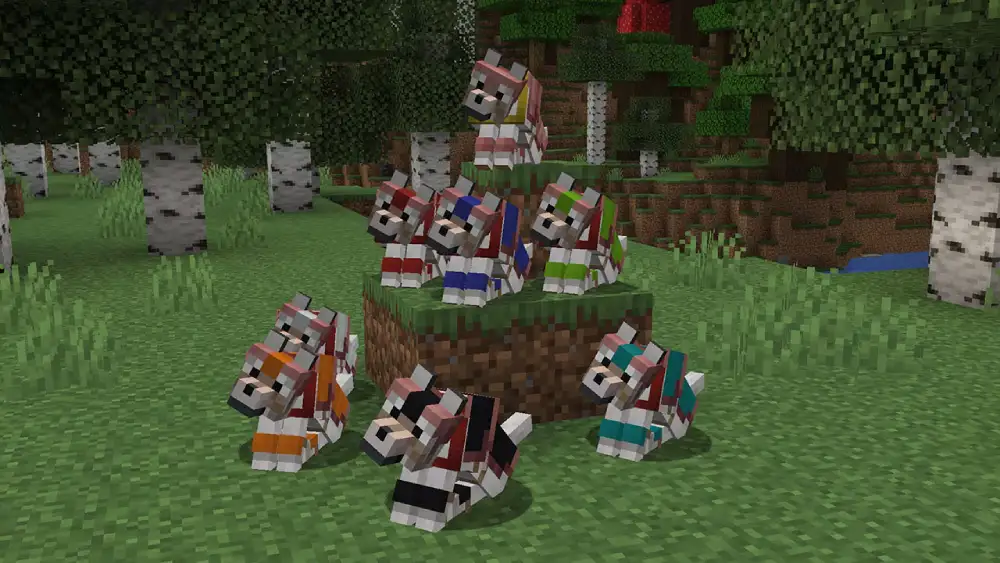
A Minecraft wolf is a neutral mob that naturally spawns in forest and taiga biomes. Unlike hostile mobs such as zombies or skeletons, wolves will not attack players unless they are provoked. However, once tamed, they transform into loyal pets that follow you closely, defend you against enemies, and respond to basic commands.
When wild, wolves roam in small groups and behave cautiously. Their neutral behavior means they won’t engage unless attacked first, which makes them safe to approach when you’re prepared to tame them. Once domesticated, they gain a collar and display hearts during the taming process, visually confirming that they now belong to you.
Beyond being companions, wolves add strategic depth to combat, exploration, and base defense. Their ability to teleport to you when you move far away ensures that they rarely get lost during long journeys. After understanding what they are, the next step is learning how to properly find and tame them.
Where to Find Wolves in Minecraft
Wolves spawn naturally in several overworld biomes, especially those rich in trees and colder climates. The most common locations include:
- Forest
- Taiga
- Snowy Taiga
- Old Growth Pine Taiga
They typically appear in small packs rather than alone, which is beneficial if you plan to build a strong wolf pack later through taming and breeding. Because they blend slightly with certain environments, especially snowy areas, spotting them may require careful observation.
Daytime exploration makes finding wolves easier, since nighttime reduces visibility and increases the risk of hostile mob interference. Before heading into these biomes, make sure you carry enough bones, as taming success is not guaranteed on the first attempt.
How to Tame Wolves in Minecraft
If you want to master how to tame wolves Minecraft players rely on for survival support, the process is simple but requires preparation and a bit of patience.
Step-by-Step Guide to Taming
- Collect Bones from Skeletons: Skeletons drop bones when defeated. Since they spawn at night or in dark caves, you may need to actively hunt them to gather enough materials. It’s wise to collect multiple bones because taming success depends on random chance.
- Approach the Wolf Carefully: Move slowly and avoid hitting the wolf accidentally. If attacked, wolves become hostile and will retaliate aggressively.
- Use the Bone on the Wolf: Equip the bone and interact with the wolf. If successful, heart particles will appear above its head. If not, continue using bones until the hearts show.
- Look for the Red Collar: Once tamed, the wolf receives a red collar, signaling ownership. From this moment forward, it becomes one of your loyal Minecraft pets.
It may take several attempts, so patience is essential. However, once the wolf is yours, the effort feels worthwhile.
Why Tame Wolves? Key Advantages
Taming a Minecraft wolf offers more than aesthetic value. It provides real mechanical advantages in survival mode.
Combat Support
- Wolves attack mobs that damage you.
- They assist in group combat situations.
- Multiple wolves can overwhelm enemies quickly.
Mobility Advantage
Tamed wolves automatically follow you. If you travel too far or cross difficult terrain, they teleport near you to stay close. This ensures they remain useful companions during exploration.
Base Defense
Keeping wolves around your base creates an added defensive layer. Hostile mobs that enter your perimeter will quickly be confronted by your loyal allies.
Dog Commands in Minecraft
Understanding dog commands Minecraft offers is essential for controlling your companion effectively.
In the base version of the game, commands are simple but functional:
- Sit Command: Right-click your wolf to make it sit. Sitting wolves stay in place and won’t follow you.
- Stand Command: Right-click again to make it stand and resume following.
- Automatic Defense: Wolves automatically attack mobs that hurt you.
While the command system is minimal, it’s highly effective for survival gameplay. Additionally, some players use mods to expand the command list, adding more advanced behaviors and interactions.
Using Wolves Strategically in Combat
A single wolf can be helpful, but a coordinated wolf pack can completely change combat dynamics.
When fighting mobs like zombies, skeletons, or spiders, wolves attack aggressively and deal consistent damage. Although they are vulnerable to certain enemies, especially creepers due to explosions, they excel in melee-heavy encounters.
To maximize their effectiveness:
- Avoid bringing wolves near creepers.
- Keep them healed after fights.
- Use them in enclosed spaces where mobs cannot escape easily.
Strategically positioning your wolves during raids or nighttime defenses can significantly reduce incoming damage to your character.
Wolf Breeding and Growing Your Pack
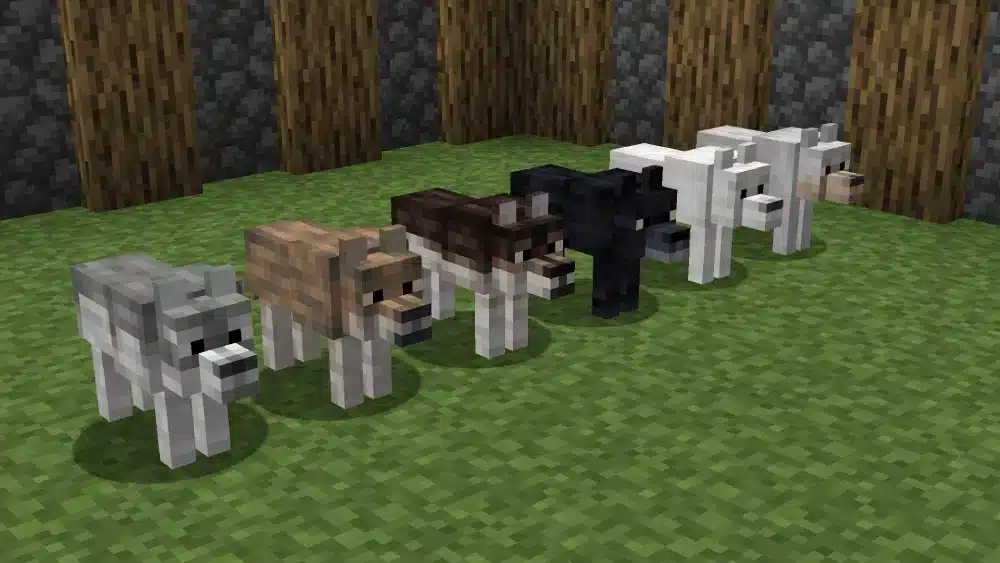
Once you have at least two tamed wolves, you can begin wolf breeding to expand your companion group.
How Wolf Breeding Works
- Feed two tamed wolves raw meat (such as beef or pork).
- When hearts appear, they enter love mode.
- A baby wolf spawns shortly after.
- The puppy is automatically tamed to you.
Breeding allows you to build a reliable wolf pack without repeatedly searching for wild wolves. Over time, this creates a strong defensive unit capable of protecting large areas.
Healing and Customization
Healing Your Wolves
Wolves lose health during combat, but you can restore it by feeding them raw meat. Monitoring their tail position helps determine health levels — a lower tail usually indicates reduced health.
Collar Customization
You can dye your wolf’s collar using standard dyes. This is especially useful when managing multiple wolves, as different colors help you identify them easily.
Customization also adds personality to your pack, making your world feel more immersive and alive.
Minecraft Wolf Quick Reference Table
| Feature | How It Works | Why It Matters |
| Taming | Use bones on wild wolves | Turns them into loyal companions |
| Commands | Sit and follow toggles | Control positioning |
| Combat | Auto-attacks enemies | Provides protection |
| Breeding | Feed raw meat | Expands your wolf pack |
| Healing | Feed raw meat | Restores health |
| Collar Dye | Apply dye | Personalizes wolves |
Common Taming Problems
Sometimes taming fails repeatedly. This is usually due to random chance rather than a mistake. Simply continue using bones until the wolf responds positively.
Additionally, ensure you are not accidentally hitting the wolf, as this turns it hostile and interrupts the taming process.
Advanced Tips for Managing a Wolf Pack
Building a large wolf pack requires strategy.
- Keep them fenced near your base when not exploring.
- Heal them after every combat session.
- Avoid bringing them into lava-filled areas or creeper-heavy zones.
- Use collar colors to separate combat wolves from decorative companions.
Conclusion About Minecraft Wolf
To make the most of every adventure with your Minecraft wolf, having a stable and lag-free connection is just as important as mastering taming and combat strategies. That’s where ExitLag comes in. By optimizing your connection routes in real time, ExitLag reduces packet loss and stabilizes your gameplay, ensuring smoother exploration, faster reactions, and a more reliable experience overall.
FAQ
What is a Minecraft wolf?
A Minecraft wolf is a neutral mob that becomes a loyal pet when tamed. They follow and protect you from hostile mobs.
How do I tame wolves in Minecraft?
Tame wolves with bones dropped by skeletons until hearts appear and a red collar shows up.
Can wolves be bred in Minecraft?
Yes — feed two tamed wolves raw meat to breed them and get puppies.
What commands can I use with wolves?
In vanilla Minecraft, wolves can sit and follow you. Modded versions add more commands.
How do I heal my wolf?
Feed your wolf raw meat to restore its health.


