

Is Diablo 4 cross platform? Yes. Diablo IV supports cross-platform play between supported PC, PlayStation, and Xbox versions, so friends can explore Sanctuary together without needing the same system. That means your group can include a PC player, a PlayStation player, and an Xbox player in the same session.
Crossplay is especially useful when friends want to compare builds, gear choices, and endgame plans without being locked to one device. For players refining equipment decisions, this Ugly Bastard Helm Diablo 4 guide can help connect cross-platform play with the kind of item planning that matters once the group is active.
The answer to is Diablo 4 cross platform also includes shared progression. When you use the same Battle.net account across supported platforms, your characters, account progression, cosmetics, and many other account-linked unlocks follow you. This makes Diablo 4 crossplay especially useful for players who move between a console and PC.
For anyone asking is Diablo 4 cross platform before starting a season with friends, the important part is simple: every player needs an appropriate copy of the game for their chosen platform, a linked Battle.net account, and access to that platform’s online multiplayer features. Once those basics are in place, is Diablo 4 multiplayer becomes much less complicated.
This guide explains Diablo 4 cross platform support, cross-progression, party setup, local co-op, online subscription requirements, and the connection factors that can affect a session with friends in other regions.
What Does Cross Platform Mean in Diablo 4?
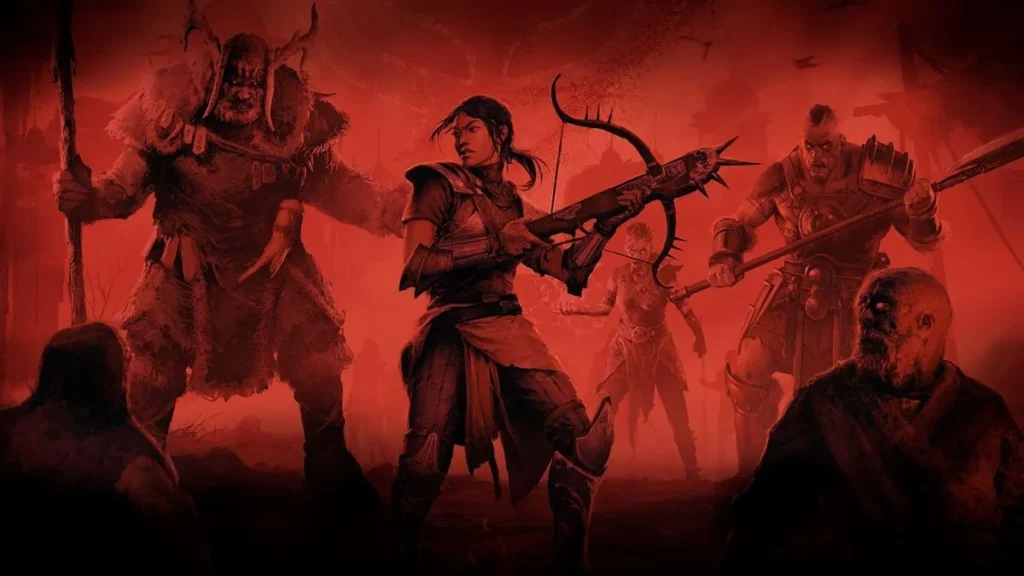
Cross-platform play means players on different supported systems can enter the same online world, join the same party, complete dungeons together, attend world events, and progress through seasonal content as a group.
In Diablo IV, cross-platform support is part of the game’s shared online structure. Your platform affects controls, display options, and storefront access, but it does not prevent you from joining friends who are playing elsewhere.
Which Platforms Support Diablo 4 Crossplay?
Diablo IV supports crossplay across the main platforms where the game is available:
- Windows PC.
- PlayStation 4.
- PlayStation 5.
- Xbox One.
- Xbox Series X|S.
This means Diablo 4 crossplay can work across PC and PlayStation, PC and Xbox, or PlayStation and Xbox. You do not need to create separate platform-only groups just because your friends use different hardware.
However, every player should still make sure their game is updated. A new patch, expansion requirement, or temporarily unavailable service can prevent a party from forming even when cross-platform support is enabled.
Is Crossplay the Same as Cross-Progression?
No. Crossplay and cross-progression are connected, but they solve different problems.
Crossplay lets you play with someone on another platform. Cross-progression lets you continue using the same account progress when you switch platforms.
For example, a player may start on PlayStation, later purchase the game on PC, and continue using the same characters after linking the correct Battle.net account. That is Diablo 4 cross platform progress in practice.
| Feature | What It Does |
| Crossplay | Lets players on different platforms play together |
| Cross-progression | Keeps account-linked progress available across platforms |
| Couch co-op | Lets two players share one console screen |
| Platform license | Determines where you can launch the game |
| Online subscription | May be required for console multiplayer |
The key distinction is that progress can transfer, but a game license does not automatically unlock every platform version.
Is Diablo 4 Cross Platform Between PC, PlayStation, and Xbox?
Yes. Is Diablo 4 cross platform between PC, PlayStation, and Xbox? It is. Players on supported PC, PlayStation, and Xbox versions can form parties and play together online.
This applies to the campaign, seasonal gameplay, open-world exploration, dungeons, Helltides, world events, clans, and other multiplayer activities where the players meet the relevant gameplay requirements.
Can PC and PlayStation Players Play Together?
PC and PlayStation players can join the same Diablo IV party. A player on PC can invite a friend on PS4 or PS5 through Battle.net social features, provided both players have linked their accounts correctly and have cross-network play enabled.
The biggest differences are usually practical rather than gameplay-related. PC players may use mouse and keyboard or a controller, while PlayStation players primarily use a controller. Inventory navigation and communication may feel different, but the game world and group activities remain shared.
For Diablo 4 cross platform groups, it is helpful to agree on a few basics before starting:
- Which character level range you want to play.
- Whether everyone is using Seasonal or Eternal characters.
- Which difficulty or world setting the group is targeting.
- Whether everyone owns the same required expansion content.
- Which player will send party invites.
- Whether the group will use in-game voice chat or an external app.
Can PC and Xbox Players Play Together?
Yes. PC and Xbox players can also group up through Battle.net. The process is similar: add your friend through their BattleTag, make sure cross-network features are enabled, and send a party invitation through the Social menu.
This setup makes Diablo 4 multiplayer more flexible for friend groups with mixed devices. One player can use a desktop PC, another can play through Xbox, and another can join from PlayStation without splitting the group by platform.
Once a party is formed, the next step is usually choosing what the group wants to farm together. A resource-focused guide like Exquisite Blood in Diablo 4 can help players understand one of the materials tied to boss access, progression, and coordinated farming sessions.
If an invitation does not work, check the most common causes first:
- One player has cross-network play disabled.
- The Battle.net accounts are not linked correctly.
- One player has not completed the required introductory game steps.
- The players are using characters from incompatible modes.
- One player does not own required expansion content.
- A platform service or game server is experiencing an outage.
How Do You Enable Crossplay in Diablo 4?
Crossplay is generally enabled through the game’s Cross-Network Play setting. The exact menu labels can vary slightly by platform or patch, but you should look for the Social settings in the options menu, usually from the character-select screen.
For players asking is Diablo 4 crossplay active by default, it is commonly enabled when you first enter the game. Still, it is worth checking before your group starts a dungeon or seasonal session.
Link Your Battle.net Account First
Your Battle.net account is the connection point between platforms. It is what allows Blizzard to identify your characters, account progress, friend list, and cross-platform activity.
On a console, follow the prompt to sign in or link an existing Battle.net account. On PC, make sure you are using the same Battle.net account that you linked to any console version.
Before playing with friends, confirm these details:
| Check | Why It Matters |
| Correct Battle.net account | Keeps characters and progress connected |
| Linked console account | Enables cross-platform identity |
| Correct BattleTag | Lets friends find and invite you |
| Cross-Network Play enabled | Allows mixed-platform groups |
| Cross-Network Communication enabled | Allows supported cross-platform communication |
| Updated game version | Prevents version mismatch issues |
Do not create a second Battle.net account by accident. This can make it appear as though your characters, cosmetics, or progress disappeared when they are actually attached to a different account.
How Do You Add and Invite Cross-Platform Friends?
To play with someone on another system, add them using their BattleTag rather than relying only on a PlayStation or Xbox friends list.
A reliable party setup looks like this:
- Open the Social menu.
- Go to the Battle.net or Friends section.
- Add your friend using their BattleTag.
- Wait for them to accept the request.
- Confirm that Cross-Network Play is enabled.
- Invite them to your party.
- Check whether everyone is in the same game mode and has access to the same content.
For Diablo 4 crossplay, party invitations are usually more reliable than hoping to find one another naturally in an open-world area. Once the party is formed, the game can place you together more consistently.
Specific encounters can also influence how a crossplay group prepares before jumping into harder content. This Diablo 4 Harbinger of Hatred guide can help players connect enemy mechanics, preparation, and party coordination before starting a shared session.
Does Diablo 4 Have Cross-Progression?
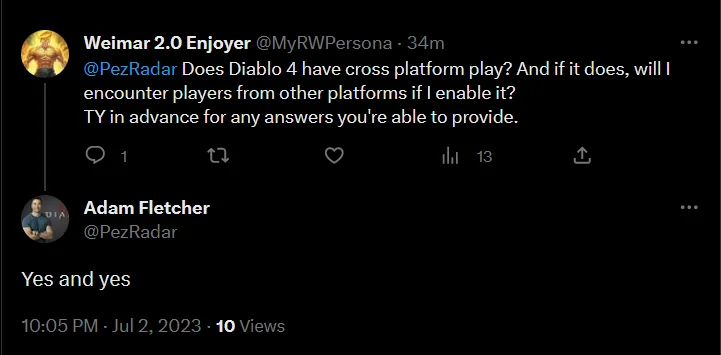
Yes. Diablo IV supports cross-progression when you use the same Battle.net account across your supported platforms. This means the account identity travels with you, even when the hardware does not.
Cross-progression is one reason Diablo 4 cross platform support is useful beyond multiplayer. You may prefer console for relaxed couch sessions and PC for keyboard-and-mouse play, while keeping your progression linked.
What Progress Carries Between Platforms?
Most account-linked content is available when you sign in with the same Battle.net account. This generally includes characters, gear, cosmetics, mounts, titles, achievements, account progression, and seasonal progress.
Your character is not trapped on one device. Instead, the game recognizes the Battle.net account that owns the character data.
This is especially helpful when you want to:
- Continue a season while traveling.
- Move from console to PC.
- Join friends on another platform.
- Keep cosmetic rewards linked to one account.
- Change control methods without restarting from zero.
For players researching Diablo 4 multiplayer, this also means a group does not need to worry about platform-specific character saves. The important part is that each player uses the intended linked account.
What Does Not Automatically Transfer?
Cross-progression does not mean every purchase is shared automatically across every platform storefront. You generally need access to the game on the platform where you want to play.
For example, owning Diablo IV on PlayStation does not automatically grant a PC game license. The same principle applies when moving between Xbox and PlayStation ecosystems.
You should also check expansion ownership before grouping. If a friend is entering content tied to an expansion, every player who wants to access that activity needs the appropriate entitlement on their own platform.
This is where Diablo 4 cross platform support has a practical limit: your character progress may move, but platform licensing and content access still matter.
Is Diablo 4 Multiplayer Beyond Crossplay?
Yes. Diablo IV is designed around a shared online world. You can encounter other players in towns, participate in world events, join groups, fight world bosses, enter PvP zones, and complete activities with friends.
The answer to is Diablo 4 multiplayer is broader than “can I invite a friend?” The game mixes solo progression with shared-world features. You can play much of the campaign alone, then group up when you want to tackle more difficult content or simply explore together.
How Does Online Multiplayer Work?
Online multiplayer allows up to four players to form a party. Party members can work through dungeons, quests, seasonal activities, strongholds, world events, and many other goals together.
Loot is generally individualized, so each player receives their own drops. This avoids the old problem of one teammate grabbing every valuable item before anyone else can react.
A good group session usually works best when everyone agrees on the purpose of the run:
- Leveling new characters.
- Completing campaign objectives.
- Farming gear.
- Clearing dungeons.
- Running seasonal content.
- Hunting world bosses.
- Exploring side quests.
- Playing PvP activities.
This gives your Diablo 4 multiplayer group a clear pace. One player may want to explore every corner, while another may want to rush objectives. A quick conversation before starting can prevent frustration.
Does Diablo 4 Have Couch Co-Op?
Yes, Diablo IV supports local couch co-op on consoles. Two players can play together on the same screen using separate controllers.
Couch co-op is not available on PC. It is a console-specific feature, so it works differently from online crossplay.
For console couch co-op, each player needs their own controller. Follow the on-screen sign-in prompts, then choose or create characters through the local co-op setup.
Couch co-op and Diablo 4 crossplay can be useful together. For example, two people can share a console screen while joining another friend online from PC or another console.
This gives mixed-device groups more flexibility, especially for households where two players use the same PlayStation or Xbox.
Do You Need PlayStation Plus or Xbox Game Pass for Diablo 4 Crossplay?
Console online requirements depend on the platform. Crossplay does not remove the standard online multiplayer subscription rules of PlayStation and Xbox.
PlayStation users generally need an active PlayStation Plus membership for online multiplayer. Xbox console users need a compatible Xbox Game Pass subscription that includes online console multiplayer.
PlayStation Requirements for Online Play
If you play Diablo IV on PS4 or PS5 and want to join friends online, check your PlayStation Plus status before troubleshooting the game itself.
Without the appropriate subscription, you may still be able to access parts of the game that do not require an online party, but online multiplayer functions can be restricted.
For smoother setup, make sure you have:
- An active PlayStation Plus membership.
- A linked Battle.net account.
- Cross-Network Play enabled.
- A stable internet connection.
- The latest Diablo IV update installed.
This matters for Diablo 4 cross platform groups because one missing subscription can stop a party from forming, even when every other player is ready.
Xbox Requirements for Online Play
Xbox console players need a compatible Game Pass plan with online console multiplayer access. The exact plan names and availability can change over time, so check your current Xbox subscription benefits before entering a multiplayer session.
You should also confirm:
- Your Xbox account privacy settings allow multiplayer.
- Your Battle.net account is linked correctly.
- Cross-network settings are enabled.
- Your system software and game client are current.
- You have access to any required expansion content.
For is Diablo 4 crossplay questions, this is one of the most overlooked details. The game supports cross-platform parties, but each platform still applies its own account and online-access rules.
For confirmed platform details, updates, and current game information, the safest reference is the official source. The official Diablo 4 website can help players verify game access, news, and broader details before troubleshooting crossplay issues through older guides.
How Can ExitLag Help Diablo 4 Crossplay on PC?
ExitLag is a connection optimization solution for PC gaming. It does not unlock crossplay, replace a game license, bypass a console subscription, or solve account-linking problems.
However, it can be useful for PC players who experience network instability while playing online with friends. This can matter in a cross-platform group, especially when party members are in different regions or when the connection route to Blizzard’s servers is inconsistent.
What Connection Problems Can Affect Multiplayer?
Network-related issues can make a group session feel worse even when the party is formed correctly. You may notice delayed movement, rubberbanding, late skill activation, unstable world-event participation, or disconnections.
These problems may be more noticeable during:
- Helltides.
- World Boss fights.
- Dense seasonal events.
- High-tier dungeons.
- PvP encounters.
- Long group farming sessions.
- Cloud gaming or remote-play setups.
- Sessions with friends in distant regions.
ExitLag may help when the problem is routing instability, packet loss, or unpredictable ping variation. It cannot fix low frame rates caused by hardware limits, outdated drivers, graphics settings, or an overloaded PC.
Expansion ownership can also affect what a cross-platform group can access together, especially when friends are returning at different points in the game’s lifecycle. The official Diablo 4 expansion page is useful for checking current expansion information before planning shared progression.
How Should You Test Your Multiplayer Connection?
Do not judge connection quality from one short session. Test in a normal activity where you can compare movement, skill response, loading consistency, and party stability.
Use this basic checklist:
- Close downloads, streams, and bandwidth-heavy apps.
- Restart your router if multiple games are unstable.
- Confirm that Diablo IV is updated.
- Test your local connection in more than one online activity.
- Check whether the problem happens only in one region or server route.
- Try ExitLag on PC if routing instability continues.
- Compare results across several sessions.
A stable connection will not replace build knowledge or group coordination. However, it can help your actions register more consistently when a fight depends on a dodge, a defensive cooldown, or a fast response.
FAQ
Diablo IV’s cross-platform features are straightforward once you separate crossplay, cross-progression, local co-op, and platform access. These answers cover the most common questions.
Yes. PC and PS5 players can play Diablo IV together through crossplay. Both players need linked Battle.net accounts, cross-network features enabled, access to the same required content, and the appropriate online services for their platforms.
Yes. PC and Xbox players can join the same parties, complete dungeons, explore the open world, and participate in seasonal content together. Add friends through Battle.net, then invite them through the Social menu.
Yes. Your characters and most account-linked progression can carry across supported platforms when you use the same Battle.net account. However, you still need access to the game on every platform where you want to play.
No. Couch co-op is available on consoles, where two players can share one screen with separate controllers. PC supports online multiplayer but does not support local couch co-op.
Yes. Cross-network play can be disabled through the game’s Social settings. Keep in mind that disabling it can reduce the number of players you encounter and may prevent you from joining friends who have different cross-network settings.
Is Diablo 4 cross platform support worth using? Absolutely, especially for groups split across PC, PlayStation, and Xbox. Link the right Battle.net account, confirm every player has the required game access and online subscription, then use crossplay to explore Sanctuary together without platform barriers. For PC players dealing with unstable multiplayer sessions, try ExitLag to see whether a more consistent route improves your Diablo IV experience.
Got questions or want to connect with other players? Join the conversation at the ExitLag Forum!




