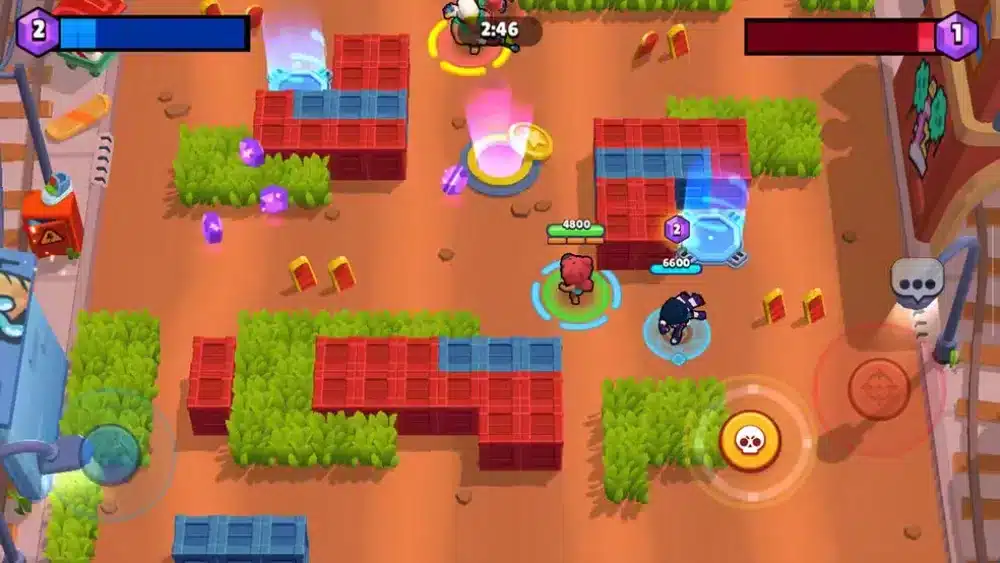
You load into Brawl Stars, ready for fast-paced PvP action, but suddenly your jitter starts kicking in. Your ping keeps fluctuating, your movement becomes unpredictable, and shots fire with random delays. This instability ruins matches, breaks timing, and makes competitive modes nearly unplayable.
Unlike regular high ping — which at least stays consistent — jitter is far worse because it creates unpredictable spikes that prevent you from knowing when your commands will actually register. If this sounds familiar, you’re not alone. Many Brawl Stars players face jitter daily. You can also check supported titles anytime at ExitLag supported games list.
What is jitter in Brawl Stars?
In online games, jitter is the irregular variation in your network latency. Imagine your ping jumping all over the place: 40ms → 110ms → 70ms → 150ms → 60ms. This inconsistent timing is exactly what creates jitter.
While ping tells you how long a signal takes to travel between you and the servers, jitter tells you how inconsistent that timing is from one second to the next. You can adapt to a stable 80ms, but you cannot adapt to random instability like 30ms suddenly jumping to 200ms mid-fight.
For a healthy gameplay experience, your response time should vary no more than 5–10ms. Anything higher can cause delayed shots, movement desync, rubberbanding, and unreliable reactions — all disastrous in a fast-paced game like Brawl Stars.
How jitter affects your gameplay in Brawl Stars
Jitter ruins consistency, and consistency is everything in Brawl Stars. Here’s how it affects your matches:
- Inconsistent commands – Sometimes your attacks fire instantly, and other times there’s a full second delay.
- Difficulty dodging/dodges – Timing becomes impossible because your movement is desynced by unstable ping.
- Broken combos – Ability sequences and super activations fail because of unpredictable response delays.
- Sudden deaths – Enemies appear to teleport before eliminating you, caused by unstable route timing.
- Frustration in PvP – In competitive modes, unpredictable delay makes it nearly impossible to make precise plays.
- Wasted resources – Gadgets and supers activate too late, costing you eliminations and objectives.
- Inconsistent hit registration – Your shots sometimes connect, other times they don’t — even when perfectly aimed.
- Unreliable aiming/movement – Basic positioning feels “off,” ruining your ability to compete evenly.
If your timing feels unpredictable, jitter is almost certainly to blame.
Main causes of jitter in Brawl Stars
1. Network congestion
When multiple devices use the internet — streaming, downloads, video calls — packet timing fluctuates. This congestion causes inconsistent latency and creates jitter spikes during matches.
2. Unstable routing
Your data travels through several routers before reaching the game servers. If your ISP routes packets through congested or changing paths, instability appears, causing jitter even if your average ping looks fine.
3. Unstable Wi-Fi
Wi-Fi suffers from interference, range limitations, and noise. Even small wireless distortions produce packet timing variation, disrupting your response time.
4. ISP-related issues
ISPs with overloaded or poorly optimized infrastructure often deliver unstable routes. Even with good speeds, jitter increases if routing is inconsistent.
5. Distance to servers
More distance means more routers and more chances for delay variation. This is one of the biggest hidden causes of jitter.
6. Game-specific server load
During peak times or big updates, Brawl Stars servers may experience overload, triggering inconsistent latency and higher jitter.
How to identify and measure jitter in Brawl Stars
Extended ping test
To diagnose jitter correctly:
- Run a continuous ping test to a stable endpoint.
- Watch the values over time.
- If they jump significantly, you’re experiencing jitter.
Stable results should stay within a tight 5–10 ms window. Large spikes confirm variation problems.
Signs inside the game
You can also identify jitter directly in Brawl Stars:
- The in-game ping number jumps constantly rather than staying stable.
- Movement feels “inconsistent,” sometimes smooth, sometimes delayed.
- Random rubberbanding appears even with low ping.
- Shots fire with different delays depending on the moment.
- Super activation or gadget timing feels unpredictable.
- Your match becomes unstable despite having “good ping.”
If these symptoms appear mainly during PvP or peak hours, you’re dealing with jitter.
| Jitter level | Variation (ms) | Gameplay experience in Brawl Stars |
| 0–5 ms | Excellent | Smooth, responsive gameplay |
| 5–15 ms | Good | Minor inconsistencies |
| 15–30 ms | Playable | Noticeable input and movement delay |
| 30–50 ms | Bad | Hard to dodge, shoot, or aim |
| 50+ ms | Critical | Competitive gameplay impossible |
Basic solutions to reduce jitter in Brawl Stars
Prioritize your connection
- Use an Ethernet cable – Completely removes Wi-Fi instability.
- Close background applications – Downloads and streaming create sudden bandwidth spikes.
- Limit devices on your network – Fewer devices = less traffic variation.
- Disable automatic updates – Avoid surprise bandwidth consumption.
- Update network drivers – Old drivers often cause instability.
- Brawl Stars-specific tip – Reduce device background processes; mobile and emulator setups are sensitive to latency variability.
Configure QoS on your router
Quality of Service (QoS) lets your router prioritize gaming packets over other traffic. When correctly configured, QoS reduces jitter by ensuring Brawl Stars packets receive consistent delivery priority, especially during high household network usage.
Check with your ISP
If jitter persists, contact your internet provider. Request a line check, updated modem, or improved routing. Many jitter problems come from ISP congestion, not your equipment.
ExitLag: the definitive solution to eliminate jitter in Brawl Stars
What is ExitLag?
ExitLag is a software specialized in connection optimization, built specifically for online games. It acts as a smart, dynamic connection stabilizer, ensuring your packets always travel through the most efficient and consistent routes. Designed by gamers, for gamers, ExitLag eliminates jitter by fixing routing problems at the source. Learn more about the technology behind it at ExitLag technology page.
Unlike basic fixes, ExitLag delivers consistent stability even when your ISP fails.
How ExitLag eliminates jitter in Brawl Stars
ExitLag uses its exclusive Multi-Internet system to keep your connection stable at all times. You can see how the tech works at how ExitLag works.
Here’s what it does:
- Multiple simultaneous routes
Data is sent through multiple optimized routes. If one spikes, others keep your latency steady. - Smart packet selection
The system chooses the fastest-arriving packets and discards delayed ones, eliminating jitter at its core. - Real-time route optimization
ExitLag constantly scans available routes and switches instantly to the most stable option. - Reduced hops
Fewer routers between you and the servers means fewer opportunities for instability. - Intelligent buffer control
Maintains a smooth, constant packet flow even when your ISP fluctuates.
Benefits of using ExitLag for Brawl Stars
1. Complete ping stabilization
ExitLag maintains a narrow, consistent latency band, making gameplay smooth and predictable.
2. Jitter elimination
Multi-route routing prevents ping variation, even when your ISP becomes unstable.
3. Improved timing
With stable latency, your supers, gadgets, and shots fire exactly when you press the button.
4. Competitive advantage
In PvP modes, stable timing is crucial for aiming, dodging, and trading blows.
5. Works on any server
Regardless of location or region, ExitLag optimizes your route to the closest and most stable servers available.
6. Simple interface
No technical expertise needed — select the game, apply the routes, and play.
Is ExitLag worth it for Brawl Stars?
ExitLag is highly recommended if you:
- Experience frequent jitter or latency variability
- Play on distant or international servers
- Join PvP, ranked, or competitive events
- Play during peak hours with network congestion
- Use Wi-Fi or unstable ISP routing
- Lose fights due to unpredictable delay
- Need perfect timing for supers and aim
Compare available plans at ExitLag pricing plans.
How to configure ExitLag for Brawl Stars
- Download ExitLag at download ExitLag for PC
- Create or log in to your account
- Search for Brawl Stars in the game list
- Activate Multi-Route mode for best stability
- Click Apply or Play
- Launch Brawl Stars normally
- Check connection stats in the ExitLag panel
- Adjust settings if needed (Auto Mode recommended)
Or with the core onboarding steps:
- Create your ExitLag account
- Download ExitLag
- Choose Brawl Stars and apply the routes
- Enjoy the best experience with ExitLag ON!
FAQ: common questions about jitter in Brawl Stars
1. What is the difference between jitter, lag, and packet loss?
Jitter is the variation in your ping, producing unpredictable delays.
Lag is slow response time caused by high latency.
Packet loss occurs when data fails to reach the servers at all.
You can have low ping but high jitter, resulting in terrible gameplay timing.
2. Why is my ping fluctuating in Brawl Stars?
Common reasons include network congestion, unstable routing, Wi-Fi interference, overloaded ISP nodes, and distance from servers. Game server load during events can also cause spikes.
3. Is jitter worse than high ping?
Often, yes. A stable 120ms ping is better than 20–200ms variation. Jitter ruins timings and causes unpredictable reactions in fast-paced PvP.
4. How do I know if I have jitter?
Your commands feel inconsistent, sometimes fast, sometimes slow. Movement desync, delayed shots, rubberbanding, and fluctuating ping numbers all reveal jitter.
5. Does Wi-Fi cause jitter?
Yes. Wi-Fi suffers from interference and signal noise. Ethernet is always more stable and avoids wireless instability.
6. Does ExitLag fix issues besides jitter?
Yes. ExitLag also reduces ping, prevents packet loss, improves routing, and stabilizes online gameplay in hundreds of titles.
7. Do I need ExitLag running while playing?
Yes. Optimization works only when ExitLag is active. You may minimize it, but do not close it during gameplay.
8. Do certain brawlers suffer more from jitter?
Yes. High-precision brawlers like Piper, Colt, Bea, Spike, and Nani rely heavily on perfect timing and aiming. Jitter severely affects their mechanics.
Conclusion
Jitter can turn your Brawl Stars sessions from fun to frustrating. It breaks timing, ruins aim consistency, and makes PvP unpredictable. But you don’t have to accept this instability as normal. With the right adjustments — and the power of ExitLag — you can eliminate ping variation and restore consistency to your matches. To dive deeper into connection optimization, visit ExitLag blog on optimization tips.
A stable connection gives you the gameplay experience Brawl Stars was designed for: smooth, responsive, and competitive — without unpredictable delays.
Ready to eliminate jitter and finally enjoy stable gameplay?
Start your free trial now at start your free ExitLag trial.
Got questions or want to connect with other players? Join the conversation at the ExitLag Forum!