You’re in New World: Aeternum, right in the middle of a PvP skirmish or pushing through a corrupted portal, when suddenly your character stops responding consistently. One second your ability fires instantly, the next it takes a full second to register. This isn’t just lag — it’s jitter, the result of fluctuating ping and connection instability that makes it impossible to predict when your actions will execute. Because jitter changes constantly, it’s far more disruptive than high ping, turning combat, movement, and timing into pure guesswork rather than skill.
If you play more online games, you can check the full list of supported titles on the official games catalog at ExitLag’s official games catalog list.

What is jitter in New World: Aeternum?
In New World: Aeternum, jitter refers to the irregular variation in your network latency — the time it takes for data to travel between your PC and the game’s servers and back. While ping measures how long this round trip takes, jitter measures how consistent that time is between each packet.
If your response time remains stable — for example between 55 ms and 60 ms — your experience will feel smooth. But if your ping jumps randomly to 120 ms, then down to 80 ms, then up to 200 ms, you’re dealing with inconsistent and unpredictable network behavior.
This instability is the root of New World’s most frustrating issues: delayed dodges, broken combos, missed shots, and unreliable weapon swaps. Ideally, your ping should vary by no more than 5–10 ms. Anything beyond that begins to cause serious gameplay disruptions.
How jitter affects your gameplay in New World: Aeternum
High jitter impacts every part of your gameplay, especially during competitive or reaction-based content. Some of the most common problems include:
- Inconsistent command execution
One moment your skill activates instantly, the next it’s delayed, breaking your rotation and rhythm in combat. - Unreliable dodges and movement
With fluctuating timing, your dodge rolls or evasions become unpredictable, making it impossible to avoid telegraphed attacks. - Broken combos and failed abilities
Weapon swaps, combos, and ability chains often fail because their timing depends on stable server feedback. - Sudden deaths and teleporting enemies
Enemies may appear to teleport or hit you “out of nowhere” due to delayed updates between the server and your screen. - Frustration in PvP
Competitive PvP becomes unfair when your response timing changes constantly while other players’ connections remain stable. - Wasted consumables
Buffs, potions, and defensive abilities may activate too late to matter because of jitter-induced delays. - Inconsistent hit registration
Heavy attacks, bow shots, and ability hits may register late or fail entirely when the server receives inputs at inconsistent intervals. - Erratic aim and targeting
Because timing shifts from second to second, precise hits — especially with ranged weapons — become nearly impossible.
Main causes of jitter in New World: Aeternum
Network congestion
When multiple devices use your internet connection simultaneously — streaming, downloads, smart TVs — the router must distribute bandwidth unevenly. This causes packets to reach the server at different intervals, generating jitter during gameplay.
Unstable routing
Your packets travel through several network nodes before reaching New World servers. If your ISP sends data through unstable or congested routes, the response time will experience major variation, creating unpredictable latency spikes.
Unstable Wi-Fi
Wi-Fi signals are vulnerable to interference from walls, microwaves, neighboring networks, and distance. These micro-interruptions don’t always cause a disconnect but often result in short bursts of instability, which appear as jitter.
ISP problems
ISPs with overloaded infrastructure, poor peering agreements, or misconfigured routing tables often cause high latency fluctuations. Many players experience more jitter during peak hours, when ISP networks are most stressed.
Distance to servers
If you connect to New World servers in a different region, your traffic crosses more routers and longer distances. The more hops, the higher the chance of inconsistent and unstable timing.
New World-specific load
Server-side load — such as large-scale PvP, territory wars, or overcrowded areas — can amplify jitter perception. While server load and network jitter are different problems, they often combine during intense gameplay.
How to identify and measure jitter in New World: Aeternum
Extended ping test
To measure jitter correctly, run a prolonged ping test to a stable target or to your expected server IP.
Windows command:
ping <server-ip> -t
Linux/macOS command:
ping <server-ip>
If your ping stays grouped around a similar value, you’re fine. If it constantly jumps up and down, you’re experiencing significant jitter.
In-game signs
Even without tools, New World clearly shows jitter symptoms:
- Ping displayed in-game constantly rises and falls.
- Your actions feel inconsistent, sometimes instant, sometimes delayed.
- You experience intermittent rubberbanding while moving.
- Weapon swaps and abilities activate with variable delay.
- Combat feels unstable, even when your average ping is “low”.
- Some fights feel smooth, while others feel like you’re playing on a completely different connection.
If these symptoms match your experience, jitter is almost certainly the issue.
Jitter severity levels in New World: Aeternum
Jitter classification table
| Jitter Level | Variation (ms) | Gameplay Experience |
| Excellent | 0–5 ms | Smooth, reliable, responsive |
| Good | 5–15 ms | Small spikes, barely noticeable |
| Moderate | 15–30 ms | Occasional delays, rubberbanding |
| High | 30–50 ms | Unreliable timing, PvP suffering |
| Severe | 50 ms+ | Gameplay feels broken, actions fail |
Ideal jitter levels: below 10 ms.
Basic solutions to reduce jitter in New World: Aeternum
Prioritize your connection
Start with essential network hygiene:
- Use ethernet cable
A wired connection eliminates the inherent instability of Wi-Fi. - Close background applications
Stop downloads, streaming services, and cloud syncing processes that create spikes in latency. - Limit devices on your network
Fewer devices = more consistent bandwidth = less jitter. - Disable automatic updates
Windows, Steam, and game updates can start suddenly, causing huge ping variation. - Update network drivers
Outdated network drivers often cause inconsistent response times. - Optimize New World settings
Reduce background CPU usage by closing overlays and unnecessary applications that interact with network traffic.
Configure QoS on router
QoS (Quality of Service) allows your router to prioritize your gaming PC’s traffic. This ensures New World packets are sent first, even when other devices are consuming bandwidth.
With QoS active, jitter often decreases dramatically because packet timing becomes more predictable.
Check with your ISP
If jitter persists:
- Ask your ISP to check your line for errors or noise.
- Request a modem replacement if yours is outdated.
- Report instability, especially during peak hours.
If your ISP’s routing is unstable, no local fix will completely solve jitter — you’ll need route optimization.
ExitLag: the definitive solution to eliminate jitter in New World: Aeternum
What is ExitLag?
ExitLag is a specialized software designed for advanced connection optimization in online games. Instead of relying on your ISP’s default routing — which can be outdated, congested, or unstable — ExitLag functions as an intelligent stabilizer that continuously analyzes and selects the best possible routes to New World servers.
Developed specifically for gamers, ExitLag focuses on stabilizing latency, eliminating jitter, and improving timing in fast-paced online experiences. Learn more on the official technology page at ExitLag’s official technology page.
How ExitLag eliminates jitter in New World: Aeternum
ExitLag uses Multi-Internet routing, packet intelligence, and real-time algorithms to keep your connection as stable as possible. You can read a full explanation of the process at how ExitLag works.
Here’s how it fixes jitter:
- Multiple routes simultaneously
Your packets travel through several routes at once, ensuring stable delivery even if one route becomes unstable. - Intelligent packet selection
ExitLag picks the fastest-arriving packets and discards slower ones, eliminating jitter-causing inconsistencies. - Real-time route optimization
Routes are constantly scanned, measured, and replaced — ensuring the lowest possible response time. - Reduced hops
Fewer routers between you and the server means fewer points where instability can occur. - Smart buffering
Ensures an even and consistent flow of packets to the game, even when your ISP connection fluctuates.
Advantages of ExitLag for New World: Aeternum players
ExitLag brings major benefits:
- Complete ping stabilization
Your ping becomes consistent, even during peak hours. - Jitter elimination
Multi-route technology smooths out severe variation. - Better timing in combat
Dodges, blocks, weapon swaps, and abilities become predictable and responsive. - Competitive advantage in PvP
Stable timing can decide wars, duels, and outpost rush battles. - Works on any server region
Whether playing on NA, EU, SA, or others, ExitLag finds the best routes. - Beginner-friendly interface
Select the game, apply routes, and enjoy — no technical skills required.
Is ExitLag worth using in New World: Aeternum?
ExitLag is especially recommended if you:
- Struggle with jitter and instability frequently
- Play on servers outside your region
- Participate in PvP, wars, expeditions, or competitive content
- Play during peak hours
- Use Wi-Fi or have an ISP with unstable routing
- Lost fights or wars due to unpredictable lag
- Want precise timing during weapon swaps and combos
Check available plans and pricing at ExitLag plans and pricing.
How to use ExitLag in Aeternum
The process is extremely simple:
Step 1 – Access the official ExitLag website and download the application. There’s a free trial period for new users.
Step 2 – Install and open the program. Log in with your account.or heavy farming zones. That’s where stability changes are easiest to feel.
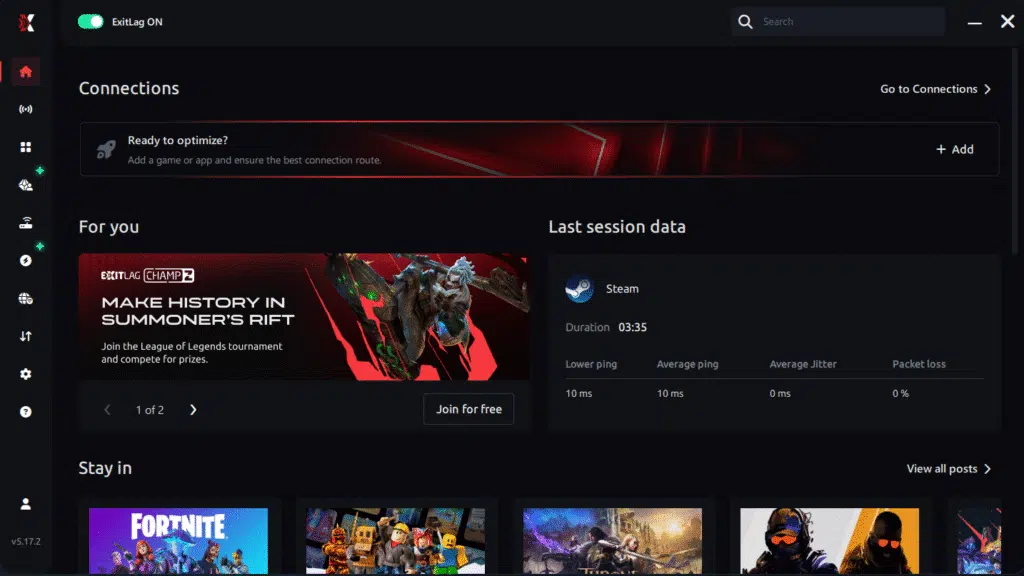
Step 3 – In the search bar, type “Aeternum” and select the game from the list.
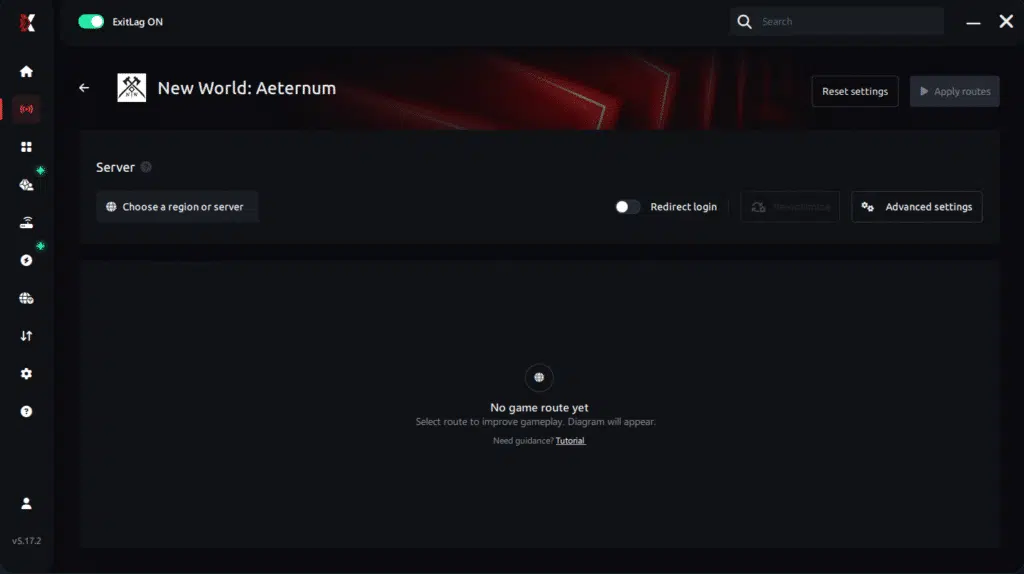
Step 4 – Choose between automated or manual route
Based on the results, you can let ExitLag automatically select the best route or manually choose the server that showed the lowest latency for your connection.
AI-optimized automated route
Based on the results, you can let ExitLag automatically select the best route through AI optimization. The system analyzes multiple connection paths in real time and automatically identifies the most efficient route for your connection, ensuring the lowest possible latency without requiring manual choices.
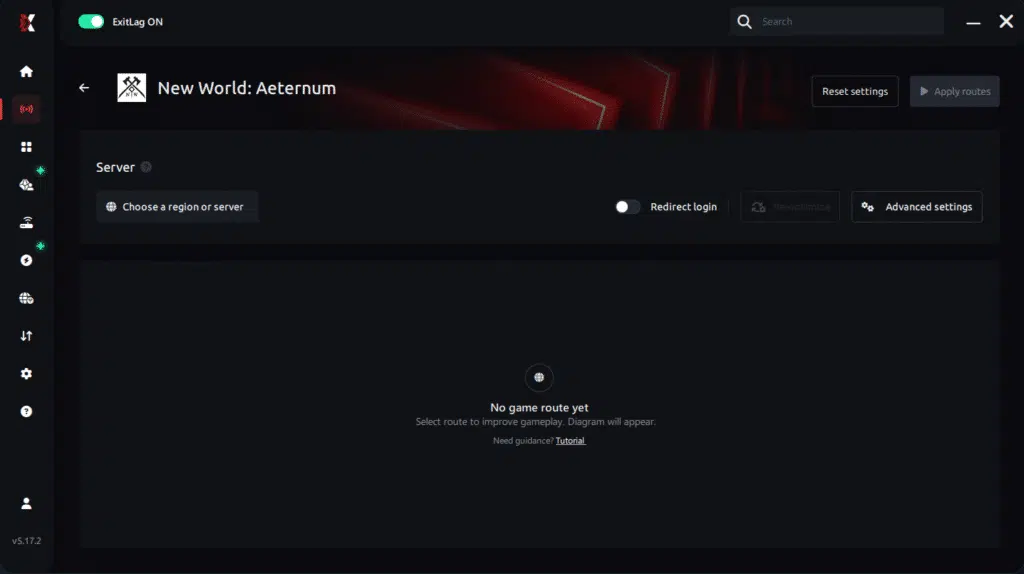
Manual route
If you prefer to have full control over your connection, you can manually choose the server based on the ping test results. Simply select the server that showed the lowest latency or the one that best meets your specific gaming needs, allowing complete customization of your experience.
Step 5 – Click “Apply routes” or the play button. ExitLag will begin optimizing your connection automatically.
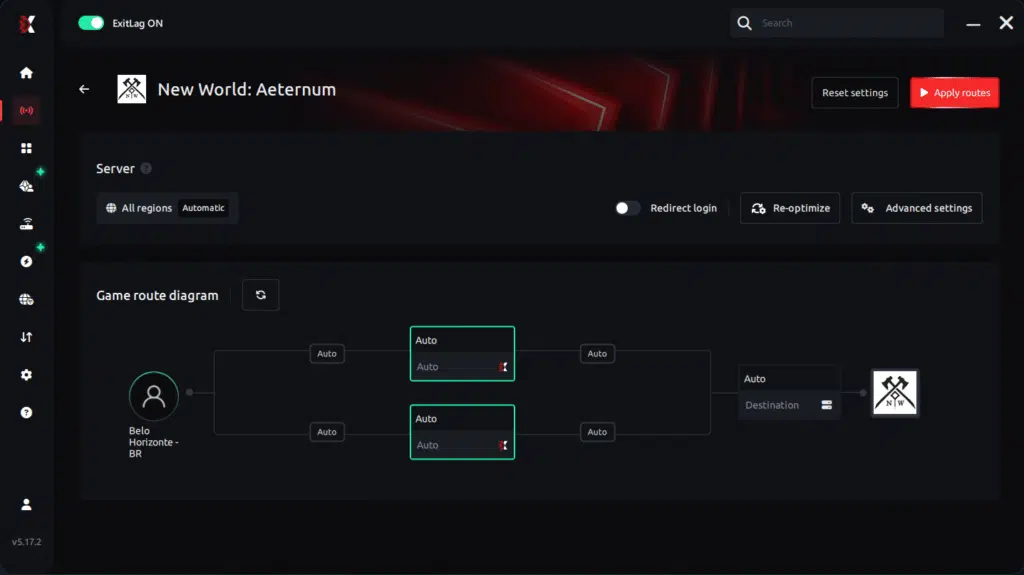
Step 6 – Wait a few seconds until optimization is complete. You’ll see ping indicators in the interface.
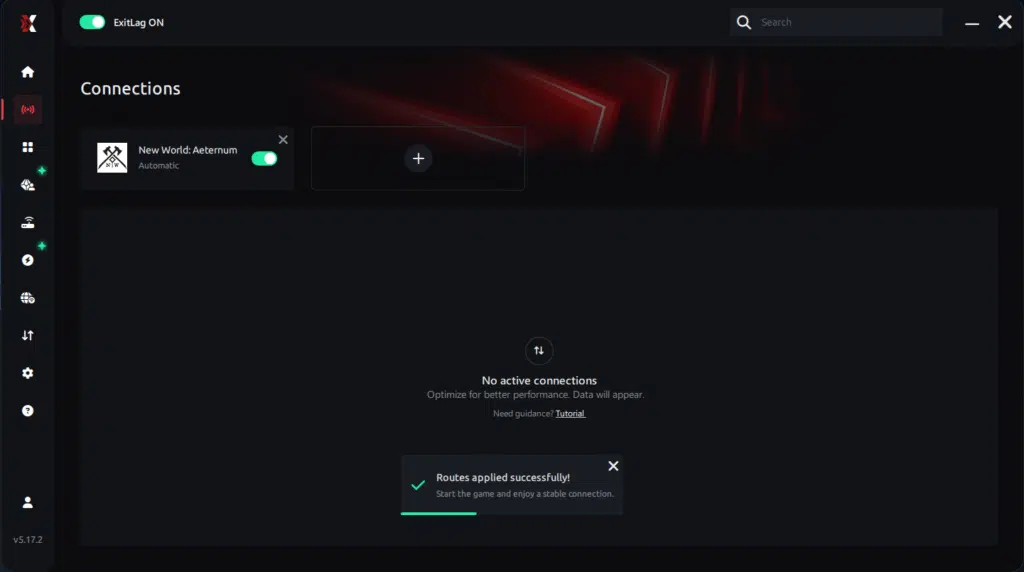
Step 7 – Launch Aeternum normally. The optimization will already be active.
ExitLag runs in the background while you play, constantly adjusting routes to maintain the best possible performance.
FAQ: frequently asked questions about jitter in New World: Aeternum
1. What is the difference between jitter, lag, and packet loss?
Jitter is the variation of your ping. Lag is the delay caused by high latency. Packet loss happens when packets fail to reach the server. You can have low ping but high jitter and still have a terrible experience due to unpredictable timing.
2. Why does my ping keep fluctuating in New World: Aeternum?
Common causes include congestion, unstable routing, Wi-Fi interference, ISP issues, or playing on distant servers. These factors cause swings in response time, resulting in jitter.
3. Is jitter worse than high ping in New World?
Often yes. A stable 120 ms ping is much easier to play with than a ping that jumps between 40 ms and 150 ms. Jitter affects your timing and prediction, making combat feel inconsistent.
4. How can I know if I have jitter?
Run a long ping test and check whether values fluctuate wildly. In-game, if actions feel inconsistent, delayed, or unpredictable, jitter is likely the cause.
5. Does Wi-Fi cause jitter in New World?
Yes. Wi-Fi is vulnerable to interference, obstacles, and competing networks. These factors cause instability, making jitter much worse than with a wired connection.
6. Does ExitLag help with issues besides jitter?
Yes. ExitLag also helps lower ping, reduce packet loss, avoid unstable routing paths, and improve overall stability in hundreds of online games.
7. Do I need to keep ExitLag open while playing?
Yes. ExitLag must remain active throughout your session to maintain route optimization. You can minimize it, but don’t close it.
8. Can New World server load feel like jitter?
Yes. During Wars or massive PvP fights, server performance may degrade, causing delay. While this isn’t jitter, combining server load with unstable routing can worsen the experience.
9. Will switching servers fix jitter?
Sometimes. Playing closer to your region reduces hops and improves stability. But if your ISP routing is unstable, a tool like ExitLag is necessary for consistent performance.

Conclusion
Jitter can turn an intense New World: Aeternum session into a frustrating experience full of delayed abilities, unpredictable dodges, and unstable combat. But you don’t need to accept it as normal. With the right internal adjustments and powerful route optimization tools like ExitLag, you can eliminate jitter, stabilize your connection, and enjoy New World exactly as it was meant to be played — smooth, responsive, and competitive.
For more guides, connection tips, and game optimization content, visit the official ExitLag blog at the official ExitLag blog.
Ready to stabilize your connection and eliminate jitter for good? Start your free trial now at ExitLag free trial.
Got questions or want to connect with other players? Join the conversation at the ExitLag Forum!