Latency variation Rocket League is one of the most frustrating connection warnings players can encounter during an online match. Unlike consistently high ping, latency variation indicates that your connection is unstable, causing delays that fluctuate from moment to moment. These sudden changes can affect car control, ball prediction, and overall gameplay, making it difficult to compete at your best.
If you’ve searched for latency variation Rocket League, you’ve likely noticed the in-game warning appearing alongside unusual gameplay behavior. You may experience delayed ball movement, rubberbanding, or inconsistent car positioning. Although many players immediately blame the game servers, rocket league latency variation is often caused by local network instability, Wi-Fi interference, packet loss, or inefficient internet routing.
So, what is latency variation Rocket League? In simple terms, it refers to fluctuations in the time it takes for data to travel between your device and Rocket League’s servers. Even if your average ping appears low, inconsistent latency can make the game feel sluggish or unpredictable because data packets are arriving at irregular intervals.
Rocket League’s fast-paced, physics-driven gameplay depends on stable communication between every player and the game server. Every jump, aerial, flip, and ball touch is calculated in real time. When latency varies significantly, those calculations become less synchronized, resulting in gameplay that feels inconsistent even though your internet connection appears to be working.
Fortunately, most causes of latency variation can be identified and improved. Whether the problem originates from your home network, your internet service provider, or your connection to the game servers, understanding the warning helps you take the right steps toward a smoother experience.
In this guide, you’ll learn what latency variation means, what causes it, how it differs from other connection warnings, and the best ways to reduce rocket league latency variation.
What Is Latency Variation in Rocket League?
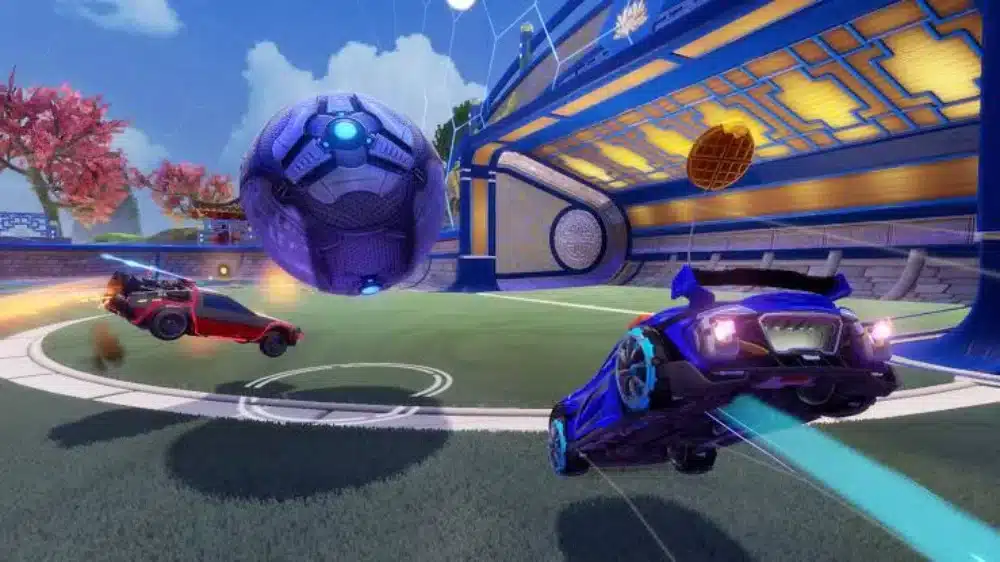
Latency variation measures how much your ping changes over time rather than the average ping itself.
A connection with stable latency generally provides smoother gameplay than one with frequent fluctuations, even if both have similar average ping values.
How the Connection Quality Indicator Works
Rocket League includes several built-in connection quality indicators that monitor your network during online matches.
These indicators help identify issues such as:
- High latency
- Packet loss
- Latency variation
- Server health problems
- Connection interruptions
Each warning points to a different type of networking issue.
Why Unstable Ping Affects Gameplay
Stable communication is essential in Rocket League.
When latency changes rapidly, you may notice:
- Delayed ball interactions
- Missed touches
- Inconsistent car movement
- Poor hit registration
- Unexpected gameplay corrections
Even brief fluctuations can influence close competitive matches.
Latency Variation vs. High Latency
These two warnings are often confused.
High latency means your connection is consistently slow.
Latency variation means your connection speed constantly changes.
As a result:
- High latency feels delayed but predictable.
- Latency variation feels inconsistent and difficult to anticipate.
Many players find unstable latency more disruptive than moderately high ping.
How Rocket League Detects Connection Instability
Rocket League continuously monitors communication between your device and its servers.
If significant fluctuations occur, the game displays the latency variation warning to notify you that your connection has become unstable.
This warning may appear even when your average ping remains relatively low.
What Causes Latency Variation Rocket League?
Several networking factors can trigger latency variation.
Some occur inside your home network, while others happen farther along your internet route.
Wi-Fi Interference
Wireless connections are particularly vulnerable to instability.
Common interference sources include:
- Thick walls
- Bluetooth devices
- Smart home equipment
- Neighboring Wi-Fi networks
- Microwave ovens
Because Rocket League relies on continuous real-time communication, even brief wireless interference can produce noticeable latency fluctuations.
ISP Routing Problems
Your internet provider determines how traffic reaches Rocket League’s servers.
Poor routing may increase:
- Network jitter
- Packet delay
- Connection instability
- Regional latency
Routing problems frequently affect only certain ISPs or geographic locations.
Network Congestion
Busy home networks can introduce temporary latency spikes.
Typical causes include:
- Streaming services
- File downloads
- Cloud backups
- Multiple connected devices
Reducing unnecessary network traffic helps stabilize your connection during matches.
Packet Loss and Jitter
Packet loss and jitter often accompany latency variation.
Packet loss occurs when information never reaches the server.
Jitter refers to inconsistent packet arrival times.
Together, they create:
- Rubberbanding
- Delayed physics
- Stuttering gameplay
- Unpredictable movement
Symptoms of Rocket League Latency Variation
The warning itself is only one sign of unstable networking.
Rubberbanding
Your car may suddenly jump backward or reposition unexpectedly.
This occurs when the server corrects your client’s predicted movement.
Delayed Ball Physics
The ball may appear to bounce differently than expected.
Because Rocket League relies on server-authoritative physics, unstable communication affects synchronization.
Teleporting Cars
Other players’ vehicles may suddenly change position.
This usually indicates inconsistent network updates rather than graphics performance.
Input Inconsistency
Latency variation may cause controls to feel less responsive.
Players sometimes experience:
- Delayed flips
- Late boosts
- Missed aerial timing
- Inconsistent recoveries
These effects become especially noticeable during competitive play.
Basic Ways to Fix Latency Variation
Fortunately, many cases of rocket league latency variation can be improved with simple adjustments.
Switch to Ethernet
A wired connection offers:
- Lower latency
- Greater stability
- Reduced interference
- More consistent packet delivery
Ethernet remains the preferred option for competitive Rocket League players.
Restart Networking Equipment
Restarting your modem and router refreshes your internet connection and clears temporary networking issues.
This simple step often resolves short-term instability.
Select the Correct Matchmaking Region
Choosing the nearest matchmaking region helps reduce both latency and connection variability.
Avoid using the “Recommended” option if testing reveals that another nearby region consistently performs better for your location.
Adjust Input Buffer Settings
Rocket League includes different input buffer options that affect how the game handles incoming network packets.
Experimenting with these settings may improve gameplay depending on your connection quality and network stability.
Quick Checklist Before Playing
Before joining ranked matches:
- Restart your router if needed.
- Use Ethernet whenever possible.
- Close unnecessary background applications.
- Verify your matchmaking region.
- Check Rocket League server status if widespread issues are reported.
These simple preparations can eliminate many common causes of unstable latency.
Why Stable Connections Matter in Rocket League
Rocket League rewards precise timing, quick reactions, and accurate ball control. Unlike many other online games, even small variations in latency can change how the ball behaves or when your inputs reach the server. Maintaining a stable connection is just as important as achieving a low average ping.
Advanced Fixes for Rocket League Latency Variation
If you’ve already tried the basic troubleshooting steps but still encounter rocket league latency variation, it’s time to look deeper into your network setup. Improving connection consistency often requires minimizing interruptions both inside your home network and along the route to Rocket League’s servers.
Monitor Connection Quality Indicators
Rocket League includes several built-in connection quality indicators that provide valuable information about your network health during matches.
Watch for indicators such as:
- Latency Variation
- High Latency
- Packet Loss
- Server Health
- Disconnected
These warnings can help identify whether the problem is temporary or persistent, allowing you to troubleshoot more effectively.
Reduce Local Network Traffic
Heavy network usage can increase jitter and create unstable latency.
Before launching Rocket League:
- Pause game downloads.
- Stop cloud backups.
- Close streaming services.
- Limit video calls.
- Disconnect unnecessary devices.
Reducing network congestion helps maintain a more stable connection throughout your matches.
Optimize Router Placement
If you’re using Wi-Fi, router placement can significantly impact connection quality.
For better wireless performance:
- Place the router in an open area.
- Keep it away from thick walls.
- Avoid placing it near microwaves or cordless phones.
- Position it away from other electronic devices.
- Elevate the router whenever possible.
These adjustments can reduce interference and improve signal stability.
Keep Drivers and Firmware Updated
Outdated software can contribute to networking issues.
Regularly update:
- Router firmware
- Network adapter drivers
- Operating system
- Rocket League client
These updates often include stability improvements and compatibility fixes.
Latency Variation vs. Other Connection Indicators

Rocket League displays different network warnings depending on the type of issue affecting your connection.
Understanding each one makes troubleshooting much easier.
Server Health
The Server Health indicator appears when the game detects problems affecting the match server itself.
Possible causes include:
- Temporary server instability
- Maintenance
- Regional infrastructure issues
In these situations, the problem is generally outside the player’s control.
Packet Loss
Packet loss occurs when information fails to reach the server.
Symptoms often include:
- Cars teleporting
- Missed ball touches
- Delayed movement
- Inconsistent gameplay
Unlike latency variation, packet loss represents missing data rather than inconsistent delivery times.
High Latency
High latency means your connection is consistently slower than normal.
Unlike latency variation, the delay remains relatively steady throughout the match.
Players may experience:
- Slower reactions
- Delayed inputs
- Noticeable response time
Although frustrating, stable high latency is often easier to adapt to than fluctuating latency.
Disconnected
The Disconnected indicator appears when communication with the server is interrupted completely.
This may happen because of:
- Internet outages
- Router failures
- ISP interruptions
- Severe packet loss
Once the connection is restored, gameplay usually resumes automatically if the session remains active.
Reduce Rocket League Latency Variation with ExitLag
Even if your home network is functioning properly, your internet traffic still travels through multiple providers before reaching Rocket League’s servers. Congested or inefficient routing along this path can contribute to unstable latency and packet loss.
ExitLag is designed to optimize these routes using intelligent traffic management and real-time route selection.
Its core technologies include:
- Multipath Connection, transmitting traffic across multiple optimized routes simultaneously.
- Real-Time Optimization, continuously monitoring network conditions and adjusting routing.
- Traffic Shaper, prioritizing gaming packets over less time-sensitive traffic.
- A global server infrastructure designed to improve route stability.
For Rocket League players, ExitLag may help reduce:
- Latency variation
- Packet loss
- Network jitter
- Routing instability
- Sudden ping spikes
Getting started is simple:
- Create an ExitLag account.
- Download and install the application.
- Select Rocket League from the supported games list.
- Apply the recommended optimization routes.
- Launch the game and join your next online match.
Because ExitLag supports more than 3,000 online games, you can also optimize your connection for a wide range of multiplayer titles beyond Rocket League.
Rocket League Connection Indicators
| Connection Indicator | Meaning | Possible Cause | Recommended Fix |
| Latency Variation | Ping fluctuates constantly | Jitter, unstable routing, Wi-Fi interference | Use Ethernet, reduce congestion, optimize routing |
| High Latency | Consistently high ping | Distant servers or ISP routing | Select the nearest matchmaking region |
| Packet Loss | Data packets fail to reach the server | Congestion or unstable connection | Restart your router and use a wired connection |
| Server Health | Server-side issue | Temporary server instability | Wait for Epic/Psyonix to resolve the issue |
| Disconnected | Lost communication with the server | Internet interruption or severe packet loss | Verify your connection and reconnect |
Best Practices for Stable Rocket League Matches
To minimize connection problems over the long term:
- Use an Ethernet connection whenever possible.
- Keep networking equipment updated.
- Restart your router periodically.
- Close unnecessary background applications.
- Select the closest matchmaking region.
- Monitor Rocket League’s connection quality indicators during gameplay.
Consistently following these practices can greatly reduce the likelihood of recurring network issues.
Frequently Asked Questions
Latency variation indicates that your ping is fluctuating instead of remaining stable. Even if your average latency is low, inconsistent packet delivery can negatively affect gameplay.
Low average ping does not guarantee a stable connection. Jitter, packet loss, Wi-Fi interference, or ISP routing problems can still cause latency variation despite an otherwise fast internet connection.
Yes. Wireless interference is one of the most common causes of unstable latency. Switching to an Ethernet connection often improves consistency.
It can. Rocket League’s Input Buffer settings determine how incoming network packets are handled. Testing different options may improve responsiveness depending on your connection quality.
Yes. ExitLag helps optimize the route between your device and Rocket League’s servers, reducing routing instability, packet loss, and latency fluctuations caused by inefficient internet paths. While it cannot resolve server outages, it can improve connection consistency for many players.
Enjoy Smoother Rocket League Matches
Understanding latency variation Rocket League is essential for diagnosing one of the most common networking issues in competitive play. By recognizing the difference between latency variation, packet loss, and high latency, you can apply the right troubleshooting steps and avoid unnecessary frustration during online matches.
If persistent rocket league latency variation is caused by unstable routing rather than server issues, ExitLag complements your network with Multipath Connection, Real-Time Optimization, and Traffic Shaper technologies. By intelligently optimizing the route between your device and Rocket League’s servers, ExitLag helps reduce latency fluctuations, minimize packet loss, and deliver a smoother, more reliable experience across Rocket League and more than 3,000 supported online games.
All game images used in this blog belong to Psyonix. They are used for informational/educational purposes only and do not imply endorsement or affiliation with the rights holders.
Got questions or want to connect with other players? Join the conversation at the ExitLag Forum!