Playing League of Legends becomes extremely frustrating when abilities don’t activate, movement feels delayed, or champions teleport unpredictably due to packet loss League of Legends. Even with fast internet, players still experience sudden freezes, rubberbanding and fix packet loss League of Legends problems that ruin ranked games. Therefore, understanding why this happens is the first step toward restoring stable gameplay.
However, the issue often isn’t your PC or your internet speed, but the path your data takes to Riot’s servers. When packets fail to reach the destination, the game cannot synchronize your actions. Like this, the result is severe League of Legends connection issues, unexpected deaths and skill failures even when your ping appears normal. This creates a sense of helplessness during critical team fights.
Finally, once you understand the root of packet loss League of Legends, you can apply precise solutions to stabilize your connection. With this guide, you’ll learn why packet loss happens, how to detect it, how to fix it, and why ExitLag stands as the most reliable method to eliminate interruptions and improve competitive performance.

What is packet loss in League of Legends
A perda de pacotes ocorre quando os pacotes de dados não chegam aos servidores da Riot durante a transmissão. Essa perda de pacotes interrompe a comunicação entre o seu computador e o jogo, causando atrasos, movimentos imprevisíveis e habilidades mal registradas. Em League of Legends, onde o tempo determina a vitória, a perda de pacotes se torna especialmente prejudicial.
Quando os pacotes desaparecem no meio do caminho, seu campeão pode ignorar comandos, ataques automáticos podem não ser registrados ou o minimapa pode atualizar de forma inconsistente. League of Legends usa uma troca rápida e constante de dados, então perder mesmo uma pequena quantidade interrompe a sincronização. Pense nisso como enviar mensagens onde metade nunca chega, o resultado é confusão e interações dessincronizadas.
Understanding this concept helps distinguish between high ping and packet loss League of Legends, you can have low ping yet still suffer packet loss if the packets themselves fail to reach the server.
How packet loss affects gameplay
Packet loss triggers several issues that directly affect competitive performance:
- Delayed abilities: Skills activate seconds after casting
- Rubberbanding: Champion snaps back repeatedly
- Hit registration failure: Auto-attacks don’t register
- Teleporting enemies: Opponents appear in unexpected positions
- Sudden disconnections mid-fight
- Inconsistent latency, even with stable ping
- Missed opportunities in clutch situations
Main causes of packet loss
Inefficient routing
Your packets travel through several routers before reaching Riot’s servers. If one hop discards data, packet loss League of Legends becomes inevitable. Therefore, routing quality matters more than internet speed.
Unstable connection
ISP instability, Wi-Fi interference, old modems or congested networks can cause data to drop mid-path. Wired connections are especially important for this game.
Distance from servers
Longer distances introduce more hops, increasing the chance of packet loss. Like this, players connecting to distant Riot servers suffer more instability.
Network congestion
Peak hours, multiple devices streaming, or heavy downloads overload your network. Congestion delays or drops packets before they ever reach Riot.
Hardware issues
Faulty network cards, damaged cables or outdated routers cause interruptions in data flow.
How to identify packet loss in League of Legends
League of Legends shows signs of packet loss through erratic movement, lost inputs, and skill failures. Inside the game, the network graph displays inconsistencies even when ping seems normal.
You can also run command-line tests to monitor packet behavior. The results show whether your connection suffers from instability or lost packets. Therefore, if your ping is stable but your champion moves erratically, packet loss is the primary suspect.
Interpreting results is simple: any consistent losseven, 1% affects gameplay. High-level players require 0% loss for reliable mechanical execution in duels and team fights.
Packet loss levels table
| Packet Loss (%) | Gameplay Impact | Risk |
| 0% | Perfectly stable | Low |
| 1–2% | Noticeable delay | Medium |
| 3–5% | Significant errors | High |
| 5%+ | Unplayable | Very high |
Basic fixes to reduce packet loss
Optimize your local connection
- Use wired ethernet instead of Wi-Fi
- Close background apps using bandwidth
- Update network drivers
- Enable router QoS for game prioritization
- Test with new cables if instability persists
- Reset modem/ router to clear congested routing
Contact your isp
If local changes don’t help, your ISP may be routing traffic through unstable or congested nodes. You can request a line check, a route adjustment or a stability review. However, this does not guarantee consistent improvement, since ISPs use automated routing systems.
ExitLag: the definitive fix for packet loss in League of Legends
What is ExitLag?
ExitLag é um software especializado, desenvolvido especificamente para otimização de conexão em jogos competitivos. Ele utiliza tecnologia avançada para estabilizar rotas, evitar congestionamentos e eliminar a perda de pacotes por meio de roteamento múltiplo.
Unlike general-purpose tools, ExitLag is engineered for gaming performance, ensuring players receive the fastest and most stable routes to Riot’s servers.
How ExitLag reduces packet loss
ExitLag uses Multi-Internet routing to keep your data on the most efficient path. It analyzes routes in real time and automatically shifts your packets if one path becomes unstable.

Its core functions include:
- Real-time route analysis
- Multiple simultaneous pathways
- Automatic route switching
- Hop optimization for shorter paths
- Stable, uninterrupted data flow
Benefits for League of Legends players
ExitLag provides several advantages, including:
- Complete packet loss elimination through optimized multi-routing
- Reduced latency, improving duels and skill timing
- Stable connection, even during peak hours
- Protection from routing instability
- Easy setup, no expertise required
- Support for international Riot servers
Each benefit directly improves competitive gameplay, increasing consistency in team fights, kiting, skillshots and macro execution.
Is ExitLag worth it?
ExitLag is especially valuable if you experience instability, play on distant servers, participate in ranked games or deal with frequent disconnections. The stability it creates often results in better win rates and more reliable matches.
How to use ExitLag in League of Legends
The process is extremely simple:
Step 1 – Access the official ExitLag website and download the application. There’s a free trial period for new users.
Step 2 – Install and open the program. Log in with your account.
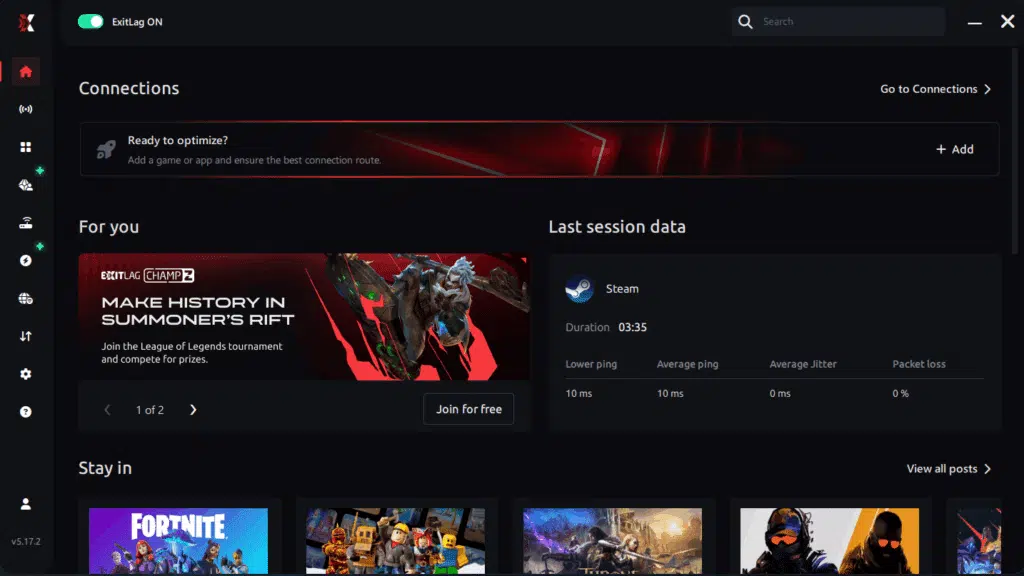
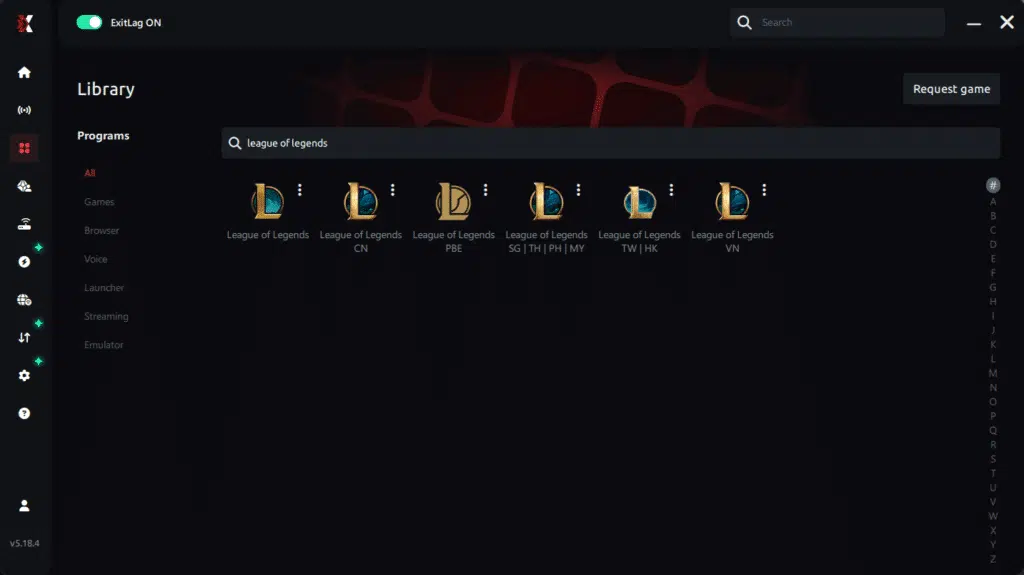
Step 3 – In the search bar, type “League of Legends” and select the game from the list.
Step 4 – Choose between automated or manual route
Based on the results, you can let ExitLag automatically select the best route or manually choose the server that showed the lowest latency for your connection.
AI-optimized automated route
Based on the results, you can let ExitLag automatically select the best route through AI optimization. The system analyzes multiple connection paths in real time and automatically identifies the most efficient route for your connection, ensuring the lowest possible latency without requiring manual choices.
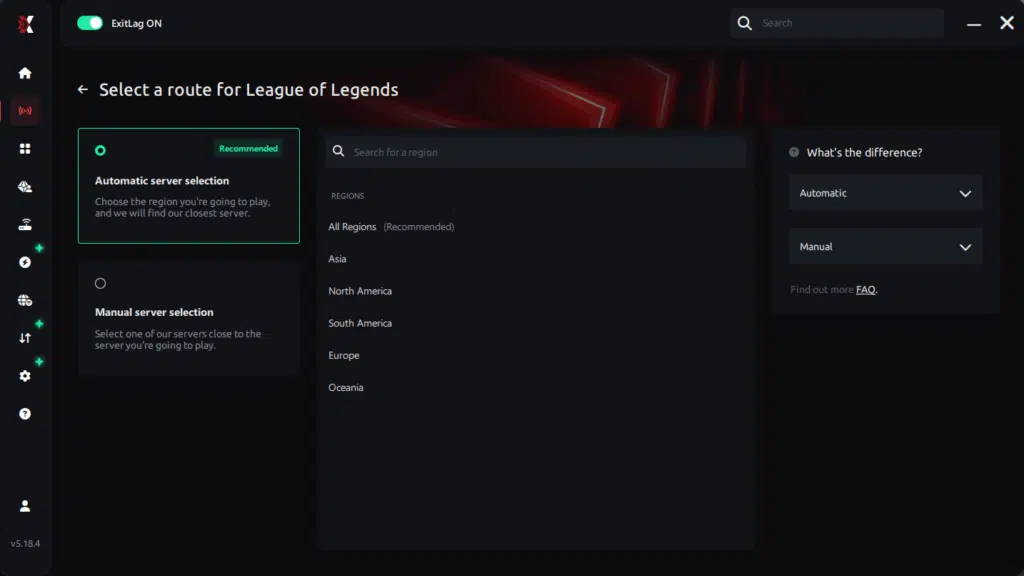
Manual route
If you prefer to have full control over your connection, you can manually choose the server based on the ping test results. Simply select the server that showed the lowest latency or the one that best meets your specific gaming needs, allowing complete customization of your experience.
Step 5 – Click “League of Legends” or the play button. ExitLag will begin optimizing your connection automatically.
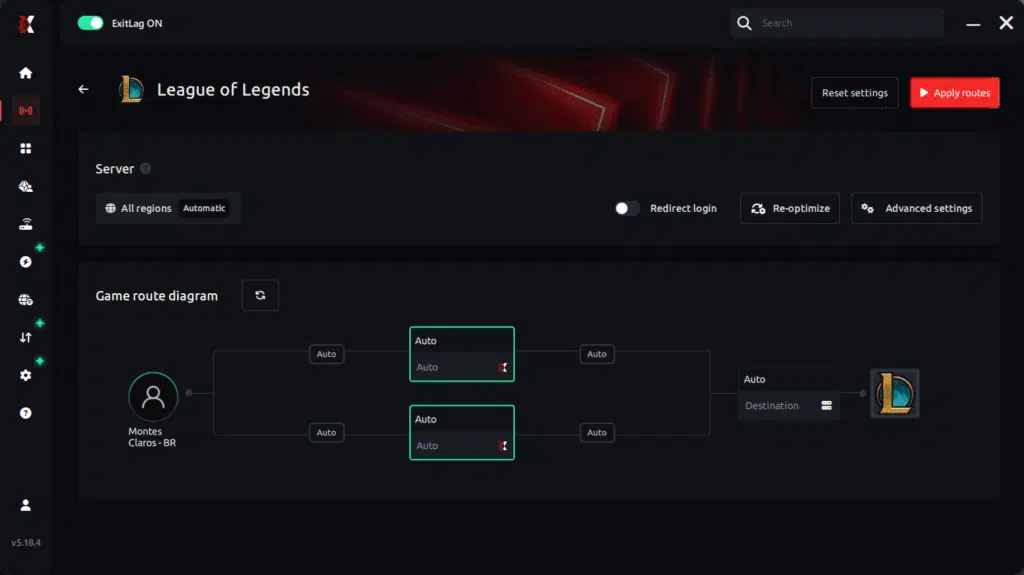
Step 6 – Wait a few seconds until optimization is complete. You’ll see ping indicators in the interface.
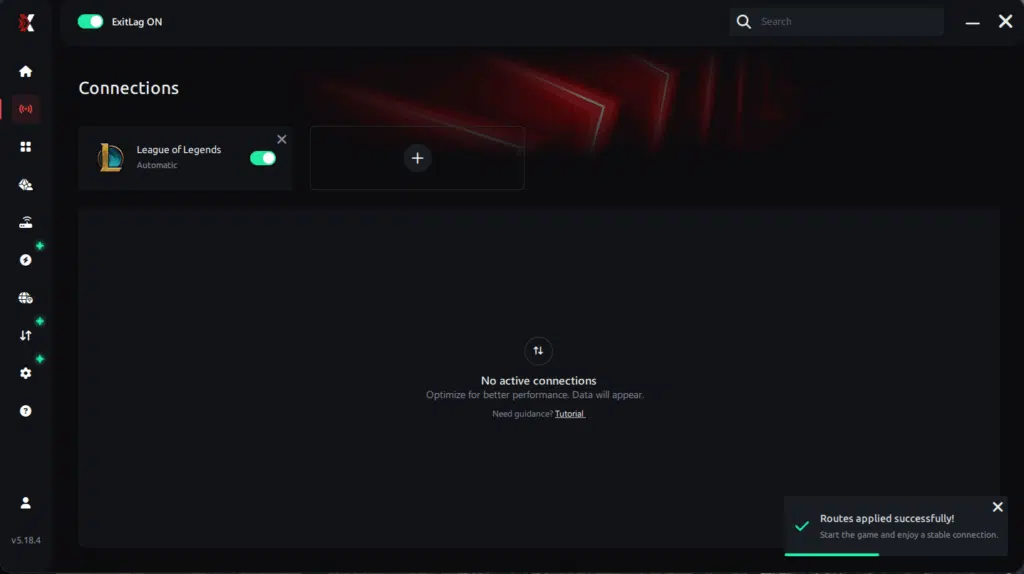
Step 7 – Launch League of Legends normally. The optimization will already be active.
ExitLag runs in the background while you play, constantly adjusting routes to maintain the best possible performance.
Faq
Is packet loss the same as lag?
No. Lag refers to high ping, but packet loss is missing data. You can have low ping and still experience severe packet loss in League of Legends because the packets themselves are being dropped.
Why do I get packet loss only in League of Legends?
Different games use different servers and different routes. A route that works for one game may drop packets for another, depending on the nodes Riot uses.
Can packet loss cause bans?
Packet loss does not cause bans. However, extreme instability may trigger automatic disconnections or unusual movement patterns.
How much packet loss is acceptable?
Ideally 0%. Up to 1% may be tolerable casually, but in competitive queues, even minor loss affects gameplay.
Can hardware cause packet loss?
Yes. Faulty cables, damaged routers, old network cards or overheating modems trigger packet loss.
Does ExitLag work on private servers?
Yes, ExitLag supports both official and private servers as long as route configuration is correct.
Do I need to keep ExitLag running?
Only while playing. It activates optimized routes during gameplay.
Eliminate packet loss and play league of legends without interruptions
Packet loss does not need to ruin your matches or your climb in ranked. Understanding the problem and applying the right fixes ensures consistent performance, smoother fights and more reliable inputs. However, the most definitive and stable solution is ExitLag, which eliminates routing issues at the source and guarantees uninterrupted gameplay.
Got questions or want to connect with other players? Join the conversation at the ExitLag Forum!