
Firstly, ping represents your total latency to the Legend of YMIR servers, measured in milliseconds (ms), at all online games. It also shows how fast data packets travel between your device and the server. Similarly, lower values mean better responsiveness. Legend of YMIR high ping means that your response is really low.
Secondly, high ping occurs when your device takes too long to communicate with the server. Additionally, the issue may not be your internet speed but rather the quality of the route used by your ISP. Possibly, your data might be traveling through overloaded or inefficient network nodes; that’s probably the reason for your Legend of YMIR high ping.
In summary, low ping in general, not only in talking about Legend of YMIR high ping, means stable, predictable gameplay, while high ping produces unpredictable delays. From the same point of view, maintaining consistent latency is essential for PvE, PvP, and world-event performance.
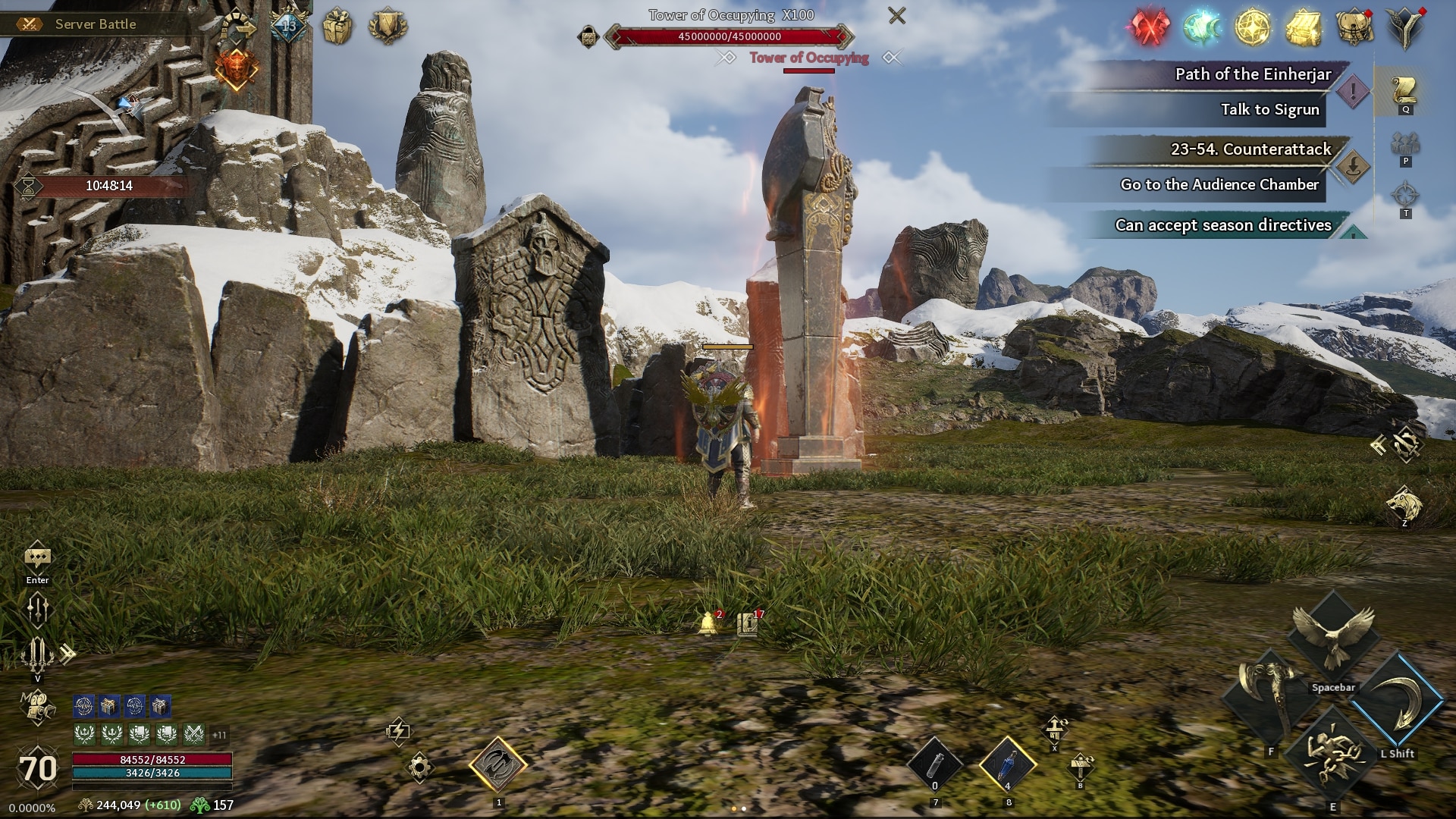
Why high ping happens
High ping is often caused by long travel distances, poor routing, or overloaded servers. Also, local network congestion or outdated equipment can increase delays.
Low ping vs. high ping in gameplay
Low ping allows instant command execution, while high ping makes every action feel delayed—even when your FPS is stable.
How high ping affects gameplay in Legend of YMIR
Players experiencing Legend of YMIR high ping feel the effects immediately. Here are the most common issues caused by unstable latency:
- Delayed skills and commands that activate too late
- Hit registration issues where attacks fail to connect
- Rubberbanding that teleports your character backward
- Disconnects during boss fights or PvP
- Dying behind walls due to server desync
- Competitive disadvantage in duels and arenas
- Loss of ranked points/MMR caused by timing failures
Above all, these issues intensify during peak hours or crowded events. At the same time, combat feedback becomes unreliable, making fights feel unfair.
Why responsiveness matters
In Legend of YMIR, many classes rely on precise animation timing. High ping disrupts these timings, making combos, cancels, and skill rotations inconsistent.
Competitive impact
PvP is especially sensitive to latency. Even small spikes give the opponent a major advantage, because their actions are reaching the server faster than yours.
Check also: A Complete Guide to the Legend of Ymir Game Features
Main causes of Legend of YMIR high ping
As said by the official Legend of YMIR website, below are the primary causes of high ping, based on common MMO and action-combat connectivity patterns:
1. Distance from servers
At first, the farther you are from the server region, the longer your packets need to travel. This increases your average latency even with a fast internet plan.
2. Internet service provider limitations
Even so, some ISPs use unstable or congested routing paths. Your speed test may look normal, but your route to game servers might be poor.
3. Inefficient routing
In the same way, your data may pass through unnecessary hops. This is one of the leading causes of ping Legend of YMIR latency during peak hours.
4. Network congestion
Multiple devices using the same connection can overload your network. Constantly, this causes latency spikes and inconsistent gameplay.
5. Outdated hardware or equipment
Old routers, damaged cables, or outdated firmware restrict the efficiency of your connection. Possibly, upgrading hardware can significantly reduce latency.
6. Game-specific server instability
Sometimes the issue originates from the game servers themselves. At first sight, you may interpret server-side instability as a personal ping problem.
How to identify and test Legend of YMIR high ping
Firstly, you can monitor your ping directly through the in-game settings or performance panel. The displayed number updates in real time and reveals whether latency spikes are happening.
Secondly, you can test high ping using system commands. For example:
- Open your PC terminal or command prompt
- Use the “ping” command with a provided server address
- Compare your average ms values
Then, evaluate the results according to common MMO standards:
- 0–60 ms: excellent
- 60–100 ms: stable
- 100–150 ms: noticeable delay
- 150–250 ms: heavy delay
- 250+ ms: highly unstable
Also, unstable values usually indicate ping Legend of YMIR connection issues, which may point to routing or congestion problems.
Check also: Legend of Ymir: A Beginner’s Guide with all you need to know
Diagnosing spikes
If your results fluctuate widely, you’re likely dealing with poor routing or overloaded servers.
Recognizing patterns
Sometimes the problem only appears at certain hours. This helps identify whether the issue is on your ISP or the game’s end.
Ping reference table for ping Legend of YMIR
| Ping range (ms) | Gameplay quality | Impact |
| 0–60 | Excellent | Instant responses |
| 60–100 | Good | Small delays |
| 100–150 | Average | Slow actions |
| 150–250 | Poor | Rubberbanding and input delay |
| 250+ | Very poor | Nearly unplayable |
ExitLag: the best solution to reduce high ping in Legend of YMIR
At first, when players experience Legend of YMIR high ping, they quickly notice that basic fixes aren’t enough. While adjusting Wi-Fi settings, closing apps, or switching to ethernet helps, these actions cannot repair your routing path. Even more, they cannot stabilize the communication between your PC and the game’s servers. This is where ExitLag becomes the most effective and decisive solution.
Now, the main problem behind unstable latency is routing inefficiency. Your data may bounce through multiple congested nodes before reaching the server. In the same way, this creates delays, spikes, and rubberbanding. The strength of ExitLag is its ability to completely bypass these inefficient paths and build a clean, direct, optimized route.
In summary, if you want to eliminate strong Legend of YMIR high ping, you need more than tweaks—you need route optimization that works in real time.

What is ExitLag
ExitLag is specialized software built exclusively for connection optimization in online games. It continuously analyzes your traffic and determines the fastest, most stable path to the server. Above all, it guarantees that your packets take the cleanest route possible—reducing delays and preventing erratic behavior.
ExitLag is not simply “an option.” It is the primary and most effective solution for players who experience unstable routing, lag spikes, unpredictable delays, or slow server paths. Immediately, players notice smoother combat, faster response time, and consistent hit registration.
Engineered for consistency
ExitLag operates by stabilizing every route segment between your device and the game server. That way, even during peak hours or server overloads, your connection remains predictable.
Why conventional fixes fail
Basic methods like closing apps or restarting routers don’t alter your routing path. ExitLag, however, rewrites the journey your packets take—removing the source of instability.
How ExitLag works to reduce high ping
ExitLag uses Multi-Internet technology to reroute your traffic intelligently. Here are the five core mechanisms:
- Real-time route analysis
- Simultaneous multi-route connections
- Automatic selection of the best route
- Hop optimization
- Continuous connection stabilization
These systems ensure that your data avoids crowded nodes, slow relays, or inefficient ISP pathways. Constantly, this prevents strong lag ping Legend of YMIR issues and keeps your ping consistent even in chaotic fights.
Eliminating route instability
ExitLag identifies unstable nodes and instantly switches to alternative optimized paths.
Preventing latency spikes
Because ExitLag maintains multiple simultaneous routes, your connection never collapses when one path becomes congested.
Benefits of ExitLag for ping Legend of YMIR players
ExitLag brings several major advantages for eliminating Legend of YMIR high ping problems.
1. Drastic ping reduction
ExitLag finds shorter, cleaner routes—reducing travel time and minimizing delays.
2. Elimination of packet loss
Unstable hops often cause packet loss, which leads to failed commands and desync. ExitLag prevents this by maintaining stable routing across every node.
3. Predictable and stable connection
During world bosses, PvP arenas, and crowded events, stability matters more than speed. ExitLag ensures consistent performance in these scenarios.
4. More reliable gameplay feedback
Animations, combos, and skill timings become far more responsive. This directly benefits classes that rely on precision.
5. Easy setup
The interface is intuitive, meaning any player can activate optimized routes within seconds.
6. Support for multiple servers
Even if you switch regions or join friends on different servers, ExitLag adapts instantly.
Is ExitLag worth using for ping Legend of YMIR?
Above all, ExitLag is absolutely worth it for players who struggle with unstable latency. When standard adjustments fail, routing remains the core issue—and ExitLag is the only solution capable of fixing it at this level. In the same way, competitive players gain a massive advantage through consistent timing windows.
For players tired of strong ping Legend of YMIR latency, ExitLag delivers immediate and measurable improvements.
How to use ExitLag in Legend of YMIR
The process is extremely simple:
Step 1 – Access the official ExitLag website and download the application. There’s a free trial period for new users.
Step 2 – Install and open the program. Log in with your account.

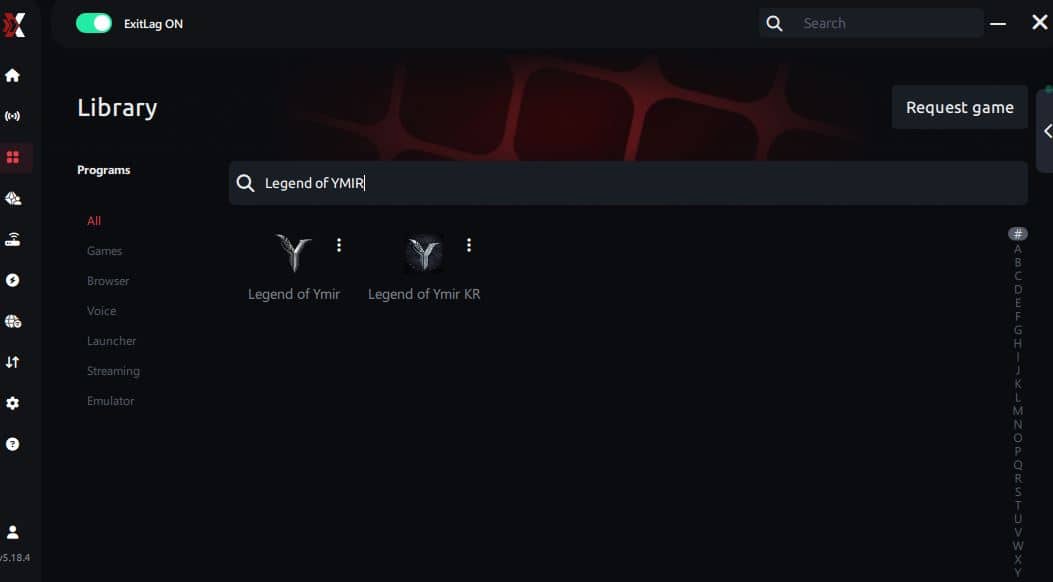
Step 3 – In the search bar, type “Legend of YMIR” and select the game from the list.
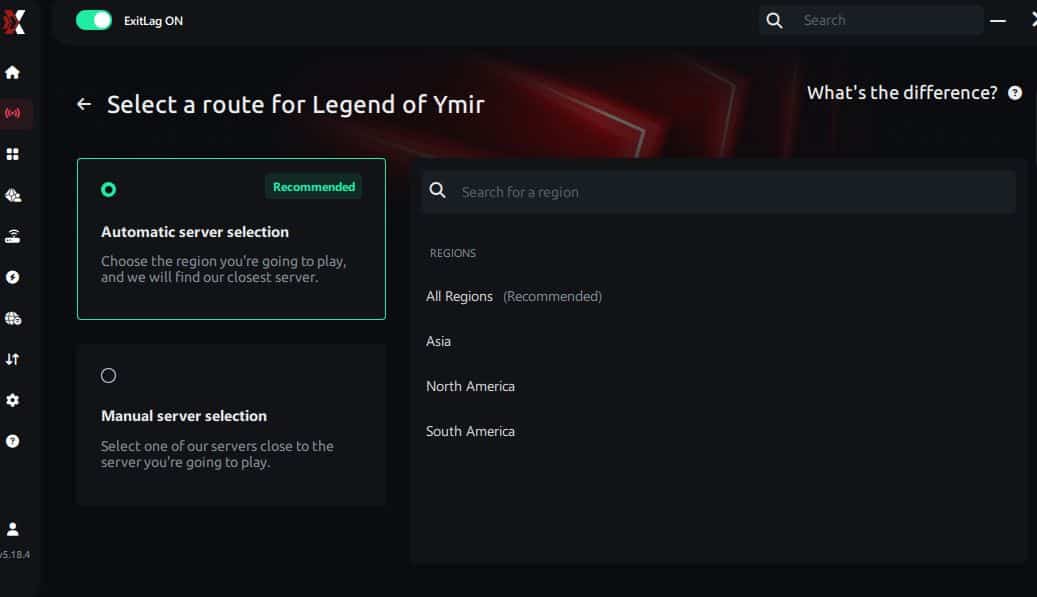
Step 4 – Choose between automated or manual route
Based on the results, you can let ExitLag automatically select the best route or manually choose the server that showed the lowest latency for your connection.
AI-optimized automated route
Based on the results, you can let ExitLag automatically select the best route through AI optimization. The system analyzes multiple connection paths in real time and automatically identifies the most efficient route for your connection, ensuring the lowest possible latency without requiring manual choices.
Manual route
If you prefer to have full control over your connection, you can manually choose the server based on the ping test results. Simply select the server that showed the lowest latency or the one that best meets your specific gaming needs, allowing complete customization of your experience.
Step 5 – Click “Legend of YMIR” or the play button. ExitLag will begin optimizing your connection automatically.
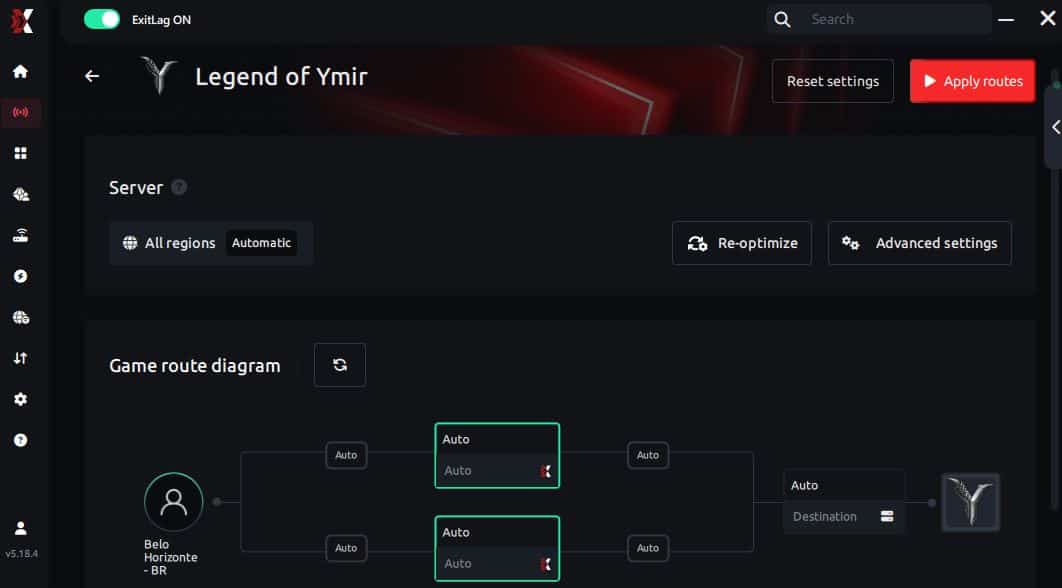
Step 6 – Wait a few seconds until optimization is complete. You’ll see ping indicators in the interface.
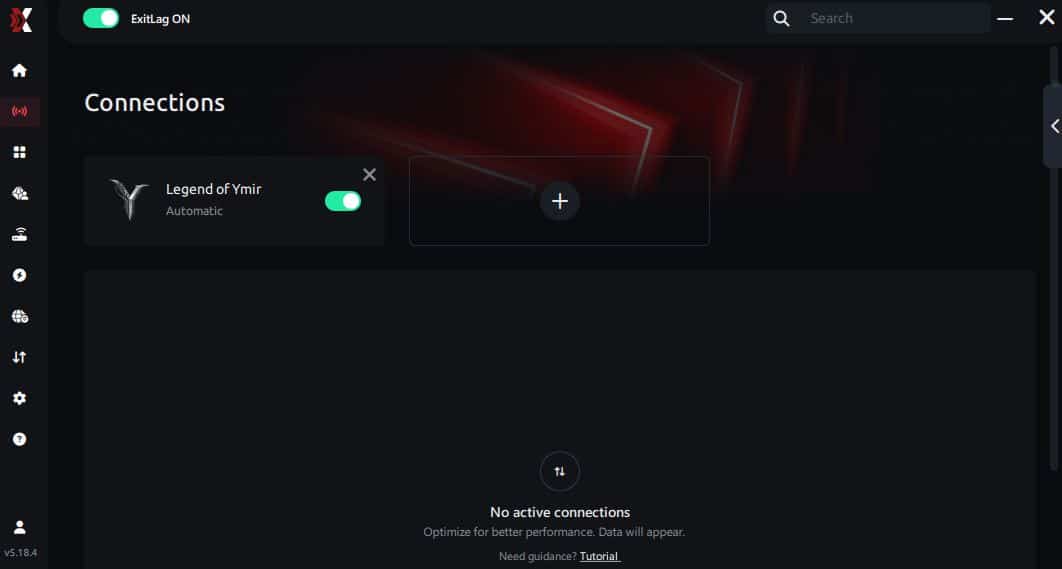
Step 7 – Launch Legend of YMIR normally. The optimization will already be active.
ExitLag runs in the background while you play, constantly adjusting routes to maintain the best possible performance.
FAQ: common questions about Legend of YMIR high ping
What causes Legend of YMIR high ping?
High ping can result from server distance, overloaded nodes, inefficient ISP routing, or internal network congestion. The issue often lies in the path packets take rather than your speed.
How do I check my ping in Legend of YMIR?
The game includes a real-time latency display inside the settings or HUD. You can also run system-level ping tests to verify external factors.
What is good ping for Legend of YMIR?
Below 60 ms is excellent. Between 60–100 ms is stable. Above 120 ms, delays become noticeable. Above 200 ms, combat becomes inconsistent.
Can high ping get you banned?
No. High ping itself does not trigger bans. However, repeated disconnects may cause penalties in competitive modes.
Does ExitLag work for Legend of YMIR high ping?
Yes. ExitLag is the most effective routing optimizer for stabilizing latency, preventing packet loss, and reducing delays.
Why do ping spikes happen during world events?
Large player concentrations create routing congestion. Without optimized paths, your ISP may send your packets through overloaded nodes.
Conclusion
In conclusion, solving strong Legend of YMIR high ping requires more than simple local fixes. While basic adjustments help, routing remains the true source of instability. ExitLag delivers the only consistent and effective solution by optimizing your path, stabilizing your signal, and enhancing real-time performance. For more insights, tutorials, and tips, visit the official ExitLag blog.
Finally, if your goal is smooth combat feedback, predictable timing, and stable gameplay even during peak hours, ExitLag guarantees the experience you’re looking for.Ready to eliminate lag, spikes, and unstable latency in Legend of YMIR high ping? Start your optimization journey today and unlock the fastest, smoothest gameplay possible. Use your free trial, download ExitLag now!



