Classic MapleStory is making its comeback on October 21, 2026. Before installing Nexon’s MMORPG, it’s worth checking the official MapleStory Classic World platforms and understanding how to access the game.
The new experience brings back elements from MapleStory’s early days, but there are some important differences in how you install it. Players can choose between two launchers, with support for both Windows PCs and Macs.
In short, the MapleStory Classic World platforms are Windows and macOS, with access through the Nexon Launcher or Steam. The game will be free to play at its official launch, while mobile and console versions have not been announced.
What Platforms Is MapleStory Classic World Available On?

MapleStory Classic World is a PC and Mac experience connected to the Global MapleStory ecosystem, which also serves players in Brazil and other supported regions.
Unlike a limited-time event, Classic World has been introduced as a permanent world. It aims to preserve the feel of early MapleStory while keeping progression separate from the modern game.
Windows and macOS: What’s Confirmed?
Both operating systems are officially included among the MapleStory Classic World platforms. However, there are some important details for Mac players.
- Windows: Available through the Nexon Launcher or Steam, with different installation methods.
- macOS: Supported through the official MapleStory ecosystem, including the Nexon Launcher and Steam.
- System requirements: The complete Classic World-specific specifications and final installation size still need confirmation.
- Languages: English is the primary language, with Spanish in beta. Portuguese localization has not been confirmed.
Nexon has stated that MapleStory support on Mac remains in beta. As a result, compatibility and performance issues may occur.
There is also a known issue affecting players using macOS 27 Golden Gate. Nexon identified a problem that can prevent access to MapleStory through Steam in certain situations.
The company’s published workaround recommends installing the game through the Nexon Launcher first to obtain the necessary Rosetta components. After completing this process, access through Steam may be restored.
This issue is documented in MapleStory’s support resources, although its specific impact on the Classic World client still needs confirmation.
Is MapleStory Classic World Coming to Mobile or Consoles?
Nexon has not announced Classic World versions for Android, iOS, PlayStation, Xbox, or Nintendo Switch.
One common source of confusion is MapleStory Worlds, a separate platform that lets players access community-created worlds on supported devices.
Some of these community experiences recreate the look and gameplay of old-school MapleStory. However, they are not the official MapleStory Classic World.
So, finding an app called MapleStory Worlds on your phone does not mean Classic World is available on mobile.
Can You Play MapleStory Classic World With a Controller?
Controller compatibility is worth checking because the options available in modern MapleStory may not be identical to those in Classic World.
The game’s introductory materials mention support for DualSense, DualShock, and Xbox controllers, along with Classic and Modern keyboard layouts.
However, players should confirm supported controller models and configuration options directly in the Classic World client before the public launch.
The same applies to WASD movement and potential differences between input options on Steam and the Nexon Launcher.
Where to Play MapleStory Classic World: Nexon Launcher or Steam?
There are two official ways to access the game on PC. Both use Nexon’s infrastructure, but the installation process is different.
Your launcher choice does not require separate characters. According to Nexon, players can access Classic World through either launcher using the same account.
Playing Through the Nexon Launcher
Nexon’s official launcher provides a standalone client for Classic World.
This means you don’t need to install the entire modern MapleStory game just to play the classic experience.
It’s an especially appealing option for players with limited storage or anyone who doesn’t plan to play the current version.
Playing Through Steam
On Steam, Classic World is integrated into the MapleStory installation.
Players need to install and update MapleStory through Steam, then use a properly linked Nexon account.
The biggest advantage is convenience. You can keep MapleStory in your Steam library alongside your other games.
Nexon Launcher vs. Steam: Which Is Better?
| Feature | Nexon Launcher | Steam |
| Classic World client | Standalone | Integrated with MapleStory |
| Modern MapleStory installation required | No | Yes |
| Nexon account | Direct login | Account linking required |
| macOS support | Yes | Yes, with compatibility considerations |
| Founder’s Packs previously sold | All three tiers | Zakum only |
| Pack upgrades during sales | Available | Not available |
For players interested exclusively in Classic World, the Nexon Launcher is generally the more practical choice.
Steam makes more sense if you regularly use Valve’s platform and prefer keeping your games in one library.
How to Download MapleStory Classic World
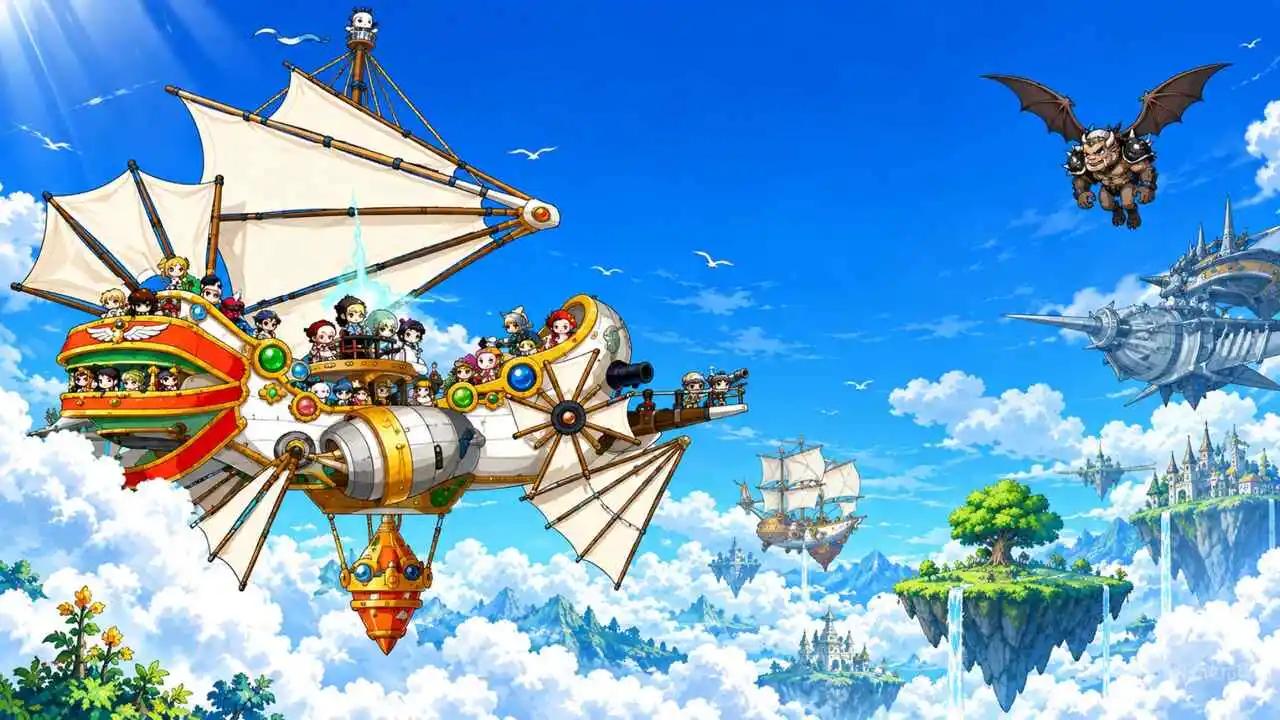
The installation process depends on your chosen platform. Setting up your launcher and account ahead of time can make launch day easier.
How to Install Through the Nexon Launcher
- Visit Nexon’s official website and download the Nexon Launcher.
- Install the application and sign in to your Nexon account.
- Open the games section and find MapleStory.
- Select the MapleStory Classic World option.
- Start downloading the standalone Classic World client.
- Once installation is complete, launch the game when server access becomes available to your account.
The standalone client eliminates the need to download the full modern MapleStory installation.
How to Install Through Steam
- Open Steam and search for the official MapleStory store page.
- Add the game to your library if you haven’t already.
- Install MapleStory and finish any available updates.
- Link your Nexon account to your Steam profile.
- Access the Classic World option provided through the client.
- Launch the game once your account has access.
Double-check your account linking before playing. Connecting the wrong Nexon account could prevent you from accessing the characters or benefits you expected.
How to Download MapleStory Classic World on Mac
On macOS, players can also use the Nexon Launcher or Steam.
However, MapleStory’s Mac version remains in beta, and some configurations may require additional steps.
Players using macOS 27 Golden Gate should pay attention to Nexon’s official Rosetta-related instructions. The company recommends using the Nexon Launcher as an initial workaround for the Steam access issue it identified.
There’s no reason to assume an emulator is required. Start with the official installation options and check Nexon’s support resources if you encounter compatibility problems.
How Much Does MapleStory Classic World Cost?
MapleStory Classic World will be free to play starting October 21, 2026.
Players won’t need to purchase a Founder’s Pack to begin playing after the official launch.
The paid packages were primarily offered as a way to obtain exclusive rewards, cosmetics, and early access with certain tiers.
Free-to-Play With a Cash Shop
Classic World features a shop with paid items. According to Nexon’s announced approach, the focus is on cosmetics and convenience features rather than directly selling items that increase experience gains or character power.
Items presented during Founder’s Access included:
- Outfits, accessories, and hair and face customization.
- Pets and items related to their upkeep.
- Megaphones, shop permits, and Safety Charms.
- Items used to redistribute ability and skill points.
While the stated approach avoids direct power bonuses, convenience items can still influence a player’s day-to-day experience.
Founder’s Packs: Prices and Rewards
Nexon sold three Founder’s Packs until October 14, 2026. Sales have ended, but the pricing provides useful context for how early access worked.
| Pack | Price | Early Access | Main Rewards |
| Snail | $29.99 USD | No | Well-Loved Outfit, founder items, and consumables |
| Orange Mushroom | $59.99 USD | Yes | Snail rewards and Founder’s Thief Outfit |
| Zakum | $79.99 USD | Yes | Previous rewards, Manji’s Outfit, and founder rings |
The Orange Mushroom and Zakum packs granted early access to Classic World beginning October 6.
The Snail pack did not include early access. Players who purchased it had to wait until the official opening on October 21.
One important detail concerns the Jr. Balrog Invasion item. The packages included 50 transformation consumables with a 90-day expiration period.
In other words, this was not a permanent transformation or a single effect lasting 90 days.
Cosmetics and other rewards also have their own conditions. It would be inaccurate to assume every item included in the packs is permanent.
When Is the Founder’s Pack Redemption Deadline?
Players who purchased a Founder’s Pack must claim their rewards through the in-game mailbox by November 30, 2026, at 11:59 PM UTC.
After retrieving the package from the mailbox, players have another 30 days to open it.
Make sure to check individual item expiration dates so you don’t lose consumables or other temporary rewards.
Is MapleStory Classic World Cross-Platform?

MapleStory Classic World allows players to use the same Nexon account across different launchers.
In practice, this means you can switch between the Nexon Launcher and Steam without creating separate progression for each platform.
Windows, Mac, Steam, and Nexon Launcher
The shared-account system is designed to keep your game experience connected to your Nexon account.
For example, players can start a session through Steam and later access the game through the Nexon Launcher, provided both use the same linked account.
Nexon confirms this launcher flexibility. However, specific interoperability between Windows and macOS, including possible client restrictions, should be evaluated based on the available platform support.
There is no cross-play with Android, iOS, or consoles because no Classic World versions have been announced for those devices.
What Doesn’t Transfer From Modern MapleStory?
Although both experiences belong to the same ecosystem, Classic World has separate progression.
Veteran players cannot simply transfer their modern MapleStory progress into the classic experience.
The following elements do not carry over:
- Characters and their levels.
- Character names.
- Maple Points.
- MVP status.
NX balances are shared between the experiences under Nexon’s applicable rules.
Your account may be the same, but your Classic World adventure starts from scratch.
How to Play MapleStory Classic World
Classic World was designed to bring back defining features from MapleStory’s earlier years.
That includes slower progression, a stronger emphasis on social interaction, and activities that require dedication as players develop their characters.
Nexon’s initial launch plan includes four original classes: Warrior, Magician, Bowman, and Thief.
Launch content has also been described as having a level cap of 100. Areas such as Orbis and El Nath, along with the third job advancement, were planned for later updates.
Since these features are part of the launch roadmap, players should follow Nexon’s announcements for any changes.
Pro Tips for Starting MapleStory Classic World
- Choose the Nexon Launcher if storage is limited: The standalone client avoids installing the complete modern MapleStory game.
- Set up your account before launch: Confirm your email, password, and Steam account linking.
- Explore the keyboard options: Test the available control layouts before committing to long play sessions.
- Plan your first class: Classic progression can demand more time and careful decisions when distributing points.
- Follow Nexon’s announcements: MapleStory Fest on October 17 may reveal more details about upcoming content, according to the announced schedule.
Common Mistakes New Players Should Avoid
Confusing MapleStory Worlds with Classic World: These are separate products. Use official distribution channels to avoid downloading the wrong game.
Leaving downloads until the last minute: Large files and updates can delay your first session. Preparing the installation early can help.
Linking the wrong Nexon account: Double-check your information before connecting your Steam profile. This reduces the risk of trouble accessing your progression.
Expecting to transfer old characters: Classic World has its own progression system. Treat it as a fresh start and plan a new adventure.
Using a VPN without checking network routing: Traditional VPNs don’t necessarily improve connections to game servers. Depending on the route, they may actually increase latency.
MapleStory Classic World Platforms: How Can ExitLag Help Reduce Lag?
Choosing between Steam and the Nexon Launcher solves the installation question, but connection quality still matters throughout your adventure.
For players connecting to international servers, factors such as distance, congestion, and network routing can affect stability.
Why Does Ping Matter in Classic World?
Although MapleStory is a slower-paced MMORPG, communication with the server still affects activities that depend on consistent response times.
These include Party Quests, boss fights, and extended grinding sessions.
Latency spikes and packet loss can lead to delayed commands or interruptions during these activities.
That doesn’t mean every player will experience lag. Results depend on the internet service provider, location, server, and network conditions.
How Can ExitLag Help With MapleStory Classic World?
ExitLag is a connection optimization tool that analyzes network routes to find more stable paths between players and game servers.
Its infrastructure includes more than 1,500 servers across over 190 countries and a cumulative user base of more than 30 million people.
Some of its main features include:
- Multipath: Uses multiple connection routes to increase redundancy and help reduce instability.
- Multi-Internet: Supports up to four internet connections, providing alternatives if one connection fails.
- Traffic Shaper: Prioritizes game traffic and helps limit bandwidth consumption by other applications.
- PC Boost: Optimizes computer resources, including RAM usage, to support local performance.
ExitLag focuses on connection optimization and does not modify game files. However, it cannot eliminate the physical limitations of server distance or fix issues originating within the game itself.
Improvements in latency and stability vary depending on each player’s connection.
Now that you know the MapleStory Classic World platforms, you can choose your launcher and get ready for October 21.
If you’re planning to play on Windows, consider exploring ExitLag to see how route optimization could help deliver a more stable connection while adventuring across Victoria Island.
All game images used in this publication belong to Nexon. They are included for informational purposes only and do not imply endorsement by or affiliation with the rights holders.
Got questions or want to connect with other players? Join the conversation at the ExitLag Forum!