From casual Marvel fans to competitive shooter veterans, everyone wants a clean and fair experience in Marvel Rivals. But with the rise of false bans, privacy concerns, and compatibility issues on platforms like Steam Deck, the real question is-what kind of anti-cheat does Marvel Rivals use?
Marvel Rivals has introduced a dedicated anti-cheat system that has stirred debate across the community. Whether you play on Windows, Linux, or emulate the game on alternative platforms, understanding how this system works is key to avoiding frustrations.
ExitLag can drastically reduce the impact of background services and anti-cheat stress on system performance. It enhances Marvel Rivals gameplay by reducing latency, stabilizing ping, and improving your network routing-so you don’t lose a duel to lag.
What Anti-Cheat Does Marvel Rivals Use?
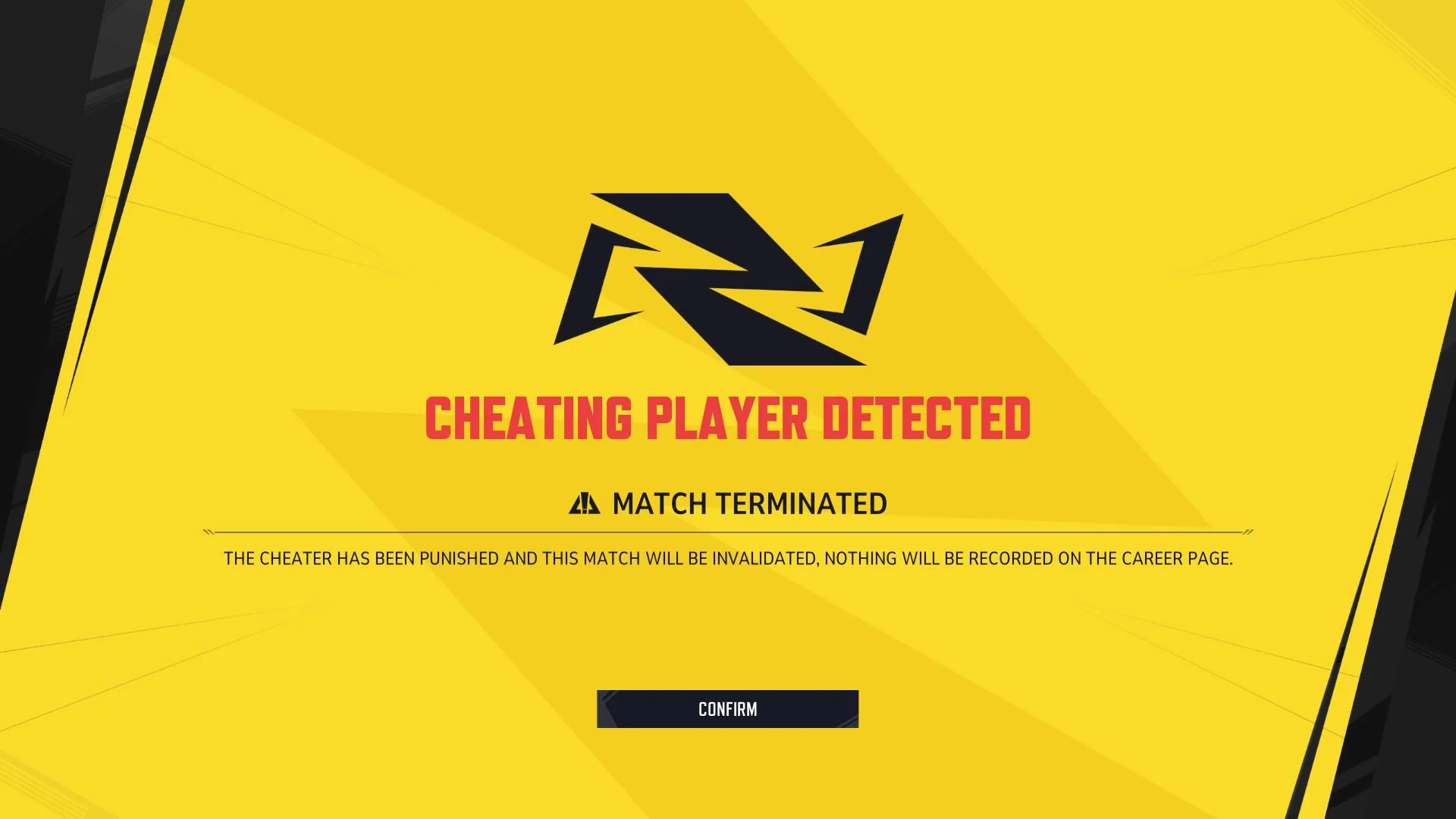
Marvel Rivals runs an internal anti-cheat system developed by its publisher, NetEase, but has not confirmed the use of third-party solutions like Easy Anti-Cheat (EAC) or BattlEye.
Key Insights:
- The anti-cheat appears to operate in user-mode, though this has not been officially confirmed.
- Some community members claim the presence of kernel-level components, but no definitive statement has been made by NetEase.
- The anti-cheat includes server-side validation and memory integrity routines.
Where is Marvel Rivals' Anti-Cheat Installed?
Currently, there's no standalone driver or software listed during installation-an indication that kernel-level access is not confirmed. This suggests a more standard installation, but speculation should be avoided until official technical documentation is provided.
Is Marvel Rivals Using Kernel-Level Anti-Cheat?
Unconfirmed
While some community members speculate that it may use kernel-level drivers, NetEase has not publicly confirmed whether the anti-cheat runs at the kernel level or only in user space.
- Reports exist of compatibility with Linux and Proton, which would typically exclude deep kernel-level implementations.
- However, this is not conclusive, and claims of Steam Deck support should be treated cautiously.
What About Linux or Steam Deck Compatibility?
Claims that the system was designed for compatibility with Linux or Steam Deck are not supported by official documentation.
- In early 2025, NetEase issued erroneous bans to users on emulated platforms (e.g., Mac, Linux via Proton), not explicitly Steam Deck.
- There is no official confirmation that Marvel Rivals supports native Linux or Steam Deck use.
- Therefore, assumptions about anti-cheat design based on platform compatibility remain speculative.
Why Do Players Suspect RAM Issues?
Some players have raised concerns about performance or memory usage while Marvel Rivals is running. However, technical evidence confirming RAM spikes directly caused by anti-cheat scans is lacking.
Observations (Not Confirmed):
- Some users perceive increased memory usage, possibly due to system overlays or simultaneous software.
- Reports of false positives on emulated platforms exist, but direct causation (e.g., memory scans) is not officially verified.
To remain accurate, it's safer to say: "Some users have reported performance concerns during gameplay, though no confirmed technical cause has been disclosed by the developers."
Who Got Banned, and Why?
In January 2025, reports surfaced of players receiving 100-year bans for using unsupported platforms like macOS or Linux through emulation.
What Happened:
- These bans were confirmed as mistaken by NetEase, who issued reversals for affected users.
- It's unclear whether Steam Deck users were among those impacted, as the reports emphasized emulation, not native support.
- No formal statement from NetEase confirms "100-year bans" as a default policy-this may have been a one-time occurrence.
What to Do If You’re Banned in Marvel Rivals
Players who believe they were falsely banned can appeal:
- Gather logs, timestamps, and system info.
- Contact NetEase support with details.
- Specify platform used and any emulation methods.
So far, appeals for unintentional bans (especially via emulation) have been processed with reversals.
Marvel Rivals Anti-Cheat Compared to Other Games
Note: Kernel-level status for Marvel Rivals is unconfirmed and may evolve. Comparisons are speculative.
| Game | Anti-Cheat Type | Kernel-Level | Platform-Friendly | False Ban Risk |
| Valorant | Vanguard | Yes | Low (Windows only) | Moderate |
| Apex Legends | Easy Anti-Cheat | No | Medium | Low |
| Marvel Rivals | Custom (NetEase) | Unconfirmed | Medium (Emulation use flagged) | Medium |
Top 5 Takeaways for Marvel Rivals Players
- Marvel Rivals' anti-cheat has not been confirmed as either kernel or user-mode.
- ExitLag can help optimize networking even when anti-cheat is active.
- RAM or performance concerns remain anecdotal, with no verified technical cause.
- Compatibility with Linux or Steam Deck is not officially guaranteed.
- Mistaken bans have occurred-appeals have been successful in select cases.
Possible Risk Factors (Based on Community Reports)
Marvel Rivals uses a proprietary anti-cheat developed by NetEase, but its inner workings remain undocumented. Players have reported bans for reasons ranging from suspected cheating to simply using alternative platforms.
Community-Reported Risk Factors:
These are not officially confirmed but appear recurrently in user reports:
- Emulation environments (e.g., Proton on Linux, Steam Deck)
- Memory scanning software active in the background
- Use of performance overlays or injectors
- VPN or hardware spoofing tools
These may result in temporary or “100-year” bans, especially during early game builds or beta testing.
Marvel Rivals Ban Duration: Why 100 Years?
Several users reported receiving absurd ban durations, such as 100 years, especially when playing on non-Windows environments.
- These bans were likely placeholders, not actual timed penalties
- NetEase later reversed many of these, attributing them to system misinterpretations
- No official documentation confirms if “100-year” bans are part of a standardized punishment system
Can You Appeal a Marvel Rivals Ban?
Yes. Players who were banned while using Linux or Steam Deck through Proton emulation successfully appealed their bans in January 2025.
Steps to Appeal:
- Visit NetEase support via their official page
- Provide your account ID, the platform you were using, and the approximate ban time
- Attach logs or screenshots if possible
Reminder: Be concise and factual-emotional or accusatory messages are less effective.
Is Marvel Rivals Compatible with Linux and Steam Deck?
This remains a gray area.
- The game can launch and run under Proton, but is not officially supported
- NetEase has not endorsed Linux or Steam Deck as compatible platforms
- Emulation may increase the risk of false positives from anti-cheat detection
Important: Just because the game works on a platform doesn't mean it's sanctioned by the developer. Running the game on unsupported systems is done at the user’s own risk.
Does Marvel Rivals Use a Kernel-Level Anti-Cheat?
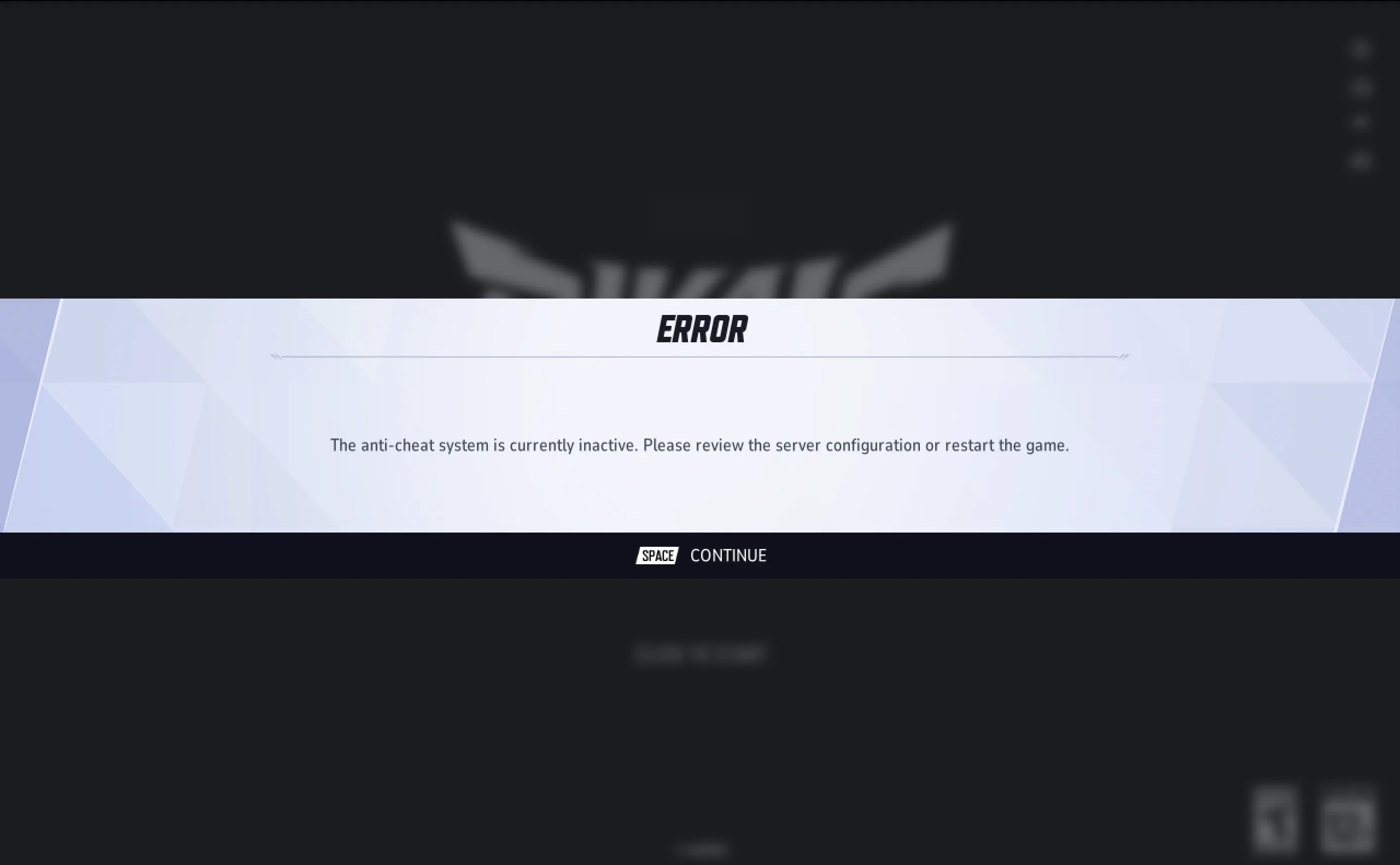
As of now, there is no official confirmation. While community posts speculate on the presence of a kernel-mode driver, especially due to its behavior during bans or system scans, nothing definitive has been published by NetEase.
- No kernel-level driver has been publicly confirmed or documented during installation. However, absence of a visible driver does not rule out low-level system components.
- Users can run it on Proton without kernel-level access-suggesting user-mode operation
- Steam community threads provide conflicting testimonies
Safer to say:
Marvel Rivals' anti-cheat has not been confirmed as kernel-level, and may operate in user space only. This status could change without notice.
Can I Get Banned for Using ExitLag?
Currently, there are no reports of bans in Marvel Rivals directly linked to the use of ExitLag. Exitlag functions by optimizing your internet route without modifying game files, memory, or behavior-key areas anti-cheat systems typically monitor.
Unlike VPNs or packet injectors, ExitLag does not spoof your identity or interfere with gameplay mechanics. Still, for maximum safety, users should avoid running it alongside any other third-party network modifiers.
So, can I get banned for using Exitlag? No, that's it!
Community Reports: Anti-Cheat Behavior Patterns
Players across Reddit and Steam Discussions have shared consistent patterns related to Marvel Rivals’ anti-cheat:
- High RAM usage in specific scenarios
- Conflicts with system overlays (e.g., RivaTuner)
- Sudden disconnects without error codes
- Inability to launch game after system updates or driver changes
None of these behaviors are officially acknowledged but appear frequently enough to be noteworthy.
Final Takeaways for Marvel Rivals Anti-Cheat
- Platform matters: Windows is safest; emulated systems risk bans
- No kernel-level proof: But behavior resembles aggressive scanning
- Bans can be appealed: Especially if using non-cheat environments
- Transparency is lacking: Players must act cautiously
- Avoid overlays and injected tools during gameplay
All game images used in this blog belong to NetEase. They are used for informational/educational purposes only and do not imply endorsement or affiliation with the rights holders.