Marvel Rivals is a fast-paced hero shooter where precision, timing, and quick reactions define every team fight. However, when Marvel Rivals high ping issues begin to appear, even basic movements feel delayed. Skills take longer to activate, hit registration becomes inconsistent, and dodging enemy abilities becomes unpredictable. For players pushing ranked progression, such delays can ruin mechanical consistency and overall match control.
At first, many players assume their internet speed is the culprit. But Marvel Rivals high ping spikes usually come from something deeper: the route between your PC and the servers. Ping is less about megabytes and much more about how efficiently your data travels—how many hops it crosses, whether those hops are congested, and how stable the route is throughout the match.

What is high ping in Marvel Rivals?
Marvel Rivals high ping refers to the delay between an action you take and the server’s response. When you press a key or activate an ability, your PC sends data packet to the server, which then processes the action and sends results back. If the round-trip takes too long, you’ll feel delayed reactions.
Ping is measured in (ms). Lower values generally mean faster, more responsive gameplay; higher ones mean inputs feel slower. While players often aim for numbers below 40–60 ms, these values are estimates, not official standards. Every connection and region behaves differently.
Even more, unstable routes can create sudden spikes, where ping jumps hundreds of milliseconds in a fraction of a second. This instability — not just the number itself — is what most players feel as “delay.”
How high ping affects your gameplay in Marvel Rivals
High ping doesn’t just delay your gameplay — it changes how the game behaves. Below are real consequences of ping in Marvel Rivals:
- Delayed skill activation — abilities trigger late, breaking combos and ult timings.
- Rubberbanding — your character snaps backward due to desync.
- Unreliable hit registration — shots appear correct on your screen but don’t register server-side.
- Slow movement reaction — dodges and repositioning feel disconnected from your input.
- Dying behind cover — server position differs from what you see.
- Competitive disadvantage — players with stable ping win more duels.
- Loss of ranked points — instability makes matches unwinnable.
Characters like Black Widow, Spider-Man, and Iron Man rely on frame-tight timing, which makes stable ping a fundamental part of performance.
Check also: Error code 4 Marvel Rivals: Full fix guide for connection issues and server error
Main causes of Marvel Rivals high ping
1. Distance from servers
The farther you are from the server, the more routers your data must cross. More hops mean higher latency and more opportunities for instability.
2. Internet provider limitations
Some ISPs use congested or low-quality routes. Even with fast download speeds, you may experience latency spikes due to inefficient routing.
3. Inefficient routing
Your ISP automatically chooses a default path for your data. However, this path may not be the shortest or the most stable.
4. Network congestion
When too many devices use your network simultaneously, bandwidth becomes divided. This causes strong latency variation, especially during peak hours.
5. Hardware and signal issues
Old cables, low-quality routers, or Wi-Fi interference lead to inconsistent data delivery and packet retransmissions.
6. Increased server activity
There may be increased traffic during content launches or updates. This doesn’t always happen, but when it does, ping can temporarily rise.
How to identify and test high ping in Marvel Rivals
Marvel Rivals includes general performance indicators that help you monitor network behavior, but menu names and displays may vary by patch. Therefore, instead of referencing specific labels, it’s best to look for any displayed latency values or connection indicators inside the settings or HUD.
At first sight, if your ping consistently jumps such as 40 → 130 → 80 → 170 ms, this points to route instability. You can also run a terminal ping test outside the game to confirm whether your connection is fluctuating independently of the server.
Now, here is an estimated reference table — not an official guideline — to help interpret latency ranges.
Ping reference table (estimated)
| Ping value | Gameplay effect |
| 0–40 ms | Excellent – near-instant reactions |
| 40–80 ms | Good – minor, manageable delay |
| 80–120 ms | Noticeable but playable |
| 120–160 ms | Strong delay and inconsistencies |
| 160+ ms | Highly unstable for fast-paced fights |
These ranges are approximate and vary based on region and server load.

Basic solutions to reduce high ping in Marvel Rivals
Optimize your local connection
- Use an Ethernet cable instead of Wi-Fi to avoid instability.
- Close background apps that consume bandwidth.
- Update network drivers to reduce latency issues.
- Configure QoS on the router to prioritize game traffic.
- Select the nearest server region when available.
- Adjust graphics settings to reduce FPS drops (this does not change ping but improves responsiveness).
Contact your ISP
If ping remains high constantly, your provider may be routing your traffic inefficiently. It may be necessary to request a line check, updated equipment, or alternative routing paths.
Why Marvel Rivals high ping happens
Understanding Marvel Rivals high ping requires examining how your data packets travel through multiple networks until reaching the game servers. High latency rarely comes from your internet speed. Instead, it stems from routing inefficiencies, congestion, or unstable intermediary nodes that add travel time to each request.
At first, many players assume their home network is the cause. However, most connection issues in Marvel Rivals come from external paths that ISPs do not optimize specifically for gaming. These paths can change dynamically throughout the day, creating unpredictable spikes.
In the first place, ping represents the round-trip travel time in milliseconds (ms). When this time increases or becomes unstable, movement, abilities, and hit registration feel delayed—one of the most common symptoms of Marvel Rivals high ping.
Inefficient routing decisions
ISPs choose routes based on cost and infrastructure load, not gaming performance. This often produces longer paths than necessary.
Congested intermediary networks
Even if your home connection is clean, a crowded node along the path can generate sudden latency increases.
Region or distance
If matchmaking places you in a distant region, high latency in Marvel Rivals becomes inevitable.
You may also like: Adam Warlock Marvel Rivals: Meet the Cosmic Hero
Wi-Fi interference
Wireless signals introduce micro-instability that worsens delays during intense matches.
In summary, most players experiencing Marvel Rivals high ping are not dealing with slow internet—only unoptimized routes.
How Marvel Rivals high ping affects gameplay responsiveness
High latency alters the timing and responsiveness of every mechanic in Marvel Rivals:
- Delayed abilities: skills activate noticeably later.
- Rubberbanding: your position flickers or snaps back.
- Inconsistent hit registration: shots reach the server late.
- Slower reaction feedback: dodges feel heavy or delayed.
- Teamfight desync: ultimates and coordinated plays fail to sync.
- Competitive disadvantage: low-latency players win more micro-interactions.
This is why Marvel Rivals high ping severely impacts roles that depend on precision timing.
How to test and confirm Marvel Rivals high ping
1. External OS tests
Running ping commands helps identify whether the instability begins before reaching the game servers.
2. Stability over raw numbers
Stable 80 ms feels better than unstable 40–200–90 ms. Predictability matters.
3. Peak-hour comparison
If delays occur mostly at certain hours, routing congestion is the likely source.
4. In-game behavior
Rubberbanding, delayed abilities, and slow movement response all indicate Marvel Rivals high ping even if HUD labels change between updates.
Estimated ping impact levels
| Estimated ping | Experience |
| 0–40 ms | Very smooth |
| 40–80 ms | Mostly stable |
| 80–120 ms | Noticeable delays |
| 120–160 ms | Harder timing |
| 160+ ms | Highly inconsistent |
These are general estimates, not official server values.
Basic solutions to reduce Marvel Rivals high ping
Optimize your local connection
- Prefer Ethernet instead of Wi-Fi.
- Close background bandwidth-heavy apps.
- Update your network drivers.
- Enable QoS to help prioritize gaming traffic.
- Choose the nearest available region.
- Lower graphic settings to prevent FPS-based input delay.
What is ExitLag?
ExitLag is a specialized connection optimization software built for gamers. Instead of modifying your internet plan, it optimizes routing paths so your data can travel through more efficient, consistent routes.
ExitLag includes several advanced technologies:
- Multipath connection (simultaneous multi-route system)
- Automatic route optimization
- Traffic Shaper, which helps optimize internal data flow and reduce local congestion
- Multi-Internet failover, offering redundancy across multiple connections
- FPS Boost, applying system adjustments that may help improve in-game performance
- Advanced configuration tools
- Global infrastructure with servers across all continents
- Dedicated support team
- Desktop account also valid for ExitLag Mobile
These features make ExitLag one of the most complete routing-optimization tools available for gamers dealing with high latency in Marvel Rivals.
How ExitLag works
ExitLag analyzes multiple possible routes simultaneously and selects the most efficient option available at the moment. This approach may:
- help avoid inefficient or overloaded paths
- help reduce unnecessary detours
- help improve stability along the route
- help mitigate packet loss by improving flow consistency
- help create smoother gameplay conditions
Because ExitLag continuously evaluates network performance, many players experience more predictable latency during matches, especially in situations where Marvel Rivals high ping disrupts timing.
Is ExitLag worth it for Marvel Rivals players?
Definitely. If your ping is unstable, you play during peak hours, connect to distant servers, or face routing issues, ExitLag provides immediate and reliable improvement. For competitive players, stability equals performance.
More consistent routing
ExitLag may help create more stable paths, reducing sudden spikes.
Improved responsiveness
More efficient routing helps abilities and actions respond closer to real-time.
Better performance during busy hours
Route optimization can help maintain stability when regional traffic increases.
Compatibility with multiple game regions
ExitLag supports optimized routing for every Marvel Rivals server region.
Easy setup
The interface is user-friendly, even for players with no technical background.
How to use ExitLag in Marvel Rivals
The process is extremely simple:
Step 1 – Access the official ExitLag website and download the application. There’s a free trial period for new users.
Step 2 – Install and open the program. Log in with your account.
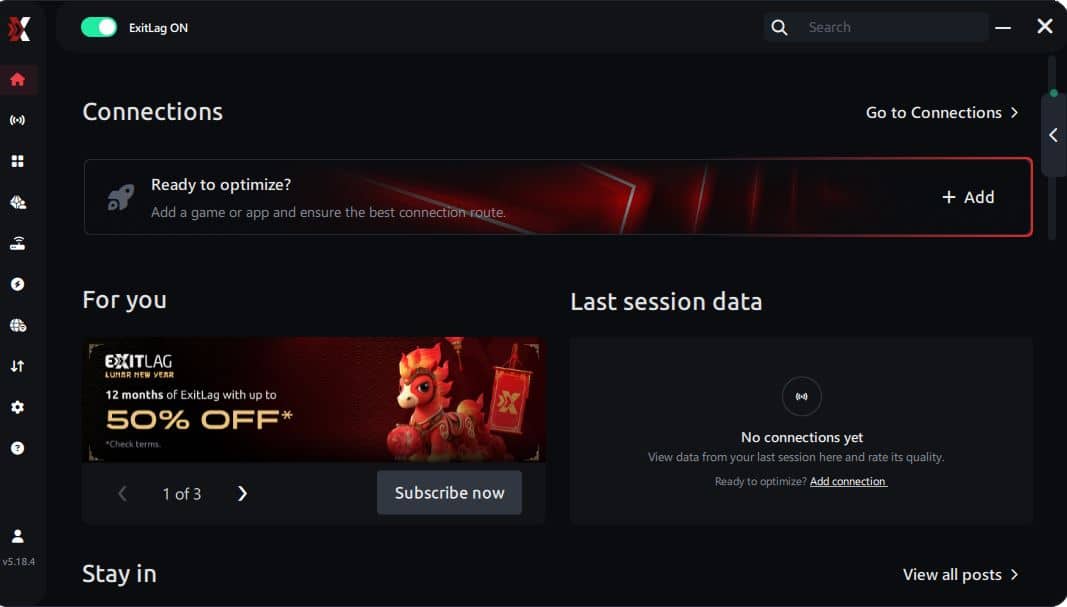
Step 3 – In the search bar, type “Marvel Rivals” and select the game from the list.
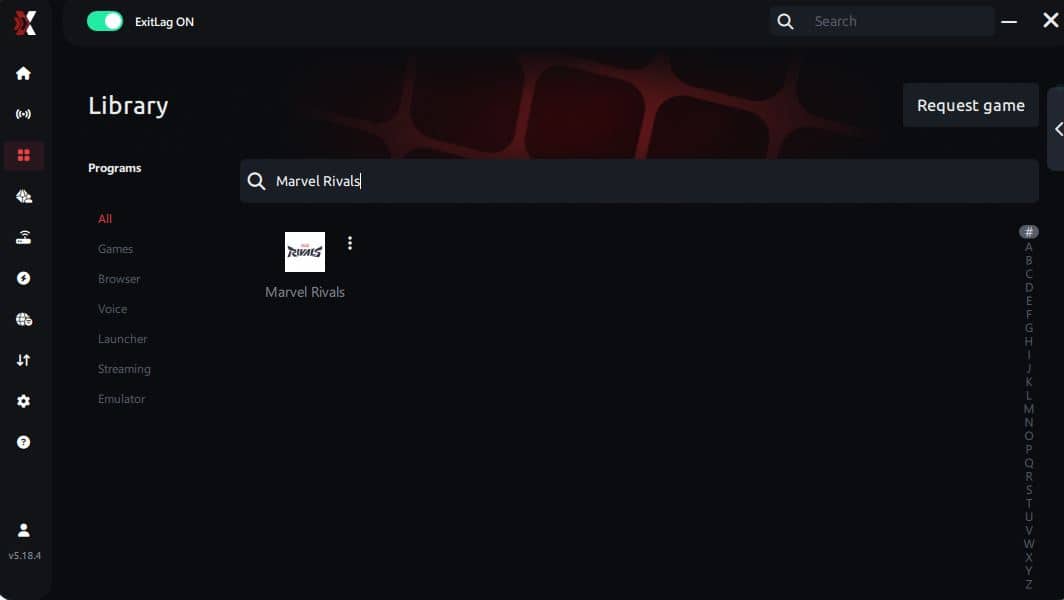
Step 4 – Choose between automated or manual route
Based on the results, you can let ExitLag automatically select the best route or manually choose the server that showed the lowest latency for your connection.
AI-optimized automated route
Based on the results, you can let ExitLag automatically select the best route through AI optimization. The system analyzes multiple connection paths in real time and automatically identifies the most efficient route for your connection, ensuring the lowest possible latency without requiring manual choices.
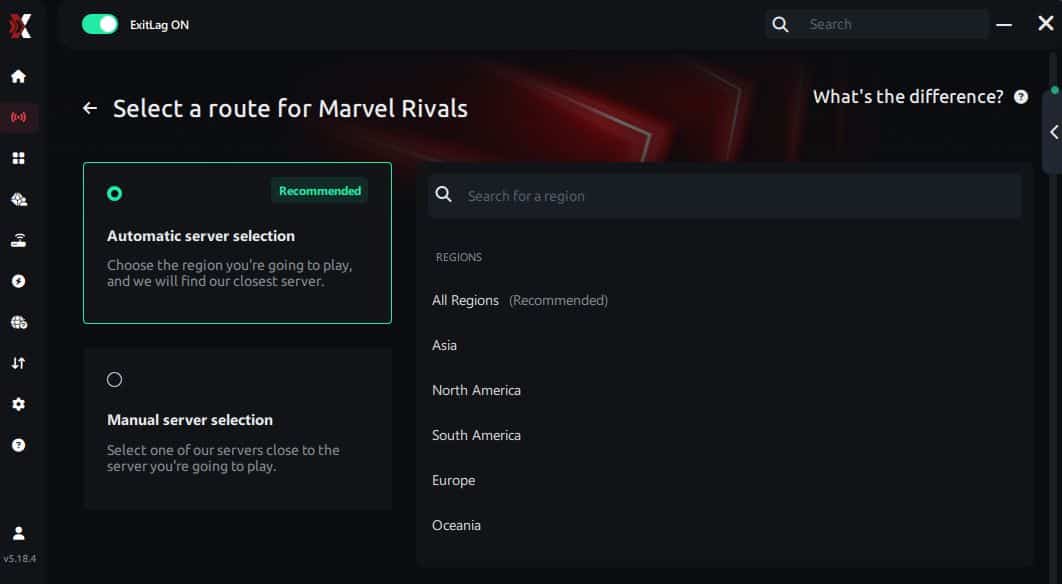
Manual route
If you prefer to have full control over your connection, you can manually choose the server based on the ping test results. Simply select the server that showed the lowest latency or the one that best meets your specific gaming needs, allowing complete customization of your experience.
Step 5 – Click “Marvel Rivals” or the play button. ExitLag will begin optimizing your connection automatically.
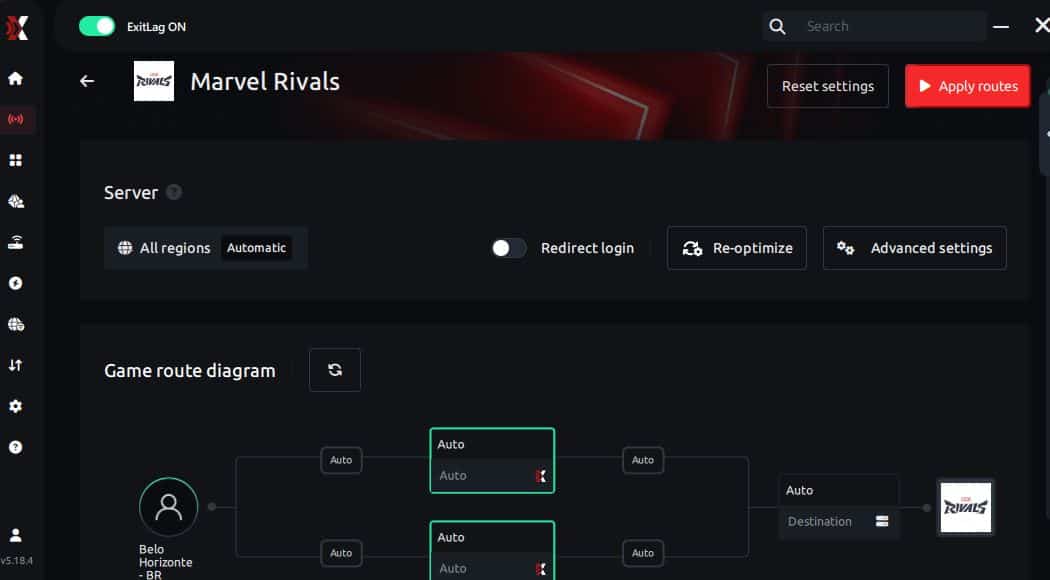
Step 6 – Wait a few seconds until optimization is complete. You’ll see ping indicators in the interface.
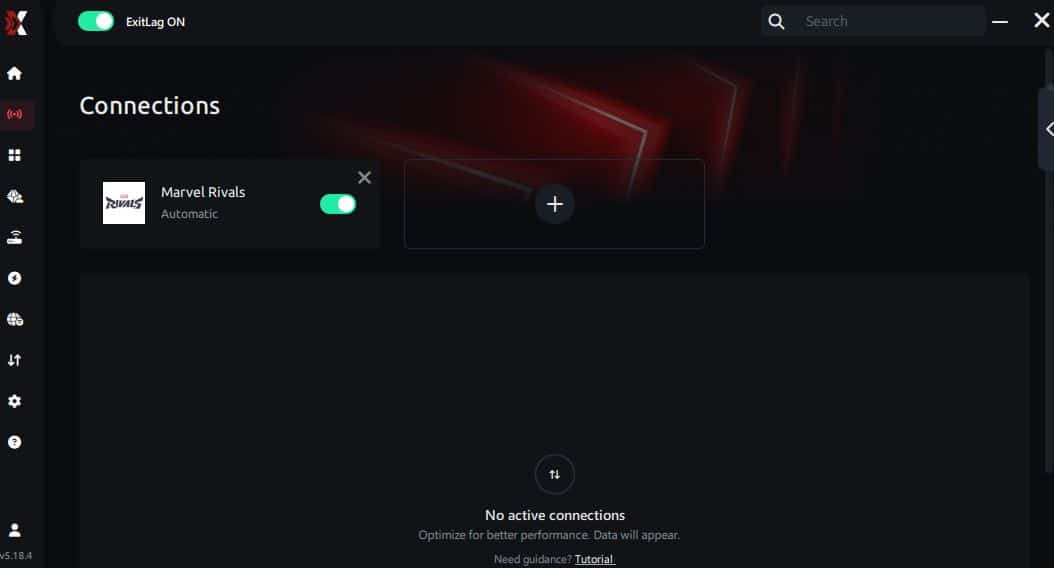
Step 7 – Launch Marvel Rivals normally. The optimization will already be active.
ExitLag runs in the background while you play, constantly adjusting routes to maintain the best possible performance.
FAQ - Frequently Asked Questions about Marvel Rivals high ping
What causes Marvel Rivals high ping?
External routing paths, congested nodes, and regional distance are the most common causes. These issues rarely depend on your internet speed.
How can I check my ping in Marvel Rivals?
You can observe latency through external OS tests and in-game behavior such as delayed skills and rubberbanding.
What is good ping for Marvel Rivals?
Under 80 ms is generally smooth, while values above 120 ms begin to impact timing noticeably.
Can high ping get you banned in Marvel Rivals?
No. Latency problems do not violate any rules.
Does ExitLag help with Marvel Rivals high ping?
Yes. ExitLag can help optimize routes, reduce instability, and improve overall responsiveness for many players.
Why does my ping fluctuate even if my internet is fast?
This is because routing is not controlled by speed. ISPs often send traffic through long or congested paths, which causes Marvel Rivals high ping.
Conclusion
Marvel Rivals high ping can disrupt every aspect of gameplay—from mobility to aim timing to team coordination. Local fixes help, but most latency issues come from routing paths outside your control.
ExitLag offers one of the most complete sets of tools to help improve route efficiency and reduce instability, thanks to technologies like multipath routing, automatic optimization, Traffic Shaper, FPS Boost, global infrastructure, and advanced configuration options. For more insights, tutorials, and tips, visit the official ExitLag blog.
Marvel Rivals high ping no longer needs to ruin your free time. Now that you understand the causes and how to stabilize your connection, you can finally enjoy your gaming smoothly. Start your free trial and see the difference for yourself.