Marvel fans and competitive shooter enthusiasts have their eyes set on Marvel Rivals PC, one of the most anticipated hero shooters of the decade. With its high-octane 6v6 gameplay and roster of iconic superheroes, it’s no wonder players are asking: Can my rig run it smoothly?
If you’re among those searching for Marvel Rivals PC requirements, Marvel Rivals minimum PC requirements, or whether Marvel Rivals is on PC, this guide has everything you need to prep your system.
Where is Marvel Rivals available?
Marvel Rivals officially launched on December 6, 2024, for Steam (PC), PlayStation 5, and Xbox Series X/S. However, it’s worth noting that the PlayStation 4 version was not available at launch, it only arrived on September 12, 2025. This delay reflects the game’s initial focus on newer-generation hardware to ensure optimal performance in a multiplayer environment.
Marvel Rivals is indeed on PC, and thanks to its polished performance on Steam, it has quickly become a popular choice for competitive players across multiple platforms.
Marvel Rivals System Requirements (2025 Updated)
Marvel Rivals is built using Unreal Engine 4, not UE5, as previously speculated. This ensures greater compatibility with a wide range of hardware while still delivering impressive visuals and fluid animations.
Below are the official minimum and recommended system requirements, as confirmed directly on the Steam store page.
Marvel Rivals Minimum System Requirements
- OS: Windows 10 (64-bit), version 1909 or newer
- CPU: Intel Core i5‑6600K or AMD Ryzen 5 1600X
- RAM: 16 GB
- GPU: NVIDIA GTX 1060 / AMD RX 580 / Intel Arc A380
- DirectX: Version 12
- Storage: 70 GB (SSD recommended)
Meeting these minimum specs will let you run the game at low to medium settings. However, expect lower frame rates during high-action sequences, especially on older GPUs or CPUs.
Marvel Rivals Recommended System Requirements
- OS: Windows 10 (64-bit), version 1909 or newer
- CPU: Intel Core i5‑10400 or AMD Ryzen 5 5600X
- RAM: 16 GB
- GPU: NVIDIA RTX 2060 / AMD RX 5700 XT / Intel Arc A750
- DirectX: Version 12
- Storage: 70 GB (SSD required)
With these specs, players can expect stable 60+ FPS performance at 1080p with most settings on High or even Ultra. The GPU selection offers ample support for DLSS or FSR, further boosting frame rates for competitive matches.
Can My PC Run Marvel Rivals?
This is a common question for players with mid-range or older systems. Here’s what to evaluate:
- 16 GB of RAM is non-negotiable – the game simply won’t run properly on 8 GB.
- Older GPUs like the GTX 970 or RX 570 might launch the game, but performance will be very limited.
- If your system only supports DirectX 11, the game won’t start. DirectX 12 is required.
If you’re unsure, you can test your setup with free tools like “Can You Run It” or benchmark similar Unreal Engine 4 games.
Best Settings for Marvel Rivals PC
Even if your PC meets the Marvel Rivals system requirements, tweaking your in-game settings can significantly boost your competitive performance.
Performance Optimization Tips:
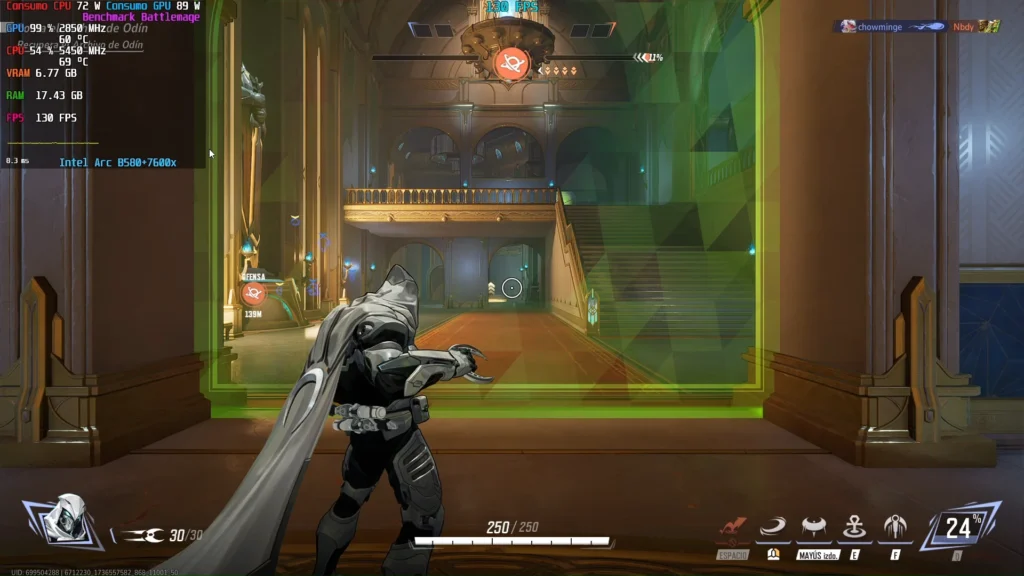
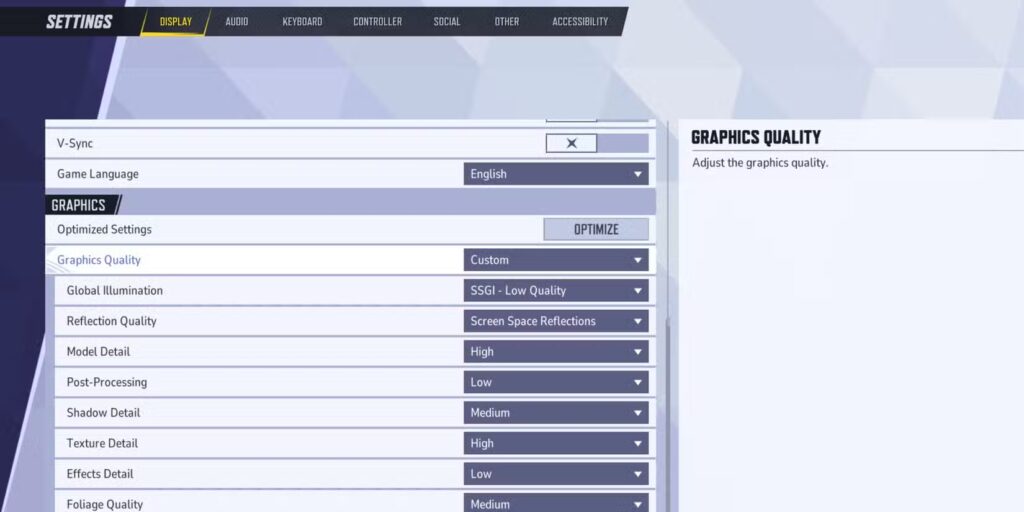
- Start with Medium settings, then scale up if your frame rate remains stable.
- Disable motion blur and chromatic aberration for clearer visuals during fast-paced combat.
- Lower shadow quality and post-processing to free up GPU resources.
- Enable DLSS or FSR (if available) to maintain FPS above 60 even in chaotic battles.
- Close all background applications, especially browsers and streaming software.
Marvel Rivals is a multiplayer-only game, meaning consistent frame rates and low latency are essential for competitive play.
Crashes and “Shutting Off PC” Issues
Some users have reported issues like the game crashing or even causing system shutdowns. These are usually linked to insufficient RAM, overheating components, or outdated drivers.
Common Causes:
- Running the game on systems with only 8 GB of RAM
- GPU overheating due to poor ventilation
- Windows missing latest updates
- Running the game on HDDs with slow read speeds
Solutions:
- Upgrade to at least 16 GB of RAM
- Use an SSD for game installation
- Monitor GPU temperatures and clean fans regularly
- Ensure Windows 10 version 1909+ is installed
- Update GPU drivers from NVIDIA, AMD, or Intel
Marvel Rivals PC Download & Installation Size
- Download size: ~70 GB
- Installation path: Via Steam
- Patch updates: Vary by region and system
While earlier speculation suggested a 10 GB patch post-install, this is not officially confirmed by the developers or Steam. It’s best to plan for the 70 GB main install and allow extra space for future updates.
Why ExitLag Matters for Marvel Rivals
Although ExitLag is primarily known for improving online latency, its system-level optimization tools make it valuable even beyond ping reduction.
Here’s how it helps with Marvel Rivals on PC:
- Real-time route optimization reduces packet loss and ping spikes in matches
- Traffic Shaper prioritizes game data to avoid desync or rubberbanding
- Multi-Internet support allows seamless backup connection switching
- FPS Boost tweaks system processes to free up CPU and GPU usage
ExitLag gives you the edge when milliseconds count, especially in a hero shooter where positioning and timing determine the outcome.
Marvel Rivals on Steam Deck and SteamOS
While Marvel Rivals is not officially verified for Steam Deck, early testing by players reveals mixed performance. The game does launch on SteamOS using Proton, but with some limitations depending on the version and driver stack.
Steam Deck Performance Notes:
- Playable, but not ideal out-of-the-box.
- Frame rates average around 30–45 FPS with low settings.
- Proton GE and custom launch commands improve compatibility.
- Anti-cheat mechanisms may break multiplayer stability.
Tip: Use 1280×800 with FSR enabled and a 40 FPS cap to balance battery life and performance stability.
Best Settings for Steam Deck:
- Resolution: 1280×800
- FSR: Enabled
- Texture Quality: Medium
- Post-processing & Shadows: Low
- Cap FPS to 40 for battery savings
Marvel Rivals Controller Support
Marvel Rivals has full native gamepad support on PC, with optimized layouts for Xbox and PlayStation controllers. Button prompts dynamically change based on your device, and sensitivity settings can be adjusted per axis.
Features:
- Aim assist options available (configurable)
- Vibration support
- Remappable controls (in-game and Steam overlay)
- Cross-platform parity for inputs
Players switching from console will feel at home, especially using DualSense or Xbox Core controllers.
Crossplay and Cross-Platform Performance
Marvel Rivals supports full crossplay across PC, PlayStation 5, Xbox Series X/S, and PS4 (since the September 2025 patch).
Cross-Platform Sync Details:
- Progression is synced via NetEase account, not Steam
- Cosmetics, unlocked heroes, and stats carry across platforms
- The matchmaking system aims to balance performance across platforms, but there is no official confirmation of strict input-based separation (keyboard/mouse vs controller).
Frame rate and latency vary by platform, with PC having the most consistent 60–120 FPS experience. Older consoles (PS4) are locked to 30 FPS with longer load times.
Thermal, Crash, and Lag Prevention Tips
Marvel Rivals puts considerable pressure on older GPUs and laptops. Here’s how to avoid heat-related shutdowns and gameplay interruptions:
Optimization Checklist:
- Clean vents and fans before long play sessions
- Enable VSync or frame cap to limit thermal spikes
- Undervolt GPU using tools like MSI Afterburner (advanced users only)
- Monitor temps using HWInfo or GPU-Z
- Disable unnecessary overlays (e.g., Discord, GeForce Experience)
These steps help prevent Marvel Rivals from triggering emergency shutdowns on PCs that meet only the minimum requirements.
Should You Upgrade Your PC for Marvel Rivals?
If you’re aiming for competitive play (especially ranked modes), you’ll want:
- A GPU with DLSS/FSR support for smoother gameplay
- SSD installation for faster asset streaming
- 16 GB RAM minimum, 32 GB preferred for future-proofing
Budget builds like Ryzen 5 5500 + RTX 3060 or i5‑12400F + Arc A750 offer excellent 1080p performance in Marvel Rivals.
ExitLag for Crossplay Optimization
Marvel Rivals’ matchmaking system includes players from across regions. ExitLag helps reduce region-based ping disparity, especially when paired with cross-platform lobbies.
Benefits for Marvel Rivals:
- Dynamic rerouting during match transitions
- Lower ping when connecting to servers outside your region
- Reduced input delay from packet compression
- Works even with console–PC mixed lobbies (via shared router connection)
For high-stakes matches or unstable ISPs, ExitLag ensures consistent performance.
General disclaimer: All game images used in this blog belong to NetEase and Marvel Games. They are used for informational/educational purposes only and do not imply endorsement or affiliation with the rights holders.
Got questions or want to connect with other players? Join the conversation at the ExitLag Forum!