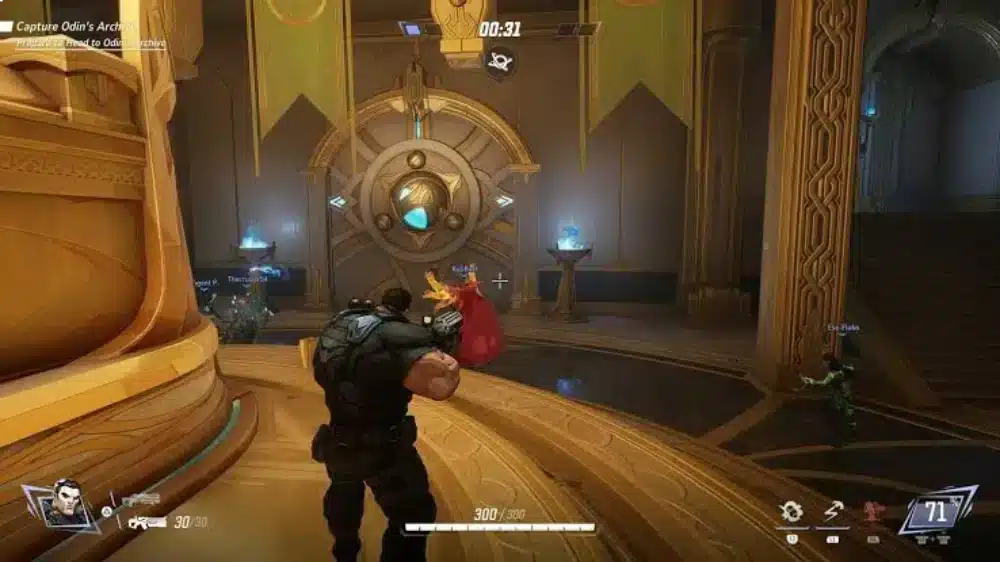
Marvel Rivals Sensitivity Converter tools have become essential for players moving from games like Counter-Strike 2, Valorant, Apex Legends, and Overwatch 2. Instead of rebuilding muscle memory from scratch, these tools allow players to maintain a similar mouse feel when switching games. This makes adapting to Marvel Rivals much easier.
Many players use a Marvel Rivals Sensitivity Converter because Marvel Rivals handles mouse sensitivity differently than other shooters. While the game offers extensive sensitivity options, finding the right value manually can take hours of testing. A proper converter speeds up the process significantly.
What is a Marvel Rivals Sensitivity Converter? It is a tool that calculates an equivalent sensitivity value from another game and converts it into Marvel Rivals while preserving your physical mouse movement distance, commonly measured as cm/360°.
Whether you’re coming from CS2, Valorant, Overwatch 2, or Call of Duty, understanding sensitivity conversion can help you feel comfortable much faster.
Marvel Rivals Sensitivity Converter Explained
What Does a Sensitivity Converter Do?
A sensitivity converter compares how different games interpret mouse movement. Its goal is simple. Maintain the same physical movement required to complete a 360-degree turn. This allows players to preserve muscle memory across multiple games.
Why Sensitivity Feels Different Between Games
Every game uses its own sensitivity calculations.
Factors include:
- Yaw values
- Field of view
- ADS multipliers
- Input scaling
- Engine differences
Even when numbers look identical, the actual mouse movement may feel completely different.
Benefits of Using a Converter
Players use converters because they provide:
- Faster adaptation
- Better consistency
- Improved accuracy
- Preserved muscle memory
- Reduced setup time
For competitive players, these advantages can be significant.
Marvel Rivals Mouse Sensitivity Converter: How It Works
Understanding cm/360
The most accurate measurement for sensitivity conversion is cm/360. This represents how many centimeters your mouse must travel to complete a full turn. Most professional sensitivity tools rely on this measurement rather than simply comparing in-game numbers.
DPI Still Matters
Your mouse DPI directly affects sensitivity.
Common DPI settings include:
- 400 DPI
- 800 DPI
- 1600 DPI
- 3200 DPI
When converting sensitivity, both DPI and in-game sensitivity must be considered together.
Example Conversion Process
A typical conversion follows these steps:
- Select your current game.
- Enter your sensitivity.
- Enter your DPI.
- Select Marvel Rivals.
- Generate the converted value.
This produces a starting point that can then be fine-tuned in-game.
Sensitivity Converter Marvel Rivals Players Use Most
Converting From CS2
Many players transition from Counter-Strike 2. Because CS2 emphasizes precision aiming, preserving sensitivity is especially important. A converter helps maintain familiar flick distances and tracking behavior.
Converting From Valorant
Valorant players often prefer lower sensitivities. The slower pace of tactical shooters rewards precise crosshair placement. Using a converter helps retain those habits while adapting to Marvel Rivals’ faster gameplay.
Converting From Overwatch 2
Marvel Rivals shares some hero-shooter characteristics with Overwatch 2. Many players report that transitioning between the two becomes easier when using a proper conversion tool.
Marvel Rivals Mouse Sensitivity Converter for Different Heroes
Not Every Hero Feels the Same
One challenge in Marvel Rivals is that hero design varies dramatically. Fast duelists require different mouse control than slower tanks. As a result, some players create hero-specific sensitivity adjustments.
Heroes That Benefit From Higher Sensitivity
Fast-moving heroes often perform better with increased sensitivity.
Examples include:
- Spider-Man
- Black Panther
- Psylocke
- Magik
These heroes require rapid turns and quick camera movement.
Heroes That Favor Lower Sensitivity
Precision-focused heroes often benefit from slower settings.
Benefits include:
- Better tracking
- Improved flick accuracy
- More controlled aim
- Consistent projectile placement
Many players lower sensitivity when focusing on ranged damage heroes.
Common Sensitivity Mistakes
Copying Professional Settings
Many players search for professional configurations. However, what works for one player may not work for another. Factors such as desk space, mousepad size, and playstyle all matter.
Constantly Changing Sensitivity
One of the biggest mistakes is adjusting settings daily. Consistency helps build muscle memory. Frequent changes often slow improvement.
Ignoring DPI
Players sometimes focus exclusively on in-game sensitivity. DPI is equally important. Both values work together to create your overall mouse feel.
Pro Tips for Better Sensitivity Settings
Find Your Ideal Range
Start with a converted value. Then test it for several matches before making adjustments. Small changes are usually better than large ones.
Focus on Consistency
- Use the same DPI.
- Avoid constant tweaking.
- Practice regularly.
- Track performance improvements.
Consistency often matters more than finding the “perfect” number.
Test in Practice Range
Before entering Competitive matches:
- Test flick shots.
- Practice tracking.
- Perform 180-degree turns.
- Adjust gradually.
This prevents unnecessary frustration.
Common Mistakes Players Make
Chasing Exact Numbers
A converter provides a starting point. Small personal adjustments are normal.
Switching Sensitivity Every Session
Muscle memory requires repetition. Frequent changes create inconsistency.
Ignoring Hero Differences
Different heroes may benefit from different sensitivity approaches. Flexibility can improve performance.
Why ExitLag Helps Marvel Rivals Players
Marvel Rivals depends heavily on fast reactions and accurate aim. Even minor connection instability can affect hit registration and responsiveness. ExitLag improves route stability by optimizing network traffic between players and game servers.
ExitLag does not modify game files and does not interact with anti-cheat systems. It focuses solely on connection optimization and network stability.
Marvel Rivals Sensitivity Converter Makes Switching Games Easier
Marvel Rivals Sensitivity Converter tools are among the best resources for players transitioning from other shooters. Whether you’re using a Sensitivity Converter Marvel Rivals setup from CS2, Valorant, Apex Legends, or Overwatch 2, maintaining consistent mouse movement can dramatically improve your early performance.
A reliable Marvel Rivals Mouse Sensitivity Converter helps preserve muscle memory, reduces adjustment time, and allows you to focus on mastering heroes rather than fighting your settings.
Sensitivity Converter Marvel Rivals: Advanced Optimization Guide
Why Converted Sensitivity Is Only the Starting Point
A Sensitivity Converter Marvel Rivals tool provides an excellent baseline. However, no converter can perfectly account for every variable.
Factors that influence aiming include:
- Mouse weight
- Mousepad size
- Monitor distance
- FOV preferences
- Hero selection
Because of this, most experienced players make small adjustments after converting their settings.
Building Muscle Memory Faster
The goal of conversion is consistency. Instead of relearning every movement, players maintain familiar mouse travel distances.
This creates benefits such as:
- Faster adaptation
- More accurate flicks
- Better tracking
- Improved confidence
The closer your settings feel to previous games, the smoother the transition becomes.
Why Marvel Rivals Feels Different
Marvel Rivals combines shooter mechanics with hero-based gameplay. Unlike traditional tactical shooters, movement tends to be faster and more vertical. Many heroes also possess mobility skills that require quick camera adjustments. As a result, some players eventually increase sensitivity slightly compared to games like CS2 or Valorant.
Marvel Rivals Mouse Sensitivity Converter for Competitive Play
Competitive Players Prioritize Consistency
At higher ranks, consistency becomes more important than raw speed.
Competitive players typically focus on:
- Stable crosshair control
- Repeatable flicks
- Reliable tracking
- Comfortable movement
A proper Marvel Rivals Mouse Sensitivity Converter helps establish these fundamentals.
Finding Your Effective DPI
Many players discuss sensitivity without mentioning eDPI.
Effective DPI combines:
DPI × In-Game Sensitivity
This number provides a more accurate comparison between players.
For example:
| DPI | Sensitivity | eDPI |
| 400 | 8.0 | 3200 |
| 800 | 4.0 | 3200 |
| 1600 | 2.0 | 3200 |
Although the settings differ, the effective sensitivity remains identical.
Low vs High Sensitivity
Both approaches have advantages.
Low sensitivity often provides:
- Better precision
- More accurate tracking
- Consistent crosshair placement
High sensitivity often provides:
- Faster turns
- Easier target switching
- Better mobility response
The best option depends on your preferred heroes.
Marvel Rivals Sensitivity Converter for Popular FPS Games
CS2 to Marvel Rivals
Counter-Strike players usually prefer precision-focused settings.
Benefits of converting directly include:
- Familiar flick distances
- Better muscle memory retention
- Easier adaptation
Many players only make small adjustments after conversion.
Valorant to Marvel Rivals
Valorant players often use lower sensitivities than hero-shooter players. After conversion, some users increase sensitivity slightly to account for Marvel Rivals’ faster pace.
Apex Legends to Marvel Rivals
Apex players frequently feel comfortable immediately after conversion.
Both games emphasize:
- Tracking
- Mobility
- Fast engagements
This often creates a smoother transition.
Overwatch 2 to Marvel Rivals
Many players moving from Overwatch 2 report similar aiming requirements.
Both games feature:
- Diverse hero abilities
- Vertical movement
- Dynamic combat
As a result, converted settings usually feel natural.
Marvel Rivals Sensitivity Settings by Hero Type
Duelists
Duelists often benefit from quicker camera movement.
Popular examples include:
- Spider-Man
- Black Panther
- Psylocke
- Magik
Recommended characteristics:
- Faster turns
- Quick target acquisition
- Responsive movement
These heroes frequently reward slightly higher sensitivities.
Vanguard Heroes
Tank-oriented heroes generally prioritize positioning.
Benefits of lower sensitivity include:
- Better control
- Stable tracking
- Consistent engagements
Rapid movement remains less important.
Strategists
Support heroes often require balanced settings.
Players need:
- Precision healing
- Reliable targeting
- Situational awareness
A middle-ground sensitivity frequently works best.
How to Test a Marvel Rivals Sensitivity Converter Result
Use the Practice Range
Before entering Competitive mode, test your settings thoroughly.
Focus on:
- Tracking moving targets
- Flicking between enemies
- Performing 180-degree turns
- Ability targeting
These exercises quickly reveal issues.
The 180-Degree Test
A useful benchmark involves performing rapid turns.
Ask yourself:
- Can you react comfortably?
- Do turns overshoot targets?
- Does movement feel natural?
Small adjustments can solve many problems.
Track Performance Over Time
Avoid judging a new sensitivity after only one match.
Instead:
- Play multiple games.
- Record performance.
- Monitor accuracy.
- Evaluate consistency.
- Adjust gradually.
This produces more reliable results.
Common Problems After Using a Sensitivity Converter
Sensitivity Feels Too Fast
This often happens when players move from tactical shooters.
Possible solutions include:
- Lower sensitivity slightly.
- Increase adaptation time.
- Practice before adjusting further.
Immediate changes are not always necessary.
Sensitivity Feels Too Slow
Players transitioning from fast-paced games may encounter the opposite issue.
Consider:
- Slight sensitivity increases
- Additional practice sessions
- Hero-specific testing
Small changes work best.
Constant Tweaking
One of the biggest mistakes is changing settings after every match. Muscle memory requires consistency. Frequent adjustments prevent long-term improvement.
Pro Tips for Marvel Rivals Sensitivity
Build Better Aim Habits
- Keep DPI consistent.
- Use a quality mousepad.
- Avoid constant sensitivity changes.
- Practice regularly.
Strong habits outperform perfect settings.
Improve Tracking Accuracy
- Focus on smooth movements.
- Avoid overflicking.
- Practice against moving targets.
- Use consistent arm positioning.
Tracking is crucial in Marvel Rivals.
Common Mistakes Players Make
Copying Professional Settings
Professional sensitivities work because they fit individual preferences. Blindly copying them rarely produces ideal results.
Ignoring Mousepad Size
Sensitivity should match available desk space. Smaller pads may require different settings.
Changing DPI Constantly
Changing DPI alters muscle memory just as much as changing sensitivity. Consistency remains critical.
Why ExitLag Helps Marvel Rivals Players
Marvel Rivals relies heavily on fast reactions, precise tracking, and accurate ability usage. Network instability can create delayed inputs, packet loss, and inconsistent hit registration.
ExitLag optimizes network routes to improve connection stability and responsiveness. ExitLag does not modify game files and does not interact with anti-cheat systems. It focuses entirely on connection optimization and route stability.
Marvel Rivals Sensitivity Converter Helps Preserve Your Aim
Marvel Rivals Sensitivity Converter tools provide one of the fastest ways to feel comfortable in the game. Whether you’re using a Sensitivity Converter Marvel Rivals setup from CS2, Valorant, Apex Legends, or Overwatch 2, maintaining familiar mouse movement can significantly reduce the learning curve.
A reliable Marvel Rivals Mouse Sensitivity Converter gives players a strong starting point, but long-term success still comes from practice, consistency, and gradual refinement. By combining accurate conversion with disciplined training, players can maximize their performance across every hero and every competitive match.
Frequently Asked Questions
Several community tools support Marvel Rivals conversions, including calculators that use cm/360 measurements for greater accuracy.
Yes. A sensitivity converter can calculate an equivalent Marvel Rivals value based on your CS2 settings.
Differences in FOV, hero design, movement mechanics, and game engines can affect perception even when the conversion is accurate.
Some players do, especially when switching between highly mobile Duelists and slower Vanguard heroes.
Neither is more important. DPI and in-game sensitivity work together to determine overall mouse feel.
Got questions or want to connect with other players? Join the conversation at the ExitLag Forum!